




Introduction
Katalon Studio is a selenium-based automated testing engine and was first introduced in January 2015. JIRA, one of the most widely used open-source testing tools, is used by more than 65,000 businesses globally.

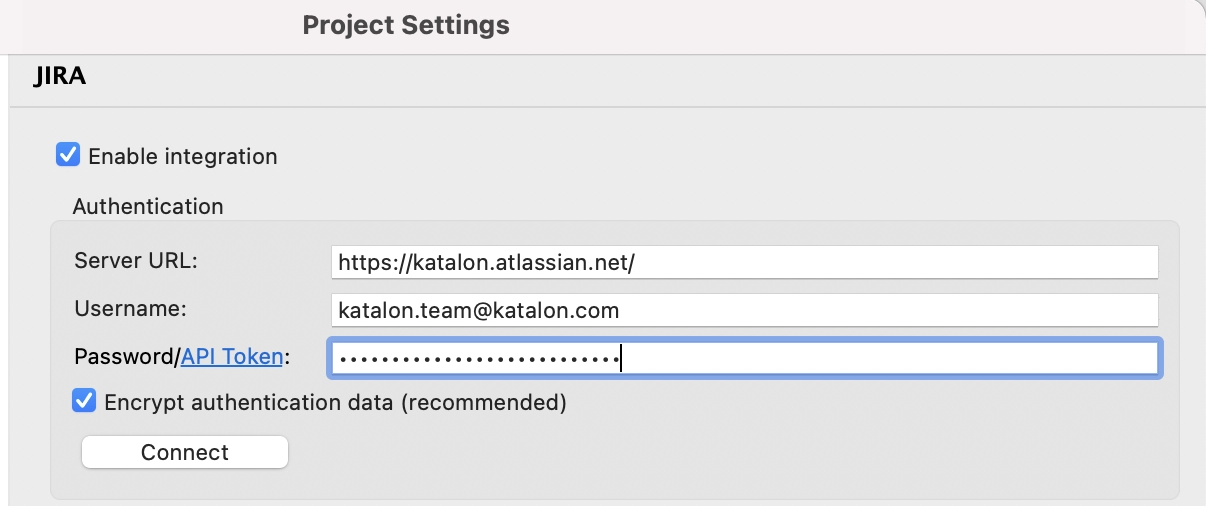
To simplify testing interaction, You can integrate your top-class Jira tools with Katalon's most robust end-to-end quality automation platform. In this article, we will discuss the Jira integration in Katalon. We will discuss the Overview and the configuration of Jira integration in Katalon Studio.
Overview of Jira Integration in Katalon Studio
You can integrate your Katalon Studio with Jira Cloud and Jira Server. Jira Integration with Katalon Studio provides many benefits to the users:
-
Automation Tool: Automate the submission of test reports and results to the relevant Jira problem. To view the test results, open the relevant Jira ticket and select the Open Test Results option under the Details section.
-
BDD Testing: Create test cases and execute BDD tests in Katalon Studio by importing test cases from Jira.
- Direct issue Submission: You can directly submit a Jira issue from Katalon Studio's test reports page.
To Submit an issue from Katalon Studio
To submit an issue from Katalon Studio, follow the given steps:
Step 1: Visit the Reports section in the Test Explorer panel.
Step 2: Double-click the test reports you want to open to check them for errors.
Step 3: Click the Bug icon in the opened test report. Jira problems linked dialogue appears.
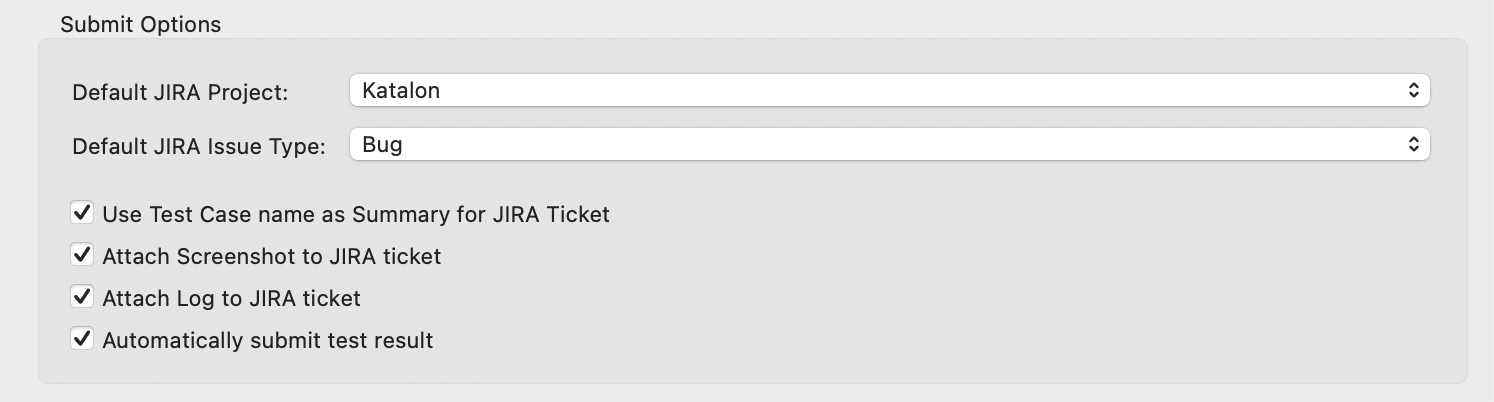
Step 4: To select your submit options, click Add.
BDD Testing with Jira Integration
BDD stands for Behavior-driven development. It is an agile development method. It promotes cooperation between software project engineers, quality assurance professionals, and user representatives.
The seamless Jira Integration in Katalon Studio allows users to perform various tasks such as:
-
One can write BDD scenarios in Jira tickets.
-
You can add Gherkin-written test cases to Katalon Studio. With Gherkin, you can describe business behaviour without getting too involved in implementation specifics.
- The test execution results can be linked with the relevant Jira ticket.

 1+ registered

