Do you think IIT Guwahati certified course can help you in your career?
Introduction
The process of evaluating and verifying that a software product or application does is known as Software testing. Every product or software needs to go through all phases of testing before launching in order to prevent future glitches and bugs. But, testing, again and again, wastes the time and effort. To overcome this, one can make use of automation testing tools.
This article discusses automation mobile application Testing through Katalon studio. It majorly focuses on Locators and Object Identification.
What is Katalon Studio
Katalon Studio is a comprehensive tool for automating web and mobile app testing.
This tool offers a variety of powerful features that help in overcoming common challenges in web UI test automation, such as pop-up, iFrame, and wait time.
This user-friendly and adaptable solution supports testers in testing better, working faster, and releasing high-quality software.
Key Features of Katalon Studio
Simple deployment: First, It is a single cohesive deployment package that includes everything you need to deploy a powerful test automation tool.
Setup is quick and simple: Second, not only does it provide a simple installation, but Katalon Studio also makes it simple to configure the environment. Using its pre-built templates and test scripts, such as object repositories and keyword libraries, testers can quickly execute their first test script.
Better and Faster Results: Third, it includes built-in templates with clear tutorials to help testers in quickly create and run automation test scripts. As a result, they can complete every step of the project setup, test creation, execution, report generation, and maintenance with speed and efficiency.
Modes that are adaptable: Fourth, novice testers can use recording and keywords to create automation tests, whereas expert testers have a full IDE to build advanced scripts.
Now, that we’ve gone through the brief description of Katalon studio along with its features, it’s time to discuss our today’s main agenda, i.e., Locators and Object Identification in Katalon studio.
Locators and Object Identification
In order to get started with Locators and Object Identification in Katalon studio, let us first understand what are locators and Objects.
Locators and Objects
Everyone is aware that certain actions must be taken in order to test a mobile application (such as click, type, etc.). Now that we are automating those applications, the automation tool should be able to carry out the same tasks that a person can.
The question that now arises is: How do these automation tools select which OBJECT they need to perform a specific operation on? The answer to this is Locators.
So, Locator is nothing but a command. By using the Locator command, Katalon Studio is informed which GUI elements (such as Text Boxes, Buttons, Check Boxes, etc.) it should operate on.
Using locators we can identify mobile objects on a mobile application. And this process is known as Object Identification.
Now, you must be wondering, how this automation happens. With the use of the Locator Strategy, objects can be easily identified.
So, What are Locator Strategies?
Due to a large number of UI elements on a single mobile application screen, it is possible for the same (generic)address to refer to more than one element. This means that we have to give the element a special address. You'll see that sometimes it's simple to do this and other times you need to do more research to pinpoint your UI element specifically. The way in which you uniquely identify the element is called a locator strategy.
Katalon Studio supports below location strategies to identify objects:
Locator
Description
accessibility-id
Locates elements whose ID attribute matches the search value
class name
Locates elements whose class name contains the search value
ID
Locates the native element
name
Locates elements whose NAME attribute matches the search value
XPath
Locates elements matching an XPath expression
Image
Locate an object by matching its image with a Base64 file
Android UiAutomator
This locator strategy is specific to the Android Platform.
Android View Tag
Locates an element using its view tag.
Let us now see how we can apply this locator strategy to identify our object.
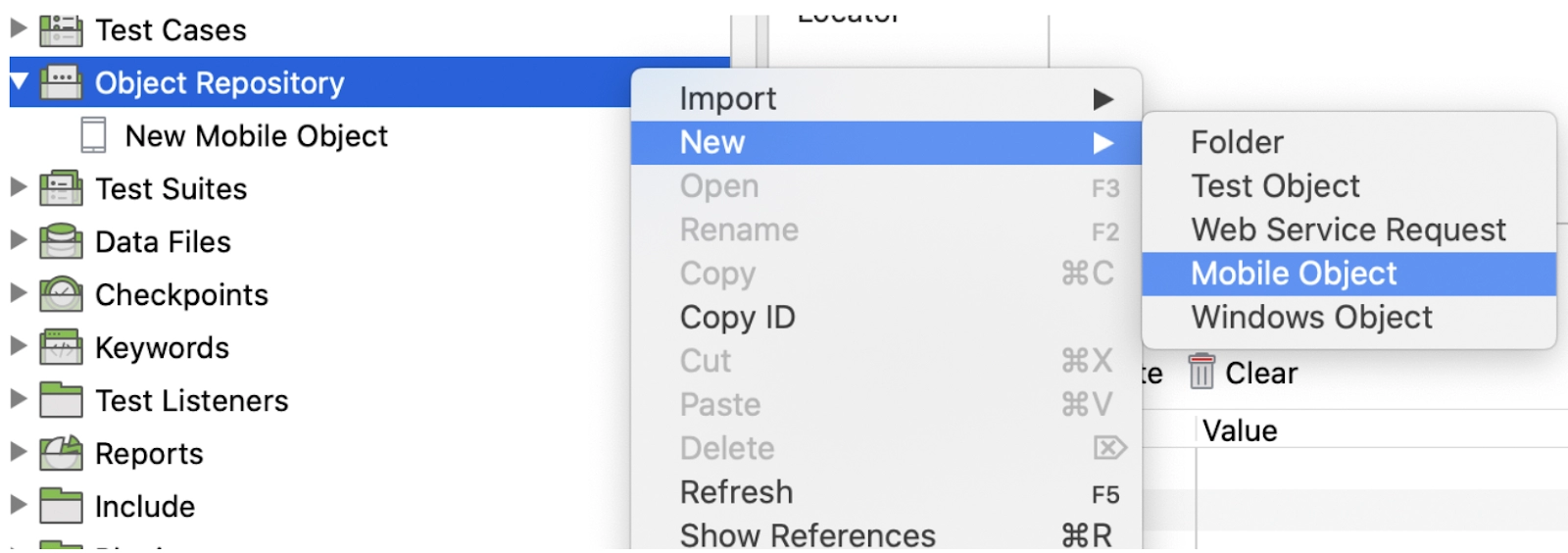
Object Creation Let us start with an Object creation manually:
By performing right-clicking on the Object Repository and choosing New > Mobile Object, you can create an object there.
CREDIT: www.katalon.com
Choose a locator strategy from the options offered, then enter a locator.
CREDIT: www.katalon.com
You can also add Object properties like class, name, CSS selector, XPath, title, and so on to your object.
Let us now see each strategy in detail:
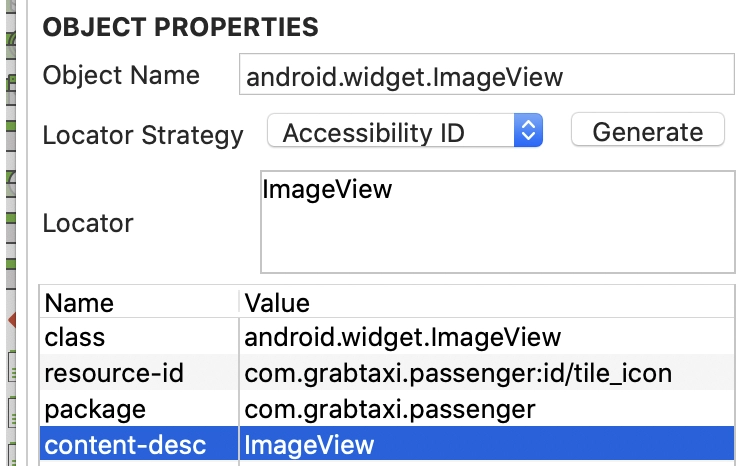
Accessibility ID: Read a unique identifier for a UI element. It is the element's accessibility-id attribute for XCUITest. It is the element's content-desc attribute for Android.
CREDIT: www.katalon.com
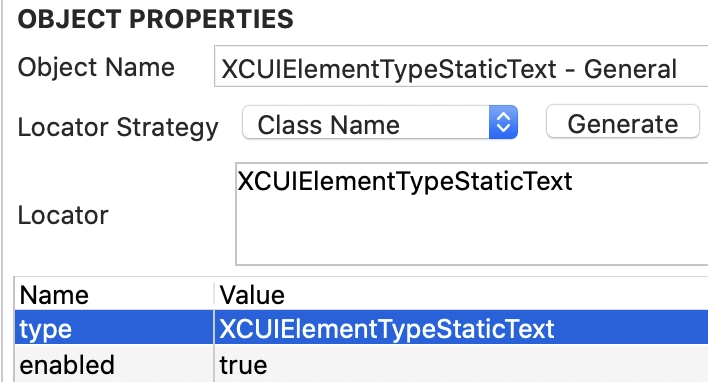
Class Name: For IOS, It begins with XCUIElementType and is the full name of the XCUI element. It is the full name of the UIAutomator2 class for Android (e.g.: android.widget.TextView).
CREDIT: www.katalon.com
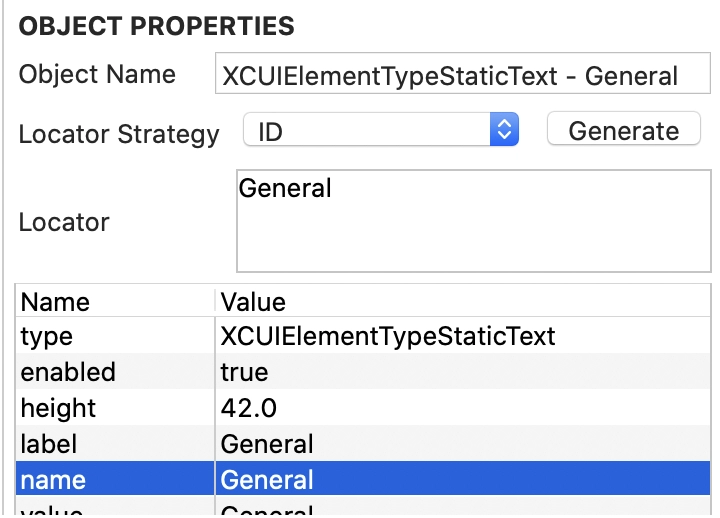
ID: Native element identifier. resource-id for android; name for iOS.
CREDIT: www.katalon.com
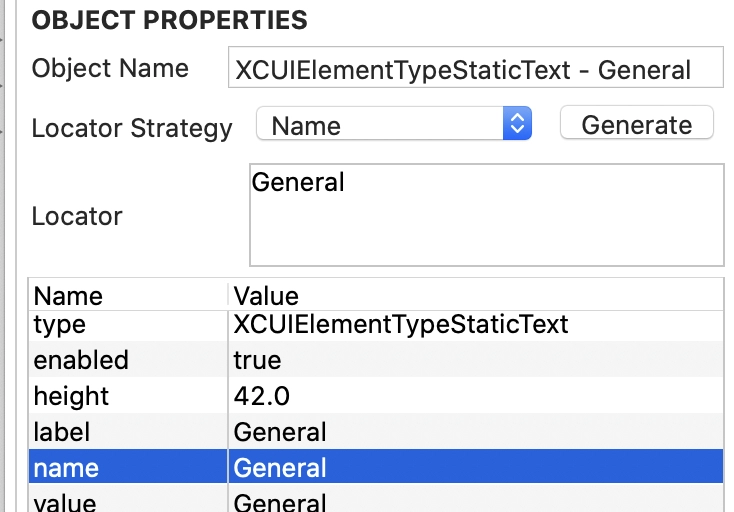
Name: Name of the element.
CREDIT: www.katalon.com
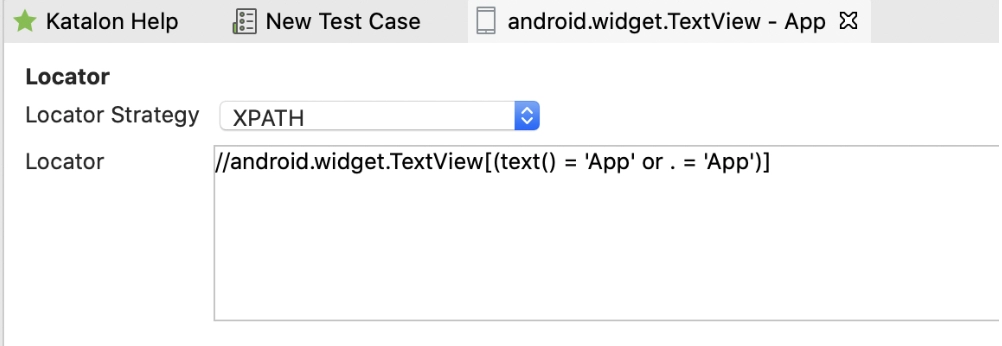
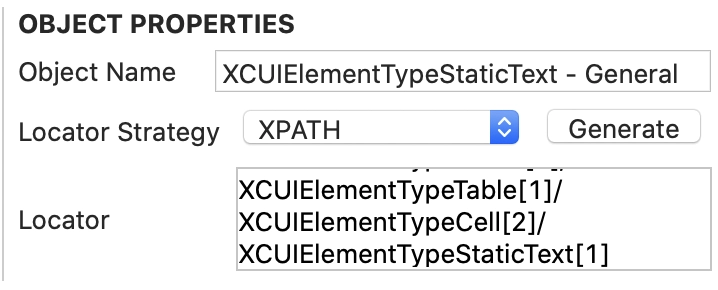
XPath: search the app's XML source (not recommended, has performance issues).
CREDIT: www.katalon.com
Frequently Asked Questions
Which is better among Katalon Studio and Selenium based Frameworks.
Katalon Studio hides all the technical complexities. It offers a user-friendly UI in manual mode (users can drag-drop, select keywords, and create test steps using test objects). It also keeps the essential tools for more technical users. With Selenium, users have to go through technical guidelines for their API and integrate them into with an IDE and a preferred programming language.
Is Katalon challenging to comprehend?
Katalon Studio is a straightforward automation testing tool that does not require advanced programming skills to write automated tests. It also includes a scripting mode for more advanced users and test cases.
Is Katalon suitable for API testing?
Yes, It supports various types of testing, including API, Web UI, and mobile. It is cross-platform and works with a variety of mobile devices. It is compatible with the majority of popular operating systems and browsers.
Why Katalon?
Due to its various features such as Business Results, Speed, Scalability & Flexibility, Visibility, AI and innovation, ROI and affordability, and so forth, katalon is the best choice for automation testing.
Conclusion
To conclude the discussion, we’ve discussed Locators and Object Identification in Katalon Studio and its key features. We’ve explored Locators and locator strategies to identify the objects. We’ve also looked at object creation along with adding various object properties.
It’s time for you to play around with the objects and do some amazing stuff. Till that time, you can have a look at our other amazing articles on Katalon Studio.








 1+ registered

