Private Plugins in Katalon
Private plugins are for personal use and are not published on the Katalon Store. All private plugins are stored locally in the <project_name>/Plugins folder. Private plugins can be Platform or Custom Keyword. Platform plugins are stored in the <project_name>/Plugins/platform folder.
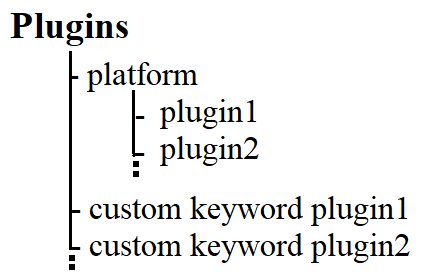
Installing Plugins Offline
Katalon allows users to download and use plugins from the Store offline. Private plugins can operate offline too.
View and Download Plugins
Step 1: Search for the plugin in the Store and check its type in the Information section. There are two types: Katalon Studio Plugin and Custom Keywords Plugin.
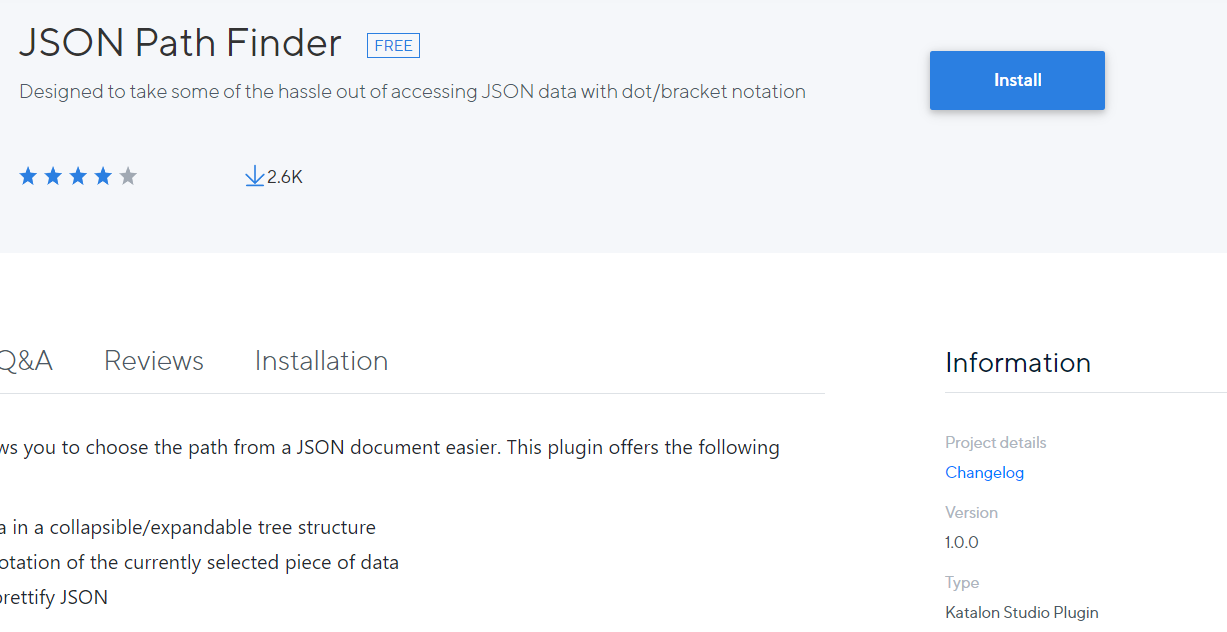
Step 2: Click on Change log under Project details in the Information section. Some plugins can have more than one version. Select the most preferred version and download the plugin.
Installing Downloaded Plugins
Step 1: Move the .jar plugin package to /plugins or /plugins/platform folder based on the type of plugin.
For Katalon Studio Plugin - /plugins/platform
For Custom Keywords Plugin - /plugins
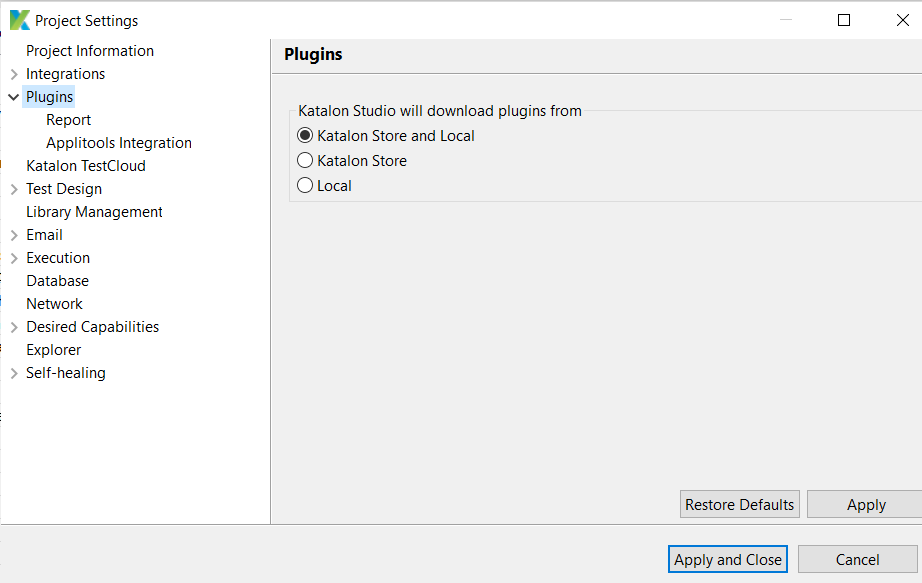
Step 2: Make sure that plugins can be downloaded from the Store and Local under Project > Settings > Plugins, as discussed before.
Reload plugins in Katalon Studio
To reload the plugins in Katlon Studio,
Step 1: Click on the Profile icon at the top-right corner and choose Reload Plugins.
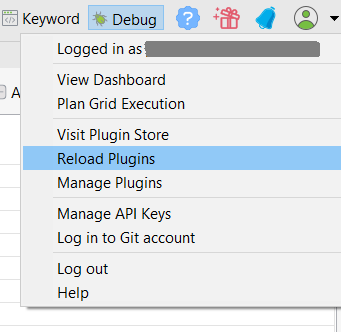
Step 2: In the dialog that appears, view the list of plugins and their installation status.
After this, all installed plugins would be activated in Katalon Studio.
Frequently Asked Questions
What is the need for an API key in Katalon Studio?
An API key serves as credentials to download and install plugins in Katalon Studio. They are required to use plugins during test execution in the console mode.
What is the difference between a Platform and a Custom keyword plugin?
A Platform plugin is a Maven-based Java project. A custom keywords plugin contains some custom keywords implementation.
Name some integration plugins in the Katalon Store.
Jira, Slack, Kobitron, Sauce Labs, BrowserStack, Applitools, Rally, qTest, TestRail and TestLink integration plugins.
Conclusion
This blog gives an introduction to plugins in Katalon Studio. It also explains how to install plugins offline and use them. Check out our articles on Generate Test Steps in Manual and Script View, Sample API tests project in Katalon and Search and Call Test cases in Katalon.
Explore our Library on Coding Ninjas Studio to gain knowledge on Data Structures and Algorithms, Machine Learning, Deep Learning, Cloud Computing and many more! Test your coding skills by solving our test series and participating in the contests hosted on Coding Ninjas Studio! Looking for questions from tech giants like Amazon, Microsoft, Uber, etc.? Look at the problems, interview experiences, and interview bundle for placement preparations. Upvote our blogs if you find them insightful and engaging! Happy Coding!







 7+ registered

