




Introduction:
Both the Provide and Inject are used to allow an ancestor component for serving as a dependency injector for all its descendants. As long as they are in the same parent chain, they don’t care about how deep the is component hierarchy. Assuming that you have already covered the component basics. If you are new to it, getting familiar with the basics is recommended by referring to our blog- Installation to vueJS.
In this article, we will be covering the magic of provide/ Inject in vue.js. So, let’s get started..

Getting started:
Generally, props are used for passing parent-to-child components. But you might be thinking why do we need these provide and inject components. For answering this question, just think of a scenario where you are having deeply nested components and you need some details from the parent component in the deeply nested child. The simple way of doing that is you will pass the prop down the whole component. But this process is a little annoying right?.
For overcoming this procedural format, the provide and inject come into play. Here, the parent component act as a dependency provider for all the components. It doesn’t care how deep are the components. The interesting part is that the parent component contains the provide option for providing all the data and the child component contains the inject option for starting the data.
For example:
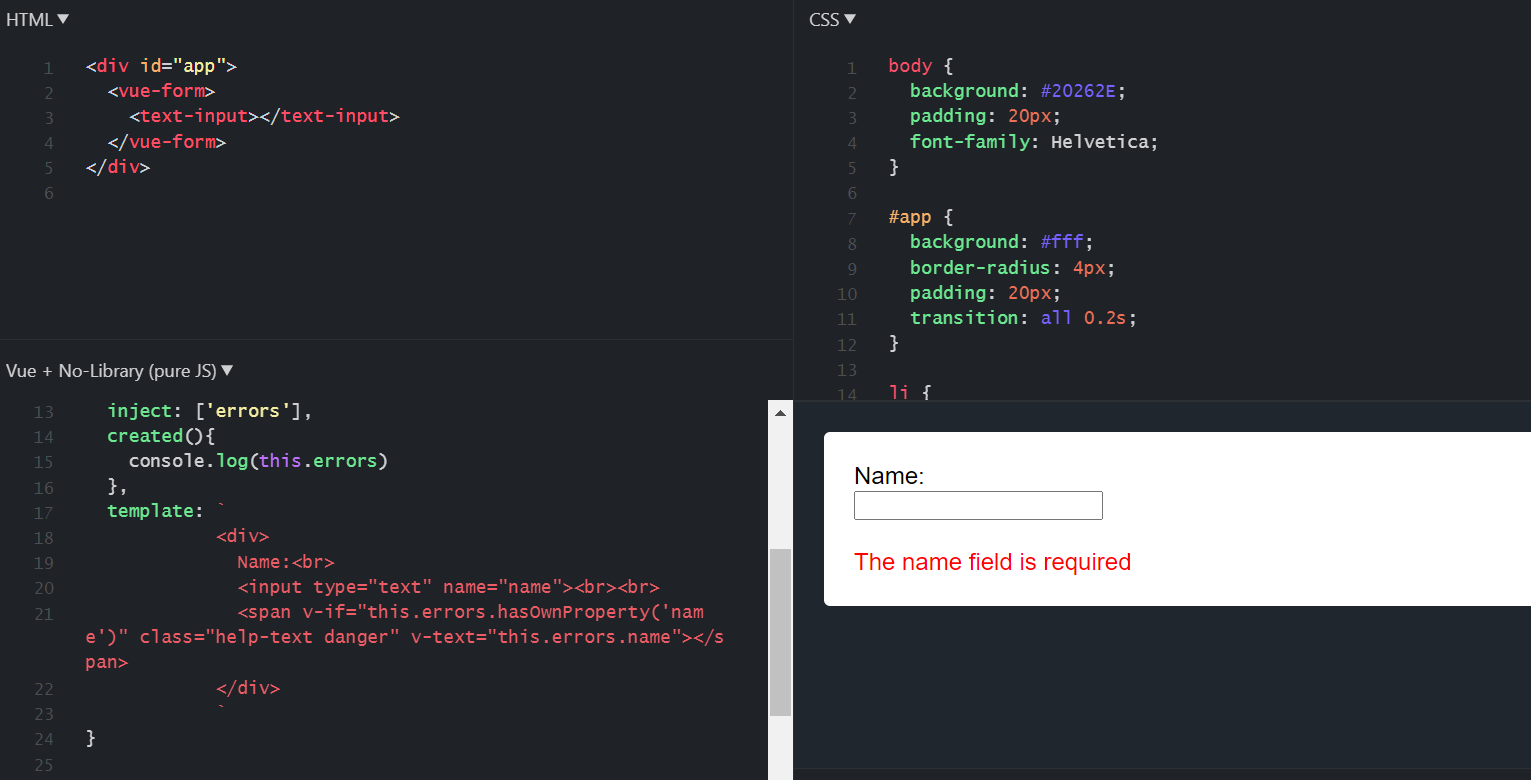
For input components, any parent component is able to inject validated messages. Let’s go through an example for better clarity. Here the vueForm component is passing all the errors variables to the TextInput component.
vue
|
const VueForm = { provide:{ errors: { name: "The name field is required", }, }, template: `<form> <slot></slot> </form>` } const TextInput = { inject: ['errors'], created(){ console.log(this.errors) }, template: ` <div> Name:<br> <input type="text" name="name"><br><br> <span v-if="this.errors.hasOwnProperty('name')" class="help-text danger" v-text="this.errors.name"></span> </div> ` } new Vue({ el: "#app", components: { 'vue-form': VueForm, 'text-input': TextInput, }, }) |
Html
|
<div id="app"> <vue-form> <text-input></text-input> </vue-form> </div> |
CSS
|
body { background: #20262E; padding: 20px; font-family: Helvetica; } #app { background: #fff; border-radius: 4px; padding: 20px; transition: all 0.2s; } li { margin: 8px 0; } h2 { font-weight: bold; margin-bottom: 15px; } del { color: rgba(0, 0, 0, 0.3); } .help-text.danger { color: red; } |
Output:
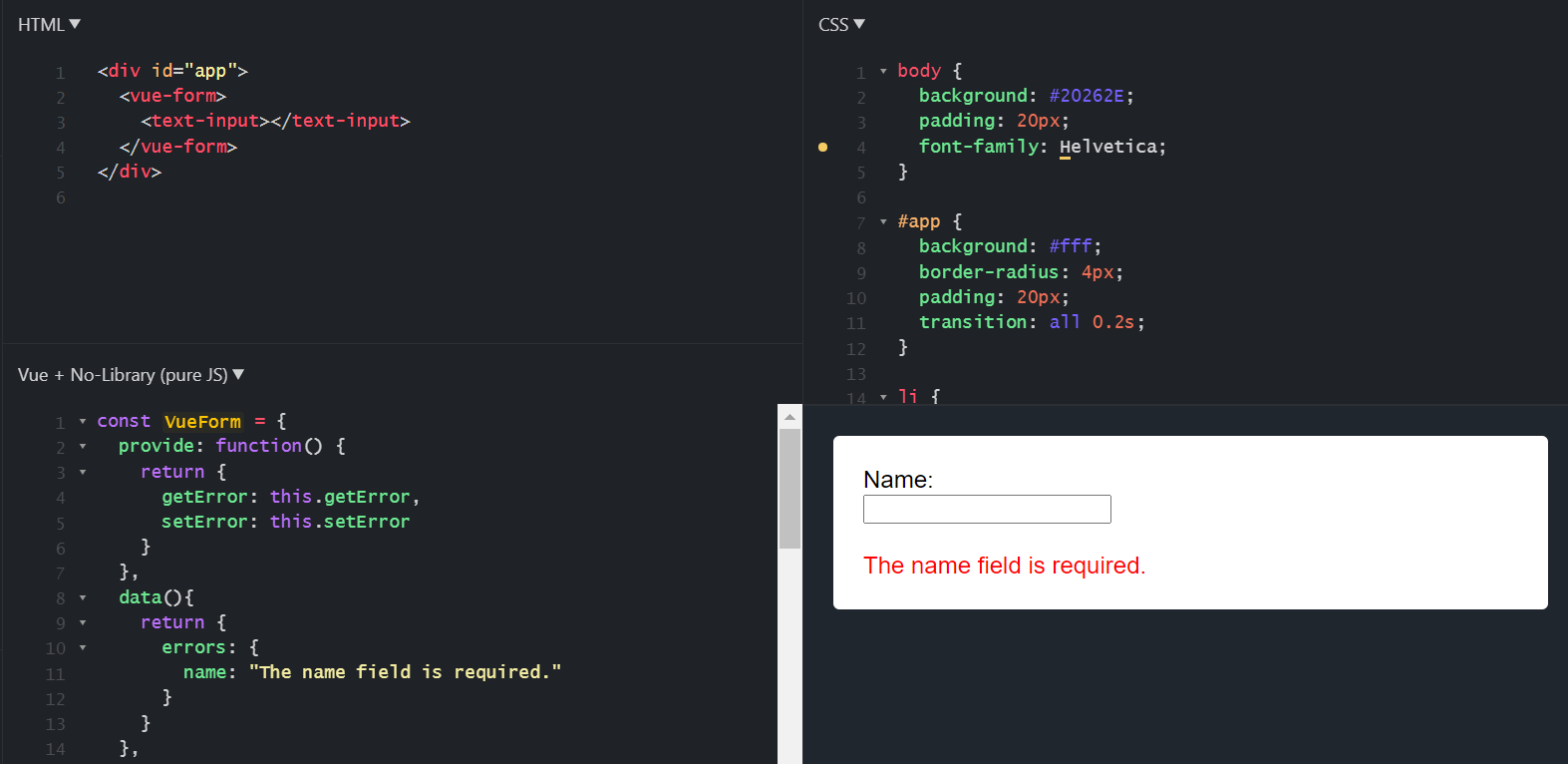
A function can be provided and injected within a function. Below example includes getError() and setError() using provide/ inject.
vue.js
|
const VueForm = { provide: function() { return { getError: this.getError, setError: this.setError } }, data(){ return { errors: { name: "The name field is required." } } }, methods: { getError: function(name){ return this.errors.hasOwnProperty(name) ? this.errors.name : null; }, setError: function(name, value){ this.errors.name = value; } }, template: `<form> <slot></slot> </form>` } const TextInput = { inject: ['getError', 'setError'], template: ` <div> Name:<br> <input type="text" name="name" @change="setError('name', 'This is a custom error message')"><br><br> <span class="help-text danger" v-text="getError('name')"></span> </div> ` } new Vue({ el: "#app", components: { 'vue-form': VueForm, 'text-input': TextInput, }, }) |
Html
|
<div id="app"> <vue-form> <text-input></text-input> </vue-form> </div> |
CSS
|
body { background: #20262E; padding: 20px; font-family: Helvetica; } #app { background: #fff; border-radius: 4px; padding: 20px; transition: all 0.2s; } li { margin: 8px 0; } h2 { font-weight: bold; margin-bottom: 15px; } del { color: rgba(0, 0, 0, 0.3); } .help-text.danger { color: red; } |
Output:
Here, the provide and inject bindings are not reactive in nature. This is intentionally done. Now, if you pass a down object that will remain reactive.
Vue.js
|
const VueMenu = { inject: ['menu'], created(){ console.log(this.menu) }, data(){ return { newItem:"", } }, methods:{ addMenuItem: function(){ console.log(this.newItem) this.menu.menuOptions.push(this.newItem); this.newItem=""; } }, template: ` <div> <ul id="example"> <li v-for="item in menu.menuOptions"> {{ item }} </li> </ul> <input type="text" placeholder="Enter name" v-model="newItem"/> <button type="submit" @click="addMenuItem">Add Menu Item</button> </div> ` } new Vue({ el: "#app", components: { 'vue-menu': VueMenu, }, provide () { const menu = {} Object.defineProperty(menu, 'menuOptions', { enumerable: true, get: () => this.menuOptions, }) return { menu } }, data: () => ({ menuOptions: ['Home', 'About','Contact'] }), }) |
HTML:
|
<div id="app"> <vue-menu> </vue-menu> </div> |
CSS:
|
body { background: #20262E; padding: 20px; font-family: Helvetica; } #app { background: #fff; border-radius: 4px; padding: 20px; transition: all 0.2s; } li { margin: 8px 0; } h2 { font-weight: bold; margin-bottom: 15px; } del { color: rgba(0, 0, 0, 0.3); } |


 1+ registered

