Do you think IIT Guwahati certified course can help you in your career?
Introduction
Have you ever wanted to turn all of your components into reusable templates that will render differently based on different use cases?. Slots in Vue.js can help you with that. All we need to do is embed them in slots. The Slots in Vue.js are used to implement a content distribution API(Application Programming Interface) that serves as content distribution outlets. As a result, slots assist us in distributing our content across other components. It's especially helpful in making reusable widgets.
Practical use
The basic use is passing down HTML elements from one component to another.
Using props in Vue, we can transmit strings, objects, arrays, and functions from a parent component to its child component. While passing HTML elements as a string from a parent to a child component is possible, it exposes our website to cross-site scripting attacks. This is why we have Slots in Vue.js, a more secure and reliable method of passing HTML elements and other contents from a parent to its child component for rendering.
How to use it
Using the Slots in Vue.js, we have to write the <slot> component inside the child component's template to receive data.
//The child component
<div>
     <slot>/<slot>
</div>
This <slot> component will take over and render the material that we've passed in from the outside (parent component). As a result, it renders components of the parent component between the child component's opening and closing selectors. As an example, in the parent component:
// The parent component using child component
<child-component>
      <div>Ninja<div>
</child-component>
So, in a nutshell, it enables us to send data from the outside into the child component and render it.
Let us see an example code to understand its working.
That slot has access to the same instance properties as the rest of the template (i.e. the same "scope").
The scope of the todo button is not accessible to the slot. For example, Trying to access action would be unsuccessful:
<todo-button action="delete">
 Clicking here will {{ action }} an item
 <!--
 The `action` will be undefined, because this content is passed
 to <todo-button>, rather than defined inside the
 <todo-button> component.
 -->
</todo-button>
In conclusion, the parent template's contents are compiled in the parent scope, while the child template's contents are compiled in the child scope.
Using Multiple Slots
Vue.js offers us a means to name our slots to use multiple slots.
The <slot> element in Vue.js has a special attribute, name, that can be used to assign a unique ID to different slots so you can specify where content should be rendered:
In the parent.vue component, we will name our slots as follows:
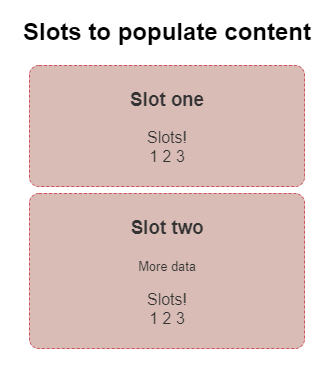
Vue.js sets aside two slots to display the content of the slot attribute, with the message and name values shown as independent items.
The default behaviour for an unnamed-slot
If we pass multiple components to a child component, one is a named slot. The other is an unnamed slot. Vue.js will use the unnamed one as the default slot, rendering it in the <slot> component without a name by default.
<template>
   <div class="child-component"
       <slot name-"title"/>
       <slot /> //unnamed-slot goes here by default
    </div>
</template>
The default value for a slot
If we're not sure whether or not content will be sent to our child component, we can display some default content (in case of the absence of that slot). To do so, simply write some data inside the opening and closing tags of the child component's <slot> tag.
<template>
    <div class="child-component">
         <slot>
          Strawberry is red.
         </slot>
    </div>
</template>
Sometimes having access to data only in the child component is useful for slot content (in the parent component).
Assume you have some variables in your child component's data object that you wish to access from your parent component. You may notice this in some of the packages you used as a dependency. In this case, the package's author can gain greater freedom by sending part of its data to the outside, allowing you to use it anywhere you call their component.
You should include the following in your child component:
v-bind: (bind name]=" (variable name]'
You can then utilise it in the parent component as follows:
v-slot:default="slotProps"
Child component:
<div>
     <slot -bind: someData="someLocalData">
     </slot>
</div>

export default f
     data () {
          return {
               somelocalData
               }
      }
}
Slot props are the attributes bound to a <slot> element.
2. What are the differences between props and slots?
Props are attributes that are exposed to accept data from the parent component. Slots allow us to compose components, also with HTML code. The major difference is that with props, the parent can only pass the data down to the child without any control over how it will be rendered. But with slots, the parent can determine exactly how the data should be rendered or even pass down another component.
Key Takeaways
We've seen how to use slots in Vue.js to transmit content from a parent component to a child component in this article. Slots are great tools for distributing your project's and components' components. However, you should avoid overusing them.







 1+ registered

