




Introduction
Mongoose is a powerful Node.js Object Data Modeling(ODM) module that provides MongoDB functionality to your Express app. This blog will discuss how we can read documents from a collection and have the find() function.
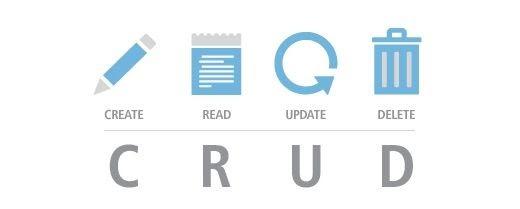
In this article, we will briefly explain how we can read the documents using Mongoose. We use all of the methods directly on the model object to read documents. Mongoose represents a one-to-one mapping to documents similar to MongoDB. Each record in Mongoose is an instance of the Model Class.
Do you want to learn more? Let’s go!!

Methods used for Reading the document
Mongoose provides us with three primary methods to read stuff from the database, which are-
(.find(), .findOne() and .findById()). Mongoose also provides us with an advanced method to read the data, that is the .where() method.
.find([query], callback])
Lets’s go through an example to understand how the above method is used to read information from the document.
|
const Person = require("../models/person"); Person.find((err, people) => { if (err) return res.status(500).send(err) return res.status(200).send(people); }); Person.find({name: "Coding Ninjas", age: 20}, (err, people) =>{ if (err) return res.status(100).send(err) return res.status(300).send(people); }); |
In the example discussed, the .find() method is used to find all the database instances that match the query passed in the function. This method is used to return an array, even if the collection contains a sole value.
.findOne([query], [fieldsToReturn], [callback])
The findOne method is used to find the object from the database. When the query matches more than one row, the findOne method returns the first row content from the database.
|
Ninja.findOne( name: true, course: true }, (err,ninja) => |
Using the findOne method, we can do the following functions:
- If a query has not been provided in the method, the function returns the first value in the Database row.
- If no fieldsToReturn is provided in the method, the function returns the entire object.
- We can pass multiple strings using space in the category of fieldsToReturn instead of an entire object.
.findById(id, [fieldsToReturn], [callback])
The .findById method is used for finding a single object using the id passed in the method.
|
//Common RESTful way to get the Id is from the URL params in req.params. Ninja.findById(req.params.ninjaId, (err,ninja) => { if (err) return res.status(100).send(err) return res.status(600).send(ninja) }); |


 7+ registered

