





Introduction
RedisInsight is a fantastic tool for visualizing and optimizing Redis or Redis Stack data, making real-time application development easier and more enjoyable than before. RedisInsight is a full-featured desktop GUI client that supports both GUI and CLI interactions. First, Download the latest version of Redis Stack.
The tool has gained a lot of traction in the previous year, with the number of active users more than doubling. This increase in user adoption is the result of a lot of detailed input from our users via the in-app survey. As a result, a makeover was highly required and long overdue!.
The goal has always been to improve the developer experience by creating an environment that promotes Redis-based prototyping and ideation. RedisInsight 2.0 is a complete overhaul of the product, built on a new technology stack. This version includes a number of previously released must-have and most-used features, as well as a number of differentiators and delighters. When developing using Redis, we emphasized ease of use and functionality so that the app could give higher developer productivity and reduced time to market!
Features
The features of Redis Stack are as follows:-
Connection management
- Discover and add your local Redis or Redis Stack databases automatically (that use standalone connection types and do not require authentication)
- In Redis Enterprise Cluster, you can discover your databases, and in Redis Cloud, you can find databases with flexible pricing.
- Fill out a form to enter your connection information and to add any Redis database that is currently running (including OSS Cluster, Sentinel)

Browser
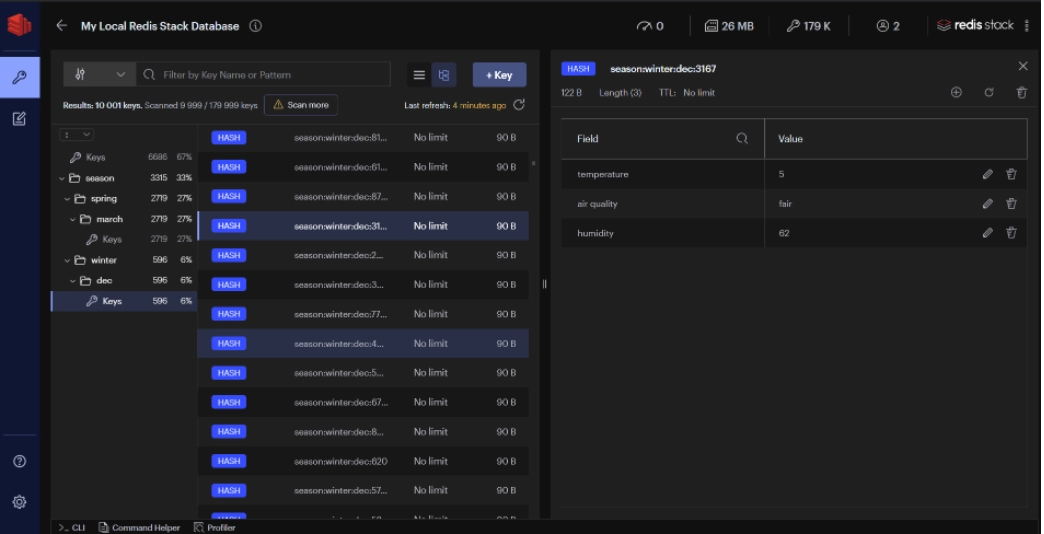
- Your key-value Redis data structures can be browsed, filtered, and visualized.
- Lists, Hashes, Strings, Sets, and Sorted Sets all have CRUD capabilities.
- RedisJSON Group keys provide CRUD capabilities according to their namespaces.
Profiler
Analyze every command sent to Redis in real-time.

CLI
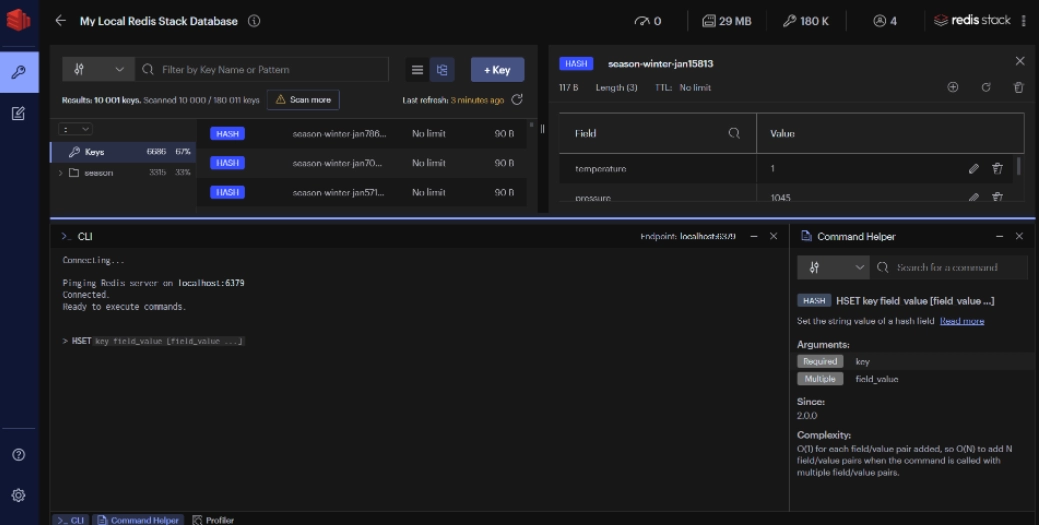
- Within the app, you can use the CLI at any moment.
- Integrated aid is used to provide intuitive assistance.
- Use in conjunction with a handy command helper that allows you to search and read Redis commands.
Workbench
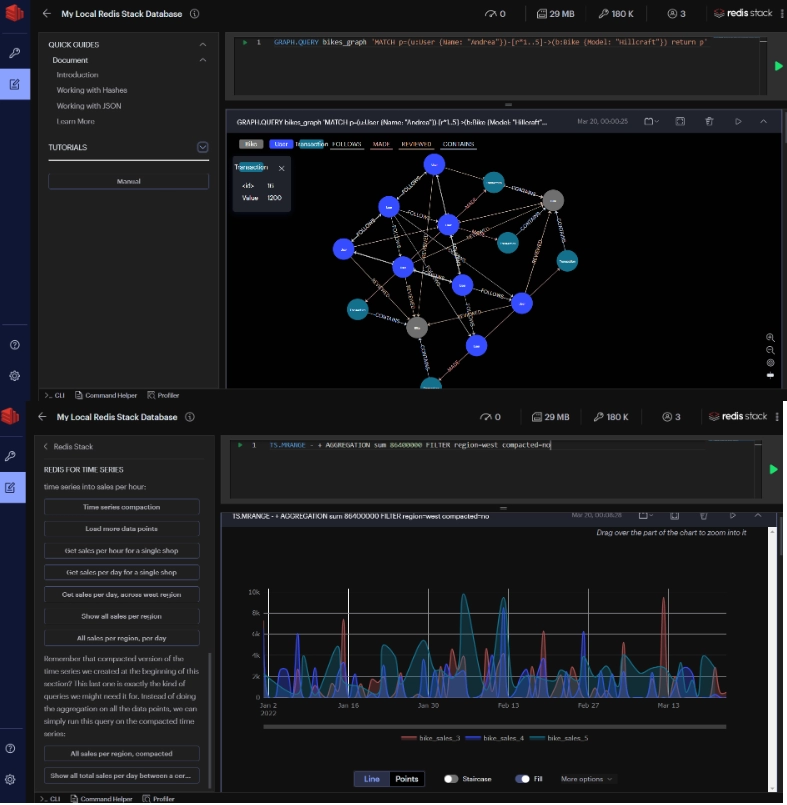
- Intelligent command auto-complete and elaborate data visualizations are included in the advanced command-line interface.
- Built-in guidance: Using the built-in guides, you may quickly learn about Redis and Redis Stack capabilities.
- All capabilities in Redis and Redis Stack include command auto-complete support.
- research index visualizations, searches, and aggregations
- RedisGraph and RedisTimeSeries data visualizations.
Custom visualization plugins
Redis can store a variety of data types. It's critical to see things in a manner that you can use for validation and troubleshooting. By creating your own custom visualization plugin, you can now easily extend the core functionality independently. You will find a reference example and documentation to help you get started quickly.
Plugins
To see such more amazing plugins you can refer to the plugin documentation.

 1+ registered

