




Introduction💁
Java is an object-oriented, class-based, high-level programming language. It is based on the concept of WORA (write once use anywhere) for developer ease. Java classes are compiled into bytecode. The compiled byte codes can be used on any platform supporting Java without recompiling the class.

Need For Security

Security is a very important aspect of embedded systems. Since embedded systems are accessed by multiple users, there arises the need for some kind of authorization and authentication. Users can prevent the host or the embedding system from using the embedded application by using the properties of the embedded application.
Now that we know how important security can be, so let us discuss ways of implementing it in embedded systems.
Example👀
Now that we know the theory behind implementing Security in an Embedded Application. Let us look at an example of how to do it.

index.html
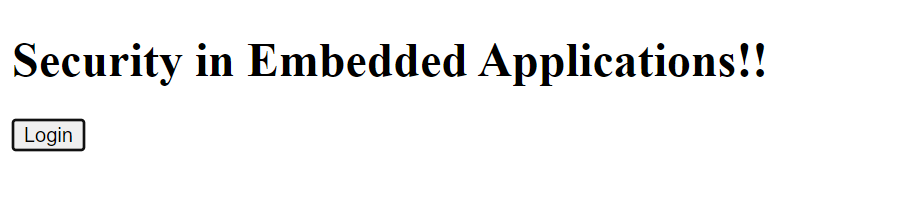
In the below code, we will create a basic HTML page to implement the concepts of security in an embedded application. When the button is pressed, we initiate the java class to implement security.
<!doctype html>

<head>
  <title>Security in Embedded Applications</title>
  <link rel="import" href="web-component/comp.js">
  <script type="text/javascript">
        function login(){
            var token = //Assign any random token here;
            var comp = document.querySelector("#embedded-web-component");
            comp.token = token;
        }
  </script>
</head>

<body>
  <h1>
    Security in Embedded Applications!!
  </h1>

  <button onclick="login()">Login</button>
  <my-comp id="embedded-web-component"></my-comp>

</body>
- The comp.js page is embedded in a static page.
- The token is assigned using internal javascript that is called upon when the login button is clicked.
embeddedComponent.java
All the associated web components and the related exporter classes are mentioned in the below-created java class. This code acts as the driver code for the application.
public class EmbeddedComponentExporter extends WebComponentExporter<EmbeddedComponent> {

    public EmbeddedComponentExporter() {
        super("comp");
        addProperty("token", "").onChange(this::authorize);
    }

    @Override
    protected void configureInstance(WebComponent<EmbeddedComponent> webComponent, EmbeddedComponent component) {
    }

    private void authorize(EmbeddedComponent component, String token) {
        if (isValidToken(token)) {
            component.init();
        }
    }

    private boolean isValidToken(String token) {
        return true;
    }

}

public class EmbeddedComponent extends Div {

    public EmbeddedComponent() {
        // Don't retrieve any sensitive data here
        // initialise data only after a valid token value is received
    }

    public void init() {
        // Add your secure component of the webpage in this function
    }
}
All the associated web components and the related exporter classes are mentioned in the above-created java class.
Now let's discuss some frequently asked questions associated with Embedded Applications.

You can also check about Java Tokens here.


 7+ registered

