Do you think IIT Guwahati certified course can help you in your career?
Introduction
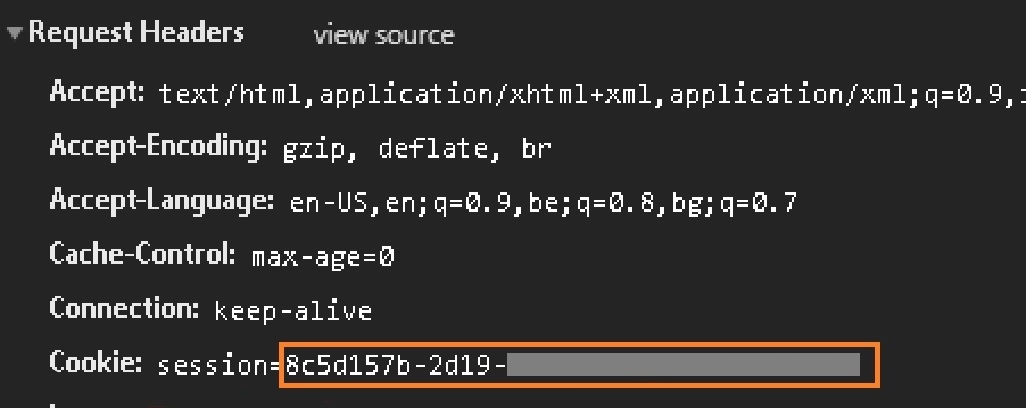
A session is nearly identical to a cookie in terms of the idea. Cookies are files that websites save on your computer or mobile device when visiting a website, on the other hand, the session data is saved on the server. It may be defined as the time taken by the user to log in and out of a server. The information used to trace this session is saved in the server's temporary directory.
The session data is saved on top of cookies and signed cryptographically by the server.
This article will illustrate with an example to help you understand how session management in flask is handled.
Flask Session
Flask-Session is an extension that supports the Server-side Session management in flask for our application. Now, what exactly is a session?
A session is the amount of time spent on a particular activity. A user session begins when a user signs in to or uses a specific computer, network, or software service in a computer system. The data to be saved in the session is stored in the temporary directory and the server. Each client will have their session, and their data will be held in their respective session.
Why Sessions Are Necessary
Session management in flask plays a vital role in letting the server know when the user logs in. The choices that the user makes get stored, and therefore, it helps further render the thinking of the options that the user makes, and on top of it, the theme receives verification like specific website settings, etc. It plays a significant role in understanding E-commerce websites and managing the cookies well.
Installation
We can install the session with the following command
$ easy_install flask-session
How To Configure Sessions In Flask
We should always use a flask session rather than a session instance because it can't be used for direct access.
from flask import Flask, render_templates, request, session
from flask_session import Session
You can also try this code with Online Python Compiler
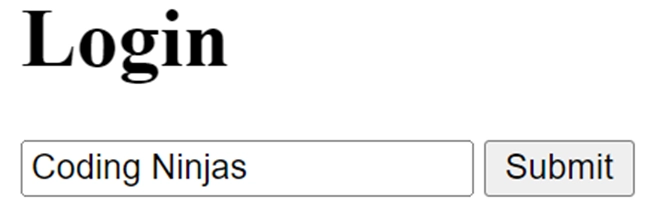
We can capture the username in the session when the user submits the form.
Here we are using a dictionary in python where “default” is the key = request.form.get(“default”) is a value.
@app.route("/login", methods=["POST", "GET"])
def login():
 # If form is submitted
    if request.method == "POST":
        # Record the user name from the login.html
        session["user_name"] = request.form.get("name")
        # Redirect to the main page
        return redirect("/")
    return render_template("login.html")
You can also try this code with Online Python Compiler
After fetching the user name, we need to verify whether or not the user lands on the welcome page by that session or with that user name exists or not.
If the username isn't found, the page will be redirected to the login page.
@app.route("/")
def index():
  # Check if the users exist or not
    if not session.get("user_name"):
        # If the username isn't found, the page will be redirected to the login page.
        return redirect("/login")
    return render_template('welcome.html')
You can also try this code with Online Python Compiler
<!DOCTYPE html>

<html lang="en">
<body>
   {% if session.name %}
   You are Registered, {{ session.name }} <a href="/logout">logout</a>.<br>
   {% else %}
   You are not Registered. <a href="/login">login</a>.
   {% endif %}
</body>
</html>
Output
And here the logout link is used to log out of the page.
Flask-Login
It provides user session management in Flask. It controls the everyday tasks of logging in, logging out, and remembering your users' sessions for a long time.
Flask-Login is not restricted to any particular database system or permissions model. The only requirements are that your user objects implement a few methods and that you supply a callback to the extension that can load information from our database object (here it is dictionary object, students).
INSTALLATION
Installation can be done through the following extension.
$ pip install flask-login
Flask login is effortless to use. Now, let's set up the flask app first.
What is the difference between sessions and cookies? Cookies are client-side files that save user information on a local computer. User data is stored in sessions, which are server-side files. The user determines the lifespan of cookies. The session is over when the user quits the browser or logs out of the application.
How to clear a flask session? Nothing can be done to clear the session. The contents of the session dictionary will be wiped when the app.config["SECRET KEY"] is changed.
What is the use of a session object in a flask application? A session object, a dictionary object that comprises a key-value pair of the session variables and their associated values, is used to track the data related to session management in flask.
How long does a flask session last? The default session duration is 31 days; however, the user must specify the login refresh view in the event of a timeout.
Is there any way to quickly clear a session key of a user? Use the pop() function to release a session variable. This will remove a session key from the session dictionary object, and the application will not be able to authenticate a value of a missing key.
Key Takeaways
In this article, we have extensively discussed session management in flask and how the whole process works. Session management in flask is one of the most crucial aspects of the application and is very necessary to understand how information is saved and used in a session.
We hope that this blog has helped you enhance your knowledge regarding flask and if you would like to learn more, check out our articles on Code Studio. Do upvote our blog to help other ninjas grow. Happy Coding!
Live masterclass
Google SDE Roadmap to land 30L+ CTC
by Saurav Prateek
02 Jun, 2026
03:00 PM
Data Analysis for 20L+ CTC@Flipkart: End-Season Sales dataset
by Sumit Shukla
31 May, 2026
06:30 AM
Top 5 GenAI Projects to Crack 25 LPA+ Roles in 2026
by Shantanu Shubham
31 May, 2026
08:30 AM
Zero to Data Analyst: Amazon Analyst Roadmap for 30L+ CTC
by Abhishek Soni
02 Jun, 2026
01:30 PM
Google SDE Roadmap to land 30L+ CTC
by Saurav Prateek
02 Jun, 2026
03:00 PM
Data Analysis for 20L+ CTC@Flipkart: End-Season Sales dataset







 8+ registered

