Table of contents
1.
Introduction
2.
Setting desired capabilities for remote execution in Katalon Studio
3.
Location of desired capabilities files
4.
Frequently Asked Questions
4.1.
Which framework is used in Katalon Studio?
4.2.
What is the purpose of Katalon Studio?
4.3.
Is Java supported by Katalon?
5.
Conclusion
Last Updated: Mar 27, 2024
Medium

Set up remote server in desired capabilities in Katalon Studio

Author SHIVANGI MALL
0 upvote
Career growth poll
Do you think IIT Guwahati certified course can help you in your career?

Introduction

Desired capabilities are key-value pairs that provide information about a browser's name. Its version and location are in the system's browser driver hierarchy. This information is used to determine the browser's runtime behavior. Desired features can be used to customize Selenium WebDriver. And other driver instances like FirefoxDriver, ChromeDriver, and Internet Explorer. In this article, we will be learning about Setting up Desired Capabilities in Mobile Testing in Katalon Studio.
Set up remote server in desired capabilities in Katalon Studio

Setting desired capabilities for remote execution in Katalon Studio

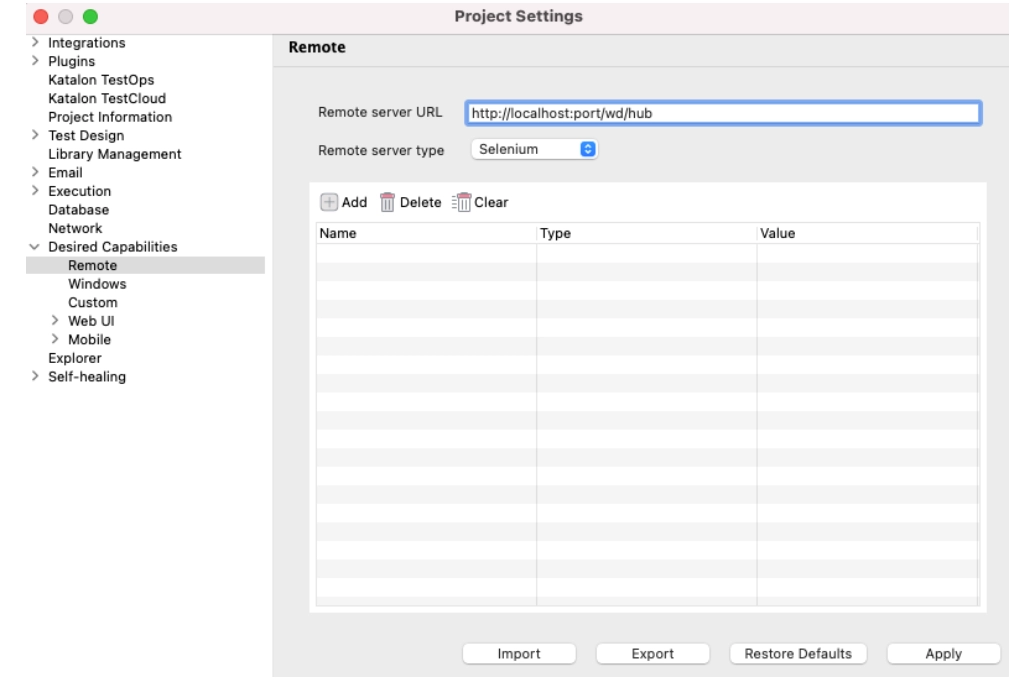
  • Access the Project > Settings > Desired Capabilities > Remote menu.
     
  • Enter the URL for the remote server, which is http://localhost:port/wd/hub.
     
  • Select Selenium/Appium from the Remote Server Type drop-down menu.
Project Settings

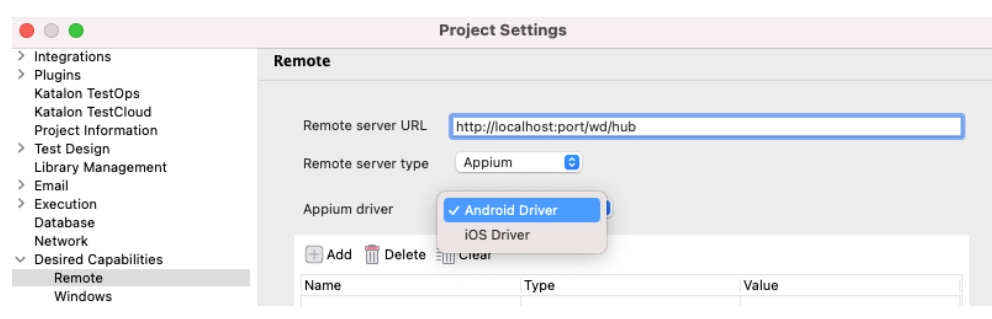
As of Katalon Studio version 6.3.0, selecting the Appium server also requires selecting the Android Driver or iOS Driver.
Project Settings
  • On the command toolbar, select Add. The name, Value, and Type of the property you intend to configure should be provided.
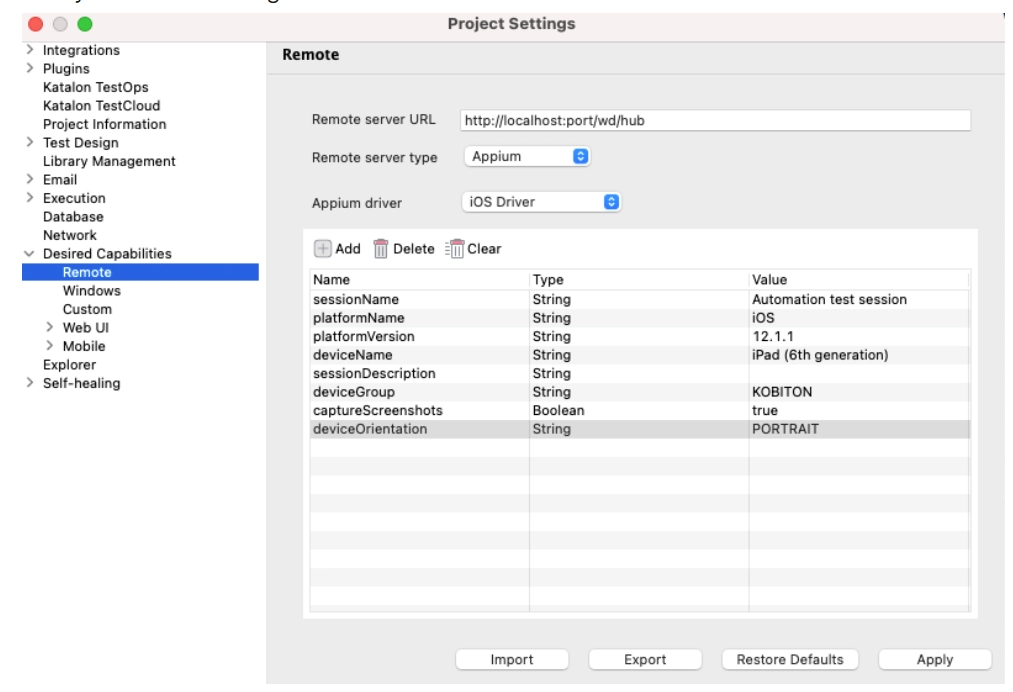
Project Settings

Location of desired capabilities files

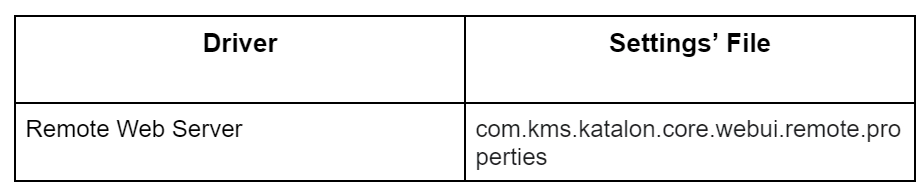
The configuration files for each environment are located in the settings/internal folder at the location of your test project. Each driver's files have the following names:

Location of desired capabilities files

Frequently Asked Questions

Which framework is used in Katalon Studio?

Groovy is a Java-based language used by Katalon Studio. It requires the loading of numerous libraries in order to parse test data, test objects, and logging.

What is the purpose of Katalon Studio?

Without requiring coding, Katalon enables the creation and reuse of automated UI test scripts.

Is Java supported by Katalon?

To operate a Katalon Studio instance and create test applications. Katalon Studio makes use of the standard embedded Java Runtime Environment (JRE) version 8.

Conclusion

We have extensively discussed Setting up a remote server with desired capabilities in Katalon Studio in this article. We hope this blog has helped you enhance your knowledge. If you would like to learn more. Check out our articles on Advanced Guides in Katalon. Practice makes a man perfect. To practice and improve yourself in the interview. You can check out the Top 100 SQL problems and Interview experienceCoding interview questions and the Ultimate guide path for interviews.

ThankYou


Live masterclass