




Introduction
Loops are very crucial in every programming language. Loops are used to perform a particular task many times until the required condition is met. It's primarily used to automate routine tasks.
Sometimes we need to control a loop by skipping the iteration of a loop or by stopping a loop. This article will cover the two statements, Break and Continue, that we use to control the shell scripting loops.
The Break Statement
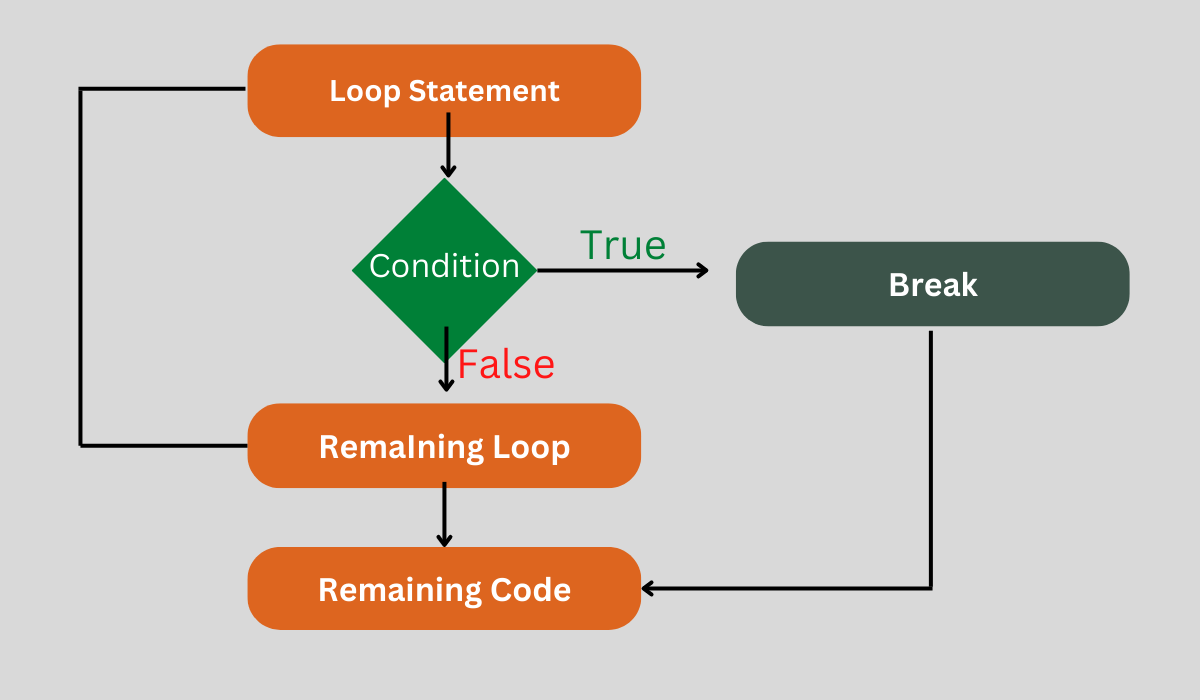
The break statement will cause the loop to end after all of the code up to the break statement has been executed. It is used to terminate the whole loop. It can be used within the three main loops for, while, and until.
Syntax
The syntax for the break statement is as follows:
break
The syntax for the break statement for nested loop is as follows:
break N
In this case, the Nth enclosed loop is specified by the value of N. The value of N is one by default.
Example
Look at the example below. This simple while loop iterates through a range of integers from 6 to 15. When the condition evaluates to true ($val = 10), the break statement is executed, ending the loop and skipping the remaining iterations.
#!/bin/sh
val=6
while [ $val -lt 15 ]
do
   echo $val
   if [ $val -eq 10 ]
   then
      break
   fi
   val=`expr $val + 1`
done
Output:
6
7
8
9
10
When val=10, the break will exit out of the loop.
Help Command
To find out more about the break statement, use the help command.
Syntax:
$ help break
Output:



 1+ registered

