Truthiness Matchers
Jest contains matchers that let you be explicit about what you want. Sometimes you may need to distinguish between undefined, null, true, and false, and sometimes you might want to treat these differently.
- toBeTruthy: Matches anything that an if statement returns as true
- toBeFalsy: Matches anything that an if statement returns as false
- toBeNull: Matches only null
- toBeDefined: Matches only defined
- toBeUndefined: The opposite of toBedefined
We should use these matchers to match what we want our code to do accurately. For example,
Program
test('truthiness', () => {
   expect(null).toBeNull();
   expect(5).toBeDefined();
   expect(undefined).toBeUndefined();
   expect('foo').toBeTruthy();
   expect('').toBeFalsy();
 });
  test('zero', () => {
   const z = 0;
   expect(z).not.toBeNull();
   expect(z).toBeDefined();
   expect(z).not.toBeUndefined();
   expect(z).not.toBeTruthy();
   expect(z).toBeFalsy();
 });

You can also try this code with Online Javascript Compiler
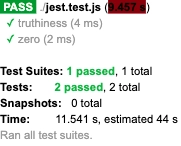
Output
Number Matchers
When comparing numbers, a certain set of matchers is most prominent. Most ways of comparing numbers(greater than, less than, equal) have equivalent matchers. The syntax for these matchers is mostly self-explanatory to their functions. For example,
Program
test('Number matchers', () => {

   // const val = fn; functions can be imported from appication to test.

   expect(2).toBeGreaterThan(1);
   expect(1).toBeGreaterThanOrEqual(1);
   expect(1).toBeLessThan(2);
   expect(1).toBeLessThanOrEqual(1);

   // toBeCloseTo is used in place to toEqual, for floating point equality.
   // expect(0.2 + 0.1).toEqual(0.3) won't work because of rounding error.
   expect(0.2 + 0.1).toBeCloseTo(0.3, 5);

   // toBe and toEqual are equivalent for numbers
   expect(2 + 3).toEqual(5);
   expect(2 + 3).toBe(5);
 });
You can also try this code with Online Javascript Compiler
Output
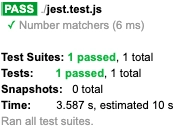
Here, toBeCloseTo example takes two arguments, the expected output and the number of decimal points to compare(for example, 5).
String Matchers
Tests performed on string values use regular expressions to compare expectations. In jest, strings are checked against regular expressions using toMatch matcher. There are different ways to implement toMatch, according to the need of a particular test. For example,
Program
test('String matchers', () => {

   // check for a part ('str', 'ff') matching a string('long string', 'coffee').
   expect('long string').toMatch('str');
   expect('coffee').toMatch(/ff/);

   // compare two strings.
   expect('pizza').not.toMatch('coffee');

   //compare more than one strings for different conditions
   expect(['pizza', 'coffee']).toEqual([expect.stringContaining('zz'), expect.stringMatching(/ff/)]);
 });
You can also try this code with Online Javascript Compiler
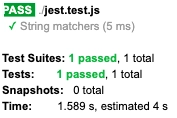
Output
Exceptions
Exceptions are helpful while testing whether a particular function throws an error upon being called. The jest framework uses toThrow for precisely this purpose. To use exceptions, we require a function to call while testing. For our example, we will use an empty function that throws an error on execution, and we will match this with our exception assertion.
Program
function example() {
   throw new Error('There is an error here!');
 }
  test('function runs as expected', () => {
   expect(() => example()).toThrow();
   expect(() => example()).toThrow(Error);
    // You can also use the exact error message or a regular expression.
   expect(() => example()).toThrow('There is an error here!');
   expect(() => example()).toThrow(/error/);
 });
You can also try this code with Online Javascript Compiler
Output
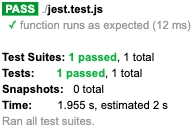
This PASS result for the test confirms that our function throws an error on being called. If it is throwing no error, the test will FAIL.
Arrays or Iterables
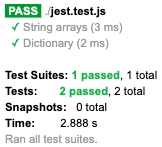
Arrays or iterables can also be checked for particular items using toContain assertion. This assertion can be used for arrays and iterables containing strings, dictionary or numeric values. For example,
Program
test('String arrays', () => {
   expect(['Alice', 'Bob', 'Eve']).toContain('Alice');
 });

test('Dictionary', () => {

   // Using .toContain() in this code will fail (because it does strict equality on the object).
   // toContainEqual() will work (because it does recursive equality on each object property) .
   expect([{ a: 1 }, { a: 2 }]).toContainEqual({ a: 1 });
 });
You can also try this code with Online Javascript Compiler
Output
Objects
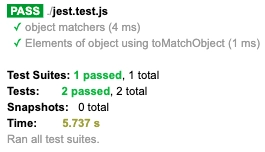
Similar to arrays and iterables, objects also have a few matchers that are specifically used on them. Most prominently, toHaveProperty is used to compare elements of objects with expected output. ToMatchObject is also used similarly to toMatch but on elements of object data type. For example,
Program
test('object matchers', () => {
   expect({ a: 1 }).toHaveProperty('a');
   expect({ a: 1 }).toHaveProperty('a', 1);
   expect({ a: { b: 1 } }).toHaveProperty('a.b');
 });

test('Elements of object using toMatchObject', () => {
   expect({ a: 1, b: 2 }).toMatchObject({ a: 1 })
 });
You can also try this code with Online Javascript Compiler
Output
FAQs
-
What's the difference between the toBe and toEqual matchers?
toBe checks that a value is what you expect. It uses === to check strict equality. toEqual recursively checks the equality of all fields, rather than checking for object identity—this is also known as "deep equal."
-
How to assert data type with jest?
You can use toBeInstanceOf matcher to compare instances of a value. For example, expect(result).toBeInstanceOf(Date)
-
Does jest use Jasmine?
Jest is a testing platform built on Jasmine that offers a selection of advanced features making testing more accessible. Jasmine provides a clean and simple API for end-to-end JavaScript testing with Node. js or the browser.
-
What is expect assertions in jest?
We use Expect().assertions() to verify that we call a certain number of assertions during a test. This matcher is often helpful while testing asynchronous code to ensure that assertions got called during a callback.
Key Takeaways
We walked through multiple matchers available in the jest testing framework in this article. We went through the functionality of these matchers and understood working with matchers to perform testing using jest.
There are much more matchers to work on and to learn. We have just seen some of the most commonly used matchers using essential functions and programs. As you start to work on jest more extensively, you will encounter many more matchers and assertion techniques that are program-specific.
Understanding matchers is very elementary to working with jest and performing web testing. From the examples we have discussed in this article, you are encouraged to try out these matchers on different programs to see which is ideal for a particular program.
Once you are comfortable using matchers, you can move on to more complex web testing concepts.
Hence learning never stops, and there is a lot more to learn.
So head over to our practice platform Coding Ninjas Studio to practice top problems, attempt mock tests, read interview experiences, and much more. Till then, Happy Learning!





 7+ registered

