How to Open WordPress Dashboard
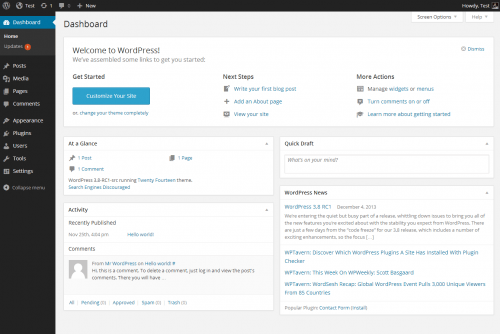
Opening or getting access to your dashboard is a pretty simple task. All you have to do is write /wp-admin after your domain and WordPress will automatically redirect you to your dashboard.

Access WordPress Dashboard
Widgets in Dashboard
The Dashboard screen presents information in blocks called widgets. The widgets that WordPress offers by default are: At a Glance, Activity, Quick Draft, WordPress Events and News, and Welcome. Let’s discuss all of them one by one.
At a Glance
It provides various information about your site like the total number of posts, pages, and comments. All of these content types have a link associated with them, on which users can click and to go to the specific area to manage that content.
This section also displays the current version of WordPress that you are using and the current theme that is applied to your site.
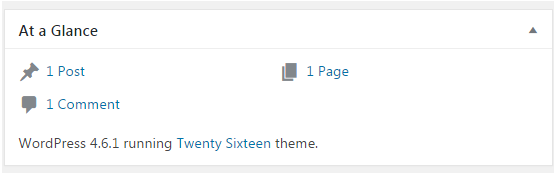
At a Glance (Source: Wordpress Dashboard - JavaTpoint)
Activity
The scheduled posts, recently published posts, and the most recent comments on your posts all of them will be displayed inside the Activity widget.
A list containing the most recent comments on your blog will also be displayed and all of the comments inside the list have a link associated with them, which clicked upon takes you to the area where you can edit the post.
You can also hover over the mouse on each comment which activates a new menu from where you can: approve ( or unapprove ) the comment, edit the comment, reply to the comment, mark the comment as spam, or delete the comment.
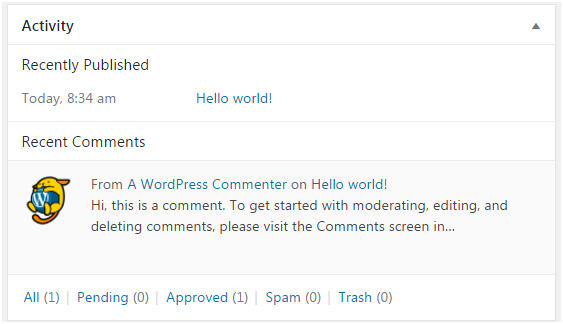
Activity (Source: Wordpress Dashboard - JavaTpoint)
Quick Draft
This section allows you to write a new draft. You can also enter the post title, you can upload/insert media. Your draft will be saved after you click on the “save draft” button.
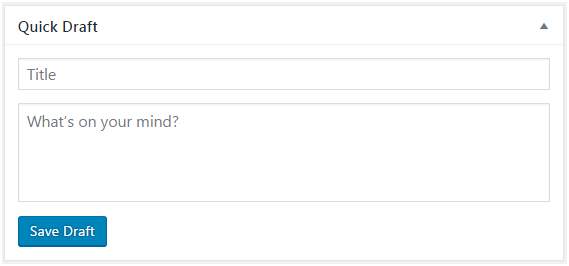
Quick Draft (Source: Wordpress Dashboard - JavaTpoint)
WordPress Events and News
This section displays all of the latest news and all upcoming local events from the official WordPress blog.
You can learn about forthcoming events near you, as well as what WordPress developers have been up to lately, and keep up with the latest WordPress news. In addition to software updates, such as version announcements and security alerts, news regarding the WordPress community as a whole is shared on a regular basis.
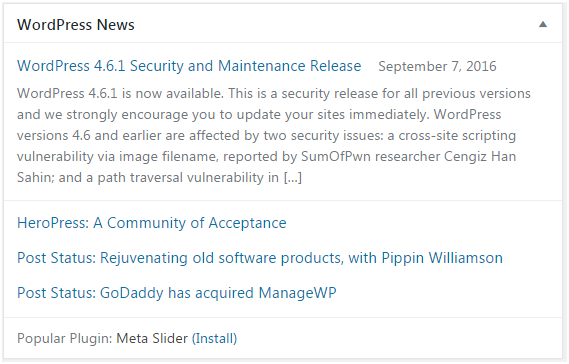
Wordpress Events and News (Source: Wordpress Dashboard - JavaTpoint)
Welcome
Some of the most commonly used settings will be shown in this section that can be used to set up a newly created website.
Screen Options
This section contains checkboxes which users can select/deselect to show/hide various widgets on screen.

Screen Options (Source: Wordpress Dashboard - JavaTpoint)
Frequently Asked Questions
How do I get to the WordPress dashboard?
Ans: You can simply add “/wp-admin” at the end of your domain which will redirect you to the word press dashboard.
What is the Dashboard in WordPress?
Ans: It is the control panel of your website from where you can manage various things related to your blog.
What is WordPress?
Ans: It is a content management system (CMS) that allows you to host and build websites.
Is WordPress good for beginners?
Ans: A lot of options and tools are listed in the menu option in WordPress using which users can do various things which makes WordPress quite easy to use for beginners.
Conclusion
In this article, we have extensively discussed Dashboard in WordPress, how we get access to WordPress and what various widgets are available inside it.
We hope that this blog has helped you enhance your knowledge regarding WordPress Dashboard and if you would like to learn more, check out our articles on our website.
To learn, see Operating System, Unix File System, File System Routing, and File Input/Output.
Refer to our Guided Path on Coding Ninjas Studio to upskill yourself in Data Structures and Algorithms, Competitive Programming, JavaScript, System Design, and many more! If you want to test your competency in coding, you may check out the mock test series and participate in the contests hosted on Coding Ninjas Studio! But if you have just started your learning process and are looking for questions asked by tech giants like Amazon, Microsoft, Uber, etc; you must look at the problems, interview experiences, and interview bundle for placement preparations.
Nevertheless, you may consider our paid courses to give your career an edge over others!
Do upvote our blogs if you find them helpful and engaging!
Happy Learning!







 1+ registered

