Features of Bolt⚡
Here are some key features of Puppet Bolt:
-
Masterless: Puppet is meant to function best in client/server architecture, but a master server is not always necessary. Designed to be serverless, Puppet Bolt (masterless) has its own set of difficulties. Without a master server, you must copy any more necessary files, sync modules to each node, and start a "puppet apply."
-
Connect Tasks with Bolt Plans: Bolt "plans," expressed in the Puppet plan, are used to connect tasks. Plans resemble Puppet manifests in appearance and include more capabilities for job execution. Bolt can manage intricate settings by utilizing classes, parameters, functions, and the automatic download of modules from Puppet Forge.
-
Imperative & Declarative: Puppet models infrastructure using a declarative syntax language (Puppet DSL). To enforce a state without a Puppet master server, Bolt Apply supports Puppet DSL, allowing you to add Puppet code to your Bolt plans. The best declarative and imperative configuration can be achieved using Puppet Bolt, a remote task runner that can execute imperative commands for ad-hoc operations.
- Agentless, Baseline Configuration: Bolt doesn't require an agent to establish a baseline configuration. Bolt is supported by companies that have licensed Puppet Enterprise and can connect to PuppetDB and Orchestrator.
Installing Bolt⚡
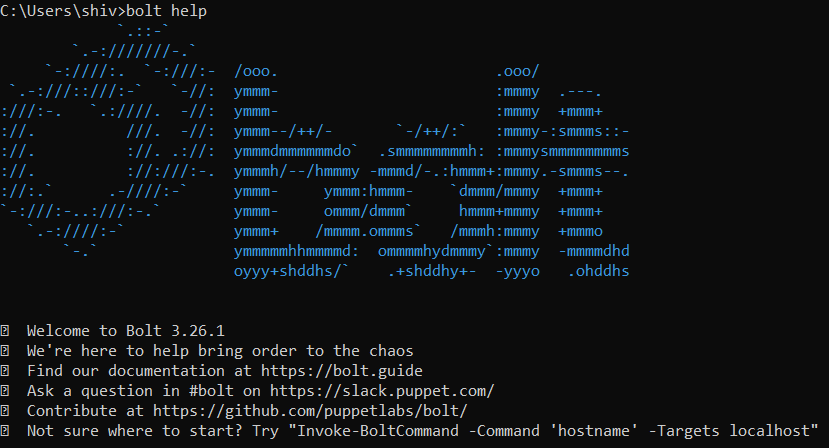
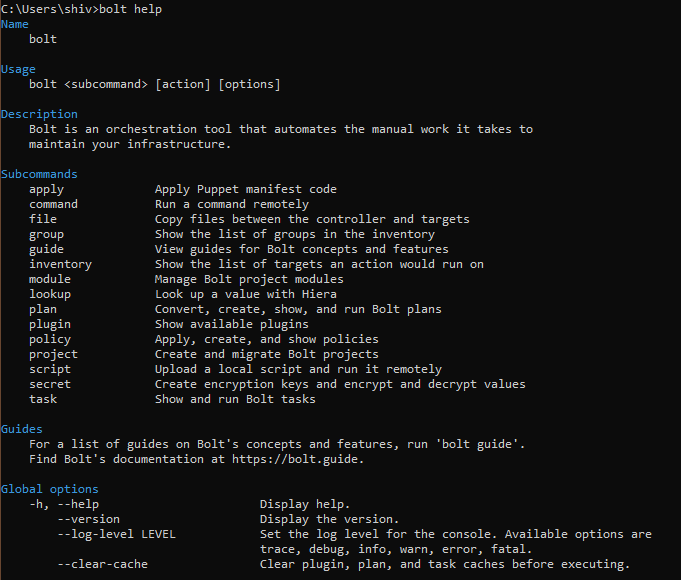
Download the Bolt MSI installer to get going. Start the installer while using all of the default parameters. Open a PowerShell console after Bolt has been successfully installed, and then type the following command to confirm Bolt is installed properly:
bolt help
Now that Puppet Bolt is set up on our system, we should be able to view it:
Creating a Project⚡
Let's now create a new Bolt project. We'll start a project in the directory C: Using the bolt project command, create a new project called "demo" in the bolt directory:
bolt project init demo

In C:/Bolt/demo, this creates a Bolt project directory. It should be noted that references in online documentation frequently refer to this directory as Boltdir. Bolt projects enable users to quickly share various Bolt programs with the community and offer simple tool integration. Also note that our new project directory now contains a bolt.yaml file. Similar to JSON, YAML, which stands for Yet Another Markup Language, is used to store key-value pairs. Modifications to Bolt's configuration are made in the bolt.yaml file.
Frequently Asked Questions
What is Puppet Agent?
The program that controls the configurations on your nodes is called a puppet agent. A Puppet primary server is required to retrieve configuration catalogs.
Describe about Bolt by puppet.
It is an open-source orchestration tool. It simplifies the labor-intensive manual tasks involved in maintaining your infrastructure.
What is it about bolt that makes it stands out?
It enables administrators of VMware infrastructure to coordinate changes across that infrastructure. The standard Puppet configuration management technology, which employs the pull mechanism for configuration, has a gap that is filled by this product.
How to install Bolt?
Just get the installer package for Bolt and run; install bolt PowerShell, and now you can run the bolt command in it. To learn more about bolt installation, refer to the installation section in this article.
What is the puppet?
To automate and centralize configuration management, it is a free management solution. The puppet is one of the most popular configuration management tools for deploying, setting up, and administering servers.
Conclusion
This article covers everything you need to know about Bolt. We hope this article About Bolt helps you in your journey.
Here are more articles for rescue.
Refer to our guided paths on Coding Ninjas Studio to learn more about DSA, Competitive Programming, JavaScript, System Design, etc. Enroll in our courses and refer to the mock test and problems available. Take a look at the interview experiences and interview bundle for placement preparations.







 1+ registered

