




Introduction
Ansible automates the management of remote systems and sets the desired state for them. Ansible 2.0 porting guide is intended to show the difference between version 1.# and 2.0.
It is designed to help you update your playbooks, plugins, and other Ansible infrastructure components so they are compatible with this version of Ansible.

In this article, we will discuss the introduction to Ansible 2.0 porting guide, playbooks, porting plugins, hybrid plugins, porting custom scripts, and their types.
Playbook

Any adjustments to your playbooks that might be necessary are covered in this section.
# Syntax available in 1.9.x
- debug:
    msg: "{{ 'trial_junk 1\\\\3' | regex_replace('(.*)_junk (.*)', '\\\\1 \\\\2') }}"
# Syntax available in 2.0.x
- debug:
    msg: "{{ 'trial_junk 1\\3' | regex_replace('(.*)_junk (.*)', '\\1 \\2') }}"


# Output:
"msg": "trial 1\\3"
There are two ways to create an escaped string that will function on all versions:
- debug: msg="{{ 'trial_junk 1\\3' | regex_replace('(.*)_junk (.*)', '\\1 \\2') }}"
using the same key=value escaping method. Alternatively, you might look for the Ansible version:
"{{ (ansible_version|version_compare('2.0', 'ge'))|ternary( 'trial_junk 1\\3' | regex_replace('(.*)_junk (.*)', '\\1 \\2') , 'trial_junk 1\\\\3' | regex_replace('(.*)_junk (.*)', '\\\\1 \\\\2') ) }}"
▶️The trailing newline: the trailing newline was removed when a string with one was given in the playbook using the yaml dict format.
The trailing newlines were retained when they were provided in key=value format. Both approaches of supplying the string in version 2 will maintain the trailing newlines. You can alter your strategy by using the following example if you previously relied on the trailing newline being stripped:
# Syntax avialable in 1.9.x
vars:
  message: >
  Trying to test
    some things
tasks:
- debug:
    msg: "{{ message }}"


# Syntax available in 2.0.x
vars:
  old_message: >
Trying to test
    some things
  message: "{{ old_message[:-1] }}"
- debug:
    msg: "{{ message }}"
# Output
"msg": "Ansible 2.0 porting guide"
▶️With Ansible v2, the way that DOS-style text files are templated behaves changes.
Due to a fault in Ansible v1, text files in the DOS format (with a carriage return and newline) are templated to be in the Unix format (using only a newline). This persistent problem was ultimately fixed in Ansible v2, and DOS-style text files are correctly saved. When switching to Ansible v2, you could expect your playbook to show no differences, but instead, you'll notice that every DOS-type file has been totally replaced (with what appears to be the exact same content).
▶️The complete jinja2 variable syntax ('var name') must be used when specifying complex args as a variable. Bare variable names are no longer permitted there. In reality, it is now forbidden to express arguments with variables and has been deprecated:
---
- host: localhost
  connection: local
  gathered_facts: false
  vars:
    my_dirs:
      - { path: /tmp/3a, state: directory, mode: 0751 }
      - { path: /tmp/3b, state: directory, mode: 0700 }
  tasks:
    - file:
      args: "{{item}}" # <- args uses the full variable syntax
      with_items: "{{my_dirs}}"
⏯️The porting task entails
⏯️Greater dynamism as expected, corner-case formats that weren't designed to operate now fail.
⏯️The ability to retain the original instead of converting everything to a string has been enhanced with the use of templating (variables in playbooks and template lookups).
⏯️To pass the value around as a string if you require the previous behavior, quote the value.
⏯️In yaml, empty strings are no longer created from empty variables or variables that have been set to null.
⏯️They'll continue to have the value of None.
⏯️By using the ANSIBLE NULL REPRESENTATION environment variable, you can force your configuration file's null representation setting to be an empty string.
⏯️In ansible.cfg, extra callbacks must be enabled.
⏯️Although you no longer need to copy them, you still need to enable them in ansible.cfg.
⏯️The dnf module was revised. It's possible to spot a few little behavioral adjustments.
⏯️Win updates have been rewritten and are now functioning as intended.
⏯️Since version 2.0.1, the implicit setup job from gathering facts has successfully inherited everything from play. However, this can cause problems for users who specify environment variables at the play level and depend on ansible env being there. This used to be disregarded, but now it could result in an "Undefined" error.
Types of Playbook
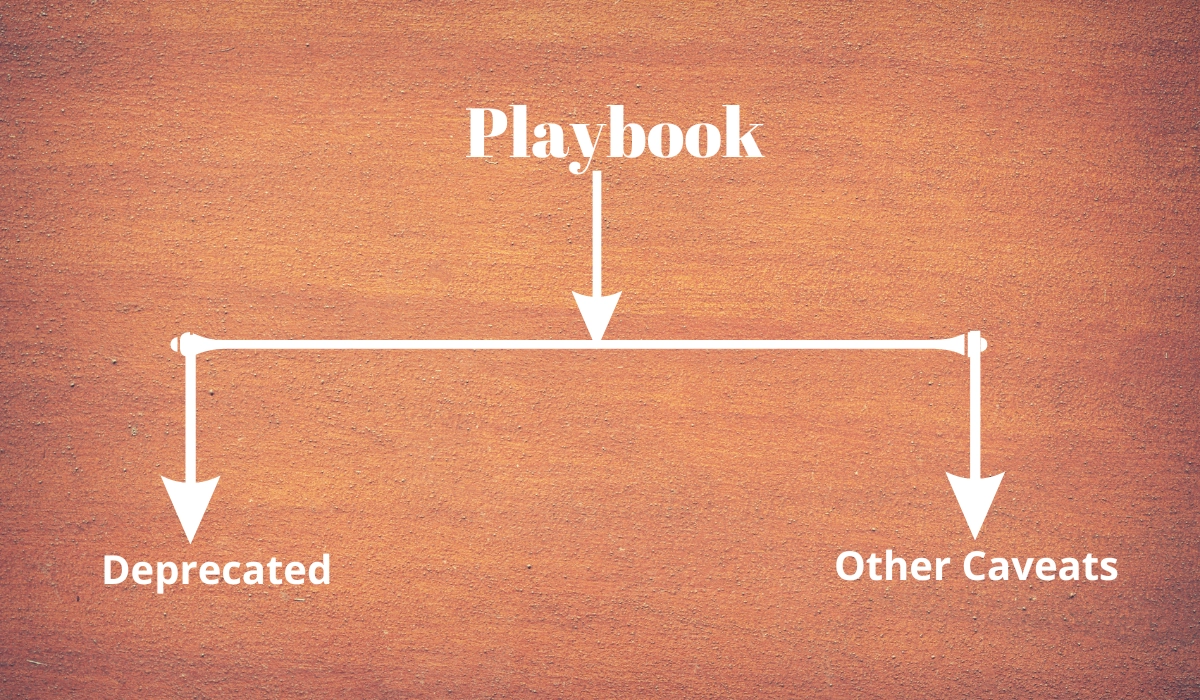
Deprecated

All of the listed items will display a deprecation warning message, but they will continue to function as they did in 1.9.x. Observe that they will be eliminated in version 2.2. (Ansible always waits for two major releases to remove a deprecated feature).
🔺Instead of using bare variables in with_ loops, use the "var" syntax to avoid ambiguity.
🔺The text format requirements file for ansible Galaxy. Instead, users should specify needs using the YAML format.
🔺Presently, undefined variables within the list of a with_ loop do not cause the loop to stop; however, they do produce a warning; going forward, they will also issue an error.
🔺Dictionary variables should not be used to set any task parameters, and they will be eliminated in a later release. For instance:
- hosts: localhost
  gathering_facts: no
  vars:
    debug_params:
      msg: "Ansible 2.0 porting guide"
  tasks:
    # Both are deprecated:
    - debug: "{{debug_params}}"
    - debug:
      args: "{{debug_params}}"


    # Try this instead:
    - debug:
        msg: "{{debug_params['msg']}}"
🔺To separate hosts/groups in host patterns, use a comma (,) or colon (:) rather than a semicolon (;).
🔺Ranges should be specified in host patterns using the [x:y] syntax rather than [x-y].
🔺Always use "become*" options in playbooks that leverage privilege escalation rather than the outdated su*/sudo* options.
🔺Vars prompt is no longer supported in its "short form." For instance:
vars_prompt:
    variable_name: "Ansible 2.0 porting guide"
It is no longer possible to provide variables at the top level of a task including statements. For instance:
- include_tasks: foo.yml
    a: 5
Should be the
- include_tasks: foo.yml
  vars:
    a: 5
🔺Any errors or fatal settings on tasks are no longer supported. Only the play level should be selected here.
🔺The environment dictionary no longer supports bare variables (for plays, tasks, etc.). The complete variable syntax, "foo," should be used for the variables that are defined there.
🔺Tags (or any directive) should no longer be given in a task included together with other parameters. They ought to be listed as an option on the assignment instead. For instance:
- include_tasks: foo.yml tags=x,y,z
It should be
- include_tasks: foo.yml tags=[x,y,z]
🔺Deprecated on tasks is the first available file option. Use the lookup ('first found',...) plugin or the first found option, if appropriate.
Other Caveats

Here are a few update-related corner cases. The capture of mistakes that were previously overlooked and the stricter parser validation are primarily to blame for this.
📕Bad Variable Composition
with_items: myvar_{{rest_of_the_name}}
It was never intended to be legitimate syntax and now properly yields an error; use the alternative syntax instead. This worked "by accident" as the errors were templated and ended up resolving the variable.
hostvars[inventory_hostname]['myvar_' + rest_of_the_name]
📕Misspelled directive
-task: dothestuf
  becom: yes
This is a parsing problem since the play 'run' even though it shouldn't have because the task is always executed without employing privilege escalation (for which you must become).
📕Duplicate Directives
- task: dothestuf
  when: True
  when: False
The play ran without warning that one of the directives was being disregarded, so the first when was ignored, and only the second one was used. This results in a parsing error.
📕Conflating variables and directives:
- role: {name=Ansible 2.0 porting guide, port=425 }


# in the tasks/main.yml
- wait_for: port={{port}}
In previous versions, this got confused with a variable named port and was available later in the play, which caused problems if a host tried to reconnect or was using a non-caching connection. The port variable is reserved as a play/task directive for altering the connection port. The port variable will now be accurately recognized as a directive, forcing the usage of non-conflicting identifiers and eliminating ambiguity when adding settings and variables to a role invocation.
📕Bare operations on with_:
with_items: variable1 + variable2
In some versions of Ansible, a bug with the "bare variable" capabilities, which were intended to merely template a single variable without the requirement for braces (), would template complete expressions. All expressions must now be enclosed in braces and employ correct templating, with the exception of conditionals (when):
with_items: "{{variable1 + variable2}}"
Since an undefined variable can be mistaken for a string and is difficult to distinguish, the bare feature itself is deprecated.
Porting plugins

To create a new plugin with Ansible-1.9.x, you often duplicate an existing one. A plugin of such type was created by simply implementing the methods and attributes that the caller of the plugin required. Most plugins in ansible-2.0 are created by subclassing a base class for each type of plugin. In this manner, non-customized methods do not need to be included in the custom plugin.
Types of porting plugins

📑Lookup Plugins
lookup plugins; import version
📑Connection Plugins
Connection plugin
📑Action Plugins
Action plugin
📑Callback Plugins
Even though Ansible 2.0 has a new callback API, most callback plugins still use the old one. Although Ansible no longer automatically fills the callback with the values for self.playbook, self.play, or self.task, if your callback plugin uses any of these, you will need to store the values yourself. Here is a brief example that demonstrates how:
import os
from ansible.plugins.callback import CallbackBase


class CallbackModule(CallbackBase):
    def __init__(main):
        main.playbook = None
        main.playbook_name = None
        main.play = None
        main.task = None


    def v2_playbook_on_start(main, playbook):
        main.playbook = playbook
        main.playbook_name = os.path.basename(main.playbook._file_name)


    def v2_playbook_on_play_start(main, play):
        main.play = play


    def v2_playbook_on_task_start(main, task, is_conditional):
main.task = task


    def v2_on_any(main, *args, **kwargs):
        main._display.display('%s: %s: %s' % (main.playbook_name,
        main.play.name, main.task))
Hybrid Plugins

You could need a plugin that supports both Ansible-1.9.x and Ansible-2.0 in certain circumstances. Similar to porting plugins from version 1 to version 2, you must be aware of how plugins operate in each version and can meet both requirements.
It is simpler to modify your plugin to provide equivalent components (subclasses, methods) for Ansible-1.9.x as Ansible-2.0 expects due to Ansible-2.0's more sophisticated plugin structure. Your code will appear much cleaner this way.
You might find the advice below helpful:
🔺Check to see if the ansible-2.0 class(es) are present, and if not, mimic them using the appropriate ansible-1.9.x methods (such as __init__).
🔺Catch the ImportError exception and carry out the analogous imports for ansible-1.9.x when ansible-2.0 python modules are imported when they fail. Including potential translations (for example, importing specific methods).
🔺Use the existence of these methods to identify the Ansible version you are using. Therefore, capability checks can be used in place of version checks. (See instances below.)
🔺List the specific version for which each block is required for each if-then-else condition. This will not only help you remove the outdated ansible-1.9.x support when it is deprecated, but it will also assist others to understand how they must adapt their plugins.
🔺The warning() method is incredibly helpful when developing plugins, but it's also crucial to emit warnings for deadends (cases you expect should never be triggered) or corner cases (for example, cases where you expect misconfigurations).
🔺To further understand how the API functions and what modules, classes, and methods are accessible, it is beneficial to take a look at other plugins in Ansible-1.9.x and Ansible-2.0.
Types of Hybrid Plugins

📑Lookup Plugins
We're going to create a hybrid fileglob lookup plugin as an easy example.
from _future_ import (absoluteimport, division, printfunction)
__metaclass__ = type


import os
import glob


try:
    # ansible-2.0
    from ansible.plugins.lookup import LookupBase
except ImportError:
    # ansible-1.9.x


    class LookupBase(object):
        def __init__(main, basedir=None, runner=None, **kwargs):
            main.runner = runner
            main.basedir = main.runner.basedir


        def get_basedir( main, variables):
            return  main.basedir


try:
    # ansible-1.9.x
    from ansible.utils import (listify_lookup_plugin_terms, path_dwim, warning)
except ImportError:
    # ansible-2.0
    from ansible.utils.display import Display
    warning = Display().warning


class LookupModule(LookupBase):


    # For ansible-1.9.x, we added inject=None as valid argument
    def run( main, terms, inject=None, variables=None, **kwargs):


        # ansible-2.0, but we made this work for ansible-1.9.x too !
        basedir = main.get_basedir(variables)


        # ansible-1.9.x
        if 'listify_lookup_plugin_terms' in globals():
            terms = listify_lookup_plugin_terms(terms, basedir, inject)


        ret = []
        for term in terms:
            term_file = os.path.basename(term)


            # For ansible-1.9.x, we imported path_dwim() from ansible.utils
            if 'path_dwim' in globals():
                # ansible-1.9.x
                dwimmed_path = path_dwim(basedir, os.path.dirname(term))
            else:
                # ansible-2.0
                dwimmed_path = main._loader.path_dwim_relative(basedir, 'files', os.path.dirname(term))


            globbed = glob.glob(os.path.join(dwimmed_path, term_file))
            ret.extend(g for g in globbed if os.path.isfile(g))


        return ret
📑Connection Plugins
Connection Plugin
📑Action Plugins
Action plugin
📑Callback Plugins
Callback plugin
Porting Custom Scripts
Custom scripts that employed the ansible.runner.Runner API in version 1.x must be updated for version 2.x.
Frequently Asked Questions
How many Ansible core modules are there?
Numerous tasks can be automated with Ansible modules. Nearly all of your environments may be automated with the 450 modules that Ansible offers. Plugins: Ansible Plugins can be used to perform Ansible tasks as a job.
How is the production server configured with Ansible?
Ansible organizes and manages your servers using an inventory file. We must first build an inventory file before we can take any action. Calling the file inventory. When running a playbook against a server or collection of servers, we refer to the name in brackets, "Appserver."
Can Ansible handle a lot of nodes?
Ansible-applicability pull's vary depending on the use case, but in general, topologies with fewer than 500 nodes nearly never require it, whereas topologies with more than 2000 nodes frequently do.


 1+ registered

