Do you think IIT Guwahati certified course can help you in your career?
Introduction
Hey! Ninjas, As the name suggests, Textures are surface characteristics and appearance of an object determined by its size, density, shape, and arrangement. So, Ninjas, can you know about using texture in the cinder framework? If not, read the article to know about it. In this blog, we will discuss Cinder-Textures in deep detail. Let’s start going!
About Cinder
Cinder is a C++ library for programming with an eye toward appearance, also known as creative coding. This covers areas like computational geometry, audio, video, and graphics. With official support for macOS, Windows, Linux, iOS, and Windows UWP, Cinder is cross-platform.
Cinder is a powerful, production-tested tool that can serve as a professional's primary tool while also being appropriate for learning and experimentation.
Textures in Cinder
Cinder-textures exposes this functionality through the class gl::Texture2d and its siblings, representing images in OpenGL as textures. It increases the surface characteristics and appearance of the object in the image by changing its size, density and functionality.
Let’s look at the given below example to understand cinder-textures:-
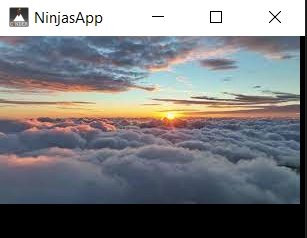
Similar to the previous example, we load the cinder-textures from a checkerboard.png file in this one. But in this instance, we're creating a gl::GlslProg from a gl::ShaderDef that has both texture(), and lambert() applied.
We are using the bind() method on mTexture, another important distinction. Making a texture active is known as binding that texture. Since we always bind just one texture, we do this from setup().
By calling mSphere->draw in the draw() method, the sphere is drawn (). Finally, for illustrational purposes, we draw the texture itself.
Frequently Asked Questions
Why use Cinder?
The library is suitable for highly abstract projects, such as art installations, advertising campaigns, and other advanced animation work, because it combines Cinder with quick C++.
What is OpenGL in Cinder?
With a focus on GPU hardware acceleration, OpenGL is an open standard for graphics programming. On Microsoft Windows and OS X, Cinder supports desktop OpenGL, and on iOS and Android, Cinder supports the OpenGL ES API.
What is CinderBlocks?
A prepackaged set of code and libraries called a CinderBlock implements a feature or exposes a library in Cinder. This includes standalone implementations of features like TUIO support and bridges to libraries like OpenCV and FMOD.
What is TinderBox?
TinderBox is a program that comes with Cinder and makes it easier to start new projects. It has the ability to produce Xcode and Visual Studio projects. CinderBlocks can also be integrated into your program.
What distinguishes Cinder from C++-based open frameworks?
Better performance is achieved by Cinder using system-specific libraries, whereas openFrameworks offers greater control over the underlying libraries.
Conclusion
Congratulations on finishing the blog! We have discussed the Cinder-Textures. We further discussed the working of Cinder on the image's texture with an example.
We hope this blog has helped you enhance your knowledge of Cinder-Textures. Do not stop learning! We recommend you read some of our articles related to cinder-textures:
But you have just started your learning process and are looking for questions from tech giants like Amazon, Microsoft, Uber, etc. For placement preparations, you must look at the problems, interview experiences, and interview bundles.
We wish you Good Luck!
Happy Learning!
Live masterclass
Google SDE Roadmap to land 30L+ CTC
by Saurav Prateek
02 Jun, 2026
03:00 PM
Data Analysis for 20L+ CTC@Flipkart: End-Season Sales dataset
by Sumit Shukla
31 May, 2026
06:30 AM
Top 5 GenAI Projects to Crack 25 LPA+ Roles in 2026
by Shantanu Shubham
31 May, 2026
08:30 AM
Zero to Data Analyst: Amazon Analyst Roadmap for 30L+ CTC
by Abhishek Soni
02 Jun, 2026
01:30 PM
Google SDE Roadmap to land 30L+ CTC
by Saurav Prateek
02 Jun, 2026
03:00 PM
Data Analysis for 20L+ CTC@Flipkart: End-Season Sales dataset







 8+ registered

