




Introduction
Hey Readers!!
Do you know about the custom keywords plugin in Katalon?
The custom keywords plugin is known as the Katalon project, which contains some custom keywords implementations.
In this article, you'll learn how to develop a Custom Keywords plugin in Katalon.
Let's begin!!
Develop the custom keywords plugin
A Katalon Studio project with certain custom keywords implemented is referred to as a custom keywords plugin, and to develop the custom keywords plugin follow the steps given below :
Add the dependencies to the build.gradle file
To add your dependencies to the build.gradle file does as follows:
1. Go to File > New > Project, and select Generate to build.gradle file box.

Given below is the Default build.gradle template is generated
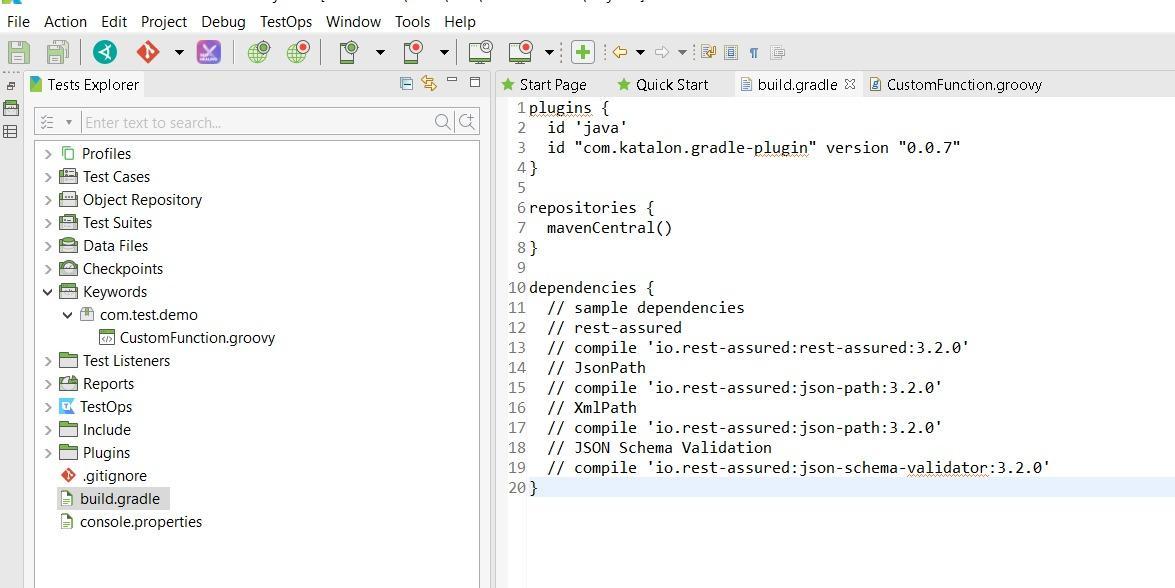
2. Now Add the dependencies to the build.gradle file.
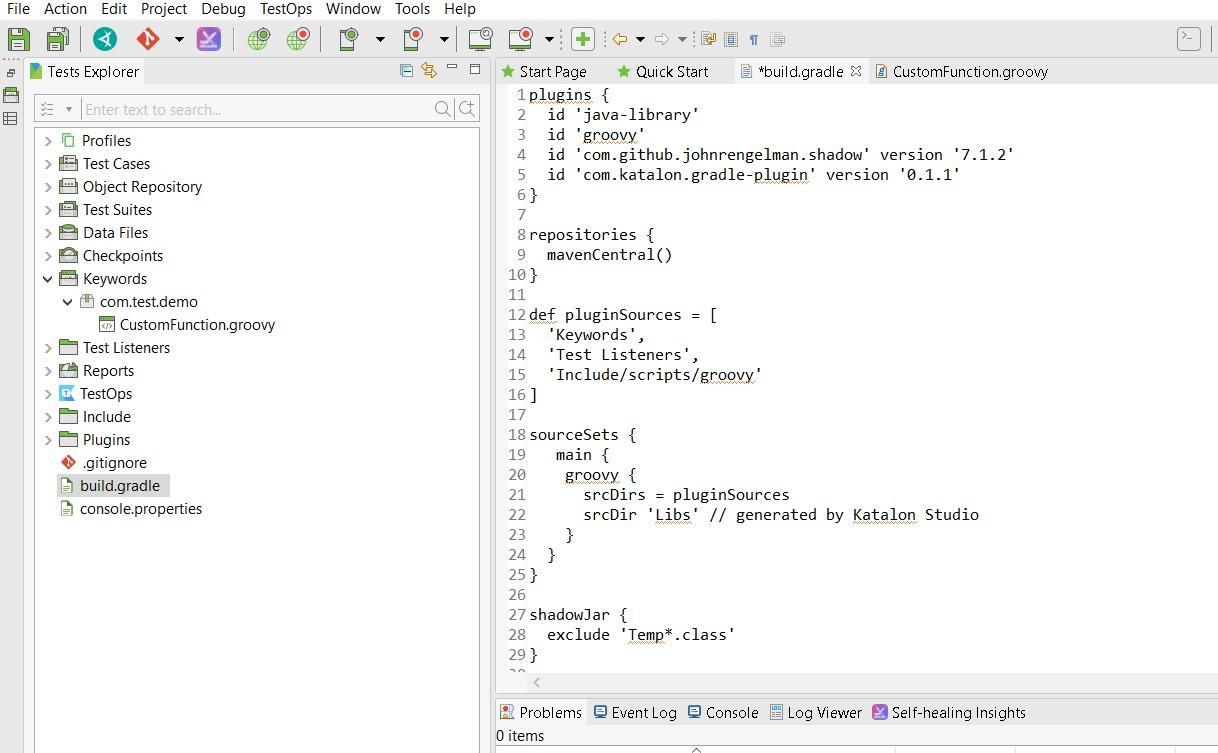
Enter the following code in the build.gradle file:For Gradle 7
plugins {
  id 'java-library'
  id 'groovy'
  id 'com.github.johnrengelman.shadow' version '7.1.2'
  id 'com.katalon.gradle-plugin' version '0.1.1'
}
repositories {
  mavenCentral()
}

def pluginSources = [
  'Keywords',
  'Test Listeners',
  'Include/scripts/groovy'
]


sourceSets {
   main {
    groovy {
      srcDirs = pluginSources
      srcDir 'Libs' // generated by Katalon Studio
    }
  }
}
shadowJar {
  exclude 'Temp*.class'
}
groovydoc {
  source = pluginSources
  docTitle = 'Zip Custom Keywords'
}


dependencies {
  implementation 'net.lingala.zip4j:zip4j:1.3.2'
}
Implement the custom keywords with a katalon-plugin.json file
Add a katalon-plugin.json file with the following format to the Keywords folder:
{
  "keywords": [keywordClass1, keywordClass2]
}
Package the plugins with Gradle
1. Install Gradle.
2. Then in the command prompt, open the plugin project directory.
3. In the plugin project directory, run the following command.
gradle katalonCopyDependencies4. In the Katalon Studio, Open the plugin project.
5. Run this command:
gradle katalonPluginPackage in the Command Prompt, then check on the build/libs for the JAR package of the plugin.
Now let's look at the steps for testing and publishing the Custom Keywords plugin
- Test the Custom Keywords plugin
A Katalon Studio project with certain custom keywords implemented is referred to as a custom keywords plugin.
Place the JAR package for the plugin in the Plugins folder of a new Katalon Studio project, and use the imported custom keywords, reopen the project.
- Publish the plugin to Katalon Store
Once your plugins are complete, upload them to the Katalon Store.
Frequently Asked Questions
Which language is used in Katalon?
Katalon Studio uses groovy language.
Which protocol is used by the RESTful Web services?
RESTful web services uses the HTTP protocol as a communication channel between the server and the client.
What is the Katalon automation tool?
Katalon is a modern, quality management platform that enables the teams of any size to produce the best digital experiences.
What framework does Katalon use?
Katlon used the hybrid test automation framework.
Which WebDriver API is the fastest?
The fastest and cheapest headless browser implementation for WebDriver is HTMLUnitDriver.


 7+ registered

