Do you think IIT Guwahati certified course can help you in your career?
Introduction
In this article, we will learn about importing and exporting keywords in katalon. Katalon Studio allows users to import and export for better and quicker management of custom keywords.
Before we start to talk about importing and exporting keywords in Katalon, let us first see what Katalon is.
What is Katalon
Katalon Studio is a software for automation testing created by Katalon, Inc. The software was initially released in January 2015. The software is built on top of the open-source automation frameworks Appium and Selenium with a specialised IDE interface to test desktop, mobile, web and APIs.
Import/Export Keywords In Katalon
Katalon Studio allows us to export and import faster and better control of custom keywords. This feature reduces the threat of moving test artefacts on separate test projects.
Import Keywords
Katalon Studio allows us to import keywords in the following ways:
From a git repository.
From a local folder of the system.
We must follow these steps to import new keywords in the Katalon Studio:
Click on Menu.
Click on File.
Click on Import Keywords.
Choose your preferred option.
Additionally, we can import keywords from the Tests Explorer. Right-click on the Keywords section. It will display the context menu, as shown in the image below.
Import from the Local Folder of the System
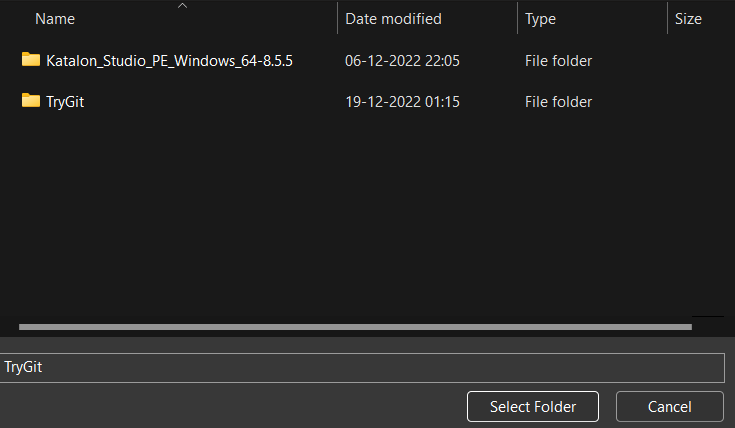
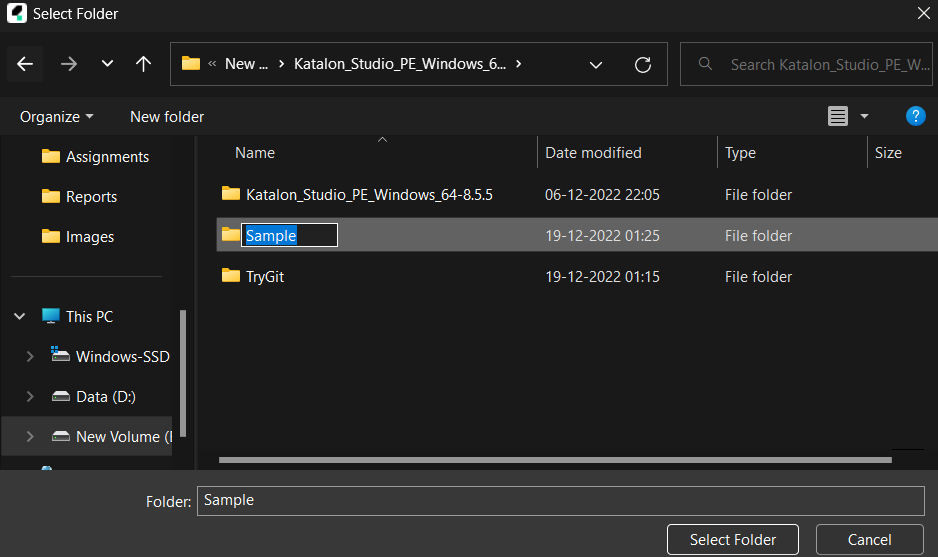
Choose the desired folder for importing the keywords to the Katalon Studio as the "Browse For Folder" panel appears.
Desired Folder:
If the keywords do not belong to any predefined package, they will be put into a default package by Katalon Studio.
Import from Git
No authentication is required to import the keywords from any public repository. However, we will provide our Git authentication if the repository is private.
Once Katalon Studio finds the required repository, it will ask the user to choose the branch to check out. We will select the branch which contains the keywords we want to import.
Katalon Studio will clone the Git repository to the default location in our project’s folder. We will choose our initial branch and then click Finish.
There are chances of similar keywords being present in the project. In this case, Katalon Studio will automatically detect and alert users to take some actions to resolve this issue. There are three options in total to choose from.
Export Keywords
Katalon Studio lets us export the keywords for sharing among members of our team. Follow these steps to export keywords:
1. Right-click on the "Keywords" in the Tests Explorer.
2. Select Export from the context menu.
3. Choose your folder in the local storage where you want to export the keywords in the "Browse For Folder".
Alright! We hope you understand how to Import/Export Keywords In Katalon.
Frequently Asked Questions
What is Katalon Studio?
Katalon Studio is a software for automation testing created by Katalon, Inc. The software was initially released in January 2015.
What language does Katalon use?
Katalon Studio uses Groovy, which is a Java-based language.
Why is Katalon Studio used?
Katalon Studio has ease of deployment and a broader set of features compared to Selenium. Katalon offers dual scripting for users with different programming skills.
Which programming language does Katalon Studio use?
Katalon Studio uses Groovy. Groovy is a language built on top of Java.
What are the pros of Katalon Studio?
Katalon Studio is integrated with DevOps workflow, has an analytics dashboard and reports, supports various testing, and has a free version.
Conclusion
In this article, we discussed the Import/Export Keywords In Katalon. We learnt how to import and export keywords using Katalon Studio. We hope this blog on Import/Export Keywords In Katalon was helpful. You can also refer to other similar articles.














 7+ registered

