Do you think IIT Guwahati certified course can help you in your career?
Introduction
We know that Katalon Studio is an automation tool for Android, Windows, macOS, Linux and other platforms. Today, we will look into some more features provided by Katalon Studio. Are you guys excited to learn these?
But before we dive deep into the topic, let us first learn about what Katalon is.
What is Katalon
Katalon Studio is a software for automation testing created by Katalon, Inc. It was initially released in January 2015. The software is built on top of the open-source automation frameworks Appium and Selenium with a specialised IDE interface to test desktop, mobile, web and APIs.
Custom Keywords Refactoring
The custom keyword refactoring feature is offered from Katalon Studio version 7.0. So, what are you waiting for? Upgrade your Katalon Studio to the latest version today to enjoy this feature.
Katalon Studio updates the keyword identifier and the new package accordingly when we move a custom keyword from one package to another.
Let’s have a look at an example:
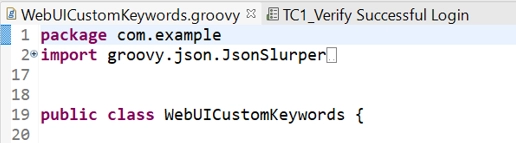
1. In the Katalon project, open the keyword file(WebUICustomKeywords.groovy) or any test case.
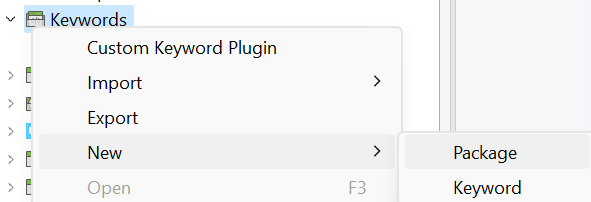
2. Create a new package(newPackage) in the Keywords folder.
3. Drag and drop the WebUICustomKeywords keyword from com.example to the package newly created(newPackage).
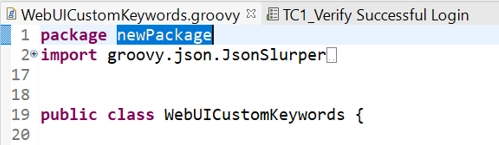
4. Re-open the keyword file(WebUICustomKeywords.groovy) or any test case and observe that the package name is automatically renamed from com.example to newPackage.
Import the Custom Keywords Classes by Using Recursion
How will you call a Custom Keyword within a Custom Keyword that is defined in another class? Let's check it out with a sample implementation of the code.
Keywords/package1/Class1.groovy
package package1

import com.kms.katalon.core.annotation.Keyword

public class Class1 {
	@Keyword
	def bye(String str) {
		return package2.Class2.sayByeTo(str)
	}
}
In the above code, we are trying to call sayByeTo method of Class2 class of the package2.
Keywords/package2/Class2.groovy
package package2

import com.kms.katalon.core.annotation.Keyword

public class Class2 {
	static def sayByeTo(String str) {
		return "Goodbye, ${str}."
	}
}
Now, let us write the test Case for our custom keyword.
TestC:
import com.kms.katalon.core.webui.keyword.WebUiBuiltInKeywords as WebUIBIK

def str = CustomKeywords.'package1.Class1.bye'("Shubham")
WebUIBIK.comment(">>> ${str}")
A successful run of a test will show you <Passed> in the Job Progress.
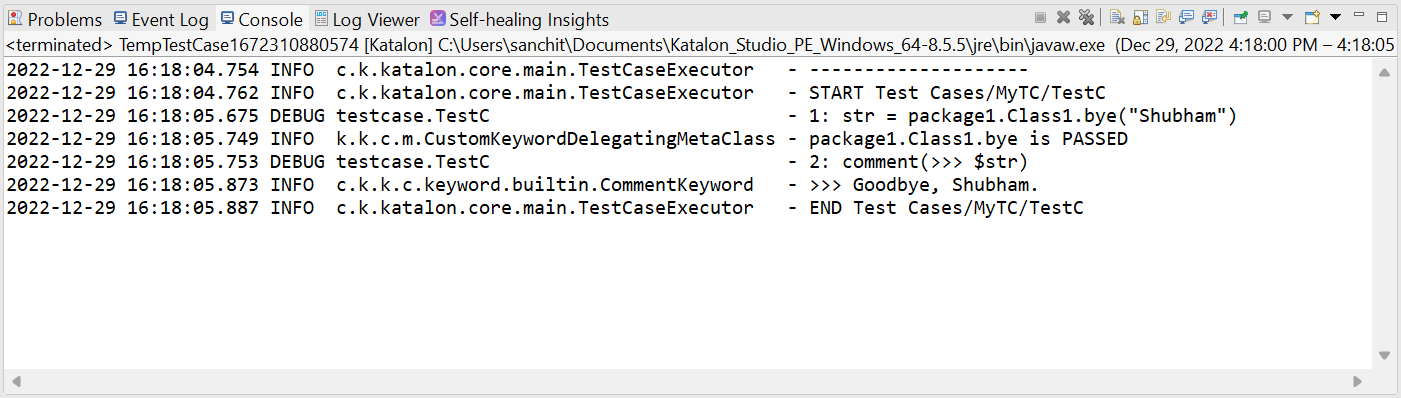
Output in Console:
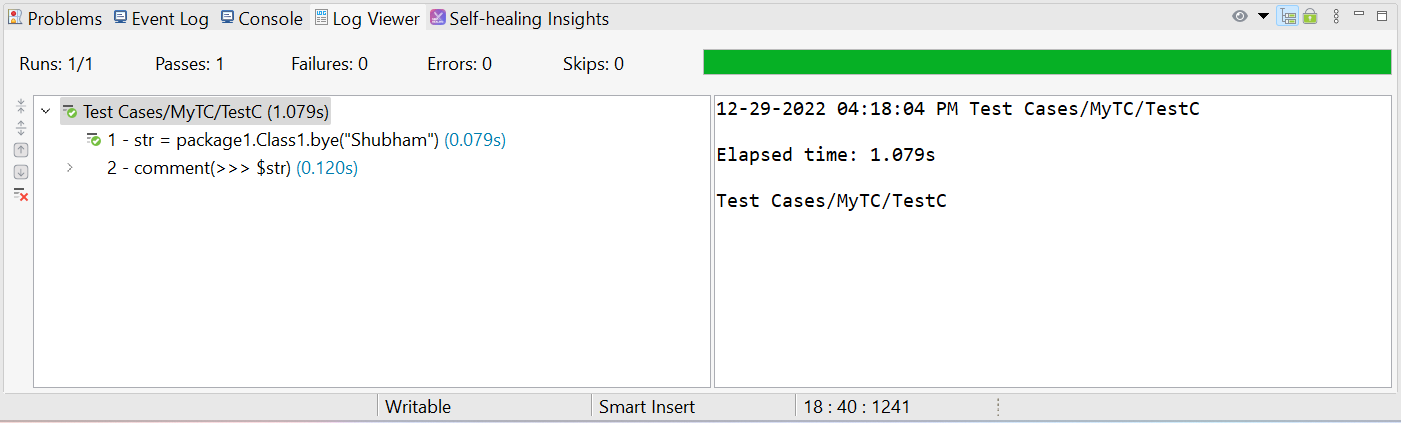
Output in Log Viewer:
Mark test's status for a Custom Keyword
There is no overall status for a Custom Keyword unless we define our expected result within the Custom Keyword. To generate a status, we will have to follow a couple of functions provided by Katalin Studio.
Name
Description
markError(String message)
It marks the keyword which contains an error.
markFailed(String message)
It marks the keyword which fails and continues execution.
markPassed(String message)
It marks the keyword which is to be passed.
They have a return type of public static void.
Alright! Now we hope you understand the Custom Keywords: Refactoring, importing the classes and marking status tests in Katalon.
Frequently Asked Questions
What is Katalon Studio?
Katalon Studio is an automation tool developed by Katalon, Inc. It works for the web, API, Android, Linux, Windows, and macOS interfaces.
Why is Katalon Studio used?
Katalon Studio is used to create ad reuse automated test scripts for UI without coding.
What is the main advantage of Katalon Studio over others?
Katalon Studio is easy to use and has a broader set of instructions compared to Selenium.
Can we use Selenium in Katalon?
Katalon Studio uses the Selenium engine for automated testing. Katalon uses the Selenium WebDriver framework and hides the complications of dealing with WebDriver from users.
Can we write code in Java?
Yes, we can use Java in Katalon. When writing scripts and custom keywords, we can write them in either Groovy or Java syntax. Groovy is simply a language that extends the Java language.
Conclusion
In this article, we discussed the Custom Keywords: Refactoring, importing the classes and marking status tests in Katalon.
We hope this blog on Custom Keywords: Refactoring, importing the classes and marking status tests in Katalon was helpful. You can also refer to other similar articles.












 1+ registered

