Do you think IIT Guwahati certified course can help you in your career?
Introduction
In this article, we will learn about R programming language. We will look at some of its features and uses. Finally, we will see in a step-by-step manner how to install and set up R on Windows, Linux, and Mac Operating Systems. Let's begin a new chapter of coding with R Programming.
Let’s start the article with brief information about the R programming language.
What is R?
R is a programming language and software development environment. It is commonly used for statistical analysis and graphics. It provides a vast range of statistical and graphical techniques. It has various applications in many industries. These include Data Analysis, Data Visualization, Statistical modeling, and Machine Learning.
R was developed by Robert Gentleman and Ross Ihaka at the University of Auckland, New Zealand, in the mid-1990s. R is an open-source language. It has gained popularity due to its flexibility and powerful libraries. R offers a vast ecosystem of packages contributed by a vibrant community of statisticians, data scientists, and researchers. It has over 12,000 packages available for download on CRAN.
Features of R
The R language is known for its concise and expressive syntax. It makes writing and reading statistical analyses easy. It supports various data types, including vectors, matrices, data frames, and lists. It provides multiple built-in functions for statistical computations and data manipulation. R can be run in an interactive console environment.
Here are a few features of R.
Free and open-source: R is free and open-source, so we can use all the functionalities without any restrictions. Anybody can contribute to R. Bugs are easily fixed by the open-source community.
High-Quality Visualizations: R has excellent capabilities for creating high-quality data visualizations. It provides various plotting functions, including base graphics and the popular ggplot2 package.
A language for data analytics and data science: R is a programming language for statistical computing. R carries out vectorized operations. This makes running R code very fast. R can connect to all kinds of databases. It has packages to carry out machine learning and deep learning operations.
Easy Integration with other technologies: R is integrated with Hadoop and Apache Spark. Thus, it can be used to process large amounts of data. R can be easily integrated with C/C++, Python, and Java.
Cross-Platform Compatibility: R is available for Windows, macOS, and Linux. Users can run their R code on different operating systems without significant modifications.
Installation and Set up of R in Windows
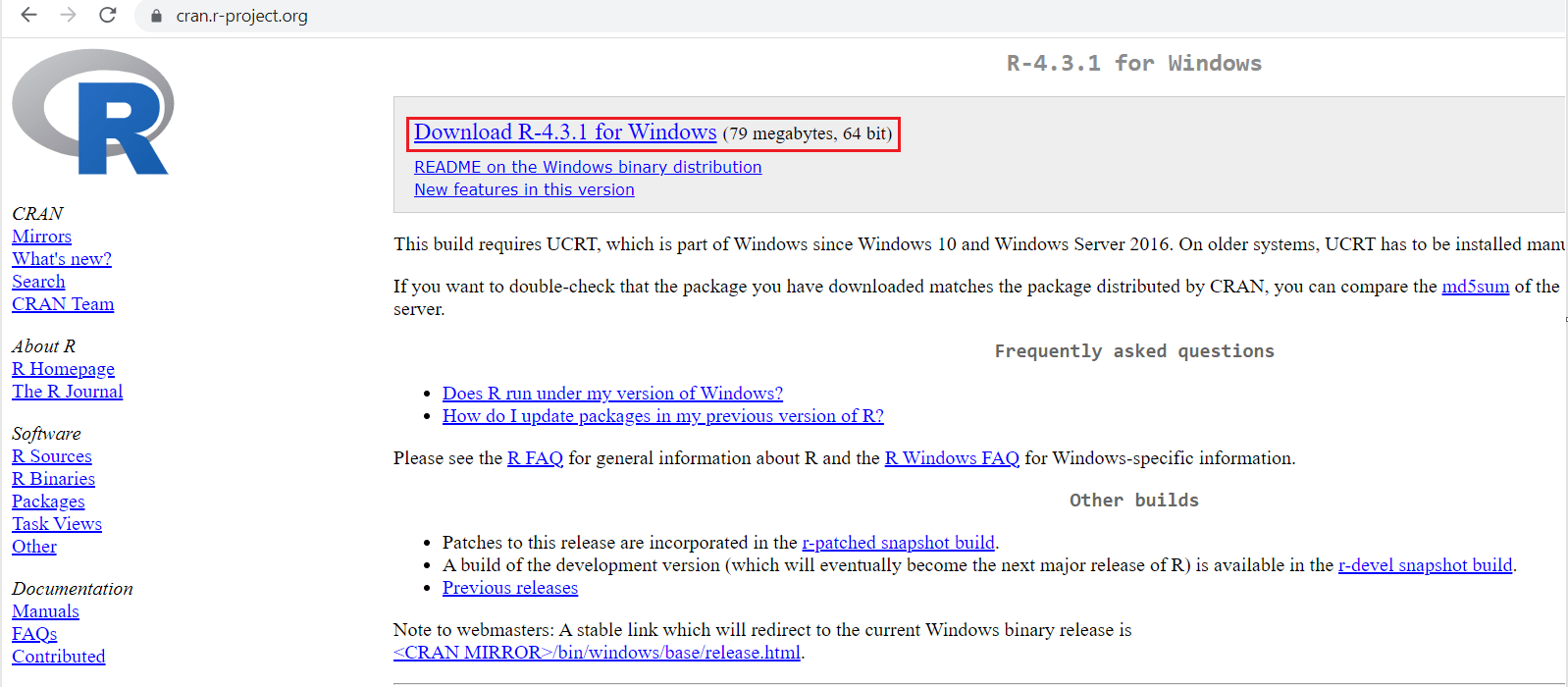
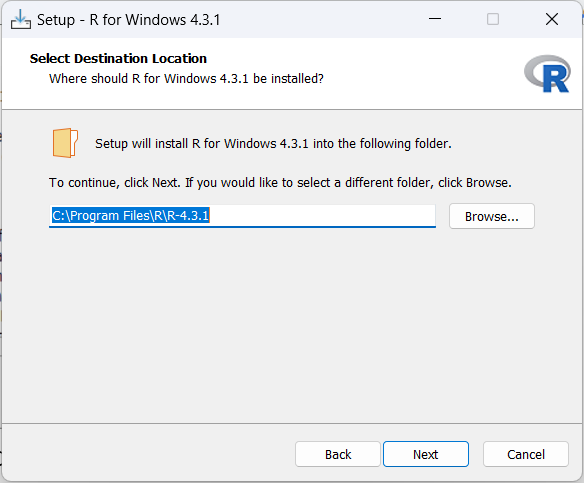
Following are the steps to install and set up R on the Windows operating system.
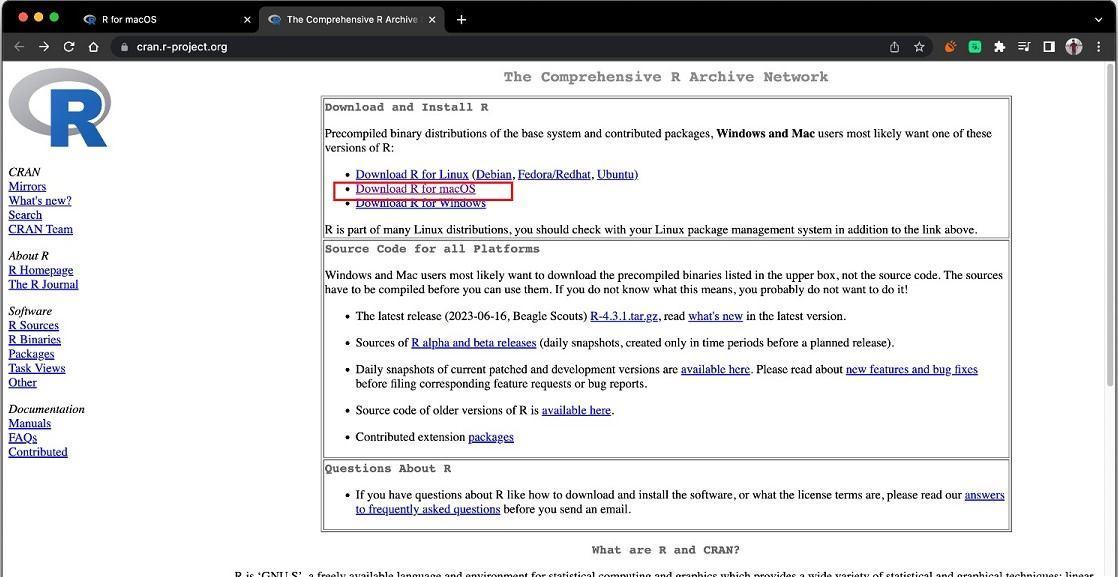
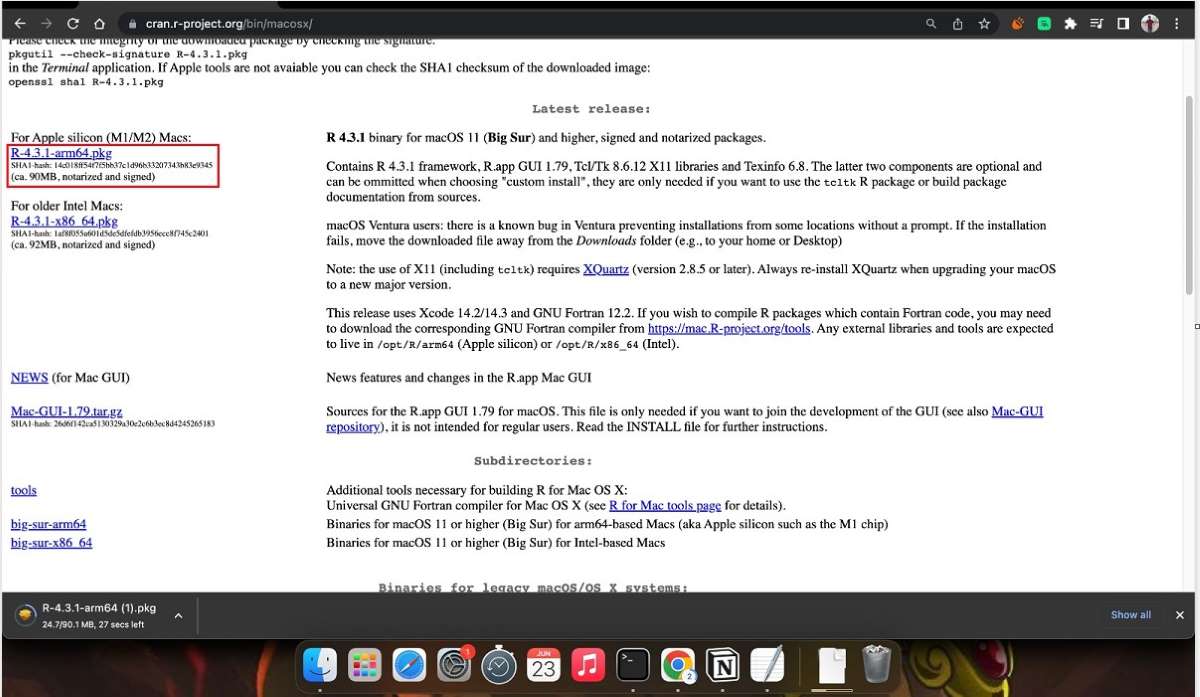
4. Select the second option, i.e. “R-4.3.1-arm64.pkg”. The file will be downloaded.
5. Run the file. R installer will open. Click “Continue”.
6. Go through the Read Me. Click “Continue”.
7. Go through the License section. Click “Continue” and then click “Agree”.
8. You can change the location of the files according to your will by clicking on “Change install location”. Click “Install”.
9. Enter your Password and click “Install Software”.
10. Installation is now complete. Click “Close”.
Installation and Set up of R in Linux (Ubuntu)
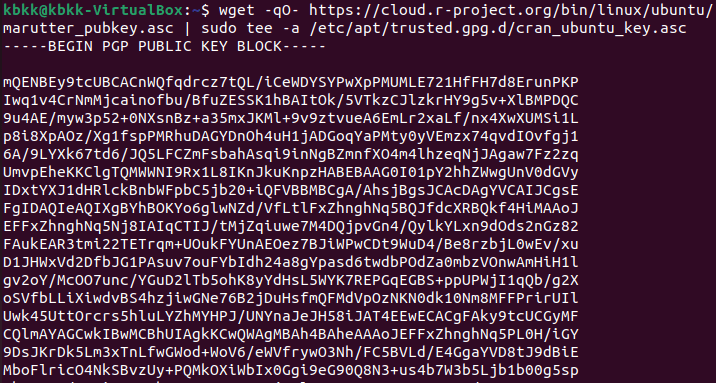
Because R is a fast-moving project, the latest stable version isn’t always available from Ubuntu’s repositories, so we will install R from CRAN Repository.
1. We first want to update our indices.
sudo apt update -qq
2. Install all the dependencies necessary to add a new repository over HTTPS. Run the command in your terminal.
6. Now, we need to update the APT cache using the following command.
sudo apt update
7. Install R by typing the following command.
sudo apt install r-base
8. Check the version of the R to verify the installation.
R -- version
Thus, R has been installed. You can start using it now.
Frequently Asked Questions
How do I install packages in R?
You can install packages in R using the install.packages("package_name") command or through the graphical interface of RStudio.
Can I have multiple versions of R installed in my system?
Yes, you can have multiple versions of R installed. Ensure each version is installed in a separate directory. Use tools like ‘renv’ or ‘packrat’ to manage package dependencies.
Can I run R scripts from the Windows, macOS, or Linux command line?
Yes, you can run R scripts from the command line. Use the “Rscript” command followed by the path to your R script file to execute it without opening the R console.
How can I check if R is installed correctly on my system?
Open the R console or RStudio and type sessionInfo(). This command will display information about your R installation, including the version and other details.
How do I update R to the latest version on Windows, macOS, or Linux?
To update R, download the latest version from the official CRAN website to update R and run the installer. It will update your existing R installation while preserving your packages and settings.
Conclusion
In conclusion, this article provided an overview of R. A powerful programming language and environment for statistical computing. The features of R were discussed, highlighting its capabilities for data manipulation, statistical analysis, and graphics.
The article then delved into the installation and setup processes of R on Windows, Mac, and Linux operating systems. Step-by-step instructions were provided for each platform, covering the installation of R itself and the setup of RStudio, an integrated development environment that enhances the R programming experience.













 5+ registered

