




Introduction
JavaFX Fade Transition creates a fade effect animation that spans its duration. This can be achieved by continuously reducing the fill color's opacity over time to reach the target opacity value. We are going to learn about it in more detail with the help of an example.
JavaFX Fade Transition
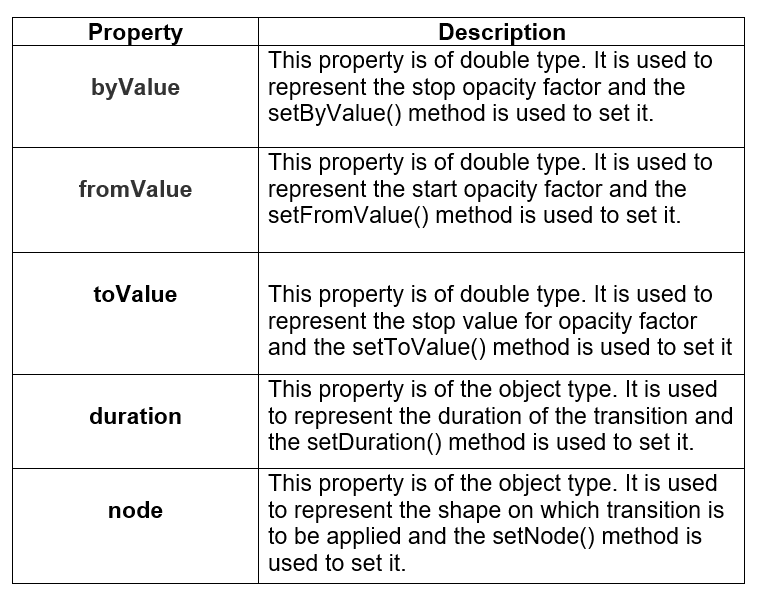
In JavaFX applications, we need to apply fade transitions to specific shapes to create fade transitions, it actually animates the opacity of the node to matte the fill color of the node. This is done by updating the opacity variable of the node at regular intervals. It starts from the fromValue, if provided, else, uses the node's opacity value, similarly, it stops at the toValue value, if provided, else, it will use start value plus byValue. The toValue takes precedence if both toValue and byValue are specified.
In JavaFX, the javafx.animation.FadeTransition class represents FadeTransition. We need to instantiate this class to create the proper fade transitions.
Properties
The properties of the class are described in the following table.
Constructors
The class contains three Constructors.
-
public TranslateTransition() : It creates a new instance of TranslateTransition with the default parameters.
-
public TranslateTransition(Duration duration): It creates a new instance of TranslateTransition with the specified duration.
- public TranslateTransition(Duration duration, Node node): It creates a new instance of Translate Transition with the specified duration and node.
Example
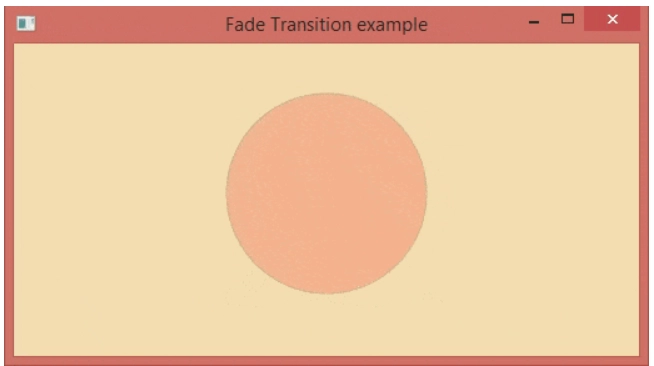
In the following example, the opacity of the color of the circle keeps decreasing from 10 to 0.1.
 package application;
import javafx.animation.FadeTransition;
import javafx.application.Application;
import javafx.scene.Group;
import javafx.scene.Scene;
import javafx.scene.paint.Color;
import javafx.scene.shape.Circle;
import javafx.stage.Stage;
import javafx.util.Duration;
public class Fade_Transition extends Application{
    public void start(Stage primaryStage) throws Exception {
        //Creating the circle
        Circle crcle = new Circle(260,110,70);
        //set the color of the circle
        crcle.setFill(Color.RED);
//set the stroke of the crcle
        crcle.setStroke(Color.BLACK);

        //Instantiating FadeTransition class
        FadeTransition fd = new FadeTransition();


        //set the duration for the Fade transition
       fd.setDuration(Duration.millis(5000));
        fd.setFromValue(10);
        fd.setToValue(0.1);

        //set the cycle count for the Fade transition
        fd.setCycleCount(1000);

        //the transition will set to be auto reversed by setting this to true
        fd.setAutoReverse(true);

        //set Circle as the node onto which the transition will be applied
        fd.setNode(crcle);


        //playing the transition
        fd.play();

        //Configuring Group and Scene
        Group root = new Group();
        root.getChildren().addAll(crcle);
        Scene scene = new Scene(root,500,250,Color.WHEAT);
        primaryStage.setScene(scene);
        primaryStage.setTitle("Translate Transition example");
        primaryStage.show();

    }
    public static void main(String[] args) {
        launch(args);
    }
}
Output:



 7+ registered

