Do you think IIT Guwahati certified course can help you in your career?
Introduction
A Transition is a visual effect that happens between each photo, slide, or video clip. In this article, we shall be learning one of the applications of JavaFX, which is JavaFX Fill Transition. JavaFX Fill Transition only fills the effect on the Transition of the objects. In this article, we shall be learning more about this.
JavaFX Fill Transition
We must apply the fill transition to a specific shape in the JavaFX application to generate the fill transition. It can involve the specified color to the given shape.
The javafx.animation.FillTransition contains all the methods required for this purpose.
Properties
Constructors
public FillTransition(): It creates the instance of FillTransition with the default parameters.
public FillTransition(Duration duration): It creates the instance of FillTransition with the specified parameters.
Public FillTransition(Duration, duration, Color fromValue, Color toValue): It builds a FillTransition instance with a start and finish color values, as well as the duration, is given.
public FillTransition(Duration duration, Shape shape): Along with the shape object that it will be applied to, it creates an instance of FillTransition with the provided duration.
public FillTransition(Duration duration, Shape shape, Color fromValue, Color toValue): It makes the instance of FillTransition with the specified duration, shape, and the start and end color values.
Example
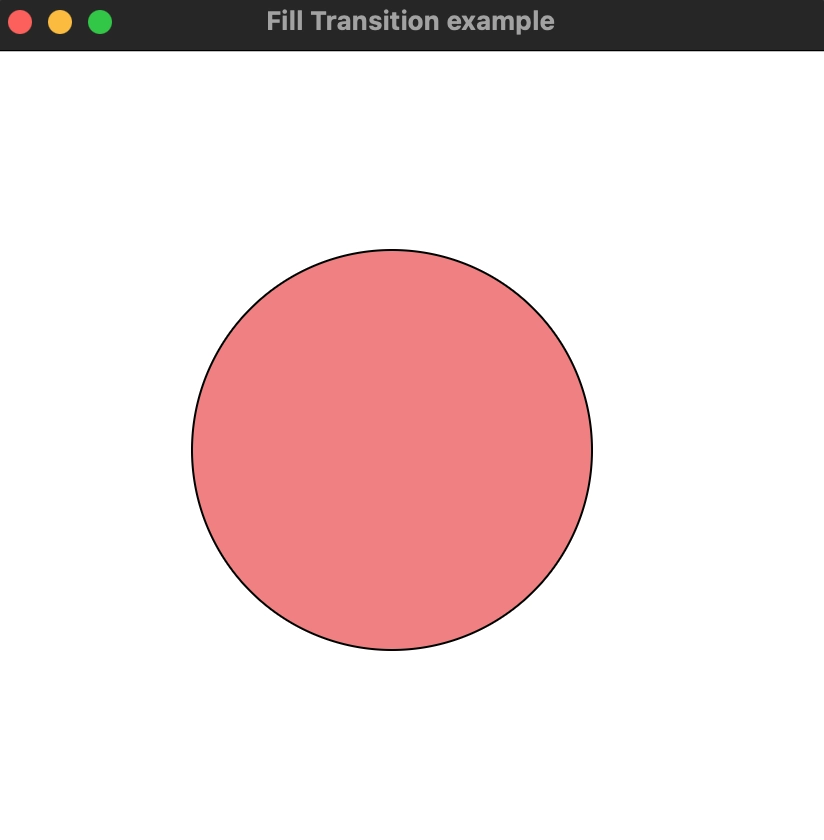
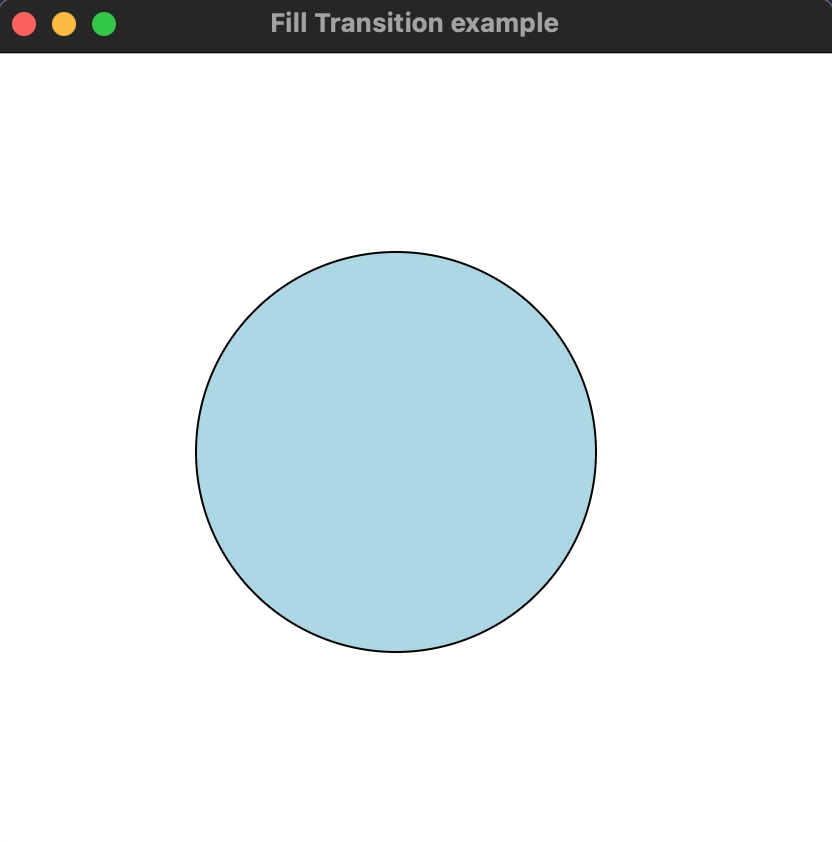
We created a circle and applied Fill Transition to it in the example below. The target color is light blue, but the initial color is coral. The circle's fill color value oscillates between lightblue and coral.
import javafx.animation.FillTransition;
import javafx.application.Application;
import javafx.scene.Group;
import javafx.scene.Scene;
import javafx.scene.paint.Color;
import javafx.scene.shape.Polygon;
import javafx.stage.Stage;
import javafx.util.Duration;
import javafx.scene.shape.Circle;


public class Main extends Application {
    @Override
    public void start(Stage primaryStage) throws Exception {
        //Creating Polygon
        Circle poly = new Circle(100);
        poly.setCenterX(200);
        poly.setCenterY(200);

        //Setting Color and Stroke properties for the polygon
        poly.setStroke(Color.BLACK);

        //Instantiating Fill Transition class
        FillTransition fill = new FillTransition();

        //The transition will set to be auto reserved by setting this to true
        fill.setAutoReverse(true);

        //setting cycle count for the fill transition
        fill.setCycleCount(50);

        //setting duration for the Fill Transition
        fill.setDuration(Duration.millis(1000));

        //setting the Intital from value of the color
        fill.setFromValue(Color.LIGHTCORAL);

        //setting the target value of the color
        fill.setToValue(Color.LIGHTBLUE);

        //setting polygon as the shape onto which the fill transition will be applied
        fill.setShape(poly);

        //playing the fill transition
        fill.play();

        //Configuring Group and Scene
        Group root = new Group();
        root.getChildren().addAll(poly);
        Scene scene = new Scene(root,420,400,Color.WHITE);
        primaryStage.setScene(scene);
        primaryStage.setTitle("Fill Transition example");
        primaryStage.show();

    }

    public static void main(String[] args) {
        launch(args);
    }
}
You can also try this code with Online Java Compiler
We import all necessary libraries which are required to implement this example.
Then we extended the Application class by creating a class called Main. To provide implementation details, we also need to override the start method. This function generates a primaryStage object from a Stage object. A Group object must be constructed and supplied to the Scene class object for the container to retain a filling polygon.
Frequently Asked Questions
What is Transition in JavaFX?
Transition is accomplished by repeatedly modifying the node's translateX and translateY properties at predetermined intervals. The number of cycles the Transition will go through throughout the allotted time will determine how quickly it transitions.
How to create a 3D shape in JavaFX?
The class of the specific 3D shape that the user wishes to build must first be instantiated. For instance, if a user wants to create a Box, he should instantiate the JavaFX Box class. The instantiated class's properties must then be set after it has been created.
How to apply different text effects in JavaFX?
The javafx.scene.effect class is represented by InnerShadow. A user can create a node in JavaFX to apply different texts, just like they can create nodes for applying various shapes and effects. The class Text, which is part of the javafx.scene.text package expresses the text node.
Conclusion
In this article, we have discussed the JavaFX Fill Transition.
We debated its properties, constructors, and a code example showing its Transition.
If you want to explore more about JavaFX, visit here.







 7+ registered

