




Introduction
A Java GUI toolkit is called JavaFX (GUI stands for Graphical User Interface). JavaFX facilitates the development of desktop applications and video games. In this article, we will discuss the JavaFX Hyperlink. The JavaFX Hyperlink control is a piece of text that acts as a button, allowing you to program a Hyperlink to do something specific when the user clicks it. We will see more about it in this article.
JavaFX Hyperlink
JavaFX includes the Hyperlink class. A hyperlink is a label of the HTML type that may consist of text, graphics, or both. A button and a hyperlink have similar behaviours. An ActionEvent is sent each time a link is clicked and released. Therefore, based on this occurrence, your application may take some action.
Since a Hyperlink can be configured to do something when the user clicks it, the JavaFX Hyperlink control is a text element that also serves as a button. It is similar to a web page's link. The class javafx.scene.control.Hyperlink is used to represent the JavaFX Hyperlink control.
Constructors
The following are the constructors of the class used to implement the JavaFX Hyperlink.
- Hyperlink(): A simple hyperlink will be created without graphics or text.
- Hyperlink(String t): A hyperlink is created with the defined text as a label.
- Hyperlink(String t, Node g): A hyperlink is created with the text and graphics that define the label.
Methods

Examples
Two examples of implementing JavaFX Hyperlink will be defined below:
Example 1
In this example, the hyperlink is implemented along with the label.
HyperlinkFX.java:
//package name
package hyperlinkfx;
import javafx.application.Application;
import javafx.scene.Scene;
import javafx.scene.control.Hyperlink;
import javafx.scene.layout.StackPane;
import javafx.stage.Stage;
public class HyperlinkFX extends Application {
public static void main(String[] args) {
launch(args);
}
@Override
public void start(Stage primaryStage) throws Exception {
    // hyperlink is created
    Hyperlink hp = new Hyperlink("http://www.codingninjas.com");
    StackPane root = new StackPane();
    //action after the link is clicked
    hp.setOnAction(e -> System.out.println("You clicked the link!"));
    root.getChildren().add(hp);
    //scene created
    Scene scene=new Scene(root,350,150);
    primaryStage.setScene(scene);
    // title for the stage
    primaryStage.setTitle("Example for Hyperlink");
    primaryStage.show();
}
}
Output:
Initially, the output is like this:
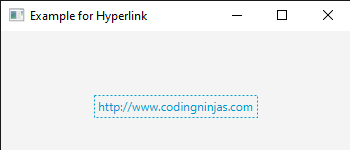
When the hyperlink is pressed several times, the output will be like this:

Example 2
In this example, the hyperlink is implemented along with the label and the image.
HyperlinkFX.java:
//package name
package hyperlinkfx;
import java.io.FileInputStream;
import javafx.application.Application;
import javafx.scene.Scene;
import javafx.scene.control.Hyperlink;
import javafx.scene.image.Image;
import javafx.scene.image.ImageView;
import javafx.scene.layout.StackPane;
import javafx.stage.Stage;
public class HyperlinkFX extends Application {
public static void main(String[] args) {
launch(args);
}
@Override
public void start(Stage primaryStage) throws Exception {
    //hyperlink with label
    Hyperlink hp = new Hyperlink("CodingNinjas");
    hp.setOnAction(e -> System.out.println("Link is clicked"));
    //coding ninjas image
    FileInputStream input = new FileInputStream("C:\\Users\\LENOVO\\Downloads\\codingninjas-1.jpg");
    Image img = new Image(input);
    ImageView imgview=new ImageView(img);
    //graphics set for the hyperlnk
    hp.setGraphic(imgview);
    StackPane root = new StackPane();
    //hyperlink will be visible now
    root.getChildren().add(hp);
    Scene scene = new Scene(root,400,200);
    primaryStage.setScene(scene);
    primaryStage.setTitle("Example of Hyperlink");
    primaryStage.show();
}
}
Output:
Initially, the output is like this:
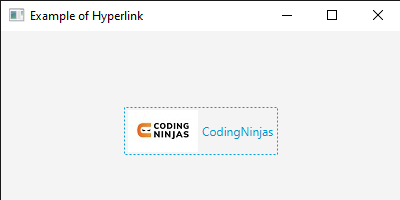
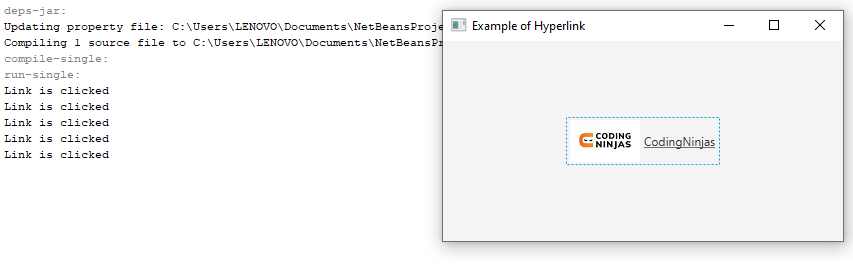
When the link is clicked, the console prints the output as many times the link is clicked, as shown below:


 7+ registered

