Do you think IIT Guwahati certified course can help you in your career?
Introduction
You have likely used a radio select button without actually recognizing it. In JSF, it is one of the most highly used elements. This component is used in various native applications, forms, and web pages. In JSF, the h:selectOneRadio tag is used to create a radio button. The value of the selected radio button is stored in the value property <h:selectOneRadio>. We will render a collection of HTML input elements of type "radio," formatted with an HTML table and label tag.
JSF h:selectOneRadio
HtmlSelectOneRadio is a UISelectOne component that displays radio buttons. The Radio Button works so that when it is pressed and released, an 'Action Event' is sent. This can be handled with the aid of an Event Handler. Since this button is not in any toggle group, it must be added to one of them to set the functionality that the user should not select more than one item at a time. Gender selection (Male, Female) is an excellent example of when radio buttons would be a suitable input object. Because it makes no sense to select both genders from the list, radio Buttons should always be placed in groups so that the user can choose one Radio Button from that group.
Advantages
Here, we have listed the advantages of using h:selectOneRadio in JSF.
When only one option is available, radio buttons represent lists of multiple items.
Radio buttons are more likely to provide accurate information than open-ended inputs such as text boxes.
Disadvantages
The following are the disadvantages of using h:selectOneRadio in JSF.
Radio button objects can occupy many layout areas on a form. These should only be used with a limited number of options (less than 10).
The order of radio button options, like checkboxes, can influence form users' choices. For example, they may select the first option solely based on its position in the list. It is beneficial to use a recognized method to set the order of options (e.g., alphabetic, frequency of use, etc.).
If a default choice is mentioned in a radio button, it might give an unwanted entry. If the user overlooks it, the default entry would be considered automatically. Thus, making the default entry an unwanted choice.
Uses of h:selectOneRadio
The h:selectOneRadio in JSF is probably the most commonly used selection component. We have listed its uses for better understanding.
First and foremost, the work that radio buttons do is: They show a set of mutually exclusive options from which a person can choose only one.
Radio buttons are usually used to select just one item from a list, rather than the multiple items available with checkboxes.
selectOneRadio is commonly used on websites or forms where a single option is chosen among many. Once checked, the choice can be changed but not unchecked. An example of this is the gender option in a registration form.
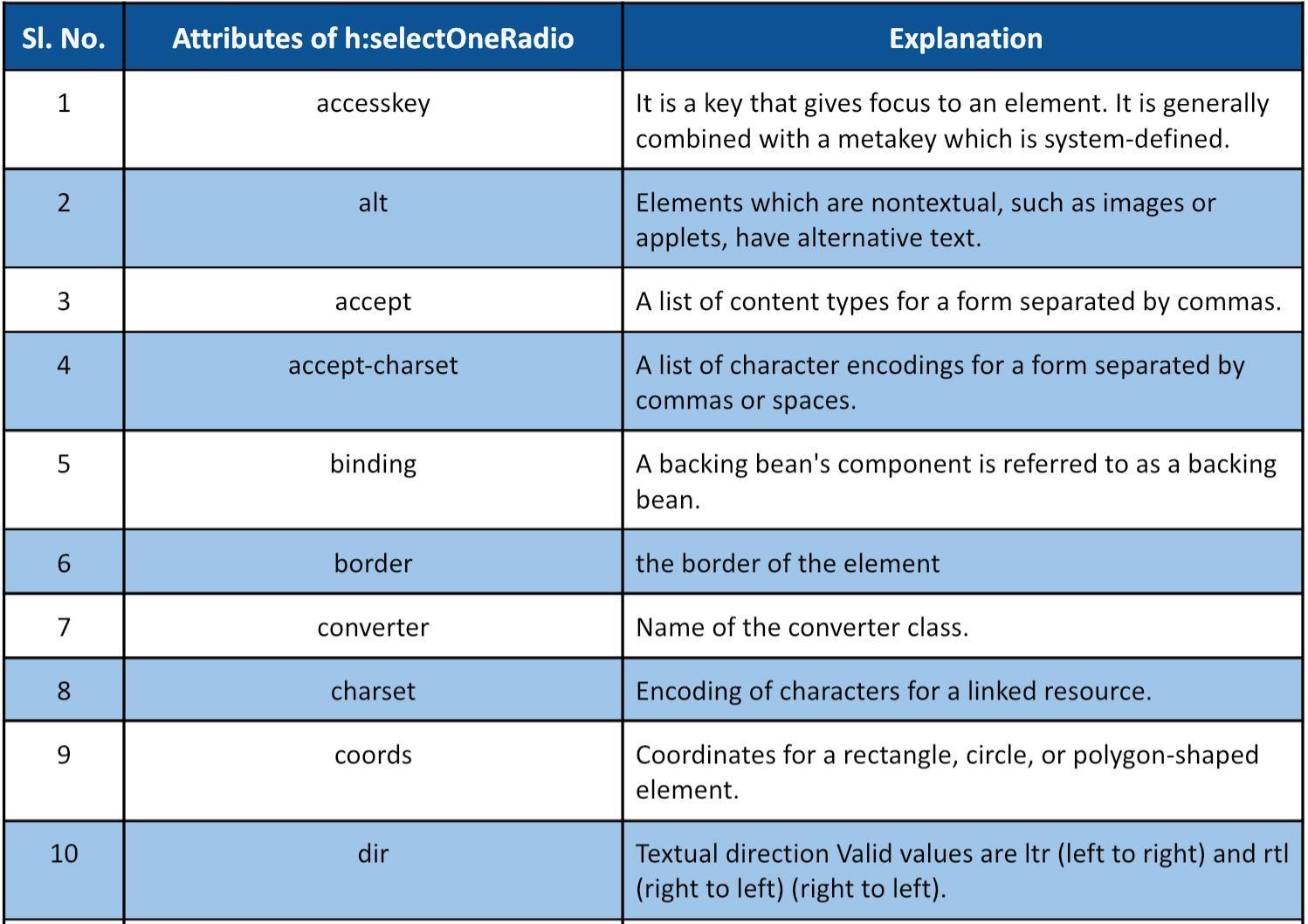
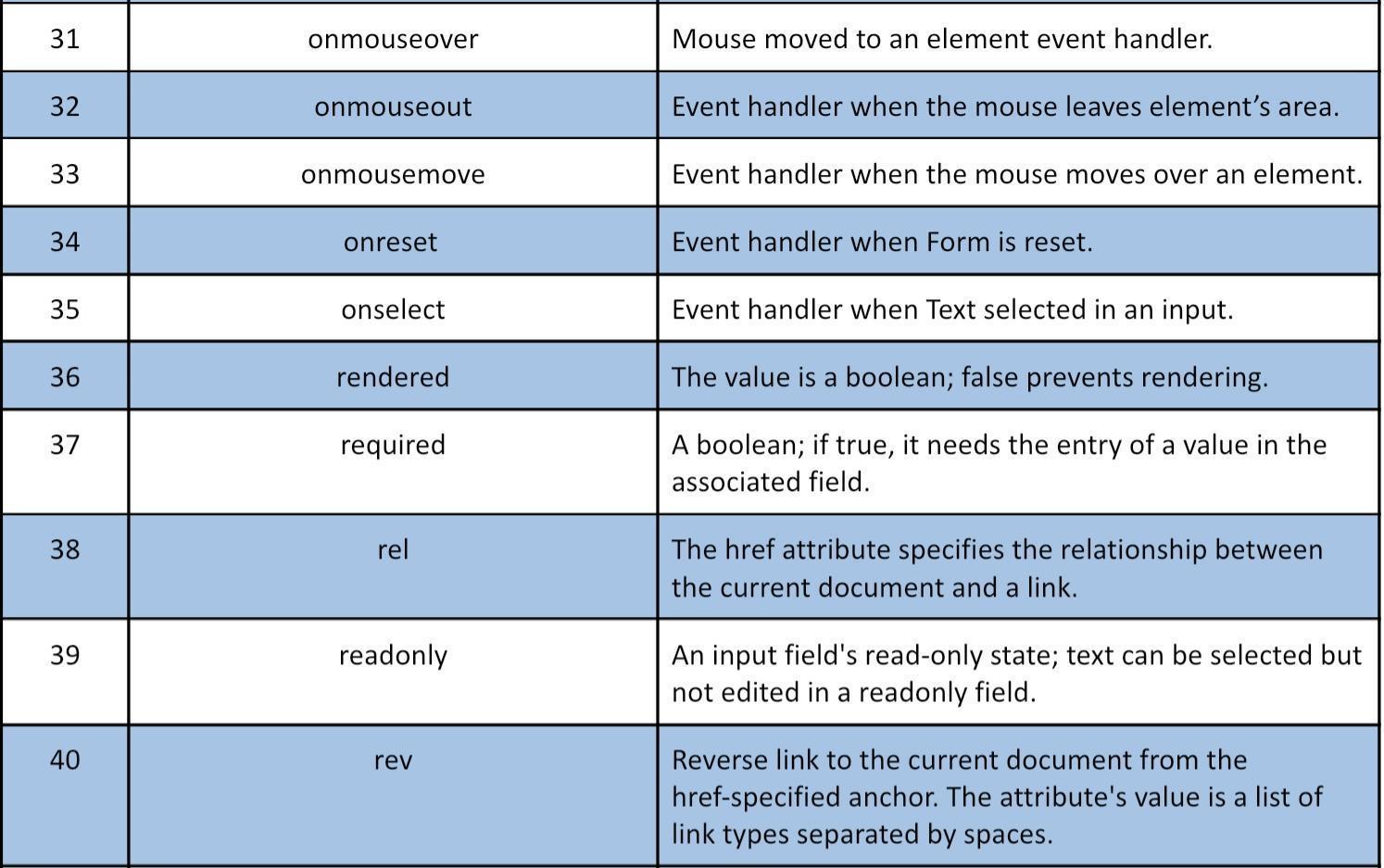
Attributes of Tags
We will cover some of the attributes of the tag h:selectOneRadio in JSF. These have been discussed below:
Example
We will look into an example of 'h:selectOneRadio in JSF' in which the output will be generated depending on the radio button selected.
Home.java:
import javax.faces.bean.ManagedBean;
import javax.faces.bean.SessionScoped;

@ManagedBean(name="home")
@SessionScoped


/**********************
Managed Bean
@author codingninjas
**********************/
public class Home {
   private String oneRadioValue;
   public String getOneRadioValue()
   {
       return oneRadioValue;
   }
   public void setOneRadioValue(String oneRadioValue)
   {
       this.oneRadioValue = oneRadioValue;
   }
   public String checkOneRadioValue()
   {
       return "Success";
   }
}
You can also try this code with Online Java Compiler
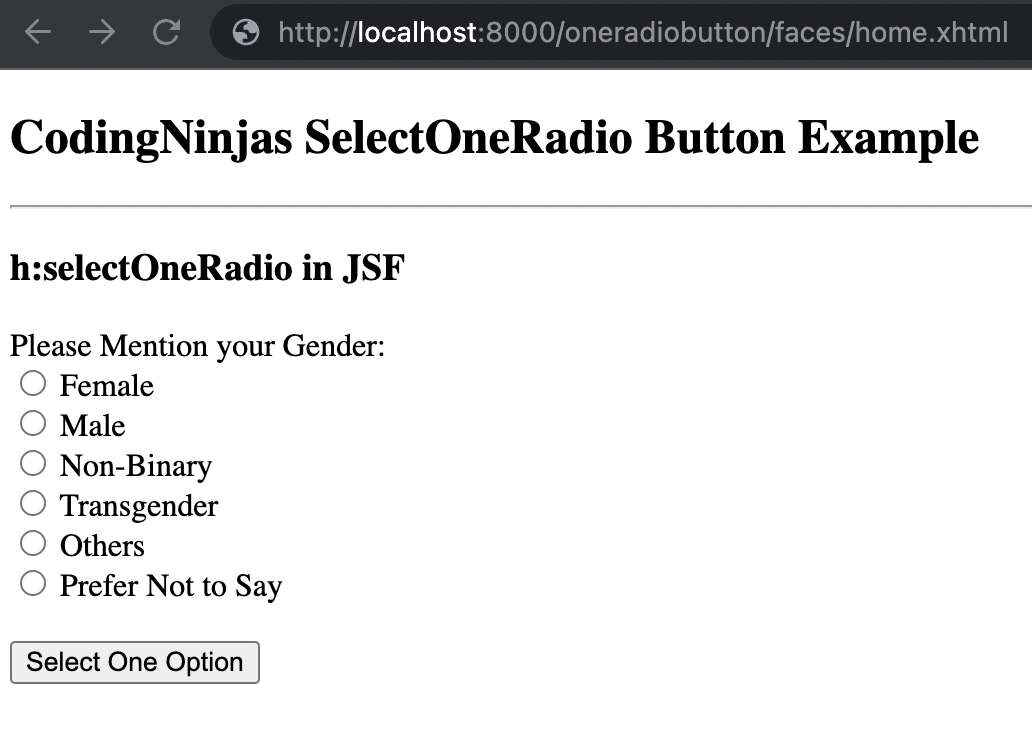
We can view our output on 'http://localhost:8000/oneradiobutton/faces/home.xhtml'.
We will then select one radio button like the following:
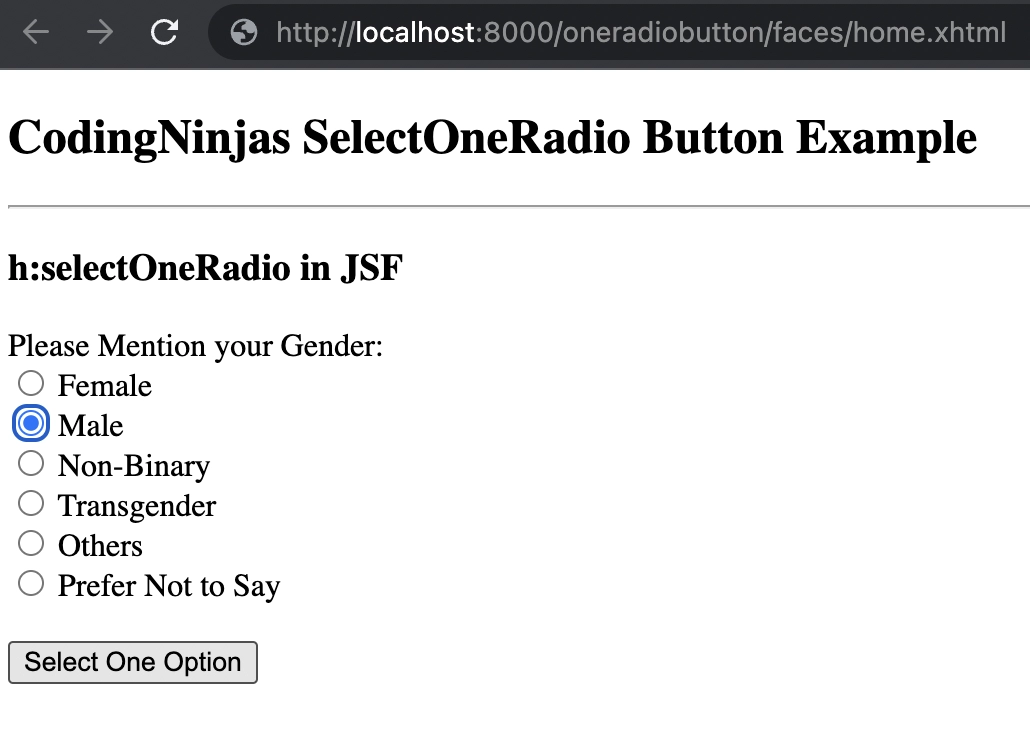
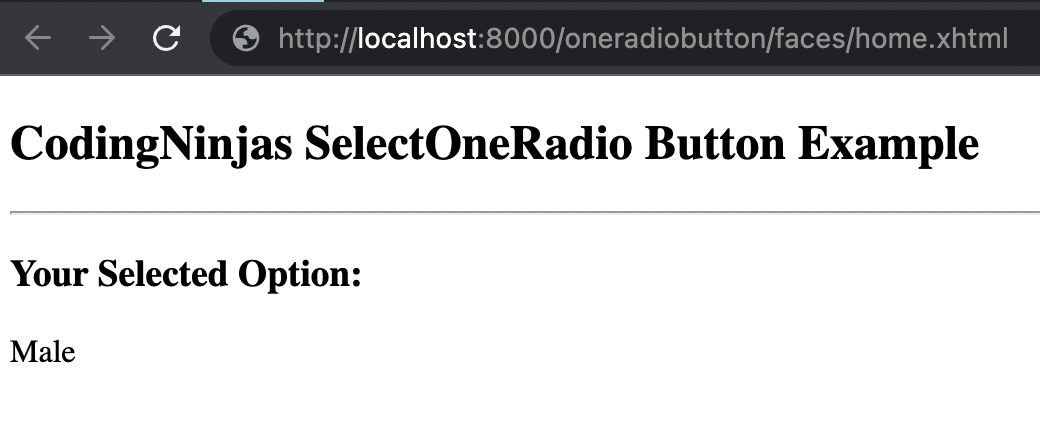
After selecting a radio button, the following output will be generated:
Frequently Asked Questions
What are managed beans in JSF, and why are they important?
Managed Beans are Java beans with getter and setter methods and business logic built into them. It can have a backing bean if desired. In the MVC framework, they serve as a Model for UI components.
It is necessary to register managed beans in the JSF configuration file, faces-config.xml, for JSF 1.2. In contrast, annotations are used to register managed beans from JSF 2.0 onwards.
What distinguishes radio from checkboxes?
Checkboxes and radio buttons are selection elements. Checkboxes allow the user to select items from a limited number of options. Radio buttons, however, will enable the user to choose exactly one thing from a list of several predefined options.
Can Radio Buttons be deactivated?
Only one option is chosen among the options provided in the radio button fields. Once selected, Radio Button cannot be deactivated.
Conclusion
The article discusses the uses, advantages, and disadvantages of h:selectOneRadio in JSF. We've also seen how h:selectOneRadio differs from other JSF elements and how it works. You can get a peek at our HTML and CSS courses for free. Don't forget to check out more blogs on JSF to follow.











 7+ registered

