Get a skill gap analysis, personalised roadmap, and AI-powered resume optimisation.
Introduction
This article will discuss using the turtle module to draw the logo of coding ninjas in python. Turtle is a great module to help you draw all kinds of shapes, including the logos of various companies.
Turtle Programming in Python
Turtle is a pre-installed module in python that lets you draw various shapes and figures using python with a provided virtual canvas. Using this, you can create graphics, pictures, and games. Students or kids can create fun programs with only a few lines and code with turtle programming.
Draw Coding Ninjas logo using turtle programming
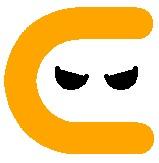
Below is given the official logo of Coding Ninjas. The logo of Coding Ninjas is a simple C with two ninja eyes. The C is orange in color, and the eyes are black.
To draw this logo, we are going to follow the given approach:
Importing Turtle
Forming a virtual window or screen
Initialising the turtle object
Start to Draw the Logo
Draw the C shape of the logo
Move the turtle pen to the position to draw the left eye
Draw the left eye
Move the turtle pen to the position to draw the right eye
Draw the right eye
Start to Draw the Logo
Finish by running turtle.done() command
Python Code
# Importing turtle
import turtle

# Forming a Screen
wd = turtle.Screen()
wd.bgcolor("White")
wd.title("Logo - Coding Ninjas")


#Initialising the turtle object
tt = turtle.Turtle()

# Setting pen for drawing the circle
tt.color("Orange")
tt.width(32)

# Drawing the C shape of the logo
tt.backward(60)
for x in range(180):
    tt.backward(1)
    tt.right(1)
tt.backward(60)

# Setting pen for drawing the eyes
tt.color("Black")
tt.width(5)

# Positioning the pen to draw left eye
tt.up()
tt.left(90)
tt.forward(45)
tt.right(90)
tt.forward(80)

#Drawing the left Eye
tt.down()
tt.left(75)
tt.begin_fill()
tt.circle(15,180)
tt.end_fill()
tt.hideturtle()

#Repositioning for the right eye
tt.up()
tt.right(75)
tt.forward(20)

# Drawing the right eye
tt.down()
tt.right(75)
tt.begin_fill()
tt.circle(15,180)
tt.end_fill()

# Finish by turtle.done() command
turtle.done()
You can also try this code with Online C++ Compiler
Is turtle a pre-installed library? Yes, turtle comes in the standard python package, so it does not need to be downloaded explicitly. You can import it directly into your program.
What is the use of turtle programming in python? Turtle programming is used to create graphics, pictures, and games. Students or kids can create fun programs with only a few lines and code with turtle programming.
How can we draw a color-filled shape in python using the turtle module? A color-filled shape can be drawn using the turtle module with the help of three functions that are fillcolor(*args), begin_fill(), and end_fill(). The shape must be drawn between the begin_fill() and the end() methods.
What arguments does the built-in circle method take in the turtle module? The circle method in the turtle module takes three arguments: radius, the extent, and the steps.
What command is used to create a virtual canvas or a window to draw figures in turtle programming? The turtle.Screen() command is used to create a virtual canvas or a window to draw figures in turtle programming.
Conclusion
In this article, we discussed turtle programming in python and how to use turtle programming to draw the Coding Ninjas logo. Hope you would have gained a better understanding of these topics now!
Are you planning to ace the interviews of reputed product-based companies like Amazon, Google, Microsoft, and more?










 7+ registered

