Mockito
Mockito is an open-source Java-based mocking framework delivered under the MIT license. The framework allows you to create test double objects in automated unit tests for test-driven development or behavior-driven development.
Often, We use Mockito to mock interfaces to add a dummy functionality to a mock interface that we can use for unit testing. For the examples in this article, we will use Mockito version 2.
The setup for our test code using Mockito and JUnit in the examples we will use in this article looks like this.
Program
//src/test/java/com.codingninjas.testrunner/LoginControllerMockito.java
package com.codingninjas.testrunner;


import org.junit.Assert;
import org.junit.Before;
import org.junit.Test;
import org.mockito.ArgumentMatcher;
import org.mockito.ArgumentMatchers;
import org.mockito.InjectMocks;
import org.mockito.Mock;
import org.mockito.Mockito;
import org.mockito.MockitoAnnotations;
import org.mockito.Spy;


public class LoginControllerIntegrationTestMockito {


    @Mock
    private LoginDao loginDao;


    @Spy
    @InjectMocks
    private LoginService spiedLoginService;


    @Mock
    private LoginService loginService;


    @InjectMocks
    private LoginController loginController;


    @Before
    public void setUp() {
        loginController = new LoginController();
        MockitoAnnotations.initMocks(this);
    }
…
}

You can also try this code with Online Java Compiler
EasyMock
Like Mockito, EasyMock is also an open-source Java-based mocking framework released under the Apache license. EasyMock is very similar to Mockito when it comes to functionality. It also has the primary purpose of allowing us to create test double objects in automated unit tests for test-driven development or behavior-driven development.
The setup for our test code using EasyMock and JUnit in the examples we will use in this article will look like this.
Program
//src/test/java/com.codingninjas.testrunner/LoginControllerEasyMock.java
package com.codingninjas.testrunner;


import org.easymock.*;
import org.junit.Assert;
import org.junit.Test;
import org.junit.runner.RunWith;


@RunWith(EasyMockRunner.class)
public class LoginControllerIntegrationTestEasyMock {


    @Mock
    private LoginDao loginDao;


    @Mock
    private LoginService loginService;


    @TestSubject
    private LoginController loginController = new LoginController();
…
}
You can also try this code with Online Java Compiler
Mockito vs. EasyMock
Despite the apparent similarities in the core functionality of Mockito and EasyMock, there are some critical differences in the implementation, features, and methods of these two mocking frameworks. We will now take a look at some of these differences with the help of some examples.
Test Spies Support
One of the vital differences between Mockito and EasyMock is that Mockito supports spies and mocks. Whereas EasyMock does not support spies.
Spy and Mocks have different functionality. A Spy is also known as a partial mock because it partially mocks an object and uses the real implementation instead of mocked method calls in a few of its methods. On the other hand, a Mock creates a dummy object that is wholly mocked.
In our test setup for Mockito, we have created a spy and a mock for our LoginService. So instead of using .thenCallRealMethod() in a typical mock method call definition, we use a spy for partial mocking in our test. When we use a spy instead of a mock, the default behavior will be to call the real implementation in all non-mocked methods.
Mockito Example
    @Test
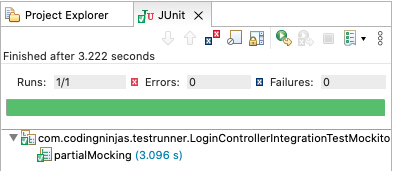
    public void partialMocking() {
        // using partial mock
        loginController.loginService = spiedLoginService;
        UserForm userForm = new UserForm();
        userForm.username = "foo";
        // let service's login use implementation so it let's mock DAO call
        Mockito.when(loginDao.login(userForm))
            .thenReturn(1);


        String login = loginController.login(userForm);


        Assert.assertEquals("OK", login);
        // verify the mocked call
        Mockito.verify(spiedLoginService)
            .setCurrentUser("foo");
    }
You can also try this code with Online Java Compiler
Output
Mocked Method Calls
In Mockito, you can use .when(mock.method(args)).thenReturn(value) for mocking method calls. You can also return different values for more than one call by adding them as parameters like thenReturn(value1, value2, value-n, …).
In EasyMock, you can use .expect(mock.method(args)).andReturn(value) for mocking method calls.
In the next section, we will see the example for both implementations.
Verifying Calls
For verifying calls in Mockito, you can use Mockito.verify(mock).method(args). You can also use Mockito.verifyNoMoreInteractions(mock) to verify that Mockito did no more calls.
You can also pass specific values or use predefined matchers like any(), anyString(), or anyInt() for verifying arguments.
In the example below, we will mock method call and then use verify() to verify the call to our mock service.
Mockito Example
    @Test
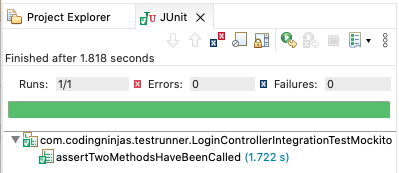
    public void assertTwoMethodsHaveBeenCalled() {
        UserForm userForm = new UserForm();
        userForm.username = "foo";
        Mockito.when(loginService.login(userForm))
            .thenReturn(true);


        String login = loginController.login(userForm);


        Assert.assertEquals("OK", login);
        Mockito.verify(loginService)
            .login(userForm);
        Mockito.verify(loginService)
            .setCurrentUser("foo");
    }
You can also try this code with Online Java Compiler
Output
In EasyMock, you can use EasyMock.verify(mock) for verifying calls to your mock. Remember that you must always call it after calling EasyMock.replay(mock).
You can also pass specific values, or predefined matchers like isA(Class.class), anyString(), or anyInt() to verify arguments in EasyMock.
You can see the implementation of mocked method and verifying calls to that mock using EasyMock below.
EasyMock Example
    @Test
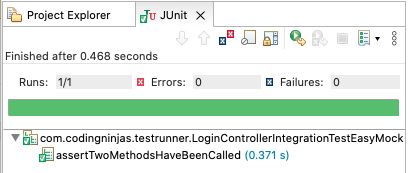
    public void assertTwoMethodsHaveBeenCalled() {
        UserForm userForm = new UserForm();
        userForm.username = "foo";
        EasyMock.expect(loginService.login(userForm)).andReturn(true);
        loginService.setCurrentUser("foo");
        EasyMock.replay(loginService);


        String login = loginController.login(userForm);


        Assert.assertEquals("OK", login);
        EasyMock.verify(loginService);
    }
You can also try this code with Online Java Compiler
Output
Mock Exception Throwing
Another vital feature of Mockito and Easy mock is that they allow you to mock Exception Throwing.
In Mocktio, you can mock Exception Throwing by using .thenThrow(ExceptionClass.class) after a Mockito.when(mock.method(args)) like in the example below.
Mockito Example
    @Test
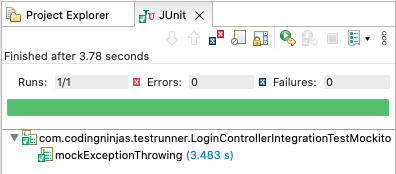
    public void mockExceptionThrowing() {
        UserForm userForm = new UserForm();
        Mockito.when(loginService.login(userForm))
            .thenThrow(IllegalArgumentException.class);


        String login = loginController.login(userForm);


        Assert.assertEquals("ERROR", login);
        Mockito.verify(loginService)
            .login(userForm);
        Mockito.verifyNoMoreInteractions(loginService);
    }
You can also try this code with Online Java Compiler
Output
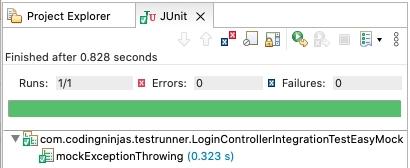
In EasyMock, using andThrow(new ExceptionClass()) after an EasyMock.expect() call is the way to mock exception throwing, as shown in the example below.
EasyMock Example
    @Test
    public void mockExceptionThrowing() {
        UserForm userForm = new UserForm();
        EasyMock.expect(loginService.login(userForm)).andThrow(new IllegalArgumentException());
        EasyMock.replay(loginService);


        String login = loginController.login(userForm);


        Assert.assertEquals("ERROR", login);
        EasyMock.verify(loginService);
    }
You can also try this code with Online Java Compiler
Output
Frequently Asked Questions
-
What is the difference between mock and spy?
While we can use both mock or spy to mock methods or fields, there is a difference in their implementation and functionality. In mock, we are creating a complete mock or fake object, and in spy, there is the real object, and we are just spying or stubbing specific methods of it. When we use mock objects, the default behavior of the method when not stub is to do nothing, while the default behavior using spy is to use the real implementation of all the non-mocked methods.
-
What is stubbing and mocking?
Like mocking, stubbing means creating a stand-in. But the difference between a stub and a mock is that a stub only mocks the behavior and not the entire object. You can use this when your implementation only interacts with a particular behavior of the object.
-
Should we use Mockito spy?
In general scenarios, if you want to be safe and just check the logic inside a unit while avoiding calling external services, it is recommended to use a mock instead of a spy. You should use a spy if you want to run the program as it is and just stub some particular methods or call an external service and real dependencies.
-
What are matchers in Mockito?
Matchers are like regex or wildcards, where instead of specifying a specific input and or output, we define we can verify a range or type of input/output based on which stubs/spies can be rest and calls to stubs.
All the Mockito matchers are a part of the 'Mockito' static class.
Conclusion
In this article, we have extensively discussed the key differences and concepts of Mockito and EasyMock and their implementation in unit testing using JUnit and Java programming. There are many more features and distinctions in implementing both of these mocking frameworks that you will come across as you start working extensively with these tools.
We hope this blog has helped you enhance your knowledge regarding mocking and unit testing in Java. If you would like to learn more, check out our articles on JUnit Introduction and Features, JUnit Environment Setup and Framework, and Basics of Java. Do upvote our blog to help other ninjas grow. Happy Coding!





 7+ registered

