Do you think IIT Guwahati certified course can help you in your career?
Introduction
A simple web framework is called Sinatra. You may be aware that Sinatra served as the inspiration for express.js. It is beneficial and easy to use, in my experience. It is renowned for being extremely user-friendly and uncomplicated. The tasks I frequently perform are some of those covered in this article.
As always, consult the official documents for further information and to learn more.
Static Files and Templates in Sinatra
Sinatra is a Ruby-based web application library and domain-specific language. It is free and open-source software. It is an alternative to Ruby on Rails, Merb, Nitro, Camping, and other Ruby web application frameworks. The Rack web server interface is required. Frank Sinatra, a musician, inspired its name.
Installation
Simply use gem to install the package to install Sinatra.
gem install sinatra
For Sinatra, certain Linux distributions already have a package in place. Utilizing the Linux package manager, you might be able to install. For instance:
Viewing the Sinatra documentation may be done in a few different ways. The steps for obtaining the offline and online documents are shown below.
Online Documentation
Visit http://sinatrarb.com/docs.html to see the official documentation
Local Gem Documentation
The gem server may be used to browse documentation locally.
gem server
Then open your browser and go to the gem server. It starts with http://localhost:8808 by default.
Local System Documentation
To search, use your package manager.
# In Ubuntu
apt-cache search sinatra
sudo apt install ruby-sinatra
dpkg -L ruby-sinatra
cd /usr/share/doc/ruby-sinatra
ls
sudo gunzip README.md.gz
less README.md
The documentation is located in a separate package in Fedora. The README.md file will be accessible after installing the rubygem-sinatra-doc package in /usr/share/gems/gems/sinatra-*.
Use the set function to change the default listen address and port. Running the file will, by default, listen on localhost:4567. This is helpful for security because it only listens locally. Still, you should override the listen-to address to make it accessible to the public or on another interface.
Here's an illustration:
require 'sinatra'
set :bind, '0.0.0.1'
set : port, 9998
get '/' do
 "Now listening on port 9998 across all interfaces"
end
Receive Data
A user's data can be obtained in a variety of methods, including:
The HTTP request headers being examined
getting a value from a URL query parameter or from the URL itself
Getting anything in return when submitting a POST form
We shall examine each of these approaches.
Take A Look At HTTP Request Headers
The request environment variable, request.env, stores the request headers as a Hash. The request.env Hash does have a few unique characteristics, though.
It includes all of the available HTTP headers.
Additional information like a rack.url scheme, rack.version, and multithread are also included.
Any given HTTP header will have the key name changed:
changed to all capital letters
converting hyphens to underscores
include the "HTTP_" prefix
require 'sinatra'
require 'pp'  # Pretty print

get '/' do
 puts 'Request headers:'
 puts request.env.class
 pp request.env
 'User agent: ' + request.env['HTTP_USER_AGENT']
end
Routing With Variables
If necessary, Sinatra supports complicated URL path matching. We will consider one straightforward case.
Some of the more sophisticated approaches are using regular expressions to match complicated patterns or matching criteria like a user-agent string. These techniques are covered in the official Sinatra documentation and outside this tutorial's purview.
Here are a few illustrations of taking values from URLs. The first option demonstrates using the params object to get a needed argument. The second demonstrates how to access a variable with a block declaration style and an optional argument.
require 'sinatra'
#Matching requires
#:x. Try /x/testing
# Lack of the following slash prevents it from matching /x # Will not match because x param is lacking for /x/
get '/x/:x' do
 "x is #{params['x']}"
end
#:y is not required with the?
# Will match /y/ since:y is optional # Will match /y/ since:y is required # Try /y/testing
get '/y/:y?' do |y|
 "y is #{y}."
end
Regarding routing, it's important to remember that trailing slashes do matter. A trailing slash distinguishes a route from one without. The URLs must match.
You may optionally include the trailing slash with something like /path/?.
Consider the following scenario:
#Will match /y/testing # Will match /y/ since y is optional # Both the #last #slash and the:y parameter is optional
#Will match /yes since the last slash is optional # Will match /y #because the final rip is optional
# Given that no / after y #, it will not match /yes/. won't fit since slashes split routing for /yes/testing
get '/y/?:y?' do |y|
  "y is #{y}."
end
That last example has one intriguing case: it will match routes that begin with a "y," such as /yes. Since the final slash is optional, the remaining portion of the course is treated as the:y parameter. Any further incisions following the:y argument, though, will create an unrelated way. For instance, yes matches, but yes won't.
Query Parameters
The params object also contains query parameters. If you had the route http://localhost:4567/myurl?i=123, for example, you could retrieve the I query parameter using params[: i].
Post Data
The same params variable also holds post-processing parameters. For instance, if you had a text input in an HTML form with the name "username" and the type "text," it would be reachable with params[: username] when submitted through POST.
Return data
Data can be returned to the requester in several ways, including:
Modifying or adding HTTP response headers
Changing response status code
Returning JSON
Returning an HTML template
Returning a specific file
Server Static Files
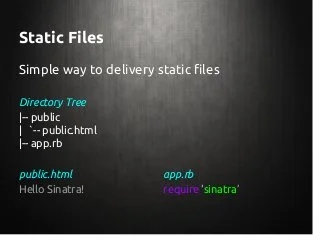
Sinatra will default serve static files from a public/directory if a public/ directory is present. Static files can be viewed immediately in the public/ directory. For instance, you may consider a file named public/test.txt by going to http://localhost:4567/test.txt.
Setting the: public folder value in the following manner will override the general directory's location:
require 'sinatra'

#Use the "static/" directory about where the Ruby file is located.
PBLIC_DIR = File.join(File.dirname(__FILE__), 'static')

set:public_folder, PBLIC_DIR
Change The HTTP Reaction
Adding or updating an HTTP header or the status code may provide the requester with more information.
Modify HTTP response headers
Look at the headers object to examine the response headers. Call titles and provide the values to set the headers. If a header is not present, it will create one; if one is, the header data will be replaced.
require 'sinatra'
get '/' do
 puts headers
 headers "My-Header" => "My Data"
 puts headers
 headers "My-Header" => "Overriden.", "Extra-Header" => "Data..."
 puts headers
 'Done'
end
Modify status code
The status object contains a link to the most recent status code. Call the status() method and supply the desired status code to edit the status code. For instance, to define the status code 999 in any way:
require 'sinatra'

get '/' do
 status 999
 puts status
 'Done'
end
Set mime type
Mime types, sometimes referred to as content types, aid the client or web browser in comprehending the nature of the material they are receiving and handling it appropriately. For instance, handling content returned in text/html may differ from handling text received in application/json. In addition to creating custom mime types for reuse and setting a default mime type for all requests, you may select the content type for anything you need.
Create custom mime types
require 'sinatra'

configure do
 mime_type :my_mime_type, 'text/custom'
end

get '/' do
 content_type :my_mime_type
 #Alternately, you may set a mime type explicitly, like in content type # "text/mycustomtype."
 'Done'
end
Set default mime type
The before hook may be used to establish application/json or another mime type as the default for all requests.
require 'sinatra'
before do
 content_type 'application/custom'
end

# All responses will default to the `application/custom`  type
get '/' do
 'Done'
end
Return Json
JSON:json, equivalent to application/json in Sinatra, has a built-in mime type. You may return JSON data by specifying the mime type manually in each request or by establishing the default mime type for responses using configure as shown in the previous section.
Manually return JSON
Manually by setting the response content-type to application/json, importing the Ruby JSON gem with require "json," and then using the json() method to convert the returned object to JSON text.
require 'sinatra'
require 'json'


get '/' do
 content_type :json
 data = {"Hi" => "Hello", "Bye" => "Goodbye"}
 data.to_json
end
Another option is to use application/json by default when creating an API:
require 'sinatra'
require 'json'
before do
 content_type :json
end
get '/' do
 data = {"Hi" => "Hello", "Bye" => "Goodbye"}
 data.to_json
end
Another option is to create a JSON function that will change the object's content type and convert it to JSON text.
require 'sinatra'
require 'json'
def json data_object
 content_type :json
 data_object.to_json
end
get '/' do
 json {"Hi" => "Hello", "Bye" => "Goodbye"}
end
Use Sinatra-contrib's sinatra/json gem
A convenience method for JSON is one of the extras in the gem called sinatra-contrib. For this to function, you must install another requirement. There are no additional requirements needed for the preceding JSON return examples. Sinatra-contrib installation is required:
gem install sinatra-contrib
Then you import sinatra/json into your code and utilise their json method.


require 'sinatra'
require 'sinatra/json' # gem install sinatra-contrib


get '/' do
 json 'Hi' => 'Hello', :SomeKey => 'SomeValue'
end
Return a File
Read the sections on configuring mime types and generating custom mime types (content kinds) before. mime types are set as defaults—mime kinds.
To return static files, use the send file function. The send file function automatically determines the mime type and content length. The send file method allows you to provide them and the last-modified time and status if necessary.
require 'sinatra'


get '/' do
 # Returns `test.txt` from the current directory
 send_file 'test.txt'
end
Setting the Content-Disposition header to attachment will cause the file to be treated as a download instead of something that should be shown in the client's web browser. Either invoke the attachment method from within your handler or supply pass: disposition => "attachment" to the send file function.
require 'sinatra'
get '/' do
 attachment
 send_file 'test.txt'
end
Or:
require 'sinatra'
get '/' do
  send_file 'test.txt', :disposition => 'attachment'
end
If desired, you may additionally choose a different name for the downloaded file:
require 'sinatra'


get '/' do
 send_file 'test.txt', :disposition => 'attachment', :filename => 'custom.txt'
end
Frequently Asked Questions
What is Sinatra:: Base?
The base version of Sinatra is called Sinatra::Base. Take into account the following code while delegating: # app.rb require "sinatra" get "/" render: template end.
What is the Sinatra framework?
Sinatra is a Ruby-based web application library and domain-specific language. It is free and open-source software. It is an alternative to Ruby on Rails, Merb, Nitro, Camping, and other Ruby web application frameworks. The Rack web server interface is required. Frank Sinatra, a musician, inspired its name.
Why should you always use Sinatra instead of rails?
Sinatra performs fewer functions out of the box and is significantly more lightweight, resource-efficient, and demanding. Rails, on the other hand, is crammed with features and comes with a tonne of code, and if you know how to use it, it makes it extremely simple to construct complex web applications quickly.
What is config ru?
A Rack configuration file is called config.ru ( ru stands for "rackup"). The rack offers a primary interface between web servers that support Ruby and Ruby frameworks. It functions similarly to a Ruby version of CGI, which provides a standard interface for web servers to use when running applications.
What is Sinatra good for?
A working web application may be created using just one file and the Sinatra programming language. Sinatra is a suitable starting point for new developers to learn Ruby web application development and can aid in preparing for more complex frameworks, such as Rails.
Conclusion
So that's the end of the article. Static Files and templates in Sinatra
After reading about the Static Files and templates in Sinatra, Are you interested in reading/exploring more themes on sinatra? Don't worry; Coding Ninjas has you covered.
However, if you want to give your work an edge over the competition, you might choose to enroll in one of our premium courses.
With our Coding Ninjas StudioGuided Path, you may learn about Data Structures & Algorithms, Competitive Programming, JavaScript, System Design, and more! If you want to put your coding skills to the test, check out the mock test series on Coding Ninjas Studio and participate in the contests! But if you've only recently started your schooling and are looking for answers to issues presented by digital titans like Amazon, Microsoft, Uber, and others. In this situation, you must consider the obstacles, interview experiences, and interview package as part of your placement preparations. If you find our blogs valuable and fascinating, please vote them up!










 7+ registered

