Do you think IIT Guwahati certified course can help you in your career?
Introduction 💁
A web application is a program stored on a remote server and delivered over the Internet through a browser interface. Creating a web application has become a significantly easier task nowadays because of the different Web frameworks present in the industry. Sinatra is one of the web frameworks written in Ruby language that can be used to create Web Applications and services.
What is Sinatra 🤔
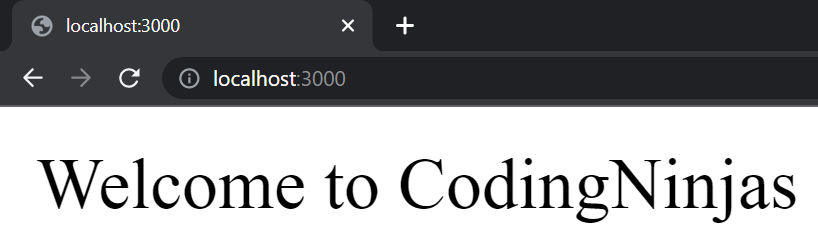
Sinatra is an open-source framework present in Ruby that is used for Web application development. Sinatra is considered an alternative to other Ruby frameworks such as Merb, Ruby on Rails, Camping, etc. Let us look at a basic code snippet of Sinatra. We will write a simple code to print “Welcome to CodingNinjas”.
Code 📝
#Fetching the Sinatra package in our code.
require 'sinatra'
#Fetching the root route
get '/' do
  #Setting the content as Welcome to CodingNinjas.
  'Welcome to CodingNinjas'
end
You can also try this code with Online Ruby Compiler
There are two types of filters available in Sinatra, namely,
Before Filter
After Filter
We will discuss both of these filters in this section.
Before Filter
The before filter in Sinatra is used to manipulate the request and the responses before the function calls or request calls are executed.
After Filter
The after filter in Sinatra is used to manipulate the request, and the responses after the function calls or request calls are executed.
Now that we know about filters let us look at an example of filters in Sinatra.
Example
require 'sinatra'


after do
  puts "This call is through after filter"
  puts response.status
  def bar(name)
      "#{name}"
    end
  puts ""
end


before do
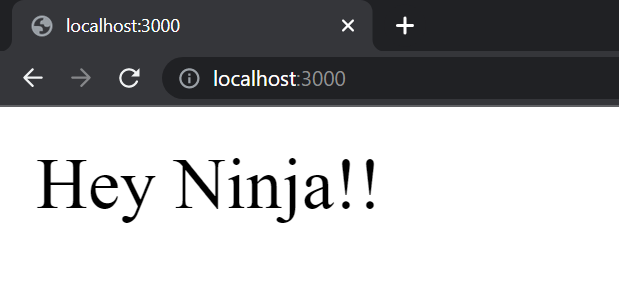
  @note = "Hey Ninja!!"
  puts "This call is through before filter"
  puts @note
  def bar(name)
      "#{name}"
    end
  puts ""
end


get '/' do
  @note #=> 'Hi!'
  bar("Hey Ninja!!") #=> 'bar/baz'
end
You can also try this code with Online Ruby Compiler
Now that we know about filters let us look at what helpers are in Sinatra. The helper module is used to create custom templates in Sinatra. A standard example of helpers would look something like this,
Code 📝
require 'sinatra'
#Creating a helper template.
helpers do
  def bar(name)
    "#{name}"
  end
end
#Specifying the root route that takes a name as the parameter.
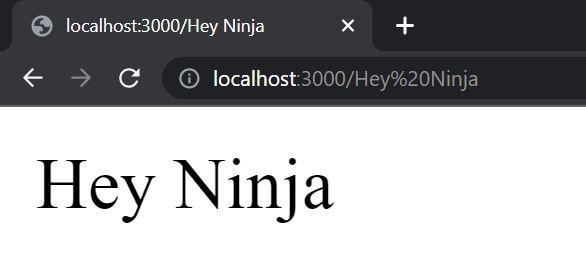
get '/:name' do
  bar(params['name'])
end
You can also try this code with Online Ruby Compiler
In our example, we have set the port as 3000 again.
We can also create a separate module in Sinatra to define our helper methods. For example,
#defining the first helper named FirstName which displays the first name of the user.
module FirstName
  def fName(name)
    "First name is: #{name}"
  end
end
#defining the second helper named LasrName which displays the last name of the user.
module LastName
  def lName(name)
    "Last name is: #{name}"
  end
end


helpers FirstName, LastName
You can also try this code with Online Ruby Compiler
A session is used to keep the state intact while processing requests. Sessions are also used to store the data for a particular client, keeping the details intact for future use and references. Every time you run the website new unique session id is created. Let us look at an example to fetch the session id of a web page,
require 'sinatra'

//Enabling sessions for the webpage
enable :sessions

#Displaying the session id on the route page
get '/' do
  "value = " << session[:value].inspect
end

#Assigning a session id using the URL parameters
get '/:value' do
  session['value'] = params['value']
end
You can also try this code with Online Ruby Compiler
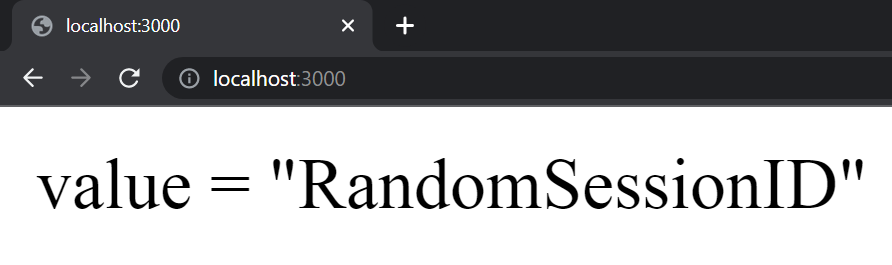
Initially, the session id is set to nill. Now let us assign a session id using the URL parameters.
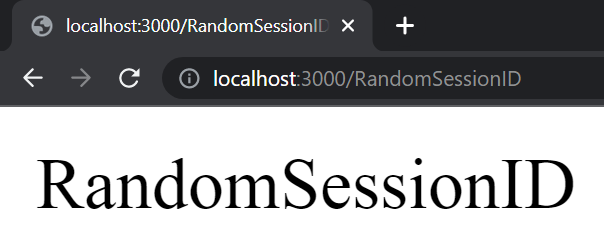
Now closely observe the URL. We have passed RandomSessionID as the parameter. This will now be set as the session id for this session. Let us display the session id again using the root route.
As you can see, our URL parameter has been assigned as the new session id for this session.
Security in Sessions
Sessions can be a very personal thing, as the session id might be associated with the data of the session. So to keep a session secured is very important. Sessions in Sinatra are automatically generated in a 32-bit secured session secret which is changed with every restart of the application. We can also manually generate a 64-bit secured session id using the following code in ruby,
After generating the secured session id, we can set it as secret using the Session_Secret variable.
Now let's discuss some frequently asked questions associated with Vaadin Spring Scopes.
Frequently Asked Questions
What are web frameworks other than Sinatra?
Some popular web frameworks besides Sinatra are Ruby on Rails, Django, Flask, Express, Spring, etc.
What are gems in Ruby?
Gems are equivalent to packages in other programming languages. Gems are packages that are used to perform specific tasks. RubyGems is used to manage these packages in Ruby.
What is an API in Sinatra?
API stands for Application Programming Interface. It is a software intermediary that allows two applications to talk to each other.
What is a Domain Specific Language(DSL)?
A domain-specific language (DSL) is a computer language specialized for a particular application domain.
What is Ruby?
Ruby is a high-purpose programming language that is used for multiple programming paradigms. The main emphasis of Ruby is on simplicity and programming productivity.
Conclusion
This Blog covered all the necessary points about the helpers and filters in Sinatra. We also briefly discussed about sessions in Sinatra. We further discussed various codes associated with helpers, filters, and sessions in Sinatra.
Hey Ninjas! Don’t stop here. Check out Coding Ninjas for Python, more unique courses, and guided paths. Also, try Coding Ninjas Studio for more exciting articles, interview experiences, and excellent Machine Learning and Python problems.















 7+ registered

