




Introduction
The article is in response to the issue rolled out in the official repository of react, which provides a way to trigger useEffect from test, which was introduced to the community on 1st Nov 2018 and was resolved on 9 Aug 2019. In this article, we will see how to update the state and test those up to see if that is properly working.
Let’s get started with it and see how we can proceed further.
Setup
For creating ReactJs, you can use the following command given below,
npx create-react-app <your-project-name>Program
// src/Counter.js

import React, { Component } from "react";

export default class Counter extends Component {
 constructor(props) {
   super(props);
   this.state = { count: 0 };
   this.handleClick = this.handleClick.bind(this);
 }

 componentDidMount() {
   document.title = `you clicked ${this.state.count} times`;
 }

 componentDidUpdate() {
   document.title = `you clicked ${this.state.count} times`;
 }

 handleClick() {
   this.setState((state) => ({
     count: state.count + 1,
   }));
 }

 render() {
   return (
     <div>
       <p>you clicked {this.state.count} times</p>
       <button onClick={this.handleClick}>click me</button>
     </div>
   );
 }
}
You can also try this code with Online Javascript Compiler
// src/App.js

import "./App.css";
import Counter from "./Counter";

function App() {
 return (
   <div className="App">
     <Counter />
   </div>
 );
}

export default App;
You can also try this code with Online Javascript Compiler
Test Program
// src/Counter.test.js

import React from "react";
import ReactDOM from "react-dom";
import { act } from "react-dom/test-utils";
import Counter from "./Counter";

let container;

beforeEach(() => {
 container = document.createElement("div");
 document.body.appendChild(container);
});

afterEach(() => {
 document.body.removeChild(container);
 container = null;
});

it("can render and update a counter", () => {
 // Test first render and componentDidMount
 act(() => {
   ReactDOM.render(<Counter />, container);
 });
 const button = container.querySelector("button");
 const label = container.querySelector("p");
 expect(label.textContent).toBe("you clicked 0 times");
 expect(document.title).toBe("you clicked 0 times");

 // Test second render and componentDidUpdate
 act(() => {
   button.dispatchEvent(new MouseEvent("click", { bubbles: true }));
 });
 expect(label.textContent).toBe("you clicked 1 times");
 expect(document.title).toBe("you clicked 1 times");
});
You can also try this code with Online Javascript Compiler
// src/App.test.js

import { render } from "@testing-library/react";
import App from "./App";

test("renders learn react link", () => {
 render(<App />);
});
You can also try this code with Online Javascript Compiler
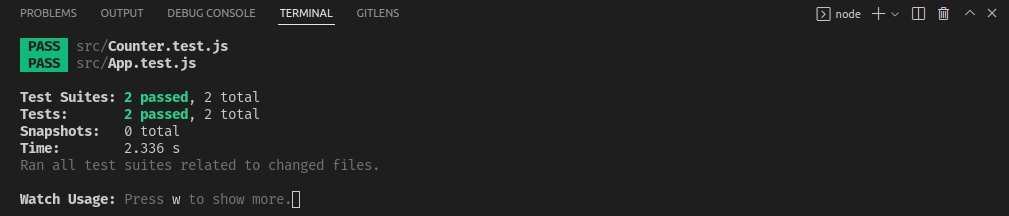
Output:


 7+ registered

