API Management
We can use an API Management frontend to monitor and control consumption, alter input and output, combine many APIs into a single endpoint, and so on. The APIs that are controlled can be hosted anywhere. API Apps host APIs, whereas API management is used to administer APIs. Let's have a look at how API administration works.
When an HTTP or HTTPS request is received at the most basic level, it will come to API administration and API management, depending on the API's location. The request will then be sent to either Azure API or on-premises apps. However, while transmitting that request, it can throttle and monitor and alter the inputs and outputs.
API Management portals
- Developers may use the API administration site to learn about APIs, examine and call activities, and subscribe to products.
- The publisher portal, accessible through the Azure portal, is used to modify content on the developer portal. To get there, navigate to the Publisher portal in our API Management instance's service toolbar.
- The developer portal dashboard may be modified by adding unique content, changing the aesthetics, and adding our logo.
API management concepts
The API management includes various important concepts:
- APIs and operations: Each API offers a collection of activities available to developers (which may include CRUD operations).
- Products: APIs are revealed to developers through products. APIs can be found in numerous products.
- Groups are used to govern the visibility of APIs, and there are three sorts of groups. An administrator group member can manage API management service instances, including the creation of APIs, operations, and products utilised by developers. Members of the Developers group are authorised clients who create apps utilising APIs. Guests are anonymous developer portal users. Our guests are potential consumers who will come and consume/trail. They will examine the APIs to determine whether or not they meet their needs.
- Policies: A robust API management function that allows the publisher to adjust the behaviour of the API through configuration, such as throughput.
Creating an API using Azure Portal
Step 1: Click on the Create a Resource button. After that, enter API applications and press the create button.
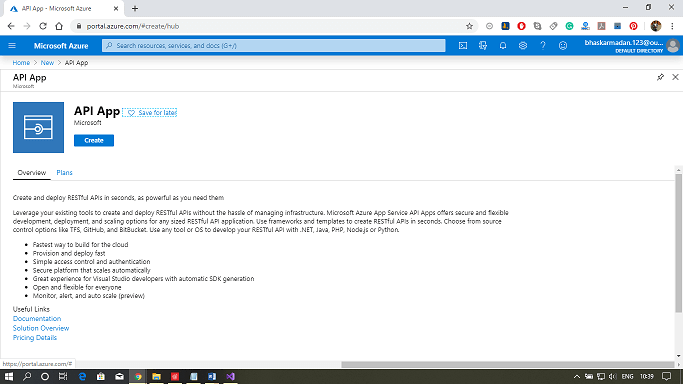
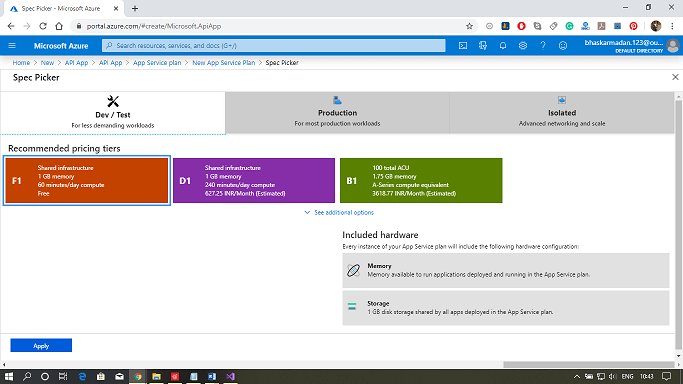
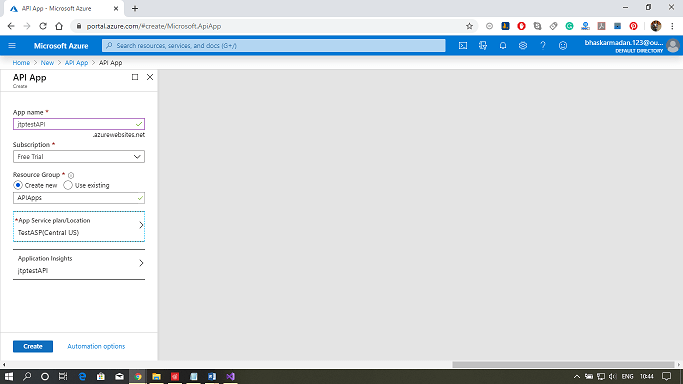
Step 2: Give your API app a name and choose a resource group. Following that, choose the service architecture that best meets your needs.
Step 3: Finally, press the create button.
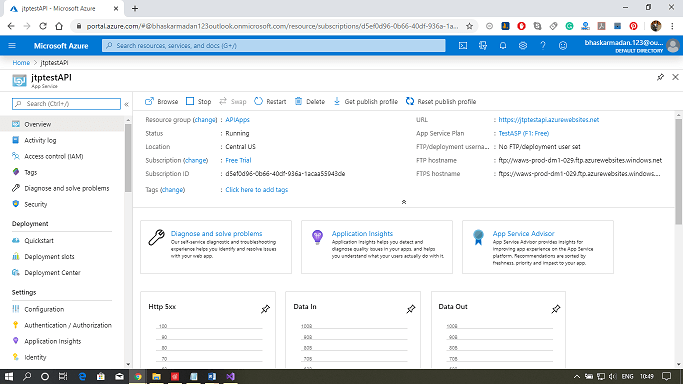
Step 4: Your API app will be created successfully.
Publishing an API using Visual Studio
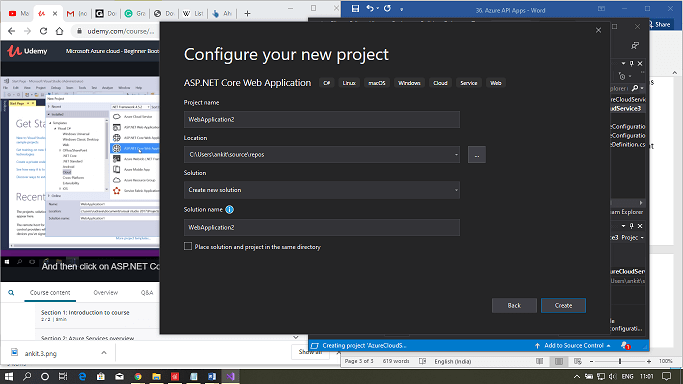
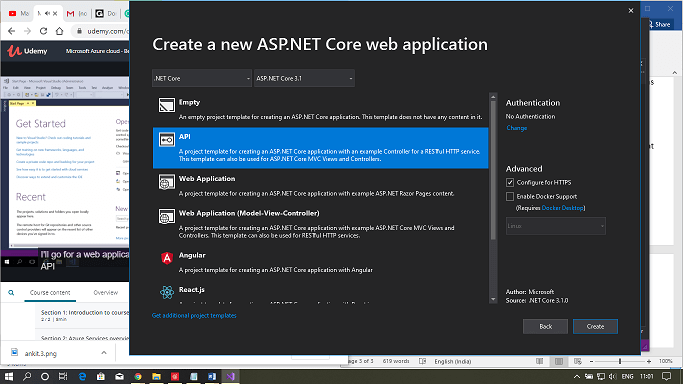
Step 1: In Visual Studio, create a new web app project.
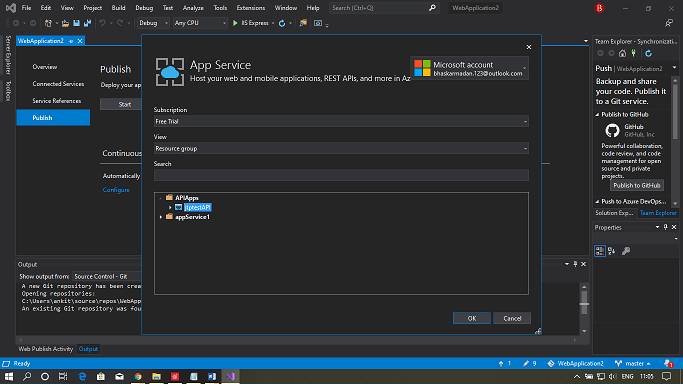
Step 2: Pick publish, then select existing. Then, press the publish button.
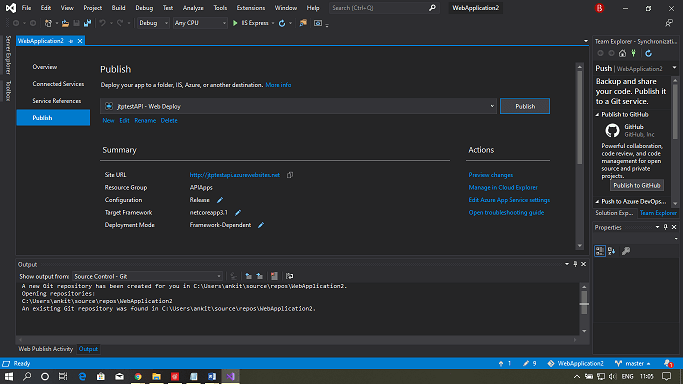
Step 3: Your web application has been successfully published to the Azure portal.
Frequently Asked Questions
What is Azure Data Factory?
Azure Data Factory is a serverless, cloud-based data integration tool and platform for building ETL and ELT pipelines. It aids in developing data-driven workflows for planning and executing large-scale data migration and transformation.
What is table storage in Windows Azure?
The Windows Azure Table storage service maintains a large amount of ordered data. Tables in Windows Azure are ideal for storing structured, non-relational data.
Which do you mean by role instance in Azure?
A role instance is a virtual computer that runs application code via running role settings. According to the description in cloud service configuration files, multiple instances of a role are also permitted.
Conclusion
This article extensively discussed the Azure API Apps and API Management. We have extensively discussed the steps to create and manage Azure Apps. We hope this blog has helped you enhance your knowledge relating to Microsoft Azure.
To learn more, check out our Azure CDN, Azure Media Service, and Azure Storage Monitoring articles. Practice makes a man perfect. To practice and improve yourself for the interviews, you can check out Top 100 SQL problems, Interview experience, Coding interview questions, and the Ultimate guide path for interviews. Do upvote our blog to help other ninjas grow. Happy Coding!






 1+ registered

