Table of contents
1.
Introduction
2.
Chef Client Runs
2.1.
Node List Table and Details
2.2.
Filtering
2.3.
Managing Node Data
2.3.1.
Deleting Missing Node
2.3.2.
Data Clean Up
3.
Chef Infra Server
3.1.
Connect Chef Infra Servers to Chef Automate
3.2.
Connect a Chef Organization to a Chef Infra Server
3.3.
Access Chef Infra Server Components
3.3.1.
Cookbooks
3.3.2.
Roles
3.3.3.
Environment 
3.3.4.
Data Bags
3.3.5.
Client
3.3.6.
Nodes
3.3.7.
Policyfiles 
3.3.8.
Policy Group
4.
Frequently Asked Questions
4.1.
Is the chef automate a DevOps tool?
4.2.
Is the chef server only for Linux?
4.3.
Can I use multiple cloud providers in chef automate?
4.4.
Difference between a recipe and a cookbook for a chef?
4.5.
Define chef resources.
5.
Conclusion
Last Updated: Mar 27, 2024
Medium

CHEF - INFRASTRUCTURE

Author dhananjay
0 upvote
Career growth poll
Do you think IIT Guwahati certified course can help you in your career?

Introduction

Chef Automate is an automation tool that helps you manage or define an infrastructure through an enterprise dashboard with all the required components to maintain a workflow. It has analytic tools to help you analyze the projects that make building and deploying the software easy.
chef infrastructure

This article will help you to understand the basic infrastructure of Chef Automate, which is a must if you are just starting with the Chef automate tool. Once you become familiar with the infrastructure, you can easily manage all the nodes available in the Chef servers.

Chef Client Runs
Chef Client Runs

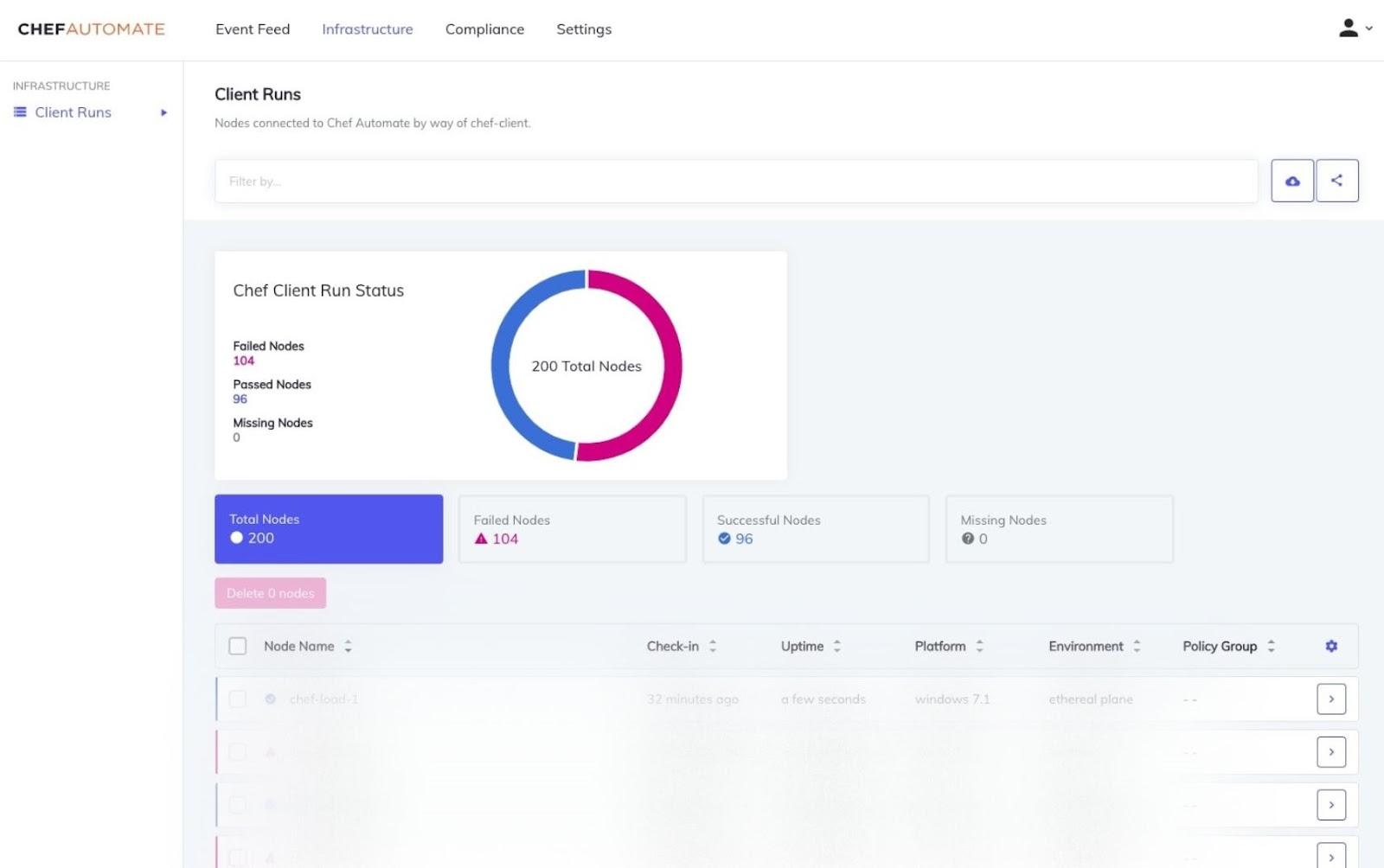
Chef Automate has a client run page with a dashboard that displays all the available nodes in the environment and the status of each node like successful, failed or missing, and active. These are the status.
Chef Client Runs

Any machine under the management of Chef Automate is called a node; by machine, we mean: virtual, cloud, network device, and physical. If the chef manages it, it will be labeled as the node.

Node List Table and Details

In the image, you can see some nodes at the bottom. Those are available nodes in chef, and you can check out the information by sorting and filtering them through name, policy, check-in, uptime, and environment.

There is a node detail table that shows you all the recent results. The node detail tab is divided into three views available below the node chart detail:

  • Resources show the status of a particular resource, like failed, successful, unchanged, and unprocessed.
  • Attributes show the list of node properties that we can use.
  • Run list displays the roles, cookbooks, and recipes.

Filtering

You can narrow down the results using the search bar's node filters. Multiple filters can be used in a search. 

Filters:

  • Attribute
  • Chef Organization
  • Chef infra server
  • Cookbook
  • Environment
  • Node Name
  • Platform
  • Policy Group
  • Policy Name
  • Policy Revision
  • Role
  • Recipe 
  • Resource Name

Managing Node Data

Deleting Missing Node

  • A node with no data and node details is known as the missing node. You will be able to identify a missing node with no data icon. To delete a missing node, select the node from the node table and click on the delete tab available on top of the node list. You can choose one or multiple missing nodes at a time to delete. You can only delete a missing node if you have relevant permissions defined in policies.
  • You can also use the command line interface or CLI to delete a node. Just enter the below command in the Chef Automate CLI.

Chef-automate infrastructure node-delete enter node ID here.

  • You can use Chef Automate REST API to delete the missing nodes.
curl -sSX POST "https://automate-url/api/v0/ingest/events/chef/nodedelete" -d
'{
  "node_id": Paste Node ID here
}'
-H "X-Data-Collector-Token: $TOKEN."

https://automate-url/api/v0/ingest/events/chef/nodedelete is the endpoint that you need to request to delete a node.

Data Clean Up

Unless users set this functionality, Chef Automate prevents irreversible harmful activities by default by retaining deleted node history in OpenSearch. Chef Software advises performing data cleanup every 15 minutes and setting the threshold for erasing deleted node history to 1 day.

Example:

curl -sSX POST "https://automate-url/api/v0/retention/nodes/delete-nodes/config" -d
'{
  "threshold": "1d",
  "every": "15m",
  "running": true
}'
-H "api-token: $TOKEN"

To perform a REST API request, you will need an API token. You can go to the official documentation link given below for more details.
API Token

Chef Infra Server

Chef Infra Server

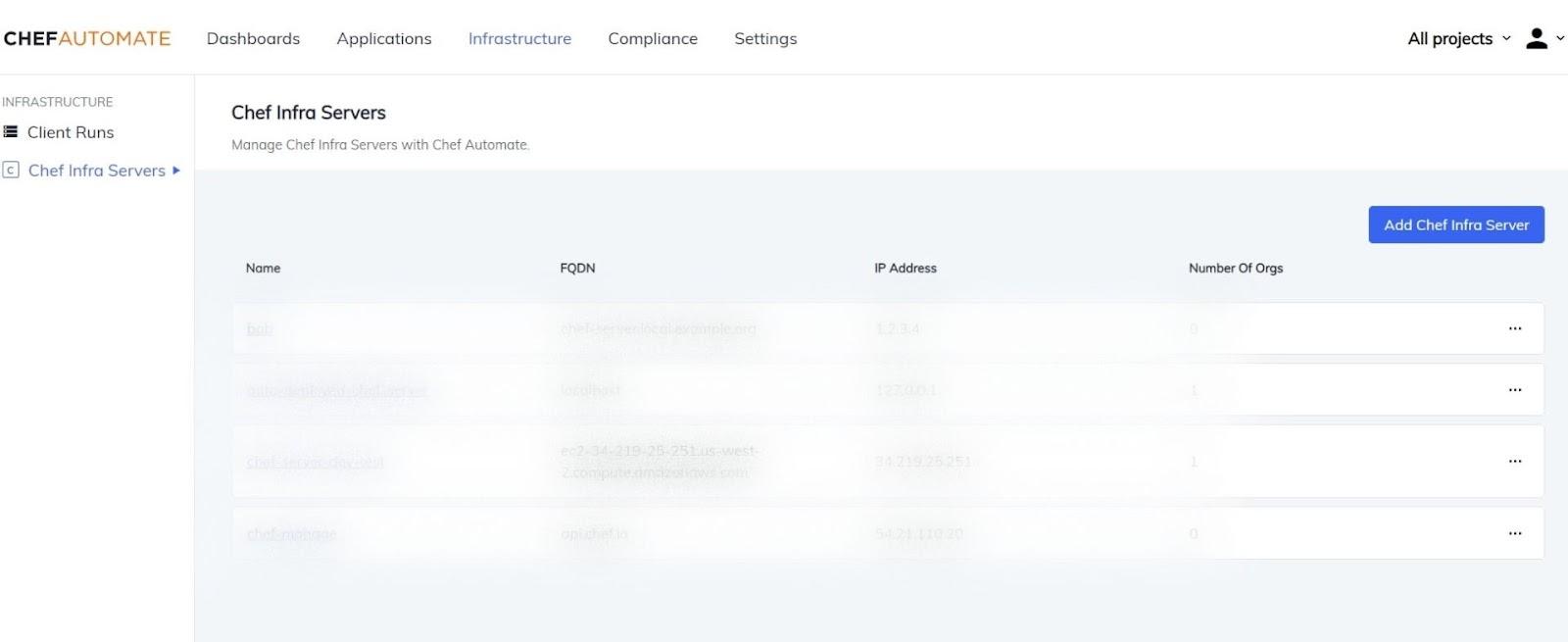
Chef infra servers is a page in chef infrastructure that allows you to connect chef infra server, which is in existence, to Chef automate. The Chef infra server page displays all the connected servers and manages all the embedded objects available on the infra server.

You can think of the chef infra server as a hub for configuration data where you can create cookbooks, policies, and metadata to describe the active nodes.

Chef Infra Server

Below is the list of objects you can manage in the Chef infra server.

  • Cookbooks
  • Roles
  • Environments
  • Data Bags
  • Clients
  • Nodes
  • Policy files
  • PolicyGroup

Connect Chef Infra Servers to Chef Automate

You will see a create infra server button on the chef infra server page. Click on the button, and it will lead you to a form.

Fill out all the required fields and click on Add Chef Infra Server button in the bottom right.

After doing this, you will see your server on the existing list.

Connect a Chef Organization to a Chef Infra Server

To connect an existing chef organization to a chef infra server, select a chef infra serverclick on the org tab given below in the server page.

After this, you will list of org to which you can connect.

Click on Add Chef Organization button given on the right side, which will open up a dialog box.

Use the same values entered when the organization is configured using Knife to fill out the Name, Projects, Admin User, and Admin Key columns. Copy and paste the  /.chef/USER.pem content in the admin key field. The organization will then be added to the Chef Infra Server once you click Add Chef Organization.

Access Chef Infra Server Components

Access Chef Infra Server Components

Now we will learn to manage and create the chef servers components like:

  • Cookbooks
  • Roles
  • Environments
  • Data Bags
  • Clients

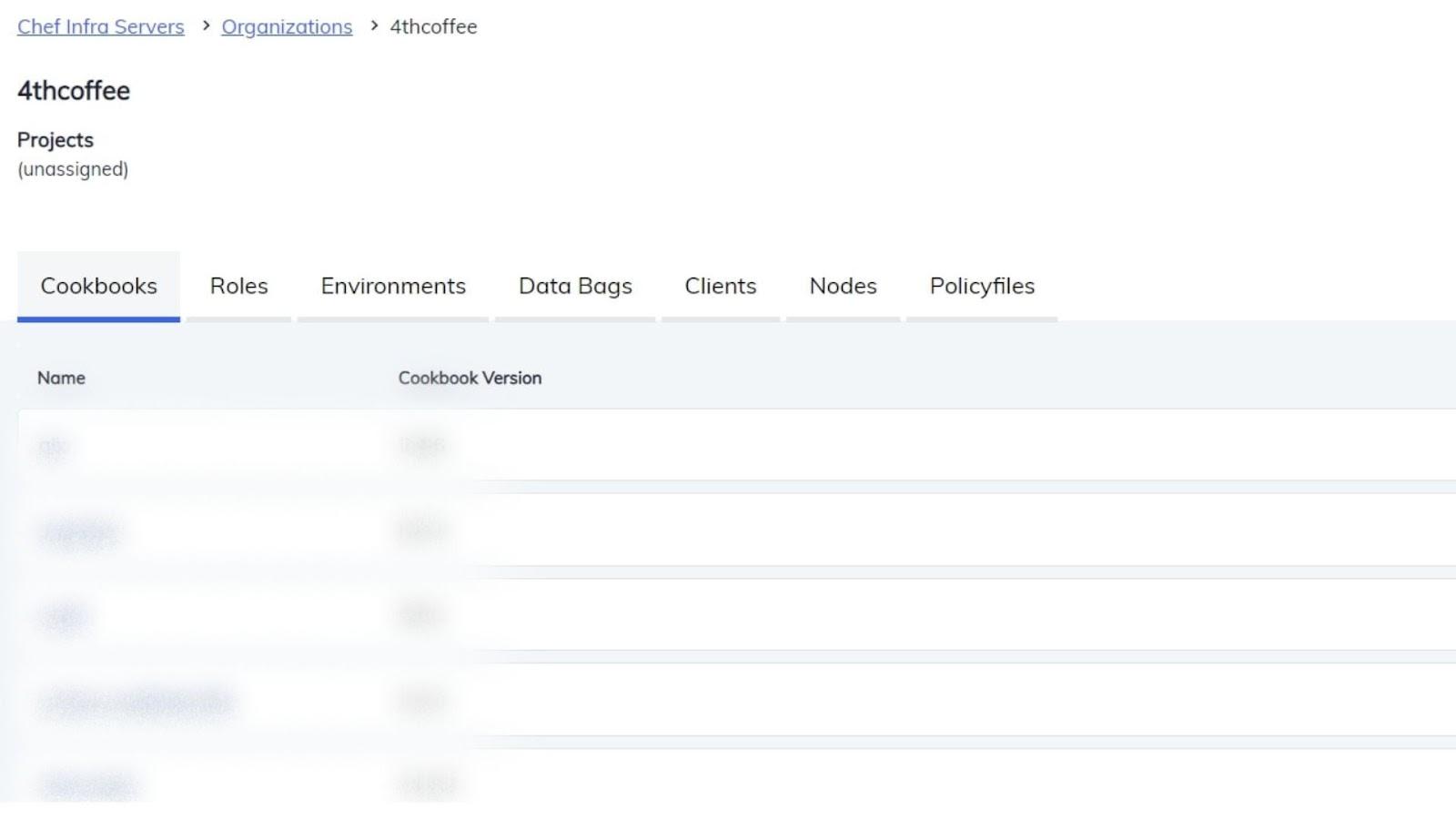
To access these components click on the chef infra server->Oragnization and click on that organization, and you will see various tabs on the interface.

Cookbooks

A cookbook is a unit that contains information about configuration and other various policies. It also has information about other files, components, and directories.

Once you select the cookbook tab you can see the list of various cookbooks.

To see the various versions, content, and details about a particular cookbook, just select anyone from the list, and you will be able to know them.

Roles

You will also see the roles tab on the right of cookbooks. You can create patterns and processes in nodes and organizations as a single job function in parts in Roles. Each node has zero or multiple attributes and runs lists.

Environment 

After the roles tab, you will see an environment tab. An organization's workflow can be mapped to what can be set up and maintained using Chef Infra in an environment. Setting characteristics and pinning cookbooks at the environment level allows for this mapping.

Data Bags

Global variables are contained in data bags as JSON data. Data bags can be loaded by a cookbook or accessible during a search and are indexable for searching.

Client

Now you will click on the Client tab. The role of the chef infra client is to provide secure API access to the chef infra server.

Public Client Key

  • To view the client's public key, choose the client. The client's Public Key will be in the Details section.
  • You can use the Reset Key option on the Chef Infra Server to reset the Public Key. The current key will no longer be accepted alert appears when the Reset Key option is chosen.

Nodes

A node is a piece of equipment that Chef Infra controls. The Infra Client requests an attribute from the Infra Server that describes the desired state of the node and a run list that specifies how a node can be set to that state during the Chef Infra Client run. The Infra Client then updates the node to its anticipated state using this information.

Various operations that you can perform in node tabs are:

  • Look for a particular node.
  • View every node
  • Details of a node
  • change Run list
  • change Attributes
  • control tags
  • Change a node key
  • Delete a node

Policyfiles 

The ideal method of managing roles, environments, and community cookbook data in a single file published to the Chef Infra Server is through policyfiles. You can test and promote scripts using Policyfiles' more user-friendly interface.

Search Policyfiles 

Policy Group

The policy group tab contains the details about the Policyfiles and nodes, and you can also view or search a particular policy group.


Also see, Cloud Computing

Frequently Asked Questions

Is the chef automate a DevOps tool?

Yes, chef automate is an automation tool used for managing infrastructure and accelerating the delivery of an application.

Is the chef server only for Linux?

Yes, chef serves only works on Linux/Unix, but chef-client and workstation can be installed on windows.

Can I use multiple cloud providers in chef automate?

Chef automates gives you the flexibility to use multiple cloud providers for your infrastructure.

Difference between a recipe and a cookbook for a chef?

An infrastructure component can be configured ideally using a Chef's recipe. A cookbook, on the other hand, is a collection of chef recipes. A Chef cookbook also includes supplementary data that makes configuration management easier.

Define chef resources.

If you want to install or run a server, you need the chef resource, an essential infrastructure component.

Conclusion

We learned about the chef automate infrastructure with mainly two sub-topics: chef-client run and chef-infra server, and we also discussed the various objects or components we can create and manage in the chef server.

To learn more about the chef, you can check out the following articles:

CHEF - HIGH AVAILABILITY

CHEF - SETTINGS

CHEF - DEPLOYMENT

Chef-shell (executable) - DEBUGGING TOOL

To learn more about DSA, competitive coding, and many more knowledgeable topics, please look into the guided paths on Coding Ninjas Studio. Also, you can enroll in our courses and check out the mock test and problems available to you. Please check out our interview experiences and interview bundle for placement preparations.

Live masterclass