Do you think IIT Guwahati certified course can help you in your career?
Introduction
Hello Ninja! Are you learning to use Cinder? Great going! Cinder is an open-source library. It was created to enhance the advanced visualization capabilities of C++. Cinder-Path2d is one of the most powerful utilities offered by Cinder. We will walk you through the Cinder-Path 2d in this article. A basic understanding of the C++ language is enough for you to learn about Cinder-Path2d. However, we will explain advanced concepts of C++ wherever needed.
Firstly, let us introduce you to Cinder.
Cinder
Cinder is designed for professional creative coding in C++. It is a free and open-source community-driven library. Graphics, audio, video, and computational geometry are covered, as are image processing fundamentals, face detection, OpenCV integration, and animation fundamentals.
The standard libraries in C++ lack media-related capabilities. The mature C++ Software Development Kit Cinder fills this gap. If you need input, audio, or visual ability in your C++ program, it's in the Cinder toolkit.
Cinder was made available to the public in 2010. It can be considered a C++-based alternative to Microsoft Silverlight or Adobe Flash technologies. It also has official support for Windows, iOS, macOS, Windows UWP, and Linux.
Let us now check some of the features provided by Cinder.
Features Of Cinder
Cinder provides the following features:
Core platform features (IO, networking, touch, etc.)
3D Graphics (OpenGL)
2D Graphics (SVG, Fonts, Image Handling)
Math libraries
Media (Video, Audio, OpenCV)
ImGUI integration
Let us now discover Cinder Path2D.
Cinder Path2D
Path2D is one of the most powerful utilities offered by Cinder. The Path2d class represents a contour comprised of line segments and quadratic and cubic Beziér curves.
We will now learn about Path2D objects, starting with the basics.
Points And Segments
An instance of Path2D consists of points and segments. Points and segments can be defined as follows:
A point is a 2D location that indicates where a line segment begins or ends. It also refers to the coordinates of a handle that defines the path's curve.
A segment in Path2D is a line segment defined by the start/end points and handles' positions.
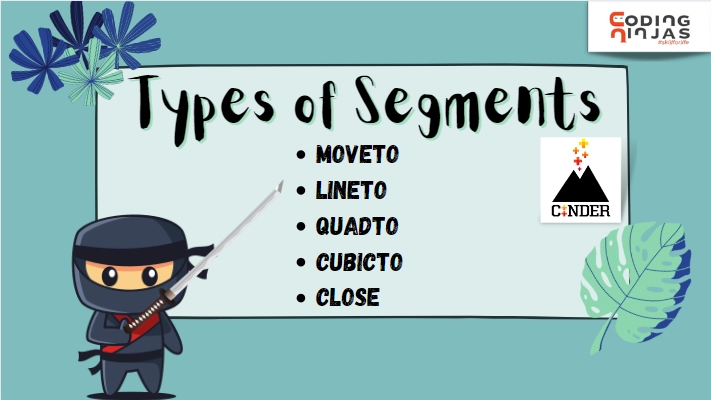
There are five types of segments in Cinder Path2D. Let us now learn about them.
Types Of Segments
The types of segments are as follows:
MOVETO
It consists of a single point from which you can start or continue your drawing. Every path must begin with a MOVETO segment.
Example:
// Using the moveTo function.
Path2d myPath;
myPath.moveTo( vec2(650.0f, 190.0f ) );
gl::draw( myPath )
You can also try this code with Online C++ Compiler
It allows us to make a quadratic Belizecurve consisting of two handle points. One controls the curve from the initial point. Other controls the curve going into the given endpoint.
Let's take a look at the Cinder Path2d drawing functions now.
Drawing Functions
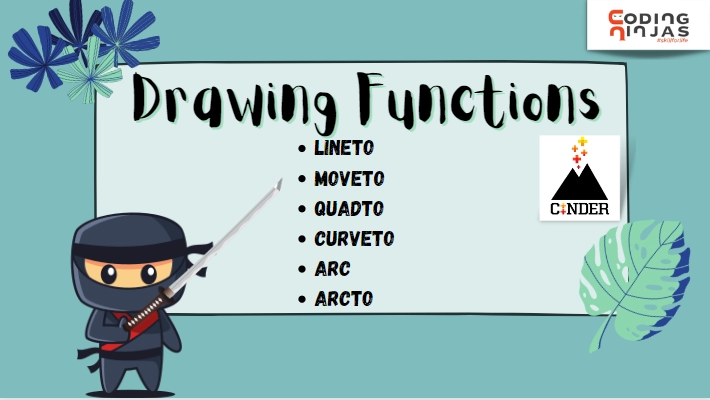
Cinder offers a variety of drawing functions for us to use. These functions result in constructing a path using the basic segment types. There are many drawing functions in Cinder Path2D. Let us learn more about them.
Types Of Drawing Functions
The basic drawing functions are as follows:
MOVETO
This function redirects Path2D to the starting point. All the further drawing functions will continue from here. This function accepts one coordinate as an argument and returns MOVETO segment.
LINETO
This function allows you to draw a line from the previous path to the given path. It accepts one co-ordinate as an argument and returns LINETO segment.
We can draw a quadratic bezier curve with the help of this function. It accepts one central handle point and one endpoint as an argument and results in a QUADTO segment.
We can draw a cubic bezier curve with the help of this function. This function takes two handle points and one endpoint as arguments and results in a CUBICTO segment.
This function also results in a CUBICTO segment. It accepts the start angle(in radians), the end angle(in radians), and an optional boolean to set the direction of the arc. The boolean argument is set to true by default, which results in the forward movement of the arc. If you want the arc in a backward direction, you can pass a boolean value of false as an argument to this function.
Example:
// Using the arc function for drawing.
Path2d myPath;
myPath.arc( vec2( 500.0f, 270.0f ), 200.0f, M_PI * 0.5f, M_PI * 0.0f, true );
gl::draw( myPath );
You can also try this code with Online C++ Compiler
This function creates a rounded corner by drawing a line segment from the current point toward the first point given. This segment ends in an arc with the provided radius, the end of which is tangent to the line segment that connects the two specified points. This function accepts a target point, a tangent position, and a radius as arguments. It results in a path consisting of LINETO and CUBICTO segments.
Example:
// Using the arcTo function for drawing.
Path2d myPath;
myPath.moveTo( vec2( 488.0f, 345.0f ) );
myPath.arcTo( vec2( 638.0f, 105.0f ), vec2( 488.0f, 105.0f ), 35.0f );
gl::draw( myPath );
You can also try this code with Online C++ Compiler
You can use a combination of all these functions to create drawings. Now let us move further and look at some advanced functions of Cinder Path2D.
Advanced Functions
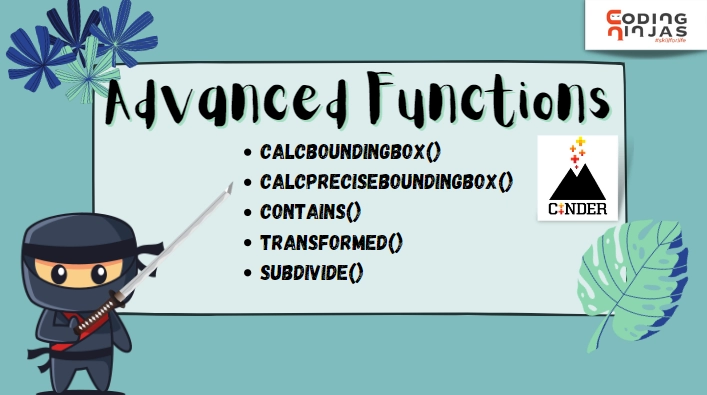
Cinder allows you to let your creative side out with the help of these advanced functions. Path2D offers a lot of advanced functions for you to use. Let's take a look at some of them.
Types of Advanced Functions
The following are some advanced Cinder Path2d functions:
CALCBOUNDINGBOX
This function identifies all handle point positions and calculates the path's bounding box.
That was all there was to Cinder Path2D. Let us now address some frequently asked questions.
Frequently Asked Questions
What is Cinder?
Cinder is a library designed for professional creative coding in C++. It is a free and open-source community-driven library.
When was Cinder released?
Cinder was released as a public tool in 2010 as a free and open-source library.
What is the use of Cinder?
Creative coding in C++ is not accessible without an external library. Cinder is a library that allows users to do creative coding in C++.
What is creative coding?
Software, code, and computational processes are used in creative coding to express oneself or produce works of art. Creative coding is considered to be more aesthetic than functional.
What is Cinder-Path2D?
Path2D is one of the most powerful utilities offered by Cinder. The Path2d represents a contour comprised of line segments and quadratic and cubic Beziér curves.
Conclusion
We learned about Cinder Path2D in this article. We have covered points and segments, drawing functions, and advanced functions used in Path2D.
We hope this article helps you on your journey. You can refer to these articles related to Cinder by Coding Ninjas.









 1+ registered

