Do you think IIT Guwahati certified course can help you in your career?
Introduction
REST is an abbreviation for REpresentational State Transfer. The main idea of restful web services is to make web services adequate. RESTful web services handle the services using their concepts which are already present in HTTP.
Let us first look at the various methods in HTTP-
GET- The GET method is responsible for reading the resource. PUT- The PUT method updates the resource that already exists. POST- The POST method creates a new resource. DELETE- The DELETE method simply deletes the resource.
What is a Many-to-one Relationship?
Many-to-one relationship relates a collection of entities to a similar entity. Therefore, more than one row in relational databases can link to another entity's similar row.
Main Implementation
Step 1: Creating data Entities
Create User and Post class and @Entity annotation to represent these as a model/entity.
Add getters and setters to the User and Post class.
Add toString() method to the User and Post class. (Optional but better to have)
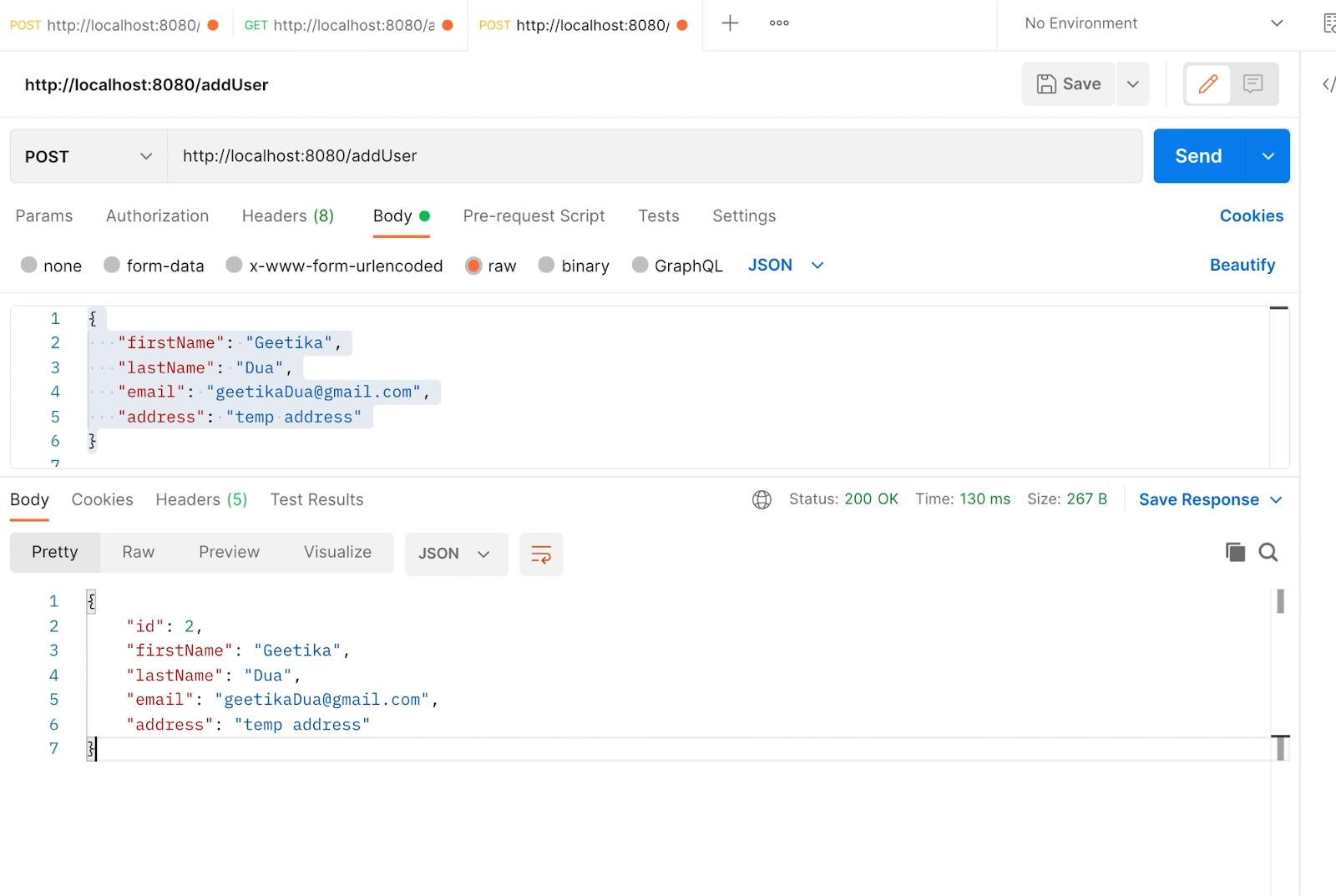
Open postman and add URL http://localhost:8080/addUser to add the user. Choose Post as HTTP method. Select body, then select raw and then select JSON from the dropdown. Add the following JSON and send the request.
You can add more users in the similar way. To see if the user is saved or not in the new tab add the URL http://localhost:8080/user/all and HTTP method as GET and send the request.
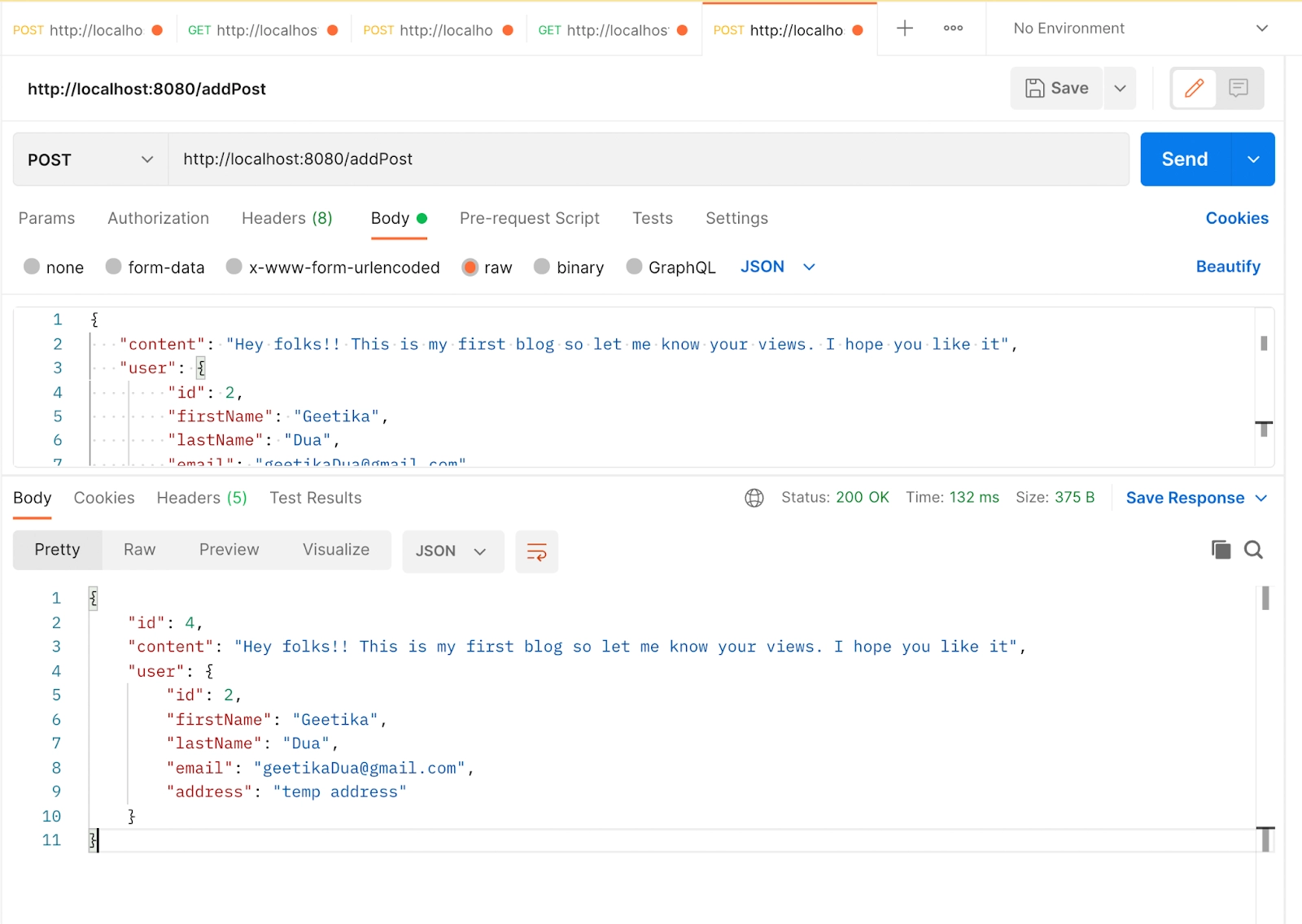
In the similar as we added user we will be adding the post of the user with following JSON data, URL = http://localhost:8080/addPost, HTTP method: POST
{
  "content": "Hey folks!! This is my first blog so let me know your views. I hope you like it",
  "user": {
       "id": 2,
       "firstName": "Geetika",
       "lastName": "Dua",
       "email": "geetikaDua@gmail.com",
       "address": "temp address"
   }
}
Getters allow the user to get the information; they have a return type. Setters will enable the user to set the values. They can not return values.
Why do we add @entity annotation in Post?
Post.java is an entity. That is why we add a @entity annotation.
What is Java Persistence API?
This API handles the way relational data is mapped to java objects. It ensures that the entity's state exists even after the application that uses it ends.
Why is the @ManyToOne annotation added?
A user can have multiple posts, so it is vital to add a @ManyToOne annotation.
Which point should the user take care of while generating toString()?
The user should remember to uncheck the “user.”
Conclusion
In this blog, we studied the details of how to create a Post entity and many-to-one relationship with the User Entity.
For more information on Restful API and Spring boot articles, refer to-.









 7+ registered

