Admin Actions
The Django admin app (django.contrib.admin) is enabled by default and has already been added to the INSTALLED APPS list in the settings.py file.

To access this default admin interface through a browser, type '/admin/' at localhost:8000/admin/.

After running it for the first time, if we try to log in, it'll show error messages(Refer to the image below). That means we have entered a random user-id password.
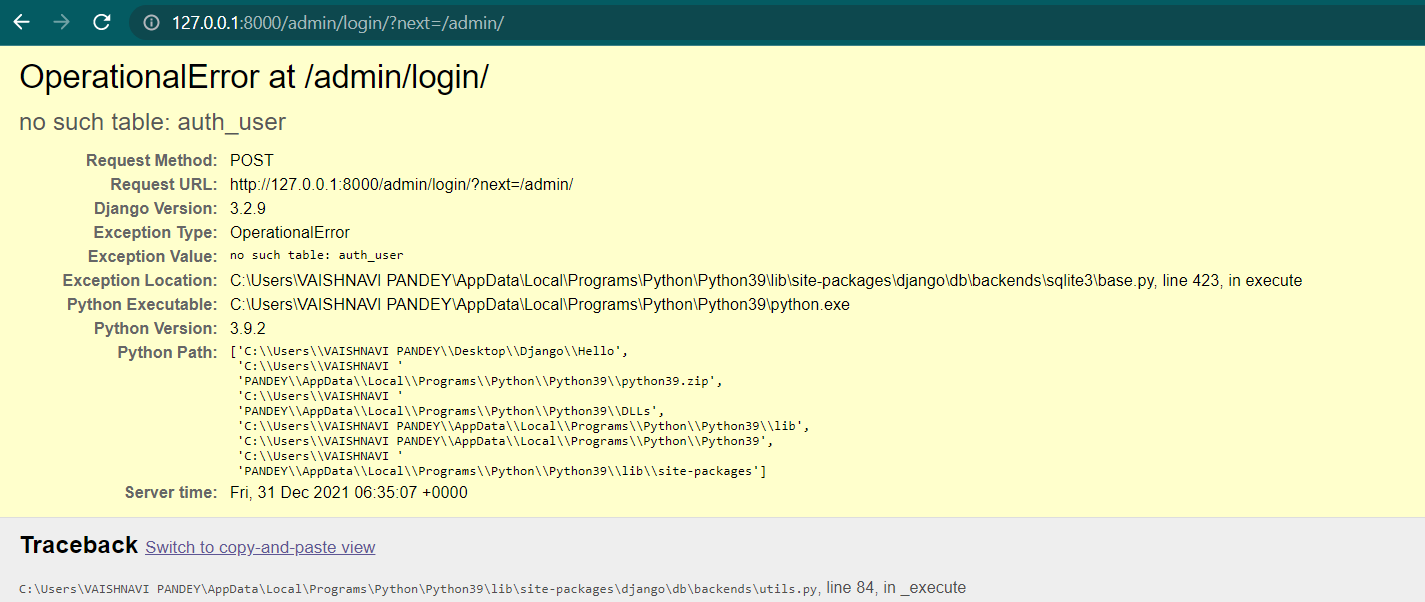
So, now we have to create a superuser. You might be thinking, who is a superuser? There are various types of users on the basic of priveledges they have. Let’s understand the user classes of Django before moving forward.
Django User Classes
Django user classes are divided into two types:
- User
- AnonymousUser
Django recognises a user as a User if he authenticates himself (i.e. provides a valid username/password). On the other hand, if a user simply browses an application without logging in, Django recognises him as an AnonymousUser.
Any User can be classified further into one of several sub-types:
a.) Superuser: The most powerful user in the Django admin, with permissions to create, read, update, and delete data in model records and other users.
b.) Staff: The Django admin can be accessed by a user who has been designated as staff. However, in the Django admin, permissions to create, read, update, and delete data must be explicitly granted to a user. A superuser is marked as staff by default.
c.) Active: If a user is in good standing, they are marked as active. Users marked as inactive cannot authenticate themselves, which is a common state if there is a pending post-registration step (e.g. confirm email) or a user is banned. You do not wish to delete his data.
There are many more about permissions given to these users. We'll learn about them later. Now that we understand the fundamental concepts underlying Django's user system. Let's dig deeper into the more common operations associated with the admin panel of Django.
The first user you should make is a superuser. A project superuser gets created while configuring the Django admin. Let's configure the Django admin first.
Creating a Superuser
The above prompts for login information. If no login id was previously created, a new superuser could be created by running the following command by adding email and password.
python manage.py createsuperuser

Enter the details, and a superuser is created.

After that, start the development server by using the command below.
python manage.py runserver
Now, move to the admin login page by adding ‘/admin’ in the URL. Enter the details and click login.

After getting logged in, you’ll be redirected to the Django administration page.

This page shows us the default authentication tables present by default.
There are various ways to customise this admin panel. We'll show you one here.
For example, if you want to change the title of this page from Django administration to Vaishnavi’s Admin Portal. We have to add these three lines of code in the urls.py.
admin.site.site_header = "Vaishnavi’s Admin Page"
admin.site.site_title = "Vaishnavi’s Admin Portal"
admin.site.index_title = "Welcome to Vaishnavi’s Admin Portal"
Note: We can add CSS as well for customisation.
Reload the page, and you'll see the changes.

If we log out and log in again, we’ll see the change as well.

Now, this is the backend or authentication system of our project. This will provide us with all privileges we need as a superuser or Admin. We can also call this the admin panel of our project.
Any tables we create in our project will be shown here. Any database related activity will be added to this portal.
Frequently Asked Questions
-
What is the importance of the admin panel in Django?
Django admin is an excellent tool for project management in Django. Many teams rely on it to manage day-to-day operations and stay productive.
-
Why do we use the Django admin panel?
Django includes a default admin interface that can directly create, read, update, and delete models. It reads a set of data that explains and provides information about the model's data to provide an instant interface where the user can adjust the application's contents.
-
What is the command to create a superuser in Django?
The command to create a superuser in Django is given below.
python manage.py createsuperuser
Key Takeaways
In this article, we saw a critical concept of the Django framework. The admin interface given to us by the Django framework is an Admin Dashboard. We can add, delete and update data belonging to any registered model just like we do by connecting databases manually.
To learn more about Django, you can visit these articles Introduction to Django, Why use Django, Django ORM, Django models etc.
Happy Learning!





 7+ registered

