




Introduction
Sinatra is an open-source web application framework of Ruby. It is an alternative to Ruby on Rails among the other web application frameworks based on Ruby. It is more robust and hence requires more work and time for development.
This article will demonstrate how to get started with Sinatra. We will discuss the installation steps and set up to start working with Sinatra.

Installation and Setup process of Sinatra
As Sinatra is written in Ruby, before installing Sinatra, you will need two more things installed. They are - Ruby and Rubygems. If you have Ruby and RubyGems installed in your system, you can skip the following two topics on installing Ruby and RubyGems.
Installing Ruby
To learn more about how to install Ruby, you can follow our other detailed articles mentioned below:
- For Linux:
Installing Ruby on Linux - Coding Ninjas Coding Ninjas Studio
- For Windows:
Installing Ruby on Windows - Coding Ninjas Coding Ninjas Studio
- For Ubuntu and Debian Linux
Installing Ruby on Ubuntu and Debian Linux - Coding Ninjas Coding Ninjas Studio
Installing RubyGems
To install RubyGems, you have to follow the below steps:
- Visit Download RubyGems v3.3.19 and download the files needed to install RubyGems.
- Unpack or unzip the downloaded file.
- Move your current directory to where you have unpacked the files downloaded above.
- Install with ruby setup.rb command.
Installing Sinatra
Now we can move ahead and install Sinatra and begin our journey of building amazing web applications with Ruby.
Once you have installed RubyGems, there isn’t much left for you to do to install Sinatra. You just have to run a single install command, and you are done.

To interact with RubyGems, we will be working on the command line on Mac or the command prompt application(Windows Powershell) on Windows.
Let’s get started! 😀
Step 1: Check for the Ruby Version you are working with by running the following command:
ruby -v
Step 2: Check on RubyGems by listing out all the gems available to use currently in your environment. Run the following command:
gem list
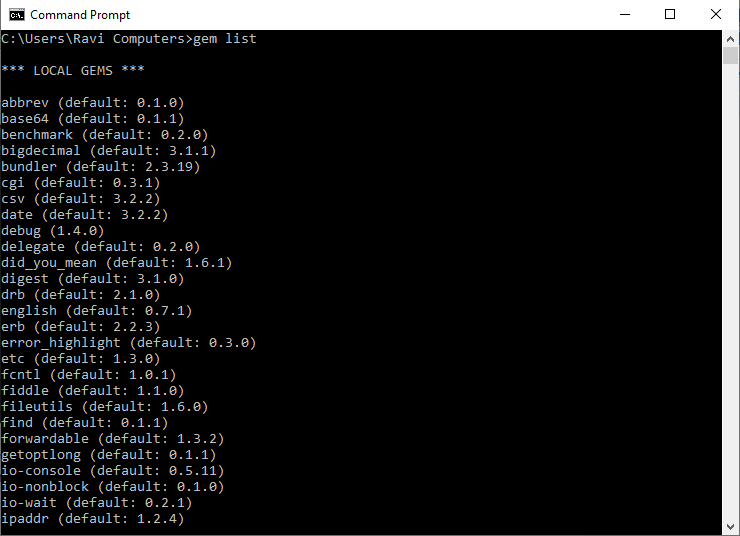
I have only shown a few of the top gems installed in my system. Currently, the list doesn’t contain Sinatra.
Step 3: Now, just run a command to install Sinatra.
gem install Sinatra
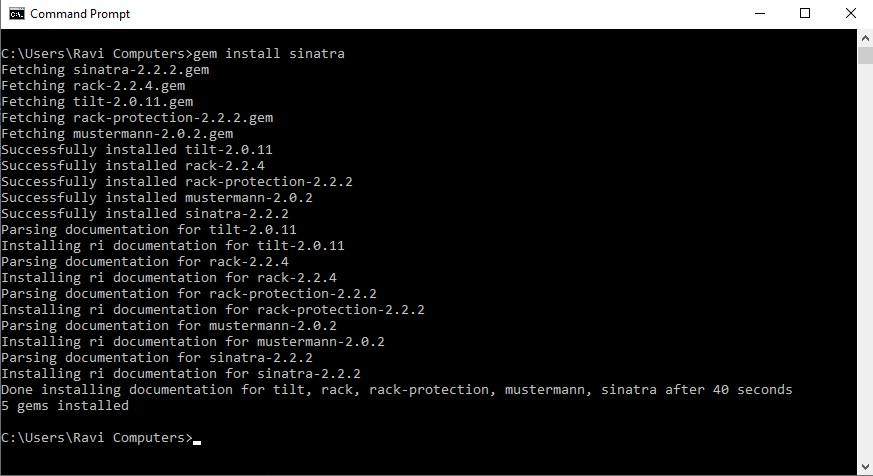
Voila! 🥳
You have successfully installed Sinatra and are ready to build your web applications with Ruby. To verify, you can run the gem list command and see that the list now contains Sinatra.
gem list

Additional Installation (Optional)
Now that you have installed Sinatra, what you can do more is, install thin. Thin is a lightweight web server perfect for your lightweight Sinatra web framework. Sinatra has a feature that detects that thin is installed and starts using it automatically.
So it is good if you have it installed already in your system.
To install thin, just run the following command in your command line.
gem install thin
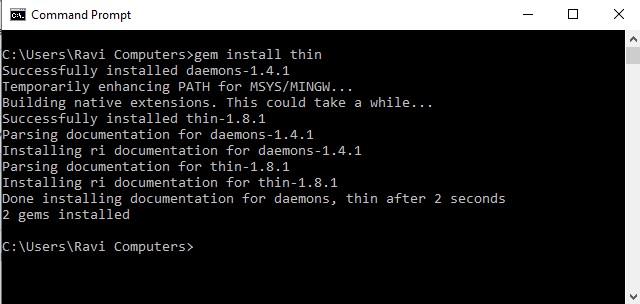



 7+ registered

