Do you think IIT Guwahati certified course can help you in your career?
Introduction 📚
GWT (Google Web Toolkit) is an open-source Java framework for making software development easy. With GWT, you can develop and debug AJAX (Asynchronous JavaScript And XML (Extensible Markup Language)) applications in the Java language using the Java development tools. When you deploy your application, the GWT compiler translates your Java application to browser-compliant JavaScript and HTML(HyperText Markup Language).
In this blog, we will study about GWT CellBrowser widget of this toolkit, its class declaration, constructors, and methods.
What is GWT CellBrowser Widget❓
GWT CellBrowser widget is used to create an explorable view of a tree where one can open only a single node per level at a time.
Class Declaration
public class CellBrowser extends AbstractCellTree implements ProvidesResize, RequiresResize, HasAnimation
You can also try this code with Online Java Compiler
We have a total of two constructors of CellBrowser Widget -
Constructor
Purpose
CellBrowser(TreeViewModel viewModel, T rootValue)
This constructor creates a new cellBrowser.
CellBrowser(TreeViewModel view, T rootValue, CellBrowser.Resources resources)
This constructor also creates a new CellBrowser but with the specified CellBrowser Resources.
Class Methods📝
After learning about the types of constructors used in CellBrowser Widget, we will now learn about methods commonly used in GWT CellBrowser Widget.
TreeNode getRootTreeNode():We use this method to get the root tree node.
int getDefaultColumnWidth():This method is used to get the default width of new columns.
void onResize():Whenever the size of the implementer is resized, this method is invoked.
boolean isAnimationEnabled(): This method is used to check if animation is enabled or not. If enabled, this method returns true or false otherwise.
int getMinimumColumnWidth():This method returns the minimum width of the column.
protected <T> Widget createPager(HasData<CT> display):This method creates a pager to control the list view.
void setDefaultColumnWidth(int width):This method is used to set the default width of new columns.
void setMinimumColumnWidth(int minimum_width):This method is used to set the minimum width of the columns.
void setAnimationEnabled(boolean e):We use this method to enable or disable the animations.
int pageSize(int size): This method is used to set the pager size of each cell list.
CellBrowser build(): Used for creating a new CellBrowser.
Inherited Methods📝
We have already seen many commonly used methods of the CellBrwoser widget. All the methods can not be implemented for every class, so a few methods of this class are inherited by some other classes.
This GWT CellBrowser Widget class inherits methods from the following classes −
com.google.gwt.user.client.ui.UIObject: It is the superclass of all UI (User-Interface) objects. It simply wraps a DOM (Domain Object Model) element, and it cannot receive events.
com.google.gwt.user.client.ui.Widget: It is the base class for the majority of UI objects. Widget class adds support for receiving events from the browser and directly adds them to panels.
com.google.gwt.user.client.ui.Composite: It is the type of widget that can wrap other widgets by hiding its methods. The composite class is useful for creating a single widget from multiple widgets contained in a single panel.
java.lang.Object:It is the root class of every class. All the objects implement the methods of this object class.
GWT CellBrowser Example
In this section, we will go through the simple steps to show the usage of the GWT checkbox widget. Here you need to modify files ‘GWTProjectOne.css’, ‘GWTProjectOne.gwt.xml’, ‘GWTProjectOne.html’, and ‘GWTProjectOne.java’ by changing the code with the below code.
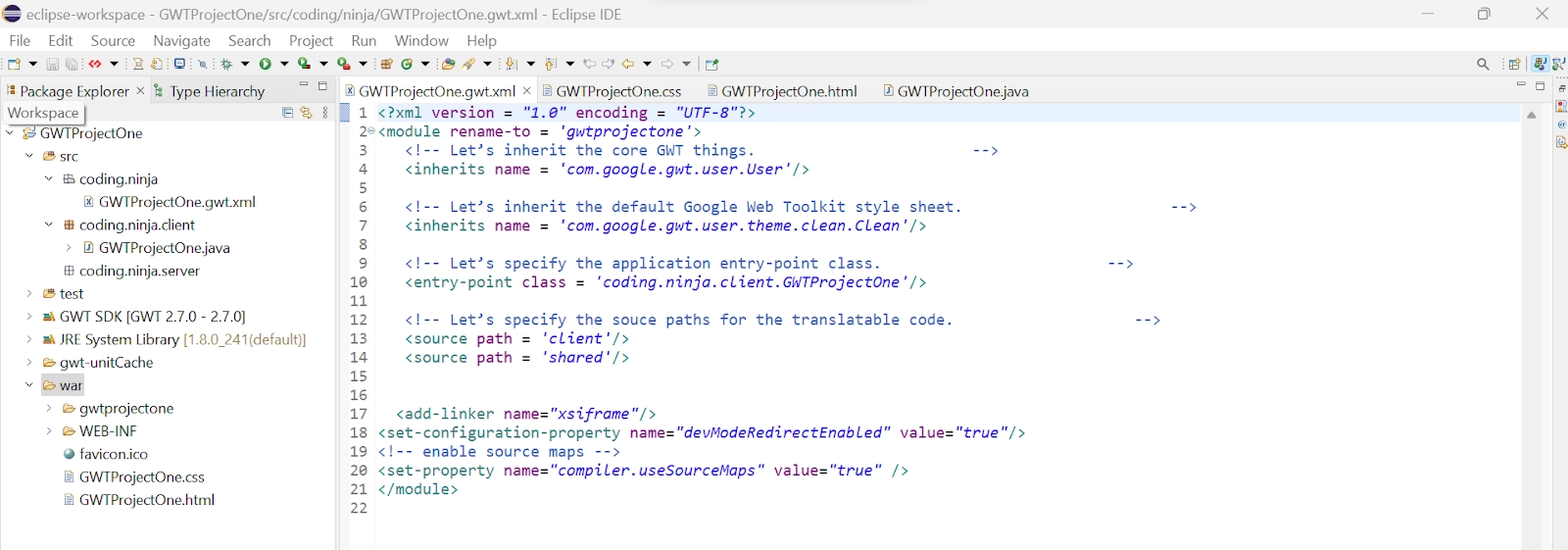
The Eclipse IDE and file structure will look something like this -
GWTProjectOne.gwt.xml
<?xml version = "1.0" encoding = "UTF-8"?>
<module rename-to = 'helloworld'>
   <!-- Inherit the core Web Toolkit stuff. -->
   <inherits name = 'com.google.gwt.user.User'/>

   <!-- Inherit the default GWT style sheet. -->
   <inherits name = 'com.google.gwt.user.theme.clean.Clean'/>

   <!-- Specify the app entry point class. -->
   <entry-point class = 'com.codingninjas.client.HelloWorld'/>

   <!-- Specify the paths for translatable code -->
   <source path = 'client'/>
   <source path = 'shared'/>

</module>
package com.codingninjas.client;
import java.util.ArrayList;
import java.util.List;
import com.google.gwt.cell.client.AbstractCell;
import com.google.gwt.cell.client.Cell;
import com.google.gwt.cell.client.TextCell;
import com.google.gwt.core.client.EntryPoint;
import com.google.gwt.safehtml.shared.SafeHtmlBuilder;
import com.google.gwt.user.cellview.client.CellBrowser;
import com.google.gwt.user.cellview.client.
HasKeyboardSelectionPolicy.KeyboardSelectionPolicy;
import com.google.gwt.user.client.ui.RootPanel;
import com.google.gwt.user.client.ui.VerticalPanel;
import com.google.gwt.view.client.ListDataProvider;
import com.google.gwt.view.client.SingleSelectionModel;
import com.google.gwt.view.client.TreeViewModel;

public class HelloWorld implements EntryPoint {

   // A list of food items.
   private static class Type {
      private final String name;
      private final List<String> food = new ArrayList<String>();

      public Type(String name) {
         this.name = name;
      }

      // Add a food to the food type.
      public void addItem(String name) {
         food.add(name);
      }

      public String getName() {
         return name;
      }

      // Return the list of food in the type.
      public List<String> getfood() {
         return food;
      }
   }

   // A menu of food items.
   private static class menu {
      private final String name;
      private final List<Type> Types = new ArrayList<Type>();

      public menu(String name) {
         this.name = name;
      }

      // Add a food type to the menu.
      public Type addType(Type Type) {
         Types.add(Type);
         return Type;
      }

      public String getName() {
         return name;
      }

      // Return the food type of specified menu.
      public List<Type> getTypes() {
         return Types;
      }
   }

   private static class CustomTreeModel implements TreeViewModel {
      private final List<menu> menus;
      private final SingleSelectionModel<String> selectionMode = new SingleSelectionModel<String>();

      public CustomTreeModel() {
         // Create a database of information.
         menus = new ArrayList<menu>();

         // Add chinese food to menu.
      	{
         	menu chinese = new menu("Chinese");
         	menus.add(Chinese);

         	Type Anhui= pop.addType(new Type("Anhui"));
         	Anhui.addItem("Stinky Mandarin Fish");
         	Anhui.addItem("Steamed Partridge");
         	Anhui.addItem("Fang La Fish");
         	Anhui.addItem("Zhonghe Soup");

         	Type Hunan = pop.addType(new Type("Hunan"));
         	Hunan.addItem("Hunan eggplant");
         	Hunan.addItem("Hunan steamed fish");
         	Hunan.addItem("Garlic stir fried cabbage");
         	Hunan.addItem("Fried chicken");

         	Type Zhejiang= pop.addType(new Type("Zhejiang"));
         	Zhejiang.addItem("West Lake Fish");
         	Zhejiang.addItem("Dongpo Pork");
            Zhejiang.addItem("Sliced Lotus Root");
     	}

         // Add Dessert to menu
         {
         menu Desserts = new menu("Desserts");
         menus.add(Desserts);
         Type Hot = Desserts.addType(new Type("Hot"));
         Hot.addItem("Almond and apple pie");
         Hot.addItem("Apple tarte tatin ");
         Hot.addItem("Carrot soufflé ");
         Hot.addItem("Malva pudding");

         Type semiarid = Desserts.addType(new Type("Semiarid"));
         semiarid.addItem("sagebrush of Utah");
         semiarid.addItem("Montana");
         semiarid.addItem("Great Basin");

         Type cold = Desserts.addType(new Type("Cold"));
         cold.addItem("Oatmeal Cookie Ice Cream");
         cold.addItem("Quick Icebox Sandwich");
         cold.addItem("Berry white Ice Pops");
      }

      // Add indian food to menu
      {
         menu indian = new menu("Indian");
         menus.add(indian);
         Type Punjabi= indian.addType(new Type("Punjabi"));
         Punjabi.addItem("Butter Chicken ");
         Punjabi.addItem("Shakkar Para");
         Punjabi.addItem("Lassi");
         Punjabi.addItem("Chole");

         Type Gujrati= indian.addType(new Type("Gujrati"));
         Gujrati.addItem("Dhokla");
         Gujrati.addItem("Thepla");
         Gujrati.addItem("Khandvi");
         Gujrati.addItem("Undhiyu");

         Type Bengal= indian.addType(new Type("Bengal"));
         Bengal.addItem("Patishapta");
         Bengal.addItem("Doi Maach");
         Bengal.addItem("Bhapaa Aloo");
         Bengal.addItem("Shukto");


         Type Assam= indian.addType(new Type("Assam"));
         Assam.addItem("Aloo Pitika");
         Assam.addItem("Duck Meat Curry");
         Assam.addItem("Ou Tenga");
         Assam.addItem("Maasor Tenga")
       }

       // Add western food to menu
       {
         menu Western = new menu("Western");
         menus.add(Western);
         Type top = Western.addType(new Type("Top"));
         top.addItem("Hamburger.");
         top.addItem("Chicago Deep-Dish Pizza");
         top.addItem("Steak");
         top.addItem("Barbecue Ribs");
      }
   }


   // Get the {@link NodeInfo} that provides the children of the specified value.
    public <T> NodeInfo<?> getNodeInfo(T value) {
      if (value == null) {
         // Create a data provider that contains the list of menu.
         ListDataProvider<menu> dataProvider = new ListDataProvider<menu>(menus);

         // Create a cell to display the menu.
         Cell<menu> cell = new AbstractCell<menu>(){
            @Override
            public void render(menu value, Object key, SafeHtmlBuilder sb) {
               sb.appendEscaped(value.getName());
            }
         };

         // Return a node info that pairs the data provider and the cell.
         return new DefaultNodeInfo<menu>(dataProvider, cell);
      }
      else if (value instanceof menu) {
        /*
         * LEVEL 1.
         * We want the children of the menu. Return the food types.
         */
         ListDataProvider<Type> dataProvider = new ListDataProvider<Type>(((menu) value).getTypes());
         Cell<Type> cell = new AbstractCell<Type>() {
            @Override
            public void render(Type value, Object key, SafeHtmlBuilder sb) {
               if (value != null) {
               sb.appendEscaped(value.getName());
               }
            }
         };
         return new DefaultNodeInfo<Type>(dataProvider, cell);
      }
       else if (value instanceof Type) {
         ListDataProvider<String> dataProvider = new ListDataProvider<String>( ((Type) value).getfood());

         // Use the shared selection model.
         return new DefaultNodeInfo<String>(dataProvider, new TextCell(),
         selectionModel, null);
      }
      return null;
   }


   // To check if the specified value represents a leaf node. Leaf nodes cannot be opened.
   public boolean isLeaf(Object value) {
      // The leaf nodes are the food, which are Strings.
      if (value instanceof String) {
         return true;
      }
      return false;
      }
   }


   public void onModuleLoad() {
      // Create a model for the browser.
      TreeViewModel model = new CustomTreeModel();

      /*
       * Create the browser using the model. We use <code>null</code> as the
       * default value of the root node. The default value will be passed to
       * CustomTreeModel#getNodeInfo();
       */
      CellBrowser browser = new CellBrowser(model, null);
      browser.setKeyboardSelectionPolicy(KeyboardSelectionPolicy.ENABLED);
      browser.setHeight("200");
      browser.setWidth("630");

      VerticalPanel panel = new VerticalPanel();
      panel.setBorderWidth(1);
      panel.add(browser);

      // Add the widgets to the root panel.
      RootPanel.get(“cellbrowserContainer”).add(panel);
   }
}
You can also try this code with Online Java Compiler
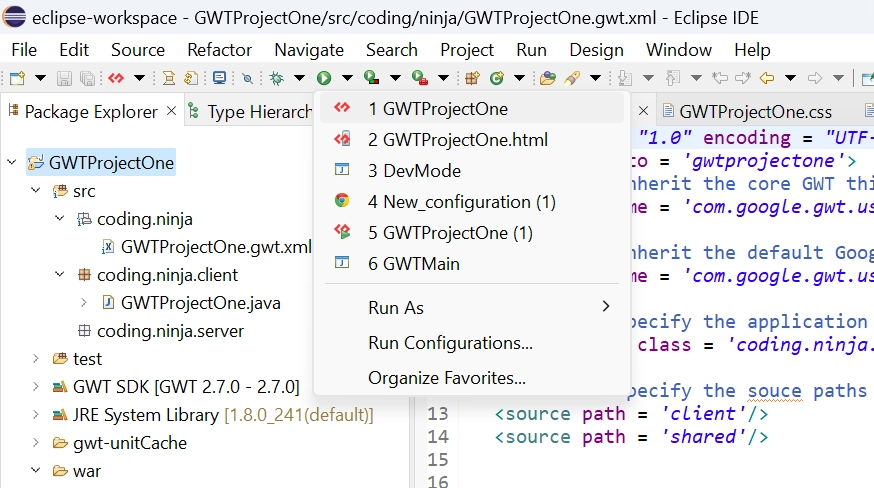
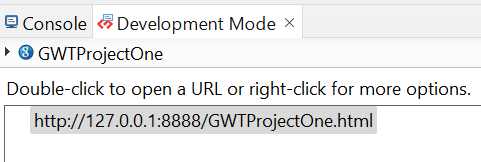
Now click on the dropdown button of the run button and select the project you want to run that is, in our case, GWTProjectOne.
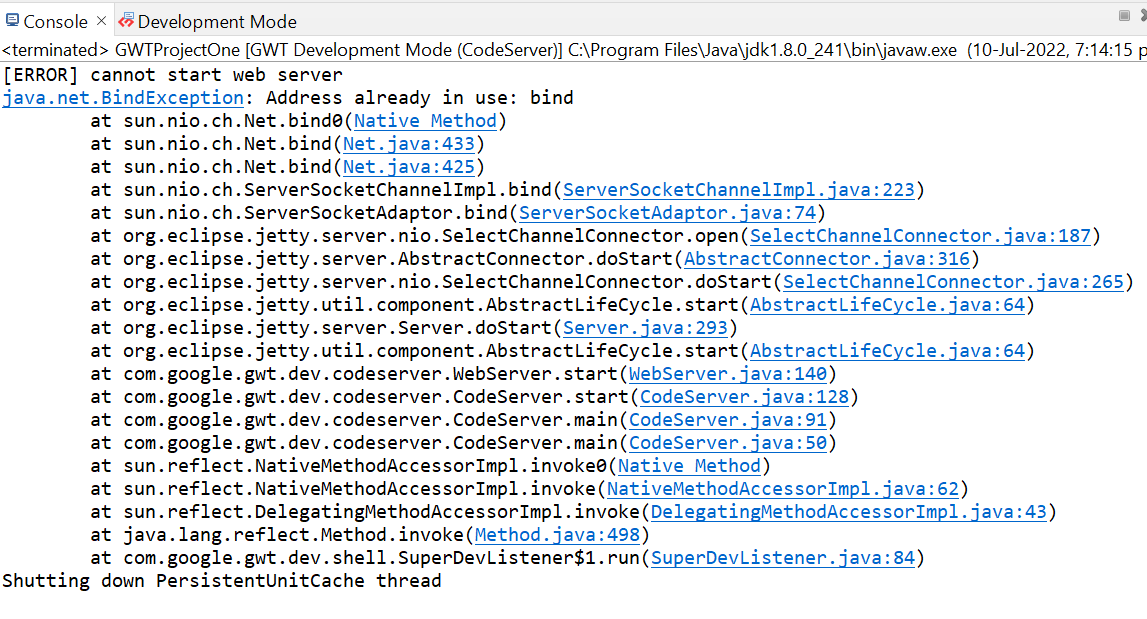
After clicking, you will see the following outputs in the console and development mode tab.
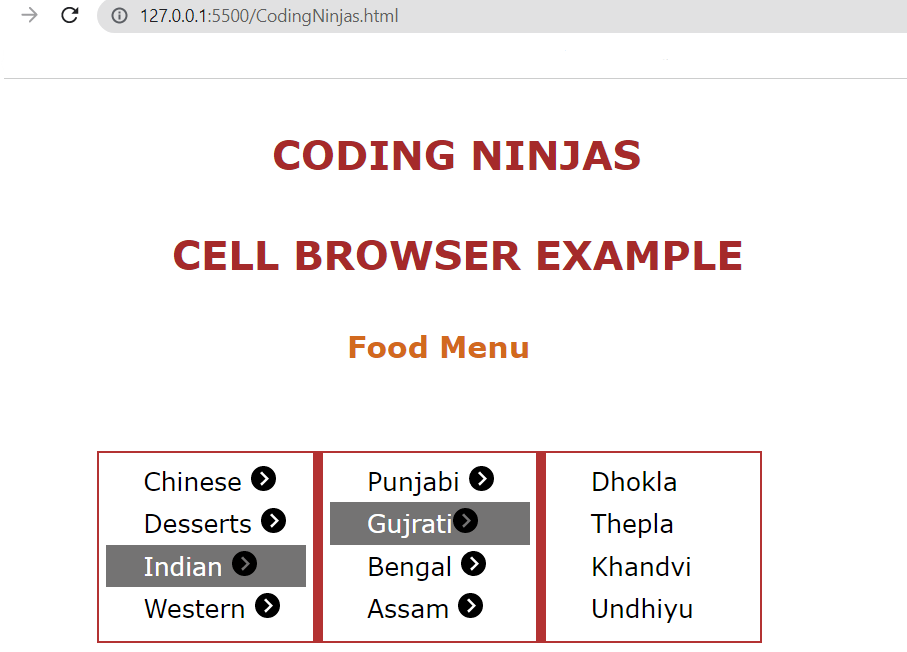
After clicking on the link in development mode, you will see the output of the code.
Output
Frequently Asked Questions
What is GWT?
GWT is a development toolkit used to create and improve sophisticated browser-based apps.
What are the advantages of GWT?
An open-source Java software development platform; Google Web Toolkit (GWT) makes it simple to create AJAX apps. You can use the Java development tools to create and debug AJAX apps with GWT.
Mention the objective of GWT?
GWT's objective is to make it possible to construct high-performance web apps productively without the developer having to be an expert in JavaScript, XMLHttpRequest, or browser quirks.
What are cell widgets in GWT?
CellBrowser widget creates an explorable view of a tree where one can simultaneously open only a single node per level.
What is the GWT CellBrowser widget?
CellBrowser widget is used to create an explorable view of a tree where one can open only a single node per level at a time.
Conclusion
In this article, we have covered the GWT CellBrowser widget. We have also discussed its class declaration, constructors, class, and inherited methods
if you would like to learn more, check out our articles on-










 1+ registered

