Do you think IIT Guwahati certified course can help you in your career?
Introduction
If you frequently use the web browser to surf through various websites, you might have seen the error code: status_access_violation on your screen. If you do, you might wonder how to resolve this error.
In this blog, we will discuss the error code: status_access_violation and how to fix status_access_violation in Chrome or Edge browser. We will go through various methods to resolve the error code: status_access_violation.
First, we need to know what is error code: status_access_violation is and why we see it in our browsers.
If you have encountered this error code: status_access_violation or you might face this in the future, you must know that this error code is not a serious problem or violation. But there can be multiple reasons to trigger an error code: status_access_violation.
We mostly see this error code because when there is an unstated program code from the browser, try to request memory access without authorization.
There can be a few reasons for the problem.
Outdated web browser
Third-party extensions
Corrupt internal files
The good thing is nothing critical, and it can resolve, but the reasons are not specified, so there will be multiple solutions for the problem so you can do the hit and trial and see what suits you the best.
Now we have discussed the error code: status_access_violation, let's focus on the solutions for this problem. The error code: status_access_violation is mainly seen in the chromium-based browser, such as chrome, edge, etc. Since chrome and edge are the most popular and frequently used browser, we will provide the solution for these browsers only.
If you first see this error code: status_access_violation on your browser, you should try to refer your browser a couple of times and check, and if it is still not working, you should restart it.
This might temporarily fix the issue because it is not frequently showing on your browser.
Disable third-party Extensions
If you have installed any third-party extensions in your web browser, you should disable them and observe whether the error is fixed. Because sometimes, these extensions might cause problems in some operations, and you will see the error code: status_access_violation.
Chrome
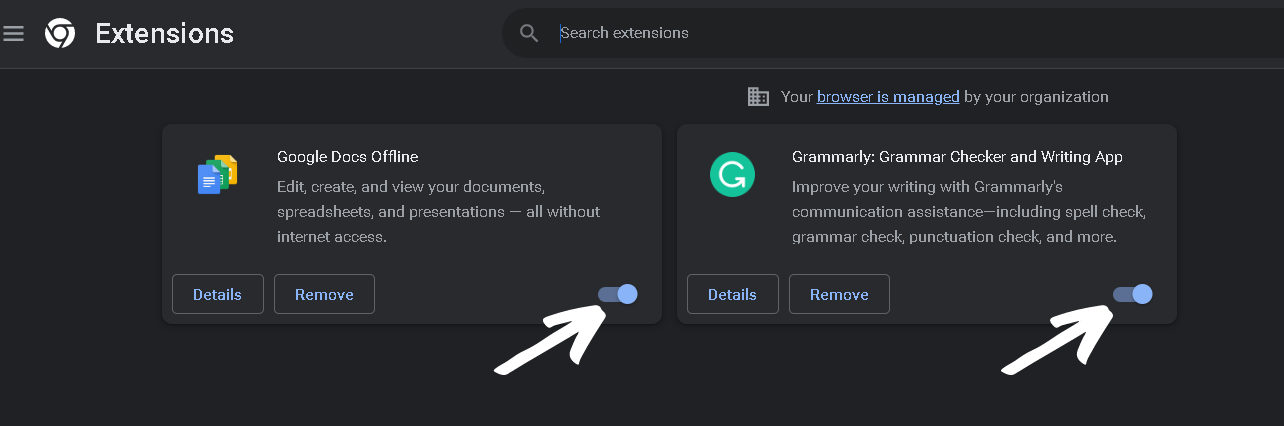
Open google chrome and go to the navigation panel.
Then go to more tools and click on extensions.
On the extension page, disables all the extensions and restart your browser. To disable the extension, click on the slider like in the below screenshot.
Edge
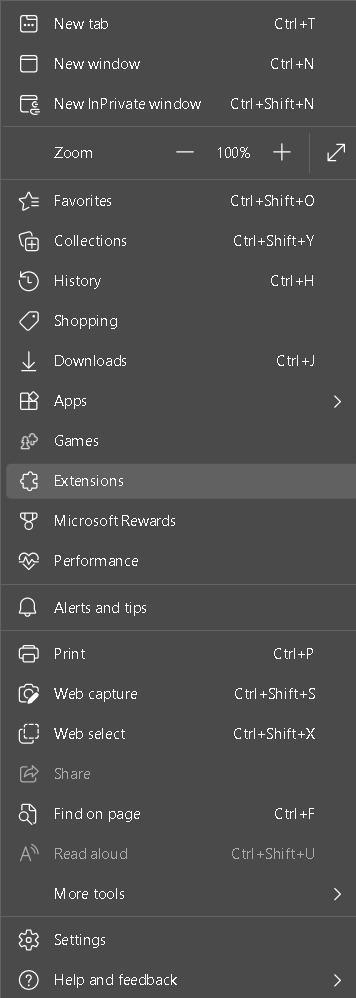
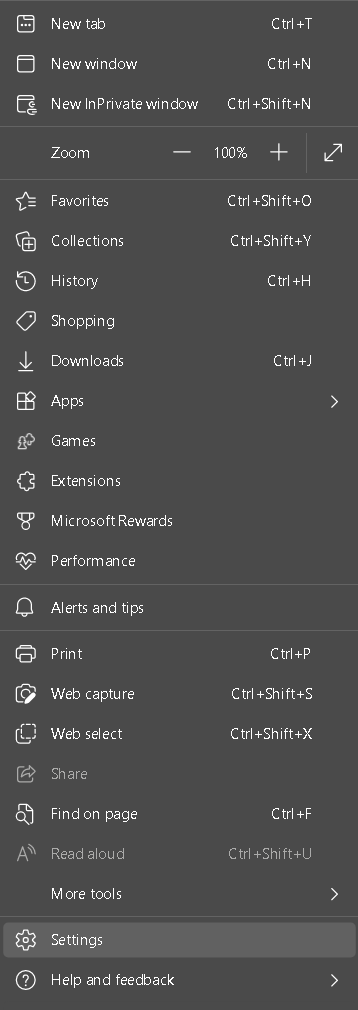
Open Microsoft Edge and go to the navigation panel.
Then go to extensions and click on manage extensions.
On the extension page, disables all the extensions and restart your browser. To disable the extension, click on the slider like in the below screenshot.
You can also create a new browser profile in your web browser and check if the error code: status_access_violation is only on your main profile.
Change .exe File Name.
You can also try changing the name of the executable file on your system. It might work for you because it has worked for many users who were facing the error code: status_access_violation problem.
Just follow these steps:
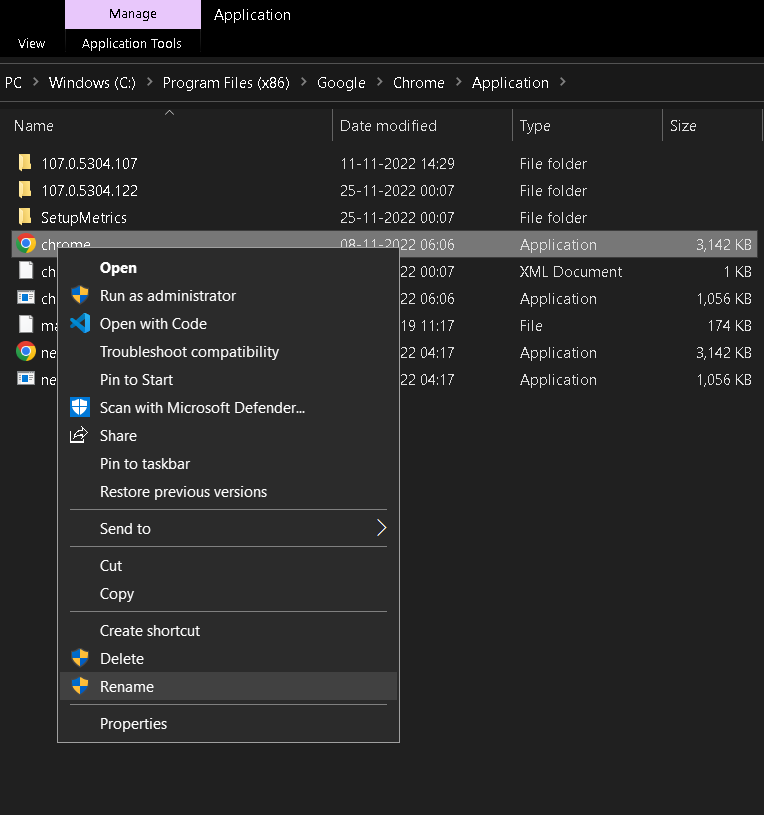
Chrome
Open your file explorer and click on the search bar above.
In the search bar, enter this address: C:\Program Files (x86)\Google\Chrome\Application.
Click on the .exe file for chrome and rename it as chrome.exe.
Now open the browser and check the error.
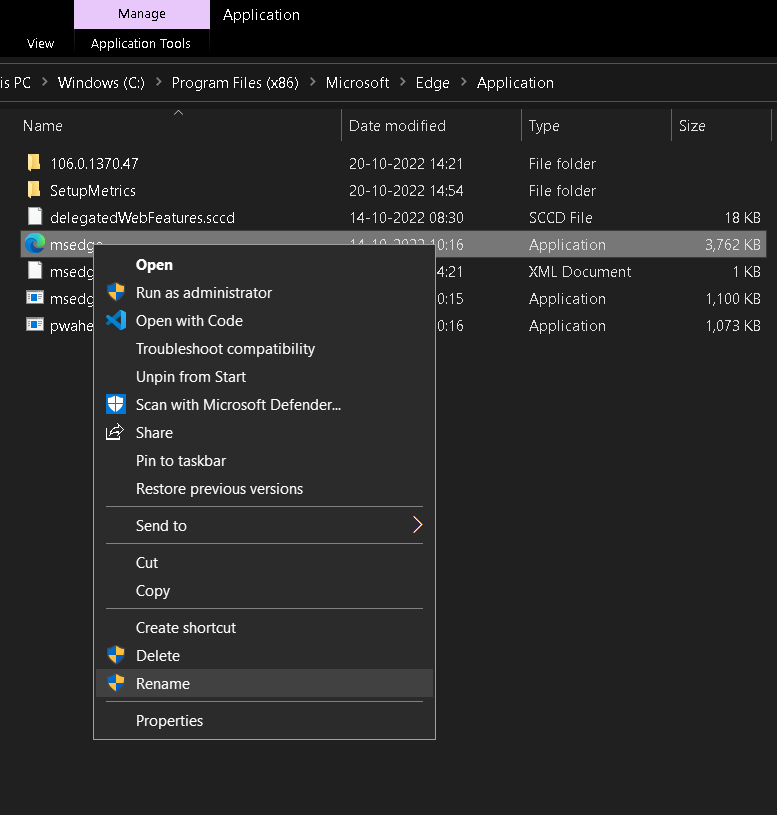
Edge
Open your file explorer and click on the search bar above.
In the search bar, enter this address: C:\Program Files (x86)\Microsoft\Edge\Application.
Click on the .exe file for chrome and rename it as edge.exe.
Now open the browser and check the error.
Update the Browser
You need to check whether your browser is outdated. Because it might be missing some updates, causing the error code: status_access_violation.
Chrome
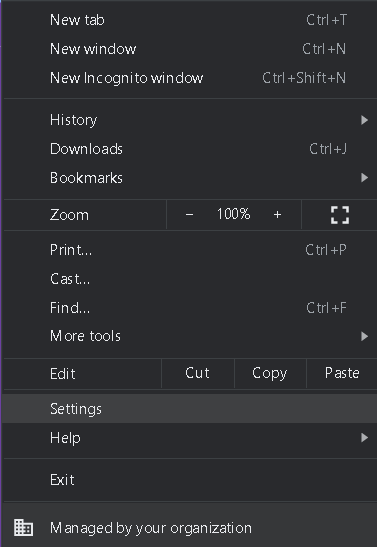
Open your chrome browser and go to the navigation panel.
Click on the setting in the panel.
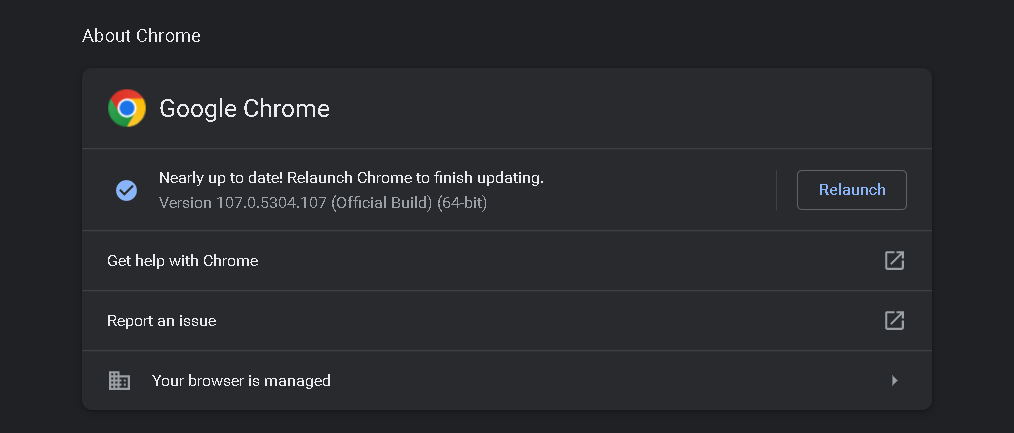
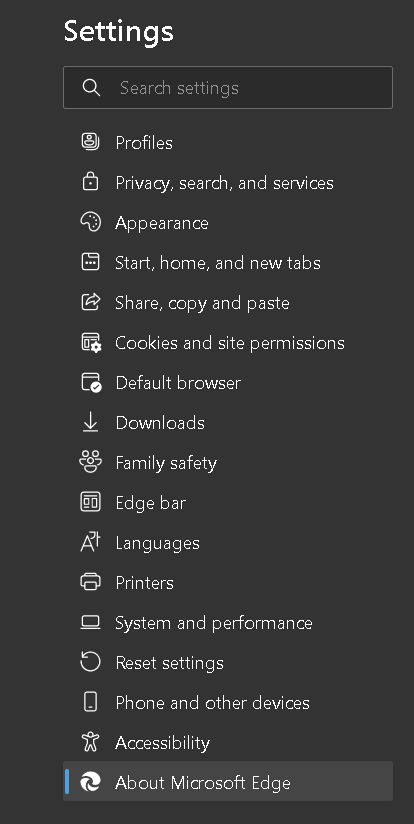
Now go to about chrome and check the update for the browser.
Edge
Open your Edge browser and go to the navigation panel.
Click on the setting in the panel.
Now go to about chrome and check the update for the browser.
Reinstall Browser
Even after applying all the solutions mentioned above, you still face the error code: on your browser. Then, you need to reinstall your browser with the stable version. Installing your browser's stable version will help you fix this error. You can search on the internet what is the current stable version of chrome. You cannot uninstall Microsoft edge on windows because it is the default browser, so you need to look for an alternative. You check out the browsers like opera, chromium, etc.
You can try these solutions if you are facing the status_access_violation and check which one works for you. As we have mentioned, there can be multiple reasons to trigger the error code: status_access_violation.
Is the error code: status_access_violation a critical error?
No, it is not critical and can resolve with some changes in the browser.
Can we use another profile to avoid the error?
If you do not see the error in another profile, you should use another profile for the time being.
Do third-party extensions causeerror code: status_access_violation?
Third-party might cause the error code: status_access_violation, so you need to check you are not downloading the extensions from any unauthorized site.
Are chrome and edge based on chromium?
Yes, both chrome and edge are based on the chromium web browser.
Can we restart the browser during theerror code: status_access_violation?
If it solves the problem of error code: status_access_violation, then you must restart your browser and save time from other solutions.
Conclusion
In this blog, we discussed the error code: status_access_violation and the reasons to trigger the error code: status_access_violation in your browser. We have also discussed some solutions we can use to resolve the error code: status_access_violation in chrome and edge.
To learn more about web browsers, check out the following articles.












 1+ registered

