Do you think IIT Guwahati certified course can help you in your career?
Introduction
Every program relies on operators. An operator is a symbol used in codes that often denotes an action or process. An operator accepts one or more values and outputs a result that depends on those values without altering those values. Most programming languages come with built-in operators, which are represented by symbols like "+", "-", "%", "!", etc.
In this article, we will see the basic operators in r programming, their types, their uses and some sample examples of operators in r programming.
Operators in R programming are the symbols instructing the compiler to carry out some operations. These operations can be mathematical or logical. You can find many built-in operators in R Programming Language.
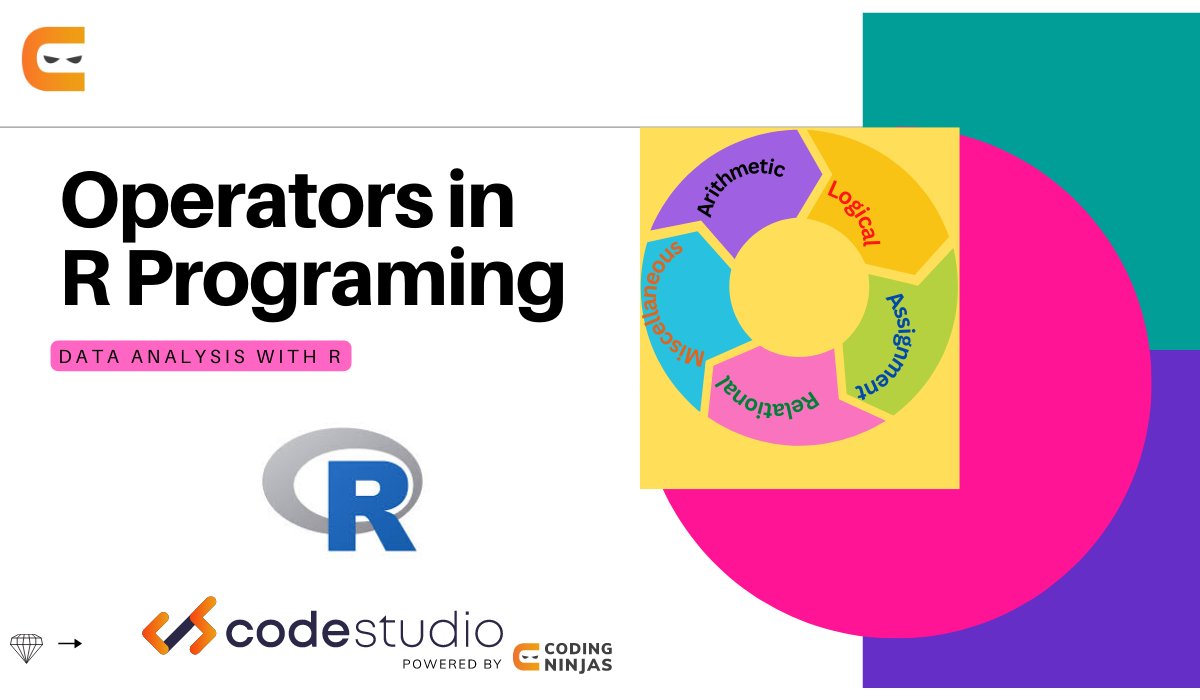
There are mainly five types of R programming operators:
Arithmetic operators.
Logical Operators.
Assignment Operators.
Relational Operators.
Miscellaneous Operators.
Arithmetic Operators
Arithmetic operators in R programming perform a variety of mathematical operations, such as addition, subtraction, multiplication, division, and modulo. You can perform specific operations using the operators between two or more operands. These operands can be vector, scalar or complex values.
The given table shows the arithmetic operators in R programming.
Symbol
Function
Description
+
Addition
Adds two operands.
-
Subtraction
Subtract the second value from the first value.
*
Multiplication
Multiplies both values.
/
Division
Divide the first value by the second one.
%%
Modulus
It gives the remainder of the first value divided by the second.
^
Exponent
The first value is raised to the power of the second value.
%/%
Integer Division
The quotient of the division of the first value by the second.
Example
The use of all arithmetic operators in R is shown by the code below:
# The use of Arithmetic operators in R programming
x = c(8, 4, 6)
y = c(1, 2, 3)
# Performing operations on Operands
cat("Addition of x and y:", x + y, "\n")
cat("Subtraction of x and y:", x - y, "\n")
cat("Multiplication of x and y:", x * y, "\n")
cat("Division of x by y:", x / y, "\n")
cat("Modulo of x and y:", x % % y, "\n")
cat("x to the power of y:", x ^ y)
Output:
Addition of x and y: 9 6 9
Subtraction of x and y: 7 2 3
Multiplication of x and y: 8 8 18
Division of x by y: 8 2 2
Modulo of x and y: 0 0 0
x to the power of y: 8 16 216
Logical operators in R programming perform a variety of decision operations and gives output as TRUE or FALSE. You can consider a non-zero number as True.
Symbol
Function
Description
&
Element-wise Logical AND
Returns TRUE if both the values are true.
&&
Logical AND
Returns True if both of the operands' first items are True.
|
Element-wise Logical OR
If either operand is True, the function returns True.
||
Logical OR
Returns True if either of the operands' first items is True.
!
NOT
It inverts the operand's elements' values.
Example
The use of all logical operators in R is shown by the code below:
# The use of logical operators in R programming
x = c(TRUE, FALSE)
y = c(2, 1)

# Performing operations on Operands
cat("Element wise AND of x and y:", x & y, "\n")
cat("Logical AND of x and y:", x && y, "\n")
cat("Element wise OR x and y:", x | y, "\n")
cat("Logical OR x and y:", x || y, "\n")
cat("Negation of x:", !x)
Output:
Element wise AND of x and y: TRUE FALSE
Logical AND of x and y: TRUE
Element wise OR x and y: TRUE TRUE
Logical OR x and y: TRUE
Negation of x: FALSE TRUE
Various data elements are assigned values using assignment operators in R Programming. There are two types of assignment operators in R Programming.
Right.
Left.
Symbol
Function
Description
<- or <<- =or =
Left Assignment Operators.
Assigns a value to an operand.
-> or ->>
Right Assignment Operators.
It also assigns a value to an operand.
Example
# Left Assignment Operators in R Programming
v1 < -c(3, 2, TRUE, 3 + 2 i)
v2 << -c(2, 1, TRUE, 3 + 2 i)
v3 = c(3, 1, TRUE, 3 + 2 i)
print("The output of left assignment operators:")
print(v1)
print(v2)
print(v3)

# Right Assignment Operators in R Programming
c(3, 2, TRUE, 3 + 2 i) -> v1
c(2, 1, TRUE, 3 + 2 i) ->> v2
print("The output of right assignment operators:")
print(v1)
print(v2)
Output:
[1] "The output of left assignment operators:"
[1] 3+0i 2+0i 1+0i 3+2i
[1] 2+0i 1+0i 1+0i 3+2i
[1] 3+0i 1+0i 1+0i 3+2i
[1] "The output of right assignment operators:"
[1] 3+0i 2+0i 1+0i 3+2i
[1] 2+0i 1+0i 1+0i 3+2i
Relational Operators
The relational operators in R programming perform a variety of comparison operations between the operands. It returns a boolean value of TRUE if the relation between the first and second operands is satisfied.
Symbol
Function
Description
<
Less than
The first value is less than the second.
<=
Less than Equal to
The first value is less than or equal to the second.
>
Greater than
The first value is greater than the second.
>=
Greater than Equal to
The first value is greater than or equal to the second.
!=
Not equal to
The first value is not equal to the second value.
Example
# The use of Relational operators in R Programming
v1 <- c(1, 4)
v2 <- c(5, 3)
cat ("Value1 less than Value2:", v1 < v2, "\n")
cat ("Value1 less than equal to Value2:", v1 <= v2, "\n")
cat ("Value1 greater than Value2:", v1 > v2, "\n")
cat ("Value1 greater than equal to Value2:", v1 >= v2, "\n")
cat ("Value1 not equal to Value2:", v1 != v2, "\n")
Output:
Value1 less than Value2: TRUE FALSE
Value1 less than equal to Value2: TRUE FALSE
Value1 greater than Value2: FALSE TRUE
Value1 greater than equal to Value2: FALSE TRUE
Value1 not equal to Value2: TRUE TRUE
Miscellaneous Operators
These operators serve a specific function and are not utilised for purely logical or mathematical operations. One can perform functions such as
Sequence printing.
Vector assignment.
Symbol
Description
:
It creates a list of elements, from the first before the colon to the last after it.
% in %
To check whether an element is a vector member, use this operator.
%*%
A matrix can be multiplied with its transpose using this operator.
Example
M <- matrix (1:5, nrow = 1, ncol = 5)
print("The elements of the matrix: ")
print(M)

P = M %*% t(M)
print("Product of matrix and the transpose")
print(P)
cat ("The value 1 exist in P matrix:", "1" %in% P)
Output:
[1] "The elements of the matrix: "
     [,1] [,2] [,3] [,4] [,5]
[1,]    1    2    3    4    5
[1] "Product of matrix and the transpose"
     [,1]
[1,]   55
The value 1 exist in P matrix: FALSE
Frequently Asked Questions
What are the R operator characters?
In R, operators include arithmetic (+, -, *, /), relational (==, !=, <, >), logical (&&, ||), and assignment (<-, ->), enabling mathematical, comparison, and assignment operations in programming tasks.
What is the %*% operator in R?
The %*% operator performs matrix multiplication in R. It's particularly useful for handling matrices and is commonly used in linear algebra operations within statistical and data analysis tasks.
How to create an operator in R?
To create a custom operator in R, define a function using backticks (`) around the operator symbol, then specify the desired functionality within the function body. This allows users to extend R's functionality for specific tasks or operations.
Conclusion
In this blog, you have learned about the primary operators in R programming. In detail, we covered various types of operators, such as arithmetical, logical, relational, assignment, and miscellaneous operators in R programming.
We hope this blog has helped you. We recommend you visit our articles on different topics of Data Science, such as







 1+ registered

