Example for Redirect and Error Handling
Consider the following scenario: Upon successful login, the user is redirected to the success page with the HTTP status code 302 (found); otherwise, the user is redirected to this page only.
login.py:
from flask import *

# Initializing the Flask application
app = Flask(__name__)
@app.route('/')
def home ():
   return render_template("home.html")
@app.route('/login')
def login():
   return render_template("login.html");
@app.route('/validate', methods = ['POST'])
def validate():
   if request.method == 'POST' and request.form['pass'] == 'ninja':
       return redirect(url_for("success"))
   return redirect(url_for("login"))
@app.route('/success')
def success():
   return "You have logged in successfully!"
 if __name__ == '__main__':
   app.run(debug = True)

You can also try this code with Online Python Compiler
home.html:
<html>
<head>
<title>home</title>
</head>
<body>
<h1>Welcome to Coding Ninjas</h1>
<p>Example for redirect and error handling in Flask Application</p>
<a href = "/login">Click here to login!</a><br>
</html>
login.html:
<html>
<head>
   <title>login</title>
</head>
<body>
   <form method = "post" action = "http://127.0.0.1:5000/validate">
       <table>
           <tr><td>Email</td><td><input type = 'email' name = 'email'></td></tr>
           <tr><td>Password</td><td><input type = 'password' name = 'pass'></td></tr>
           <tr></tr>
           <tr><td><input type = "submit" value = "Submit"></td></tr>
       </table>
   </form>
</body>
</html>
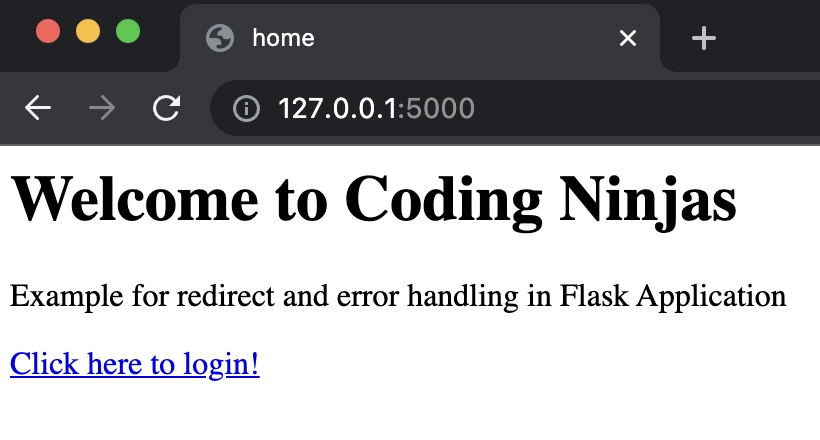
The URL '/' in the above example contains a link to the home page, as shown in the image below.
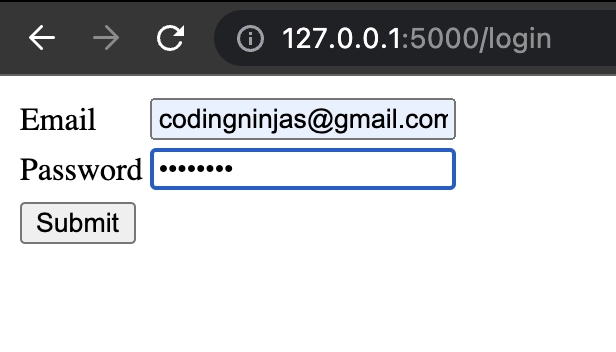
The login page, as seen in the image below, encourages the user to input his or her email address and password, and the submit button takes the user to the URL /validate.
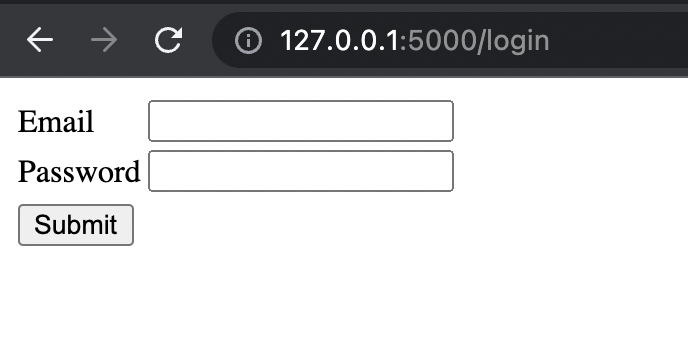
If we enter any wrong password other than ‘ninja’ and click the ‘Submit’ button, the page gets redirected to the login page like below.
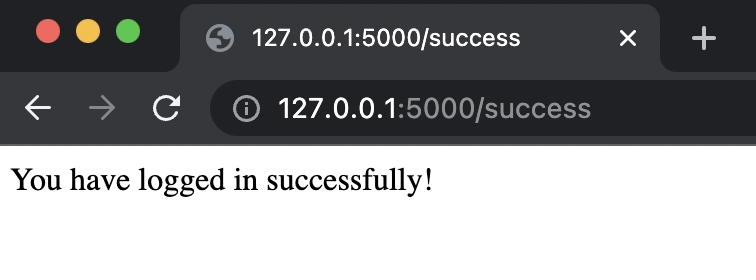
If the user's password is 'ninja', the user is redirected to the URL /success. In the image below, the URL http://127.0.0.1:5000/success (which is generated after a successful login) is displayed.
Want to learn about , PHP For Loop click here
Frequently Asked Questions
1. What do you mean by Flask abort() function?
Ans: The abort() function is used to handle scenarios where client-side failures are present in requests, such as bad requests, illegal or unauthorized access, and so on. The error code, on the other hand, must be mentioned as the cause of the error.
Syntax:
Flask.abort(code)
You can also try this code with Online Python Compiler
2. What are the different types of error?
Ans: Depending on the errors, we can specify the following error codes.
- For the poor requests: 400
- For the unauthorized access: 401
- Forbidden: 403
- Not Found: 404
- Not acceptable: 406
- Unsupported media file types: 415
- Too many requests: 429
3. What is the purpose of redirects?
Ans: It is an important component of web applications and improves the application's efficiency.
Take Twitter, for example: if you are not already logged in, you will be sent to the log-in page when you visit the Twitter URL (www.twitter.com). The redirect feature comes into play here.
Similarly, after completing an online transaction, you will be forwarded to the confirmation page.
Another advantage of redirecting is that it facilitates URL shortening, such as https://bit.ly. You type a short URL here and are then redirect it to the original lengthy one.
4. How do we import the redirect attribute?
Ans: We import the redirect attribute with the following syntax:
from flask import redirect
You can also try this code with Online Python Compiler
5. Why is the abort() function used?
Ans: The abort() function in Flask is used for the special redirect cases of failure.
Syntax:
abort(<error_codes>)
We import the abort attribute with the following syntax:
from flask import abort
You can also try this code with Online Python Compiler
Key Takeaways
In this blog, we have learned the concepts of redirect and error handling in Flask. The redirect() function is available in the Flask class. When it is invoked, it returns a response object and redirects the user to a different target location with the provided status code. We also learned about abort() attributes in Flask.
Take a look at our Flask archives section and see many more interesting topics related to it. Apart from that, you can refer to our Guided paths on Coding Ninjas Studio to learn more about DSA, Competitive Programming, JavaScript, System Design, etc.

Credits: GIPHY
Happy Developing!





 7+ registered

