Do you think IIT Guwahati certified course can help you in your career?
Introduction
Prerequisites are you need to install the plugin from the Atlassian marketplace website and enable Jira integration with Katalon TestOps.
Now we are all set to understand today's topicTest results with Jira in Katalon.
Create Katalon BDD fields in Jira
We need to have Jira admin access. To create BDD fields in Jira, we need to follow these steps:
Select Issues from Jira settings. Select Custom fields and then select Create custom field in the fields section.
We need to write our BDD scenarios depending on our Jira product. Select Katalon Gherkin for Jira Data Center (Jira Server) Select Paragraph for Jira Cloud.
Click Next.
Provide a name and a description which is optional in the new window. Then click Create.
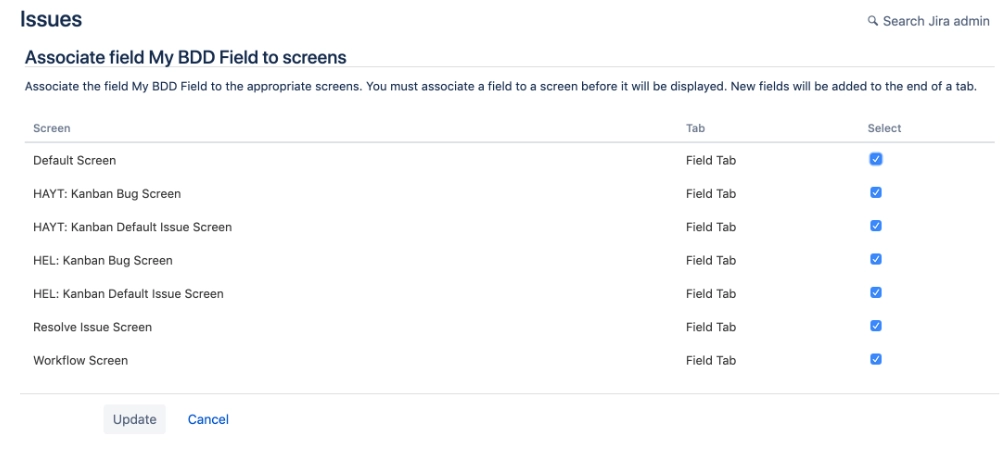
Choose which screens to display. Select Update to finish adding your new custom field.
Hurray! We have successfully created a Katalon BDD custom field in Jira.
Enable the BDD custom field with the Katalon add-on
Follow these steps to enable the BDD custom field with the Katalon add-on:
Open the Jira project.
Go to Project settings in the left panel.
Scroll down to the bottom.
Select Katalon BDD.
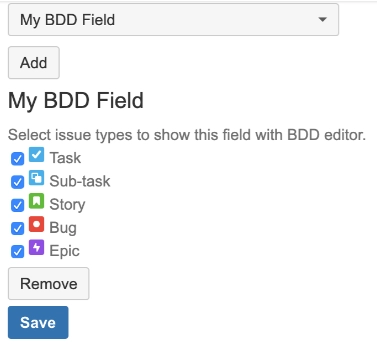
Select the field created and then click Add.
Select issue types to show the field with the BDD editor.
Click Save.
Write BDD scenarios in Jira tickets
Follow these steps to write BDD scenarios in Jira tickets with the newly added BDD custom fields:
Open a Jira issue.
Click on More (...).
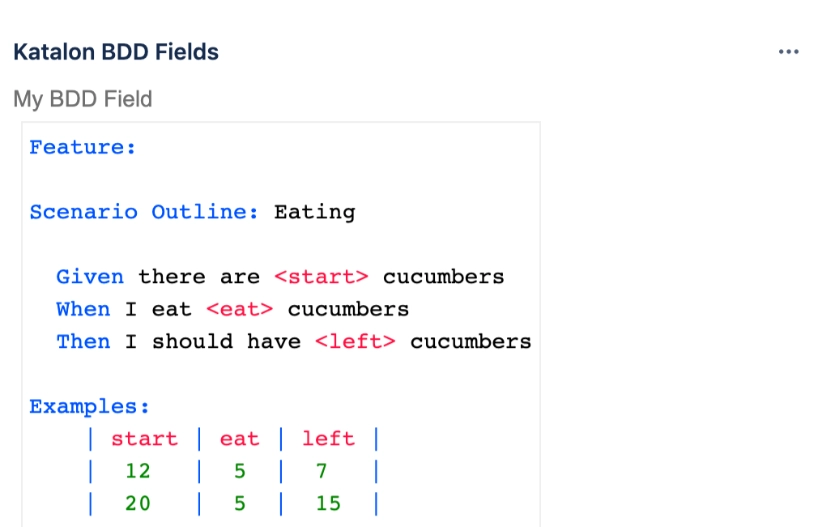
Select Katalon BDD Fields.
Click Edit and write Gherkin content.
Click Save.
View test results in Jira tickets
We need to enable Jira Integration in Katalon Studio.
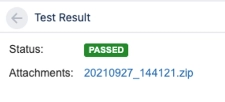
With the integration of Jira, after a test suite execution, Katalon Studio uploads the latest test results. It attaches a zip file which contains the test reports to the linked Jira ticket.
To view the test results, open the linked Jira ticket, and click Open Test Results in the Details group. Click on the Open test results in the Jira issue.
We can find the test execution status with the help of the JQL query. The syntax can be defined as: "Katalon Status"=status Katalon Studio supports five test statuses. Do not forget to enable file attachments.
Submit an issue from Katalon Studio to Jira
We need to enable Jira integration in Katalon Studio. We can submit an issue to Jira directly from the test reports page of Katalon Studio. We can follow these instructions:
Click on the Reports in the Test Explorer panel.
Double-click to open the test reports we want to review for issues.
Click the Bug icon in the opened test report.
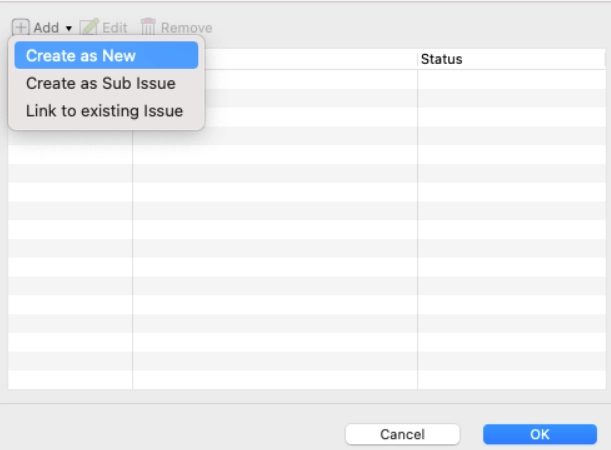
A Linked Jira Issues dialog opens.
Click Add to choose our submit options.
6. Now, we have three options to choose. We can select Create as New to create a new issue on Jira. We can select Create as Sub Issue to create a sub-task for an existing issue in Jira. We can select Link to existing Issue to add the details of the execution of the test to an existing issue in Jira. But we need to give the ID of the issue which is existing in Jira.
Alright! Now we hope you understand the test results with Jira in Katalon.
Frequently Asked Questions
What is Katalon Studio?
Katalon Studio is an automation tool developed by Katalon, Inc. It works for the web, API, Android, Linux, Windows, and macOS interfaces.
Why is Katalon Studio used?
Katalon Studio creates ad reuse automated test scripts for UI without coding.
What is the main advantage of Katalon Studio over others?
Katalon Studio is easy to use and has a wider set of instructions compared to Selenium.
Can we use Selenium in Katalon?
Katalon Studio uses the Selenium engine for automated testing. Katalon uses the Selenium WebDriver framework and hides the complications of dealing with WebDriver from users.
Can we write code in Java?
Yes, we can use Java in Katalon. When writing scripts and custom keywords, we can write them in either Groovy or Java syntax. Groovy is simply a language that extends the Java language.
Conclusion
In this article, we discussed the test results with Jira in Katalon. We hope this blog on test results with Jira in Katalon was helpful. You can also refer to other similar articles.










 1+ registered

