Do you think IIT Guwahati certified course can help you in your career?
Introduction
Hello and welcome, readers! We hope you are doing well.
So, without further ado, let’s start our discussion.
Before discussing the TPC using the annotation, let’s briefly explain the Inheritance Mapping.
Inheritance Mapping
Hibernate is an open-source, lightweight framework in Java that simplifies the development of the Java application to interact with the database. It is also an ORM(Object Relational Model) tool that implements the specification of JPA(Java Persistent API) for data persistence. Today, in this article, we will be discussing the TPC(Table Per Concrete class) Using the Annotation, one ofthe inheritance mapping strategies in Hibernate. So follow the article till the end to grasp the topic completely.
In Hibernate, we can map the inheritance hierarchy classes with the table of the database, known as inheritance mapping.
There are mainly three inheritance mapping strategies in Hibernate. These are as follows:
Table Per Hierarchy
Table Per Concrete Class
Table Per Subclass
Table Per Concrete Class
In this type of inheritance mapping strategy, tables are created per class. So the table does not contain any nullable values. The main disadvantage of this approach is that duplicate column are created in the subclass tables.
Here, In the parent class, we need to use the @Inheritance(strategy = InheritanceType.TABLE_PER_CLASS) annotation. It specifies the table per class strategy that we are using. And in the subclasses, we need to use the @AttributeOverrides annotation. It defines that the parent class attribute will be overridden in this class.
In the table structure, the parent class table columns will also be added to the subclass table.
Example of Table Per Concrete Class(TPC)
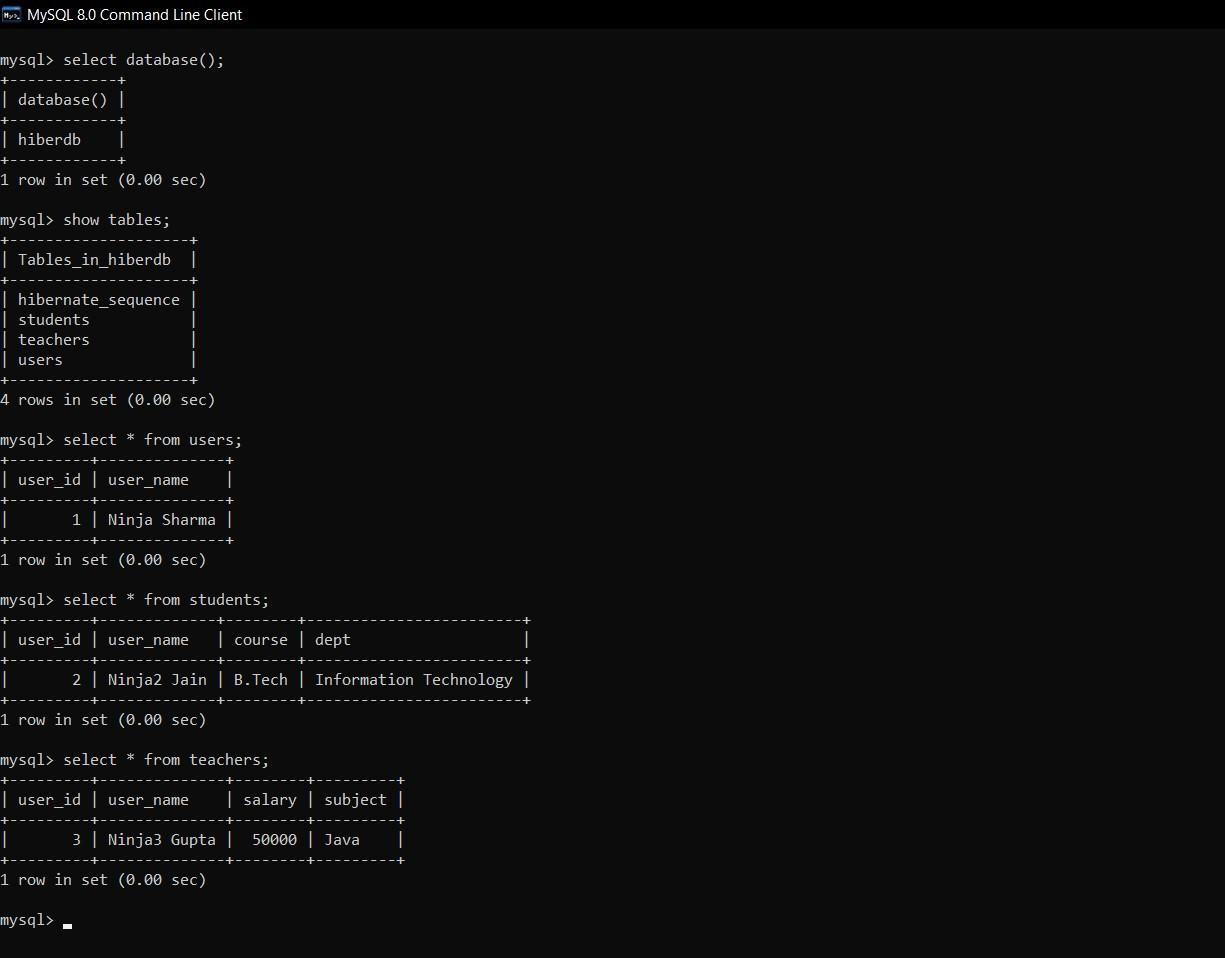
In this example, we will be creating the superclass User and its subclasses, namely Students and Teachers and showing a mapping of these classes step by step.
Create Persistent Classes
First, we will create the three persistent classes, User, Students and Teachers, representing the inheritance.
User.java
package com.codingninjas.MavenProject;

import javax.persistence.*;

@Entity
@Table(name = "users")
@Inheritance(strategy = InheritanceType.TABLE_PER_CLASS)

public class User {
    @Id
    @GeneratedValue(strategy=GenerationType.AUTO)

    @Column(name = "user_id")
    private int user_id;

    @Column(name = "user_name")
    private String user_name;

    public void setUserName(String name) {
        user_name = name;
    }

}
You can also try this code with Online Java Compiler
After, adding the mapping the hibernate.cfg.xml would look like the below. Remember in order to connect to your own database, you need to set the properties accordingly inside the hibernate.cfg.xml.
What is the Table Per Concrete class in Hibernate?
Table Per Concrete class is a type of inheritance mapping strategy where tables are created per class. So the table does not contain any nullable values.
How many layers are there in Hibernate architecture?
In Hibernate architecture, there are four layers.
What is the difference between session and season factory?
The main difference between the session and session factory is that the session is only available for a particular transaction. In contrast, the session factory is a factory class for session objects and is available for the whole application.
What is the difference between getCurrentSession() and openSession()?
The main difference between getCurrentSession() and openSession() is that openSession() always opens a new session that you need to close once you are done, but getCurrentSession() returns a session bound to a context that you don’t need to close.
Conclusion
This article extensively discussed TPC(Table Per Concrete class) Using Annotation in Hibernate.











 7+ registered

