Do you think IIT Guwahati certified course can help you in your career?
Introduction
Ansible is a software tool that enables infrastructure as code by providing powerful automation for cross-platform computer support. EC2 stands for elastic Compute Cloud, which is a web service that is provided by Amazon, which basically offers the resizable compute capacity in the cloud.
In the article “Ansible EC2 Create Instance”, we will discuss what Ansible does, the environmental setup for Ansible, then create an EC2 instance with Ansible.
Design Principles of Ansible
In this section of the article “Ansible EC2 Create Instance”, we will discuss what Ansible does. Ansible is nothing but a suite of software tools that provides automation for cross-platform computer support, which is basically used by IT professionals who do application deployment, updates on workstations or servers, and cloud provisioning.
In Ansible, there are two categories of computers in which Ansible connects the nodes, Control Node is a computer that runs Ansible, and Managed Node is also a computer (or a device) that is being managed by Control Node.
Here are some of the Design Principles of Ansible:
Ansible has an extremely simple setup process with a minimal learning curve.
It describes infrastructure in a language that is both machine and human-friendly.
It also focuses on security and easy audibility/review/rewriting of content.
It manages new remote machines instantly without bootstrapping any software.
It allows module development in any dynamic language, including Python.
AWS EC2 and Instance
In this section of the article “Ansible EC2 Create Instance”, we will discuss about AWS EC2 with its instance. EC2 stands for Elastic Compute Cloud, which is a web service provided by Amazon which provides resizable compute capacity in the cloud. Scaling of compute capacity can be done up and down as per the computing requirement changes.
Amazon EC2 Instance is nothing but a virtual server that runs the applications on the Amazon Web Services (AWS) infrastructure. There are different types of instances in AWS, which are as follows:
On-Demand Instance: While creating this instance, there are no commitments made, and payment of a fixed rate by the hour is done.
Reserved Instance: In this instance, the contract is made for 1 or 3 years in length that is used by the applications with steady or predictable usage.
Spot Instances: In Spot Instances, the price can be bid on the basis of instance capacity, which can be useful for applications that have flexible start and end times.
Dedicated Host: This is the physical server with an EC2 instance, which can be purchased as a reservation for up to 70% off the on-demand price.
Ansible with AWS EC2
Ansible is a configuration management tool, and AWS is a cloud solution software. So if we can combine Ansible and AWS, then we will get the best results for infrastructure automation and management.
Now this can be done by creating an EC2 instance using Ansible with a module provided by ec2.
Environment Setup for Ansible
In this section of the article “Ansible EC2 Create Instance”, we will do the environment setup for Ansible. Before directly downloading Ansible on the local machine, we need to make sure that the latest version of Python and pip is installed on the machine.
Python Installation
First of all, we should update the system with the following command:
sudo apt-get update
Then install Python with the command install; here is the command below for the same:
sudo apt-get install python3.10
Pip Installation
After installing Python, we need to install the package installer of Python called pip. Here is the command to install pip:
sudo apt install python3-pip
Boto Installation
Now if we want to create an EC2 instance, we need to install boto. boto is one of the Amazon-supported SDKs (Software Development Kit); here is the command below for the same:
pip install boto
Creating Instance with Ansible
In this section of the article “Ansible EC2 Create Instance”, we will be creating an EC2 instance with Ansible using the AWS EC2 dashboard.
Creating the AWS Account
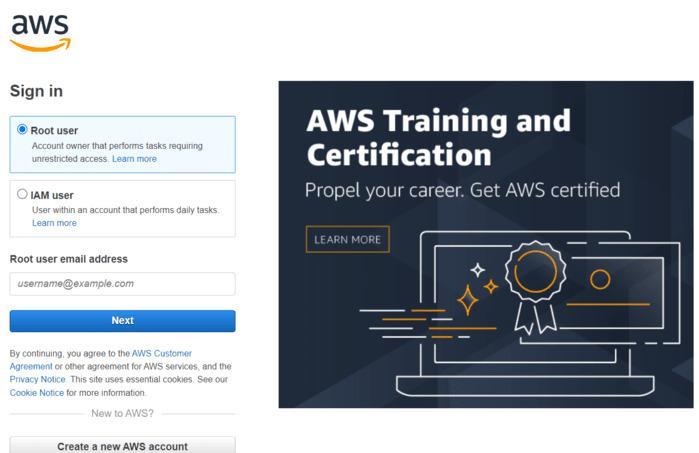
Before doing anything, we need to create an account on AWS so that we can create an EC2 server. By creating an account with a subscription, we can access the services provided by AWS, and EC2 is one of them, so it is mandatory to create an account. Here is the link for creating an AWS account, and also the page is also shown in the below image:
Creating .yml file
Now we need to create a file with the .yml or .ymal extension. Add the following script to this created file:
Here aws_access_key and aws_secret_key are private and sensitive, so keep it as “*”.
Adding Localhost
After the .yml file, we need to add [webserver] localhost in the /etc/Ansible/hosts file. We are working with the internet running on the local server.
Adding Key_name
Now as we have to create an EC2 instance, so we need to work with the EC2 dashboard. First, we need to copy the key pair name.
You can choose any instance, and the instance type can be checked by launching the instance.
Checking Image id
Now after launching the instance, the Image id can also be checked, which is also known as ami id.
Launching EC2
Now, here is the main part of our objective, EC2 can be launched using Ansible. But directly launching EC2 can be risky, so we can first check if EC2 is ready to launch or not. Here is the command where -C is used for checking.
Ansible-playbook -C filename.yml
If you don't get any error after the above command, you can now launch the EC2 server with the following command:
Ansible-playbook filename.yml
After completing all the above tasks, we can move to the Amazon console, where the EC2 server will be launched successfully.
Benefits of EC2
In this section of the article “Ansible EC2 Create Instance”, we will discuss the benefits of EC2. Here are some of the benefits of EC2, are as follows:
It offers a reliable server where the replacement of instances can be done easily and rapidly
It provides flexibility with the choice of multiple instance types, instance storages, and operating systems
It provides a complete computing, processing, and storage solution
It helps in saving costs and utilizing the resource fully by selecting plans as per the requirements
It also offers complete control over the instances, which makes the interaction with the server as any other machine can be easier.
Frequently Asked Questions
What is boto?
It is nothing but a software development kit provided by AWS which is basically used to improve the use of Python. This SDK can also be used in creating EC2 instance with Ansible.
What AWS provides?
AWS stands for Amazon web service is an online platform that provides scalable and cost-effective cloud computing solutions. AWS basically offers several on-demand operations like compute power, database storage, content delivery, etc.
What is EC2?
EC2 is a Virtual Machine provided by AWS on which you have OS-level control. The cloud servers can be run, and the deployment of your own servers can be done.
What does Ansible provide?
Ansible provides an interface to configure not only one computer but to the whole network of computers at once which promotes the automation and used by IT professionals.
Conclusion
Ansible and AWS, we can get the best results for infrastructure automation and management. To achieve this, we can create an EC2 instance with Ansible by using the module provided by Ansible called ec2.
In the article “Ansible EC2 Create Instance”, we discussed what Ansible does, the environmental setup for Ansible, then created an EC2 instance with Ansible. Here are more articles that are recommended to read:







 1+ registered

