Do you think IIT Guwahati certified course can help you in your career?
Introduction
Salt is an open-source software written in Python. It is used to manage the configuration of multiple servers using a single Master node. We can run remote commands on servers as well.
Beacons are a part of Salt software that we can write to monitor changes in our servers. In this article, we will see what we can use beacons for, how to write them, and how to configure reactors for the beacons.
What are Beacons and Reactors?
Monitoring is an essential part of the software lifecycle. We need to monitor our software, files, services, etc., constantly to ensure everything is running correctly and properly.
Beacons
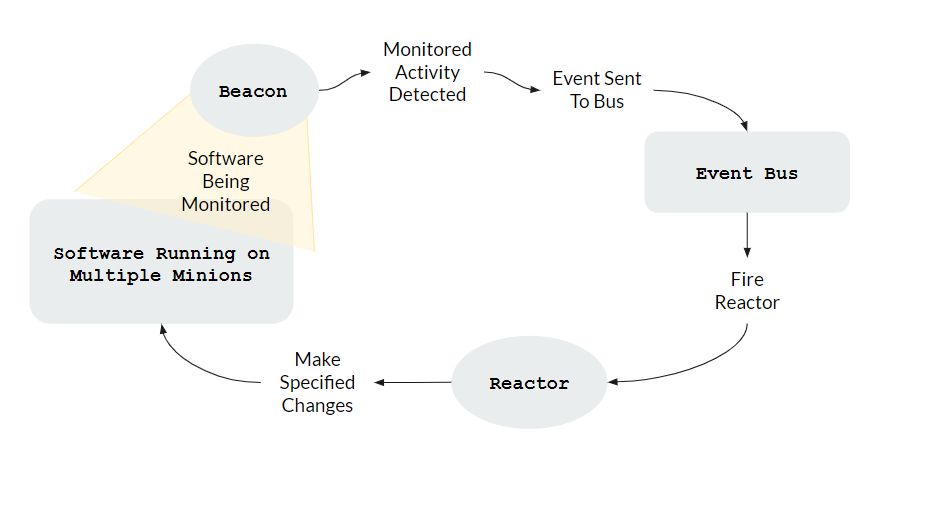
Beacons are a part of the Salt system that lets us use Salt to monitor non-Salt processes. When something happens that we told Salt to Monitor, Salt triggers an Event on the Event Bus. In our article, Salt Event System, you can read more about Salt Event System.
We can use Beacons to monitor activities such as
Changes in files.
Load on the system.
Network and memory usage.
Status of a particular service, such as nginx or apache server software.
Reactors
Reactors are part of the Salt system that react to Events on the Event Bus. Thus Beacon-Reactor pairs can be used to monitor events and react to them. For example, if a Beacon detects that a necessary service has stopped executing, a Reactor can be fired to restart it.
Let's write a simple beacon to detect when a file has been changed.
Create a dummy file
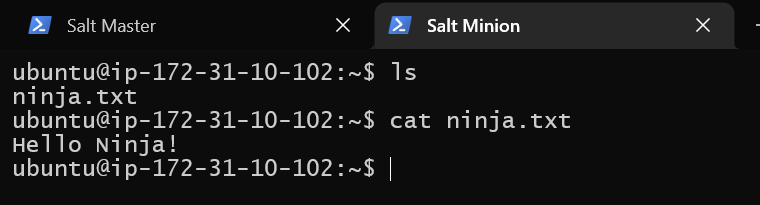
Create a file that we will monitor. You can create it anywhere and name it anything you like. We will create a file ninja.txt in the /home/ubuntu folder. Its full path will thus be /etc/ninja.txt.
cd ~
sudo touch ninja.txt
sudo nano ninja.txt
This will create the file and open the nano text editor. Enter any data you want in the file and save it. Our file contains "Hello Ninja!"
Save the file, and restart the minion service by using the following command.
sudo sysytemctl restart salt-minion
This code tells Salt to notify whenever the file /home/ubuntu/ninja.txt is modified. The disable_during_state_run value ensures we don't enter into an infinite loop because of reactors. For example - this beacon will notify whenever the file is modified.
Suppose we write a reactor to revert the file to its original data. The beacon will detect the file being reverted as another modification. This will make the beacon execute again, which will cause the reactor to fire again, making us end in an infinite loop.
We will need to install the python packages inotify and pyinotify for this to work. On the minion, type the command
Let's check if the beacon is working properly. Modify the file you just created - edit the data in it. You can change it to anything.
Go into the master machine, and type the following command.
salt-run state.event pretty=true
This command will output events received on the Event bus to the terminal.
We see that the beacon is working correctly - we receive a notification of the modification on the event bus.
Writing a Reactor
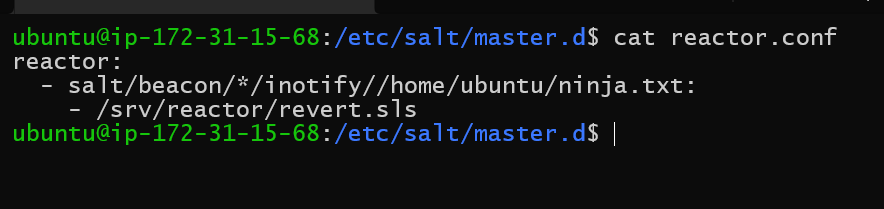
Now that we know our beacon is working correctly, let's create a reactor for it. The reactor will revert the file to its original state if a modification is detected. All the following work is done on the Master machine.
Create the Revert state file
Create a file /srv/reactor/revert.sls
sudo mkdir /srv/reactor
cd /srv/reactor
sudo nano revert.sls
This will open the nano editor. Write the following configuration.
local.state.apply tells Salt that this code involves applying a local state - i.e., making sure the local system matches whatever we have mentioned.
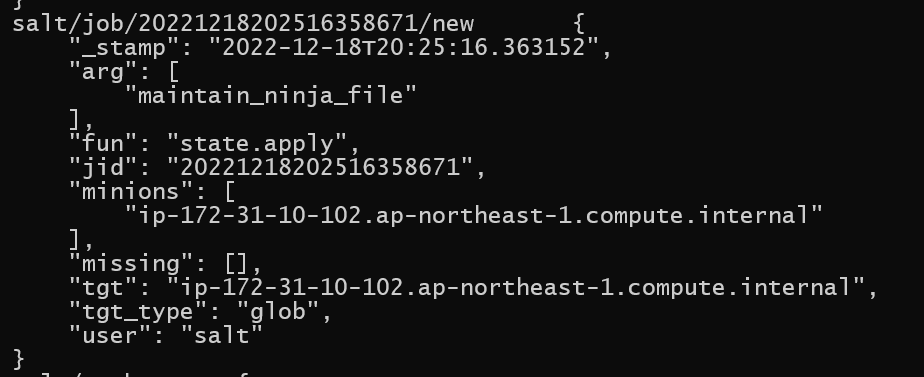
tgt stands for target and specifies which minion machine Salt should apply this to. You can see that data['data']['id'] specifies the minion-id from the screenshot of the Event log above.
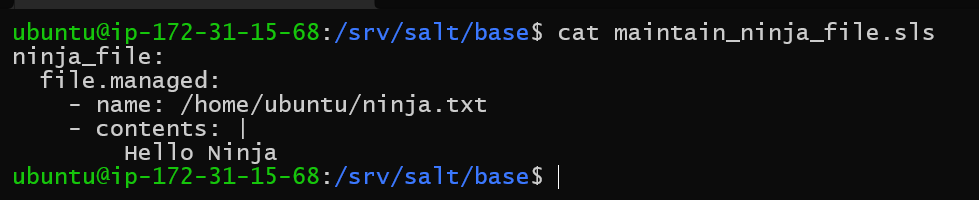
maintainfile is the name of the state file that we will now write. This is the state Salt will apply when this code runs.
Create the maintain_ninja_file state file
In the file_root directory of your base environment (by default at /srv/salt), create a file maintain_ninja_file.sls. Our base environment file_root directory is at /srv/salt/base, so we will work there.
Start salt-master in debug mode, so we can see all the steps being taken. Run the following commands.
sudo service salt-master stop
sudo salt-master -l debug
You should see a bunch of lines outputted to the terminal. You can ignore these for now.
Go to the minion machine and change the file.
Go back to the master and see the results.
This is the event that the beacon sent to the event bus. We have seen this before. After this, you should see the following lines.
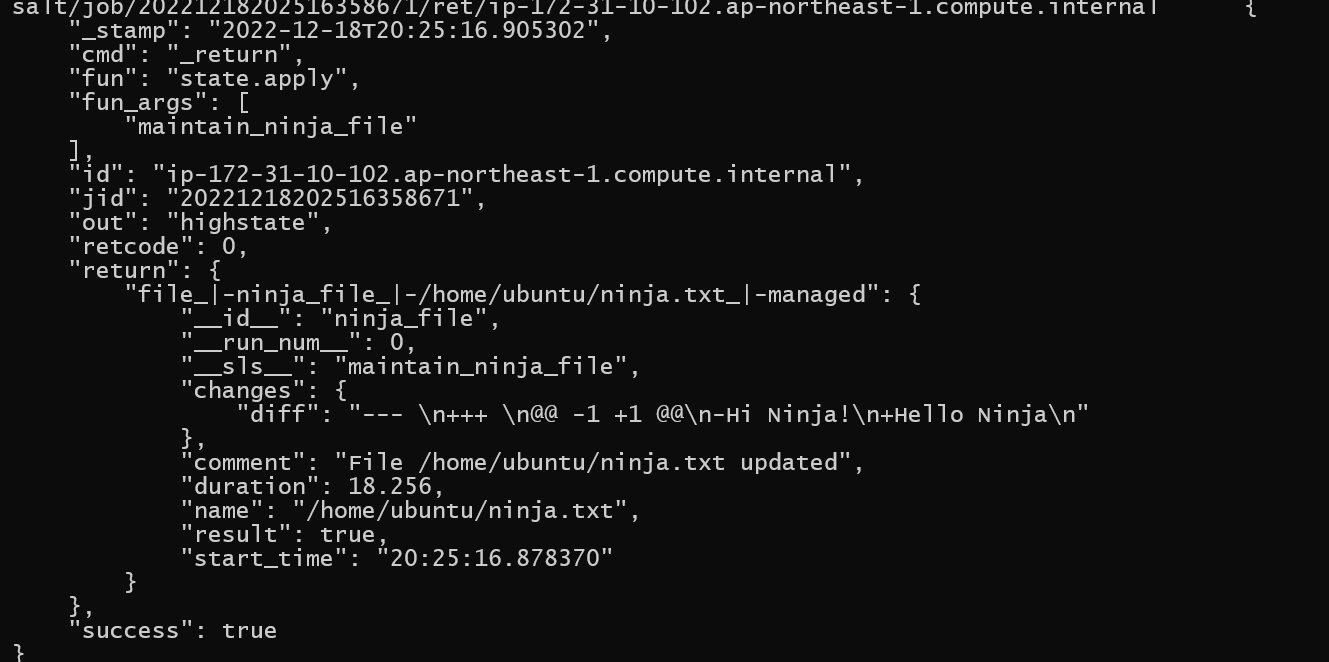
We can see Salt is applying the maintain_ninja_file state to our minion. After some authentication lines, you should also see this.
You can see Salt has changed our file. You can even see that the differences have been logged. We had changed our file to Hi Ninja! Salt has changed it back to Hello Ninja, as we specified.
Frequently Asked Questions
Do all beacons need a reactor in Salt?
No, this is not necessary. But generally, if you are monitoring an event, you will also want to react to it. Thus it would be good practice to react to an event you are monitoring. But if you do not wish to, you don't have to.
The inotify beacon isn't working for me, did I do something wrong?
There can be multiple reasons - but the most common reason is that you are on a system that does not support inotify! inotify beacons are only supported on systems that have the inotify kernel call. This excludes Windows, macOS and FreeBSD.
What are state files?
State files are configuration files. They specify what the state of a system should be - what should be the files present, what services should be running, etc. How to get the files there, how to run the services - is left for Salt to figure out and implement.
Conclusion
This blog has explored what Beacons are in Salt. We understood what they are, what they can be used for, and how to write them. We also wrote reactors to respond to beacon events. Beacon-reactor pairs make a good way to monitor events and respond to them. We can monitor file accesses, stopped services, errors, etc. and respond accordingly.
We hope you leave this article with a broader knowledge of configuration management, software monitoring, and Salt. You should take a look at our other articles on similar topics, such as the following:










 5+ registered

