Table of contents
1.
Introduction
2.
CP Module
2.1.
Basic Setup
2.2.
cp.get_file
2.3.
cp.get_dir
3.
File Server Backends
4.
Frequently Asked Questions
4.1.
Are file names case-sensitive in Salt file servers?
4.2.
Can we use multiple Git repositories in Salt file servers?
4.3.
I get False as an output when running cp.get_file for a file. What is the issue?
5.
Conclusion
Last Updated: Mar 27, 2024
Medium

Salt File Server

Author Satvik Gupta
1 upvote
Career growth poll
Do you think IIT Guwahati certified course can help you in your career?

Introduction

Salt is a powerful configuration management and remote execution tool. It allows users to manage the configuration of multiple servers from a central location using a declarative configuration language. With Salt, users can easily manage the installation of software and system packages, manage user accounts and permissions,etc.
Salt File Server

File Servers is a general term for servers that are used to deliver files to various clients. We can also do this in Salt by configuring our Salt Master to deliver files to various Salt Minion nodes. This blog will show File Servers in Salt, how to set them up, and how we can use them to deliver files across Salt minions. Let's get started.

CP Module

Salt can act as a file server for the minions. This means we can configure our Salt Master to serve files to all the minions in our Salt network. For this, we use the CP Module.

The CP module is the module that handles fetching files from the Salt file servers that we will set up.

Make sure you have Salt Master configured and at least one Salt Minion. If you don't, you can check out how to install it here – Salt Install Guide.

Let us see the basic setup needed to ensure the CP module runs correctly. 

Basic Setup

Generally, if you have already used Salt for some task, you would have already done this. If you are just starting, this step might not have been completed yet. The following lines need to be added to the master configuration file. 

file_roots:
  base:
    - /srv/salt
    - /srv/formulas


The master config file is located in the /etc/salt folder, and it is named master

To navigate to the correct directory, enter the following command in the terminal.

cd /etc/salt


Then, to open the nano editor, type the command:

sudo nano master


You can also use vim or any other editor of your choice. Sudo needs to be added if you don't have direct access to edit the file. 
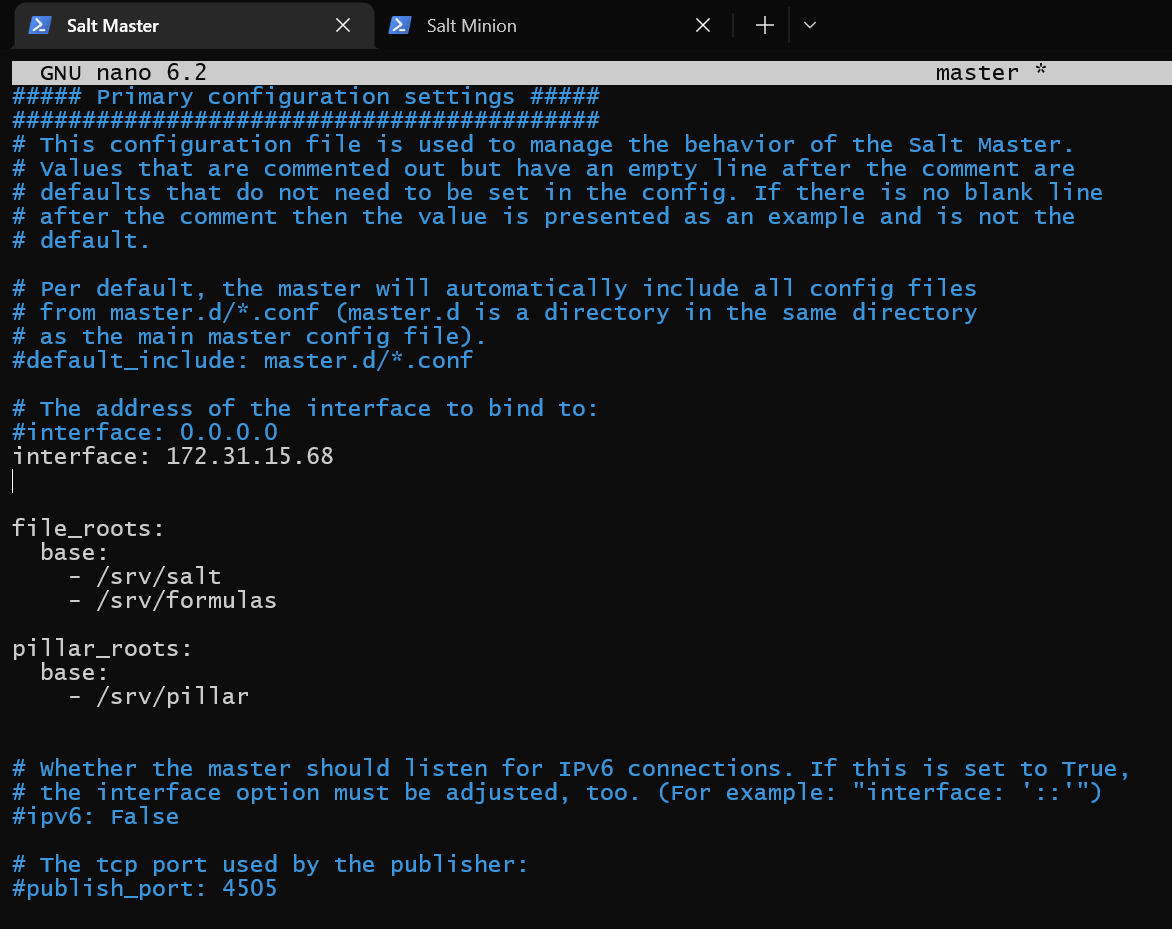
Master config file

After adding the lines shown in the image above, if we ask Salt to look for the file "test.txt", it will look in the /srv/salt folder in the Salt Master. If it doesn't find it there, it will then look in the /srv/formulas folder. If it isn't present there either, then Salt will be unable to deploy the file to the minions. 

cp.get_file

cp.get_file is the basic command of the cp module. It looks for a file and, if found, sends it to the minions. 

Let's say we have a file ninja.txt in the/srv/salt folder of the Salt Master machine. 

ninja.txt file

The file contains simple text data - "Hello Ninja!"

Our minion machine does not contain any files. We can verify it here.

Minion machine has no files

Now, let's run the cp.get_file command on Salt Master. It should be run as:

sudo salt '*' cp.get_file salt://ninja.txt ~/ninja.txt


  • Sudo is entered to give salt access to the file and permission to copy it. Depending on your user's privileges, you might not need to enter sudo.
     
  • * specifies that this file should be copied to all Salt Minions. If we only wanted to copy it to a particular minion, we should have written its name instead. 
     
  • salt://ninja.txt is a salt URL. This tells Salt to look under the file servers we have set up. We will see why we couldn't just write a simple file path in the File Servers Backend section of this blog. 
     
  • ~/ninja.txt is the output directory. It tells Salt where Salt should place this file on the minion machines. 

Successful output

We have only one Minion machine, and it has returned an output. It prints the location of the new file. If the file was not found, there would have been no output. 

Let's check on the minion machine.
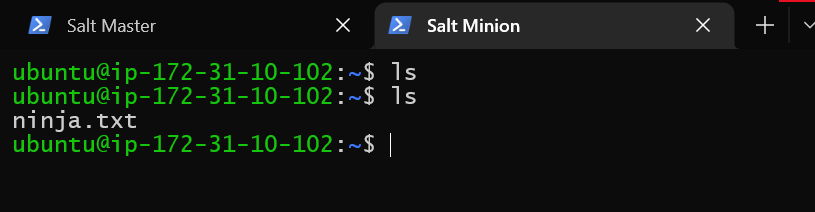
File has been received on minion

We can see the empty output has been replaced with a ninja.txt file. 

File has correct data

It also has the correct data.

cp.get_dir

cp.get_dir command is used to send a whole directory to minion nodes. 

Let's say we have a directory ninja_folder, with two files ninjaFile1.txt and ninjaFile2.txt

ninja_folder with 2 files in Master machine

These are the files, and their contents.

Let's deploy them to minion nodes. 

Type the command:

sudo salt '*' cp.get_dir salt://ninja_folder ~/saltFiles
Successful output

Salt has created a new folder saltFiles on our minion node. It has copied the ninja_folder into the saltFiles folder, along with both files inside it. Let's verify it in our minion machine.

ninja_folder has been copied to minion with both files, and both have the correct data

We can see folder has been copied correctly, and the files have the correct data.

File Server Backends

We have seen how we can serve files that are present on our Master machine locally. However, what if we already have some file server or repository set up? For example, we may have backends set up on AWS, Azure, or even a simple Git repository. 

Fortunately, Salt supports such backends. This is also why we needed to specify files as a salt URL. (salt://) It's not necessary that the file be present on the Master local system, it may be present in the other backends as well. 

We will show how we can set up a Git repository as a file server backend in Salt. The steps for other backends, such as Mercurial, SVN, AWS, etc, are the same. 

We have a demo Git repository created on Github. 

Demo Git Repo

It has 3 files - License, README.md and testdox.txt

They have the following contents.

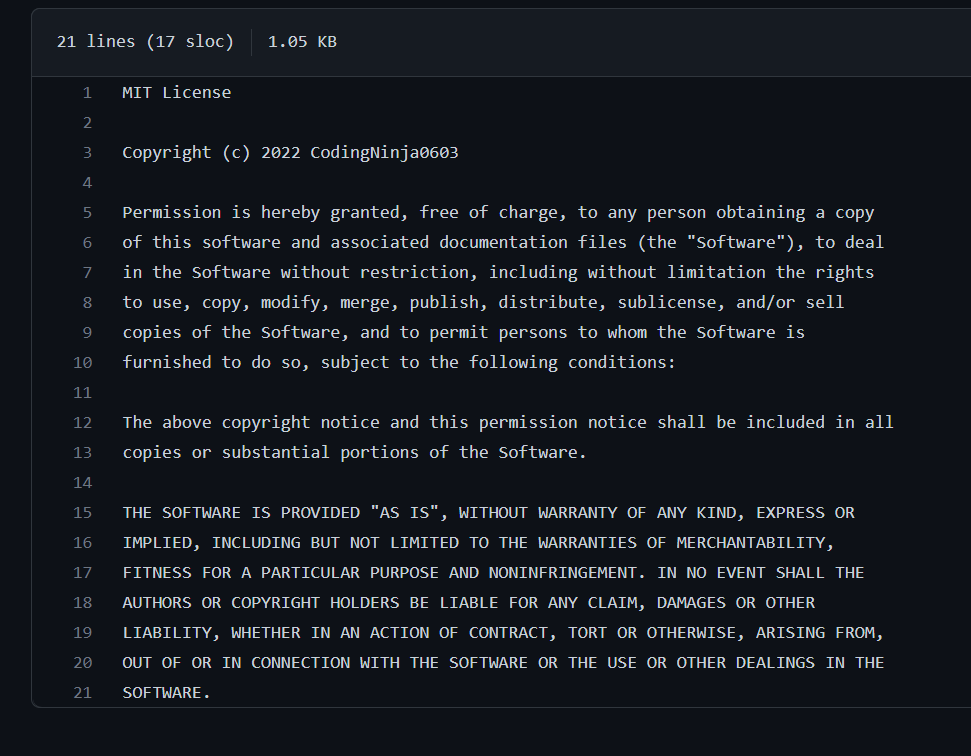
License content

License Content

README content

Readme Content

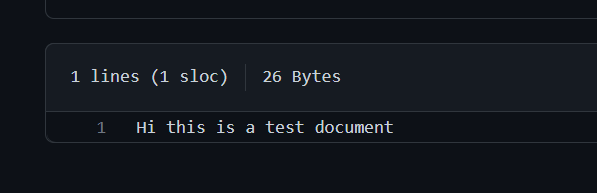
testdoc content

testdoc content.

The roots backend is enabled by default. Roots backend does not use any external service like AWS or Git, rather it simply serves files present locally on the Master machine. The only thing we need to do to configure the roots backend is set up its location. We did this above using this code:

file_roots:
  base:
    - /srv/salt
    - /srv/formulas


To enable multiple backends, or to use backends other than roots, we need to add the following lines to our master config file, present at /srv/salt in the Salt Master machine. 

fileserver_backend:
  - roots
  - git
gitfs_remotes:
  - https://………..


The value under gitfs_remotes should contain the URL to your Git repository. 

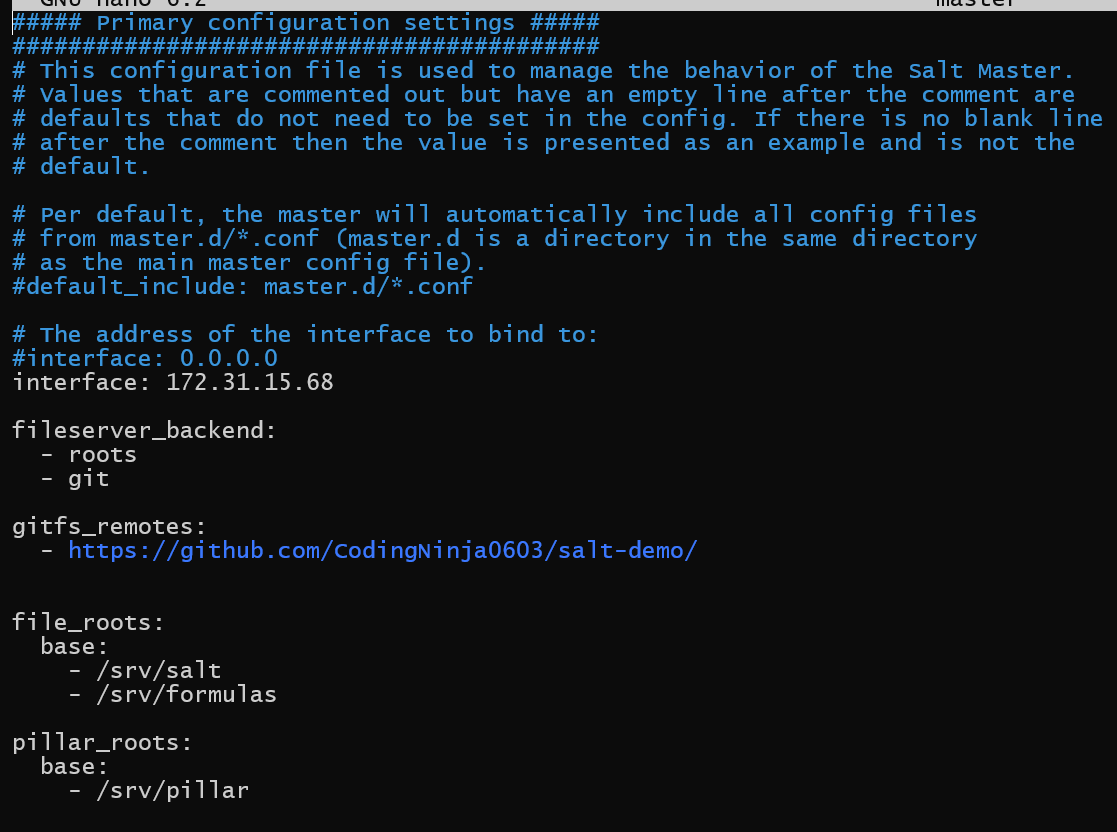
Enabling multiple backends in master config file

The fileserver_backend contains the various backends we want to use. In our case, we want to use git and roots. Roots simply means the local machine of the Salt Master. It is enabled by default even if we don't add the fileserver_backend value.

gitfs_remotes contains the URLs of all the git repositories we want to include.

Save the file, and restart salt by typing:

sudo systemctl restart salt-master


No output should mean the service restarted successfully. 

Now, let's try to deploy all 3 files to our minion nodes. We will first create a new folder gitFiles, on our minion machines, in the home directory, to hold our files. 

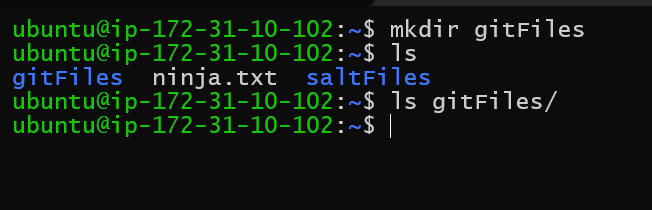
Output folder on minion is currently empty

It is currently empty.

Type the following commands.

sudo salt '*' cp.get_file salt://README.md?saltenv=main ~/gitFiles/README.md
sudo salt '*' cp.get_file salt://LICENSE?saltenv=main ~/gitFiles/LICENSE
sudo salt '*' cp.get_file salt://testdoc.txt?saltenv=main ~/gitFiles/testdoc.txt


You might be wondering - what is the "saltenv=main" part of the command?

Salt allows us to separate our files into different environments - such as one for testing, one for staging, one for production, etc. When using git, the branch name is used as the environment name. You can read more about fetching files from different environments in this article - Requesting Files from Different Environments in Salt.

Let's run these commands and see the output.

Successful output in all commands

We get successful outputs in all of them. Let us see them on the minion machine.

All 3 files have been copied to minion node

We can see the gitFiles folder has all 3 files now. Let us see their data.

All 3 files have correct data

We can see they all have the correct data.

Check out most important Git Interview Questions here.

Frequently Asked Questions

Are file names case-sensitive in Salt file servers?

Yes, all file names are case-sensitive and must be specified in the correct case.

Can we use multiple Git repositories in Salt file servers?

Yes, we can use any number of git repositories. Salt will search them in the order mentioned in the config file. Salt will stop the search if a file is found in one repository, and further repositories will not be searched.

I get False as an output when running cp.get_file for a file. What is the issue?

The most common reason is that you have specified a path on the minion machine that does not exist. For example, if you have specified the destination path as ~/hello/hi.txt , and there is no folder named hello, you will get this error.

Conclusion

This blog has explored what file servers are in Salt, and how we can use them.

We have seen how to set up file servers in salt and how to access files and directories using them. Lastly, we have also seen how to link external file servers such as Git to our Salt File server.

We hope you leave this article with a broader knowledge of Salt, file servers, and configuration management. You should read our other articles about these topics as well, such as

Salt System Architecture

Job Management in Salt

Access Control System in Salt

You can practice questions on various problems on Coding Ninjas Studio, attempt mock tests. You can also go through interview experiences, interview bundle, go along guided paths for preparations, and a lot more!


Keep coding, and keep reading Ninjas. 

Live masterclass