Example
Below is a simple example of for loop in Django:
<ul>
{% for student in student_list %}
<li>{{ student.name }}</li>
{% endfor %}
</ul>
Also see, Introduction to HTML
Advanced Usage
1.) Variables can also be used in for loop. If we have two template variables, rowvalue1, and rowvalue2, for example, you can switch between their values as follows:
{% for o in some_list %}
<tr class="{% cycle rowvalue1 rowvalue2 %}">
…
</tr>
{% endfor %}
2.) We can also loop over a container in reverse order using
{% for obj in list reversed %}.
3.) We can unpack the values in each sublist into individual variables if you need to loop over a list of lists. If our context has a list of (x, y) coordinates called points, for example, we can use the following to output the list:
{% for x, y in points %}
There is a point at {{ x }}, {{ y }}
{% endfor %}
If we need to look something up in a dictionary, this is also useful. If our context contained dictionary data, for example, the keys and values of the dictionary would be displayed as follows:
{% for key, value in data.items %}
{{ key }}: {{ value }}
{% endfor %}
Let’s further understand for loop in Django with an example. Consider having a project named Coding Ninjas and an app named ninja.
First, we create a view through which we will pass the context dictionary,
in ninja/views.py:
# importing Http Response from django
from django.shortcuts import render
# creating a function
def ninja_view(request):
# creating a dictionary
context = {
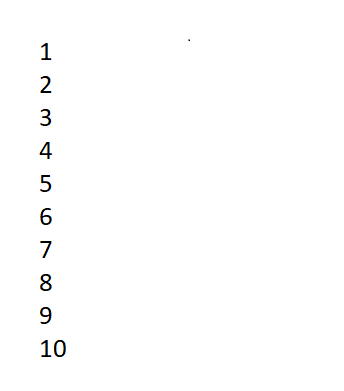
"data" : [1, 2, 3, 4, 5, 6, 7, 8, 9, 10],
}
# returning response
return render(request, "ninja.html", context)
Next, we create a URL path to map to this view. In ninja/urls.py:
from django.urls import path
# import views from views.py
from .views import ninja_view
urlpatterns = [
path('', ninja_view),
]
Finally, we create a template in templates/temp.html:
{% for i in data %}
<div class="row">
{{ i }}
</div>
{% endfor %}
The following output will be displayed on “/”:
Frequently Asked Questions
1.) How to end a for loop in Django?
Ans: In Django templates a for loop ends with the “endfor” keyword.
{% for i in list %}
{% endfor %}
2.) Can we use range in for loop template?
Ans: We can use the range function but there is no range tag or function in Django template.
3.) What is for loop counter in Django?
Ans: Django doesn't allow variable deceleration in templates other than using custom tags, which is not recommended. But Django brings in the box an automatically creates a variable called for loop. The for loop counter starts with 1, this means the first entry will start with 1 and increments till the loop iterates.
Key Takeaways
The for tag in Templates to loop through each item in an array and store the item in a context variable. Variables can also be used inside the for loop. We can unpack the values in each sublist into individual variables if you need to loop over a list of lists.
For more such interesting blogs, stay tuned with Coding Ninjas.
Thank you and happy learning!





 7+ registered

