




Introduction
We all must agree that testing is integral to developing web applications. It informs us whether the task is performing as per our expectations before it is launched.
Katalon, a platform for Automation Testing, is used to test web applications, APIs, and mobile and desktop applications. It is a powerful automation tool designed to generate and reuse automated test scripts for the User Interface without any need to code.

What is Katalon Studio?
Katalon Studio is a closed-source automation testing platform for web, application, and API testing. It was in 2015 for internal testing. Later, in 2016, it was released to the public.
We can create, execute, or view our reports for test automation using Katalon Studio. You require no special skills to use the Katalon Studio. It offers both the manual view and the script view. It is helpful to anyone who wants to test their software irrespective. of their experience in programming.
Features of Katalon Studio
Various special features of Katalon Studio have led to its popularity. Some prominent features are mentioned below.
- The Katalon Studio covers everything a tester needs in a single and organized package. This makes its deployment very easy.
- The Katalon Studio is simple to install with no tedious processes involved.
- As mentioned above, it is optional for you to require any specific specialized skill to work with Katalon Studio.
- You can complete every stage, from organizing the project, creating the tests, and running the tests, to producing the final report using in-built example copies and giving a few instructions. This helps you achieve faster results.
In detail, this article will discuss the steps to perform multi-touch actions in Mobile App with Katalon Studio. So, without further ado, let’s start.
How to Perform Multi-touch Actions in Mobile App with Katalon Studio
Multi-touch actions usually occur in gaming applications or complex tasks. Only sometimes are you allowed to perform multi-touch actions because of the platform you are using. This module explains the steps to perform multi-touch actions in Mobile App with Katalon Studio using examples and relevant images.
There are two ways to perform multi-touch actions in Mobile App with Katalon Studio- Manual Mode and Script Mode.
Login Scenario
We have used a sample multi-touch tester application. You can use this same application or go for a different one. If you want to use the same application, download it from PlayStore or opt for its APK file.
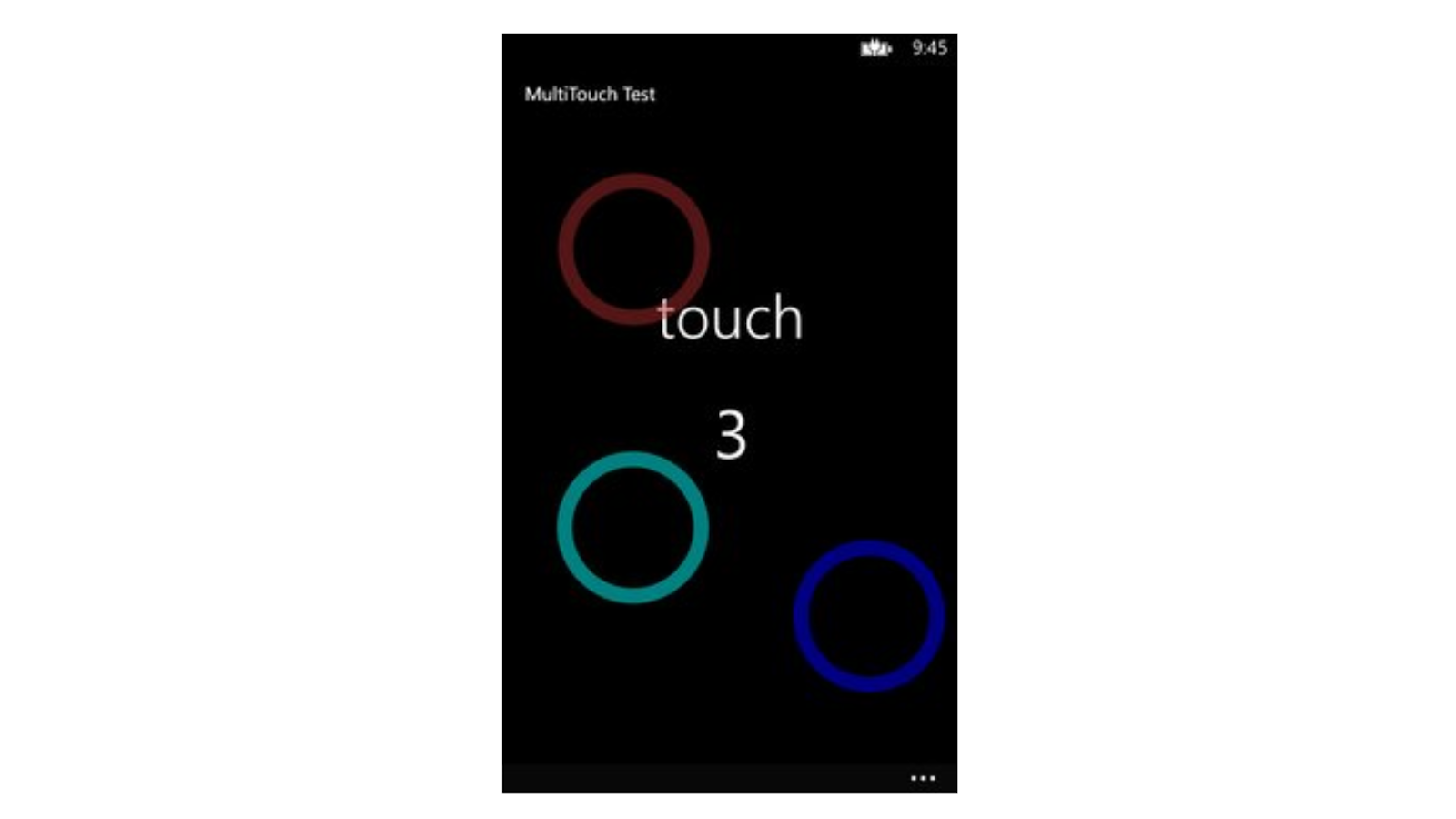
The touches are being performed at three different locations simultaneously. It illustrates automation testing in this typical behavior. The screenshot below shows a screen being touched at three different locations.
Manual Mode
This is the first way to perform multi-touch actions in Mobile App with Katalon Studio. To complete the process accurately, follow these steps properly.
1. Start the Application and click on Input to open a window. The image below shows the window that appears.
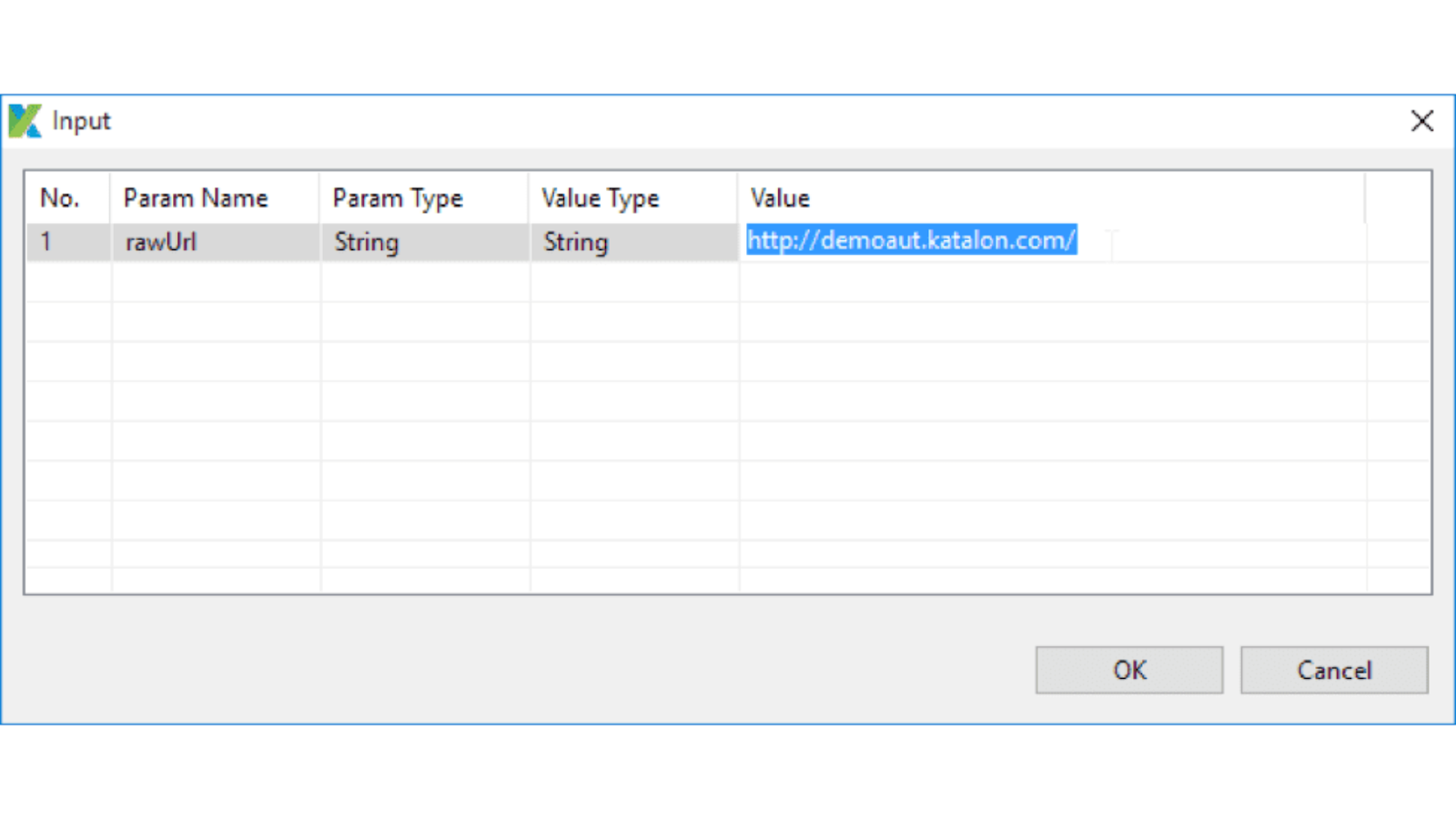
2. Carefully understand the available parameters, their type, and their value type. Figure out what values you can pass.
3. Click Ok.
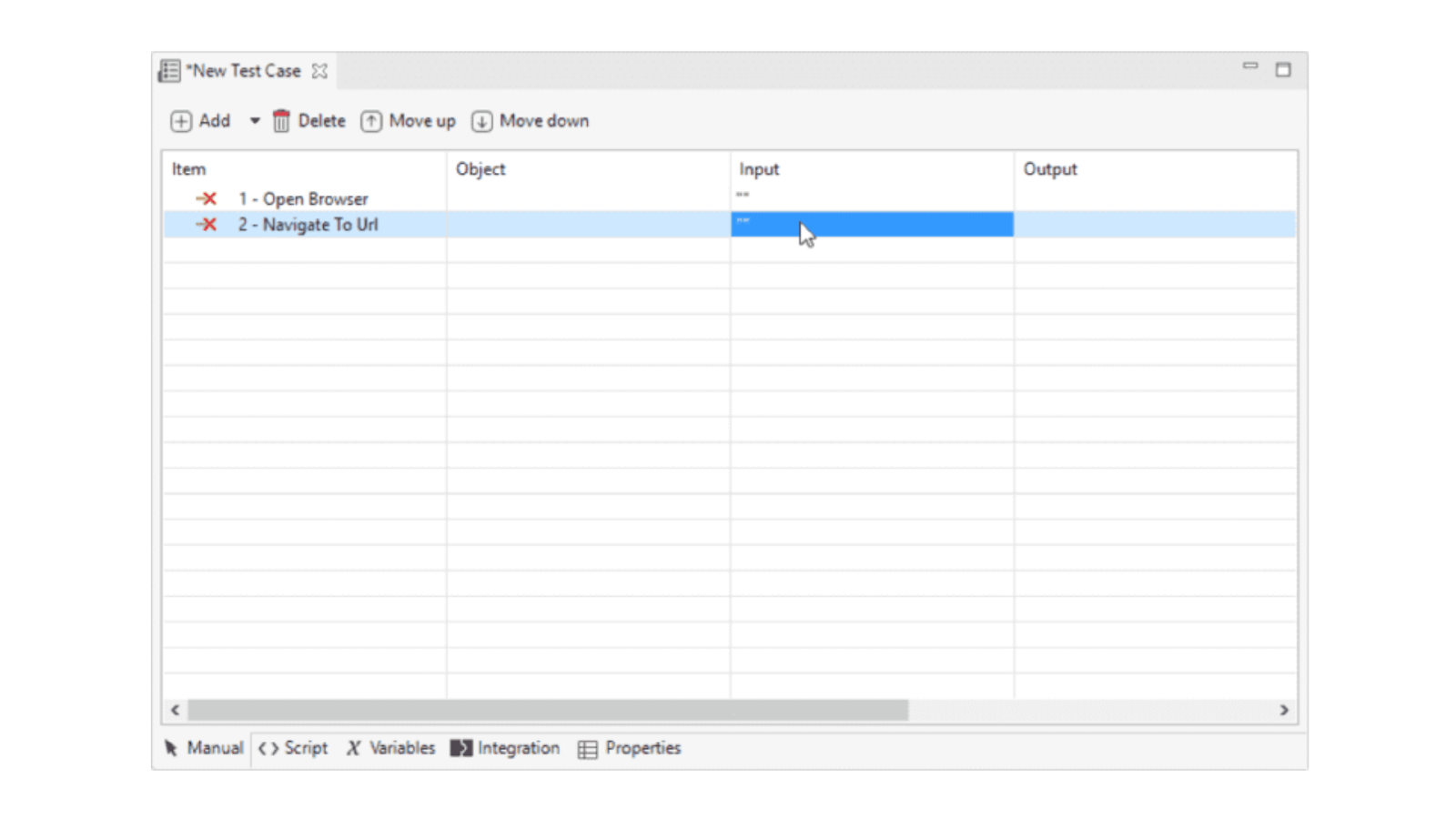
4. A screen appears where you will have to add the required number of items. The image below shows the screen that appears. These items influence your experience to perform multi-touch actions in Mobile App with Katalon Studio.
A new test case screen looks like this.
5. Add Wait for Element Present method to detect if any method is present.
6. Initialize the Katalon Mobile Driver to Appium Driver so you can receive the responses.
7. Call the Get Device Height method to capture the height of the screen. After capturing, store it in a variable named device_Height.
8. Call the Get Device Width method to capture the height of the screen. After capturing, store it in a variable named device_Width.
9. Add binary statements as required to get the X and Y coordinates of the touch actions. After adding the binary statements for the three touches, you will see a screen like this.

10. We will create an object of the MultiTouch class using the command below.
mT = new multiTouch(driver)
11. Set all three actions on added X and Y coordinates of the screen using the commands below. Name the three actions as action1, action2, and action3.
action1 = new TouchAction(driver)
action2 = new TouchAction(driver)
action3 = new TouchAction(driver)
12. We will add a method call statement to call the action methods we created earlier. Press the first action with X and Y coordinates, wait for 2 seconds, and release. Use the commands below for each method call.
action1.press(X1,Y1).waitAction(2000).release()
action2.press(X1,Y1).waitAction(2000).release()
action3.press(X1,Y1).waitAction(2000).release()
13. Now, we will add a final method call to generate a multi-touch action chain. Use the command below for the same.
mT.add(action1).add(action2).add(action3).perform()Script Mode
This is the second way to perform multi-touch actions in Mobile App with Katalon Studio. Enter the code below in the editor to proceed.
import static com.kms.katalon.core.testobject.ObjectRepository.findTestObject
import java.time.Duration
import com.kms.katalon.core.configuration.RunConfiguration as Run
import com.kms.katalon.core.mobile.keyword.MobileBuiltInKeywords as Example
import com.kms.katalon.core.mobile.keyword.internal.MobileDriverFactory as MDF

import io.appium.java_client.AppiumDriver as AD
import io.appium.java_client.MultiTouchAction as MTA
import io.appium.java_client.TouchAction as TA
import io.appium.java_client.touch.WaitOptions
import io.appium.java_client.touch.offset.PointOption

'Path of the Apk File Store in path variable.'
def path = Run.getProjectDir() + '/Data Files/MultiTouchTester.apk'

'Starting the application.'
Example.startApplication(path, false)

'Wait for Element Visible "Touch"'
Example.waitForElementPresent(findTestObject('MultiTouchTester/text_Touch'), 20)

'Verify Element Visible "Touch"'
Example.verifyElementVisible(findTestObject('MultiTouchTester/text_Touch'), 20)

'Initializing Katalon Mobile Driver to Appium Driver'
AD<?> driver = MDF.getDriver()

'Get Device Height and store to "device_Height" variable.'
device_Height = Mobile.getDeviceHeight()

'Get Device Width and store to "device_Width" variable.'
device_Width = Mobile.getDeviceWidth()

'Get X1 coordinate of touch1 (Top Left Side)'
int X1 = device_Width * 0.10

'Get Y1 coordinate of touch1 (Top Left Side)'
int Y1 = device_Height * 0.10

'Get X2 coordinate of touch2 (Middle Left Side)'
int X2 = device_Width * 0.50

'Get Y2 coordinate of touch2 (Middle Left Side)'
int Y2 = device_Height * 0.10

'Get X3 coordinate of touch3 (Bottom Right Side)'
int X3 = device_Width * 0.10

'Get Y3 coordinate of touch3 (Bottom Right Side)'
int Y3 = device_Height * 0.50

'Create an object to the "MultiTouch" class. '
MultiTouch mT = new MultiTouch(driver)

'Create First action Object to "TA" class.'
TA action1 = new TA(driver)

'Create Second action Object to "TA" class.'
TA action2 = new TA(driver)

'Create Third action Object to "TAn" class.'
TA action3 = new TA(driver)

'Press First action with x y coordinates, wait 2 Seconds, then release.'
action1.press(PointOption.point(X1, Y1)).waitAction(WaitOptions.waitOptions(Duration.ofMillis(2000))).release()

'Press Second action with x y coordinates, wait 2 Seconds, then release.'
action2.press(PointOption.point(X2, Y2)).waitAction(WaitOptions.waitOptions(Duration.ofMillis(2000))).release()

'Press Third action with x y coordinates, wait 2 Seconds, then release.'
action3.press(PointOption.point(X3, Y3)).waitAction(WaitOptions.waitOptions(Duration.ofMillis(2000))).release()

'Multi-Touch Object to add Multiple touch actions as per your need.'
multiTouch.add(action1).add(action2).add(action3).perform()

 5+ registered

