Do you think IIT Guwahati certified course can help you in your career?
Introduction
Vaadin}> is a platform for building reliable web applications with great UX using Java. In a website, images are the visual elements that enhance the user experience and make the web application more visually appealing. Icons are images that represent various functionalities of an application.
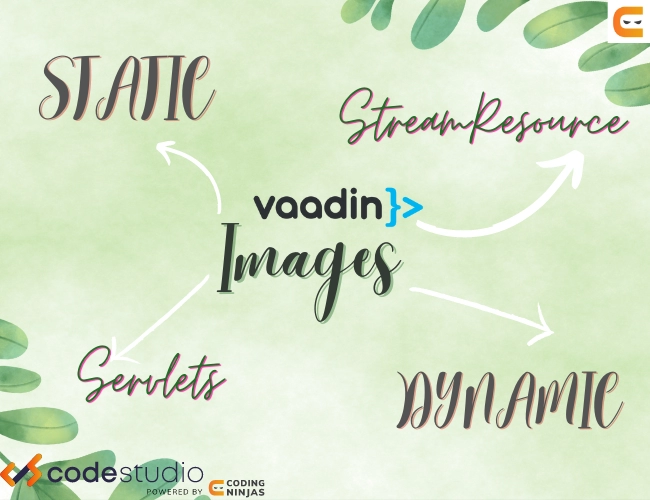
Images can be embedded in the website (we can say these images are static) and can be added dynamically while loading the website. There are two built-in icon sets in Vaadin - Lumo Icons and Vaadin Icons.
This article will discuss the techniques of adding Images and Icons to the web application using Vaadin flow.
Images
In Vaadin, the Image component is used to embed the images. The web application can add static images using a servlet container or images generated on the fly using StreamResource.
⚜ Using Servlet container
The image can be statically stored in a servlet container ( a web server like Tomcat ) and displayed while loading the web page. The following, example explains how we can add images -
Implementation
import com.vaadin.flow.component.html.Div;
import com.vaadin.flow.component.html.Image;
import com.vaadin.flow.router.Route;

@Route("application-images-basic")
public class ImageBasic extends Div {
    private static final long serialVersionUID = 1L;

    public ImageBasic() {

       //statically add the image
       Image static_image = new Image("images/codingninjasimage.png", "I am a Ninja Coder");
       static_image.setWidth(“300”);
       static_image.setHeight(“300”);

       add(image);
   }
}
Imagehas two parameters; the first parameter is the path where the image is saved and the second parameter is the alternate text that should be displayed if the image cannot be loaded.
The path of the stored image depends on the deployment methods -
Web Archive (WAR) packaging Under /src/main/webapp, such as /src/main/webapp/images/codingninjasimage.png
JAR packaging (Spring Boot applications) Under /src/main/resources/META-INF/resources, such as /src/main/resources/META-INF/resources/images/codingninjasimage.png
⚜ Using StreamResource
We can use StreamResource to load images from the Java classpath. In this case, the images must be below src/main/resources in the Java compilation path. The following, example explains how we can add images -
Implementation
import com.vaadin.demo.DemoExporter;
import com.vaadin.flow.component.html.Div;
import com.vaadin.flow.component.html.Image;
import com.vaadin.flow.router.Route;
import com.vaadin.flow.server.StreamResource;

@Route("application-images-class")
public class ImageClassResource extends Div {
    private static final long serialVersionUID = 1L;

    public ImageClassResource() {

       StreamResource resource_image= new StreamResource("codingninjasimage.png",

           () -> getClass().getResourceAsStream("/images/codingninjasimage.png"));

       Image image = new Image(resource_image, "I am a Ninja Coder");

       add(image);
   }
}
Icons
Vaadin has over 600 million built-in icons which can be used in the web application. There are two ways of adding icons in Vaadin -
🌻 Lumo Icons
Vaadin components use Lumo, an evolving design system foundation for modern web applications. Lumo is the default theme in Vaadin. Lumo icons are designed to fit the Lumo theme style. They are drawn on a 24 by 24 pixel canvas with a 16 by 16 pixel active area for the icon itself and a 4-pixel safe area around the icon to achieve better visual balance across the icons.
The following example explains how to add Lumo Icons.
Implementation
import com.vaadin.flow.component.html.Div;
import com.vaadin.flow.component.icon.Icon;
import com.vaadin.flow.router.Route;

@Route("icons")
public class IconsExample extends Div {
   public MyApp() {

  		// the first parameter is used to indicate the Lumo theme
  		// the second parameter is used to indicate the element to add.
  		Icon lumoIcon = new Icon("lumo", "photo");

  		add(lumoIcon);
    }
}
🌻 Vaadin Icons
The Vaadin Icons are created on a 16 by 16 pixel canvas with no safe area around them. Because the Icon/<vaadin-icon> component renders icons on a 24 by 24 pixel canvas by default, Vaadin Icons are scaled up and appear more prominent than Lumo icons.
The icons are rendered as an inline <svg> element within the shadow root of a <vaadin-icon> element, allowing them to be styled with CSS.
Implementation
import com.vaadin.flow.component.html.Div;
import com.vaadin.flow.component.icon.VaadinIcon;
import com.vaadin.flow.router.Route;

@Route("icons")
public class IconsExample extends Div {

	public MyApp() {

		Icon vaadinIcon = new Icon(VaadinIcon.PHONE);
  		add(vaadinIcon);
 	}
}
Frequently Asked Questions
Who is Vaadin for?
Vaadin is made to increase full-stack teams' productivity. We may concentrate all our efforts on creating functionality thanks to full-stack type safety and smooth server-to-browser communication.
When should one use Vaadin Flow?
Using Flow, we can build the entire application. There is no need to write REST endpoints; server-client communications are automated. We have complete access to server resources like databases and dependency injection containers and the JVM, which runs the UI code. However, Flow compulsory requires an internet connection, and we cannot build or write applications offline.
Is knowledge of HTML, CSS, and JavaScript a prerequisite for learning Vaadin?
No. We can build a complete, modern web app fully in Java using Vaadin Flow which is the main advantage of Vaadin. It allows the user to build a website purely using Java.
Conclusion
Congratulations on finishing the blog!🥳 In this blog, we have discussed the ways of adding Images and Icons in Vaadin. We learned to add Images using Servlets and StreamResource. Furthermore, we learned how to add Lumo icons and Vaadin icons.
We hope this blog has increased your knowledge about Vaadin. We recommend you to visit our articles on different topics of Vaadin, such as








 7+ registered

