




Introduction
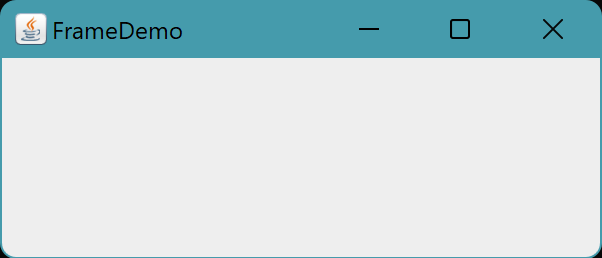
JFrame is the top-level Swing container that renders a screen window. A frame is the foundational window for additional elements like the menu bar, panels, labels, text fields, buttons, etc. JFrame window opens at the beginning of almost all Swing applications.
JFrame is a class in the javax.swing package that java.awt.frame extends. This top-level window has a title bar and border. There are numerous ways to customize the JFrame class. To learn more about JFrame in Java, see this article.
JFrame class
Declaration
public class JFrame extends frame implements WindowConstants, Accessible, RootPaneContainer
Constructors
Constructor | Description |
| JFrame() | Creates a new frame that is originally invisible. |
| JFrame(String title) | Creates a new Frame with the supplied title that is initially invisible. |
| JFrame(GraphicsConfiguration gc) | Creates a Frame with a blank title in the provided GraphicsConfiguration of a screen device. |
| JFrame(String title, GraphicsConfiguration gc) | The supplied GraphicsConfiguration of a screen device is used to create a JFrame with the specified title. |
Fields
Field | Modifier and Type | Description |
| accessibleContext | protected AccessibleContext | The property of the available context. |
| EXIT_ON_CLOSE | static int | The default window closure action when exiting an application. |
| rootPane | protected JRootPane | The JRootPane object controls the glassPane, optional menuBar, and contentPane for this frame. |
| rootPaneCheckingEnabled | protected boolean | If true, the contentPane will receive calls for add and setLayout. |
Methods
addImpl(Component comp, Object constraints, int index)
Modifier and Type: protected void.
The requested child Component is added.
createRootPane()
Modifier and Type: protected JRootPane.
The constructor methods use this method to establish the default rootPane.
frameInit()
Modifier and Type: protected void.
Called by the constructors to properly initialize the JFrame.
getAccessibleContext()
Modifier and Type: AccessibleContext
The AccessibleContext connected to this JFrame is obtained.
getContentPane()
Modifier and Type: Container
This method returns the contentPane object for this frame.
getDefaultCloseOperation()
Modifier and Type: int
Returns the operation when the user clicks the "close" button on this frame.
getGlassPane()
Modifier and Type: Component
This method returns the glassPane object for this frame.
getGraphics()
Modifier and Type: Graphics
Creates a graphical context for this component.
getJMenuBar()
Modifier and Type: JMenuBar
This method returns the menubar that was set on this frame.
getLayeredPane()
Modifier and Type: JLayeredPane
This method returns the layeredPane object for this frame.
getRootPane()
Modifier and Type: JRootPane
This method returns the rootPane object for this frame.
getTransferHandler()
Modifier and Type: TransferHandler
The transferHandler property is returned.
isDefaultLookAndFeelDecorated()
Modifier and Type: static boolean
Returns true if freshly produced JFrames should use the current style and feel for their Window decorations.
isRootPaneCheckingEnabled()
Modifier and Type: protected boolean
Returns whether add and setLayout methods are routed to the contentPane.
paramString()
Modifier and Type: String boolean
This method returns a string representation of this JFrame.
processWindowEvent(WindowEvent e)
Modifier and Type: protected void
This component's window events are processed.
setContentPane(Container contentPane)
Type: void
This method sets the contentPane property.
setDefaultCloseOperation(int operation)
Type: void
Sets the operation that will be performed by default when the user clicks the "close" button on this frame.
setDefaultLookAndFeelDecorated(boolean defaultLookAndFeelDecorated)
Modifier and Type: static void
This property indicates whether newly formed JFrames should have their Window decorations (such as borders, widgets to close the window, title, etc.) given by the current look and feel.
setGlassPane(Component glassPane)
Type: void
This method sets the glassPane property.
setIconImage(Image image)
Type: void
This method sets the image to be displayed as the icon for this window.
setJMenuBar(JMenuBar menubar)
Type: void
This method sets the menubar for this frame.
setLayeredPane(JLayeredPane layeredPane)
Type: void
This method sets the layeredPane property.
setLayout(LayoutManager manager)
Type: void
This method sets the LayoutManager.
setRootPane(JRootPane root)
Type: protected void
This method sets the rootPane property.
setRootPaneCheckingEnabled(boolean enabled)
Type: protected void
Sets whether add and setLayout calls are directed to the contentPane.
setTransferHandler(TransferHandler newHandler)
Type: void
Sets the transferHandler property, which is a means for allowing data to be transferred into this component.
update(Graphics g)
Type: void
It simply calls for paint (g).
Also check out Swing component in java

 1+ registered

