Implementation
As we discussed at the beginning of this article, there are two primary ways we can use Native ES Modules in the Mocha framework. We will now try out both of the implementations with the help of examples.
Node.js Native ESM Support
Mocha supports writing your tests as ES modules instead of just using CommonJS. You don't need to do anything out of the ordinary to enable tests as ES Modules.
You can write your test file as an ES Module. In Node.js, you can accomplish that by ending the file with the .mjs extension or adding "type": "module" into your package.json file if you want to use the .js extension. Here is an example of this method:
Program:
//sum.mjs
export default function sum(a, b) {
  return a + b;
}

You can also try this code with Online Javascript Compiler
Program:
//nesm.test.mjs
import sum from "./sum.mjs";
import assert from "assert";

it("should add to numbers from an es module", () => {
  assert.equal(sum(3, 5), 8);
});
You can also try this code with Online Javascript Compiler
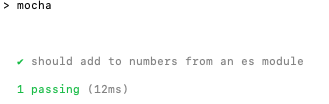
Output:
The esm Library
Using the esm library to load ES modules in your Node project with Mocha framework is also simple.
To start, you need to make sure that you have the esm library installed in your npm project like this:
npm i esm
Below is an elementary example that demonstrates how we can use this library.
Program:
//sum.js
export default function sum(a, b) {
  return a + b;
}
You can also try this code with Online Javascript Compiler
Program:
import sum from "./sum.js";
import assert from "assert";

describe("sum", function () {
  it("returns the sum of two arguments", function () {
     assert.equal(sum(1, 2), 3);
  });
});
You can also try this code with Online Javascript Compiler
To ensure that Node understands the ES import syntax, you need to pass esm as a requirement to our mocha command in the terminal.
npx mocha 'nesm.test.js' --require esm
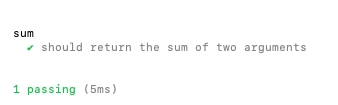
Output:
FAQs
1. What are native ES modules?
Ans: ES Modules is the standard ECMAScript for working with modules. While Node.js has used the CommonJS standard for years, the browser has no module system. Every major decision like the module system must first be standardized by ECMAScript and implemented.
2. How are ES Modules different from CommonJS Modules?
Ans: The ES module is the official standard format to package JavaScript code for reuse, and most modern web browsers support the modules natively. But Node.js supports the CommonJS module format by default. Starting with version 13.2.0, Node.js provides stable support of ES modules.
3. What are the advantages of ES6 Modules?
Ans: There are multiple advantages of ES Modules:
- Having a single conducive declarative pattern makes class patterns painless and boosts interoperability in ES6.
- They are a simple prototype-based OO pattern.
- Classes support inheritance, instance, and static methods, making ES6 a more friendly version of Javascript.
Key Takeaways
In this article, we have extensively discussed Node.js Native ESM Support and testing Native ESM with the esm library and their implementation in Mocha with the help of Examples. Native ESM Support is one of many vital features provided by Mocha, and there are a lot more of these features you can explore.
If you want to widen your knowledge about unit testing in javascript, you should explore the Jest framework with articles like Getting Started with Jest and Writing first Unit Test with Jest.
We hope that this blog has helped you enhance your knowledge regarding Native ES Modules in Mocha. If you would like to learn more, head over to our practice platform Coding Ninjas Studio to practice top problems, attempt mock tests, read interview experiences, and much more. Till then, Happy Learning!





 1+ registered

