Get a skill gap analysis, personalised roadmap, and AI-powered resume optimisation.
Introduction
Nowadays, organisations know the importance of quick Data Analysis and making decisions promptly to keep up with the fast-paced world. The old way of handling lots of data from different sources no longer works. Spark Streaming is a part of Apache Spark and can change the game by providing a powerful framework.
What is Spark Streaming?
Spark Streaming processes live data streams in near real time. A data stream is represented as a series of RDDs called DStreams. Micro-batching divides the data stream into smaller batches for parallel processing. It integrates with various data sources like Kafka, HDFS, and Amazon S3.
It provides scalability and fault tolerance by leveraging Spark's distributed processing capabilities. Spark Streaming supports operations filtering, mapping, aggregation, joins and window calculations. Windowing allows you to process data over a sliding time window.
It integrates seamlessly with other Spark components such as Spark SQL, MLlib, and GraphX. It is used for real-time analytics applications such as dashboards, fraud detection, and sentiment analysis. It provides ease of use and a high level programming interface.
Uses of Spark Streaming
Uses of Spark Streaming are:
Real-time analytics and decision making.
Fraud detection and prevention.
Social media monitoring and sentiment analysis.
IoT data processing for real-time monitoring and control.
Log analysis for proactive troubleshooting. Network monitoring to identify problems and security threats.
A real-time recommendation system.
Continuous ETL that integrates real-time data.
Internet advertising, including real-time bidding and targeting.
Supply chain optimization and monitoring.
Advantages of Spark Streaming
Advantages of Spark Streaming are:
Real-time processing provides timely insights.
High scalability for processing large amounts of data.
Fault tolerance for resilient data processing.
Seamless integration with the Spark ecosystem for blended analytics.
Versatility for different use cases and complex operations.
User-friendly high-level programming interface.
Hybrid batch and stream processing capabilities.
Strong community support and extensive documentation.
Guaranteed processing with exactly-once semantics.
Integration with multiple data sources for easy ingestion.
Disadvantages of Spark Streaming
Disadvantages of Spark Streaming are:
High memory consumption.
Increased latency.
Limited support for low latency requests.
Complex setup and configuration.
Scalability challenges. No one-time processing.
Dependence on the Spark ecosystem.
Limited support for on-event processing.
Resource consumption may increase.
Complexity of fault tolerance and state management.
Working of Spark Streaming
Let's learn more about how Spark Streaming works.
Data Recording
Spark Streaming ingests data from Apache Kafka, Flume, HDFS, and TCP sockets. These sources continuously generate data treated as event streams.
Discretized Stream
Spark Streaming splits the data stream into smaller batches called DStreams. It's like breaking a big thing into small parts. Each batch represents a specific time interval (usually a few seconds).
Batch Interval
The batch interval determines how long data is collected before processing. If the batch interval is 1 second, Spark Streaming takes 1 second of data and works on it as one batch.
Micro Batch Processing
Spark Streaming treats data in groups called batches. Each batch is considered an RDD, Spark's main data structure. These RDDs are processed using Spark's parallel processing capabilities.
Conversions and Calculations
After splitting the data into batches, you can do many changes and calculations to the DStream. Spark Streaming provides high-level operations similar to Spark's batch API, including: Filtering, mapping, aggregation, and linking.
Window Operation
Spark Streaming has windowing operations. These operations can apply changes to data in a sliding time window. You can perform advanced analysis using data from the last 5 minutes or a particular period. You can also create sessions based on a user's activity during that time.
Processing Logic
Developers create a chain of actions on DStream to process batches of data. The data flow and computation are shown by a Directed Acyclic Graph (DAG) graph.
Fault Tolerance
Spark Streaming can handle errors by saving information about what's coming in and what's being done. In the event of an error, Spark Streaming can recover lost or failed batches and reprocess them.
Output Operation
Spark Streaming can send processed data to different sinks or systems, for example : A database, file system, dashboard, or external service.
Deployment and Execution
Once you have identified how to process your data, Spark Streaming can be used on many machines. This is done using a resource manager like Apache Mesos or Apache YARN. Spark Streaming divides work between computers to process lots of data simultaneously. This helps get things done faster.
Continuous Processing
Spark Streaming operates in micro-batch mode. This mode appears as continuous processing to the application.
You can write your code as if processing a continuous data stream. Spark Streaming processes data in discrete batches, but you don't have to worry about that.
Spark Streaming uses features that let you process data in near-real-time. This means organisations can analyse data as it comes in, watch events as they happen, find unusual things, and receive up-to-date data. You will be able to make decisions.
Hands On with Spark Streaming
Let's look at the process of working with Spark Streaming with code examples.
Environment Setup
First, make sure Apache Spark is properly installed and configured.
Visit the official site and follow the installation instructions for your specific environment.
OR
Through command line type :
pip install pyspark
Create a Spark Streaming Context
We need to start with a Spark Streaming Context to make streaming work. Here is a code of creating a local streaming context:
from pyspark import SparkContext
from pyspark.streaming import StreamingContext

# Create a SparkContext
sc = SparkContext("local[2]", "Spark Streaming Example")

# Create a StreamingContext with a batch interval of 1 second
ssc = StreamingContext(sc, 1)
You can also try this code with Online Python Compiler
This code connects to a TCP socket on the same computer at port 4040. It also creates a DStream named "lines" that shows the data received from the socket.
Apply Transformations and Calculations
After the data is collected, change and compute it to manage the data stream.
Below is an example that counts occurrences of words in an input stream.
# Split each line into words
words = lines.flatMap(lambda line: line.split(" "))

# Count the occurrences of each word
wordCounts = words.map(lambda word: (word, 1)).reduceByKey(lambda x, y: x + y)
You can also try this code with Online Python Compiler
Using map in this code, we split each line into words using flatMap and give each word an initial count of 1. Finally, we use the reduceByKey transformation to sum the counts of the same words.
Output Operations
Spark Streaming has different ways to save data after processing it. Here's an example of printing the word counts to the console:
# Print the word counts
wordCounts.pprint()
You can also try this code with Online Python Compiler
The start() method begins the streaming process. Then, the awaitTermination() method waits for the end signal.
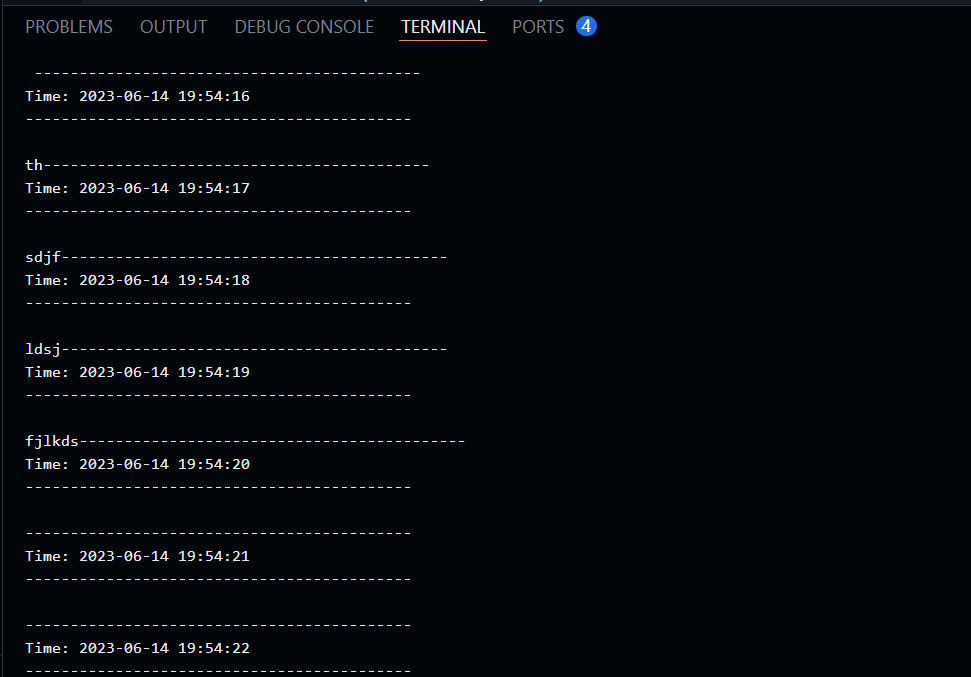
Output:
As soon as you see the above output type words in the terminal.
Running the Streaming Application
Open a terminal and create a TCP server using the "nc" command to use your streaming app. This will simulate data streaming.
nc -lk 4040
To make it easier, start a TCP server on port 4040. Then, type any text you want to send as a stream to the Spark Streaming app.
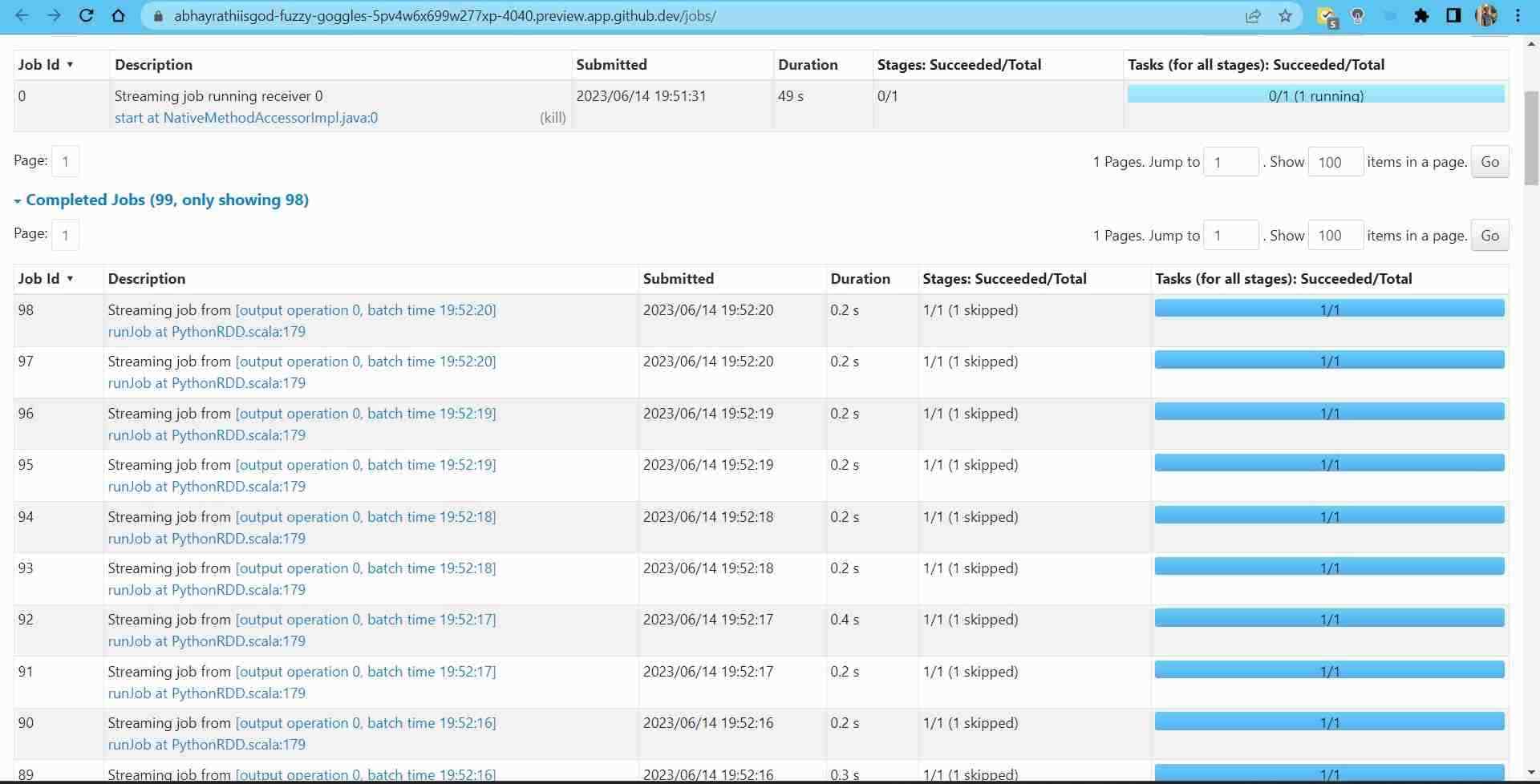
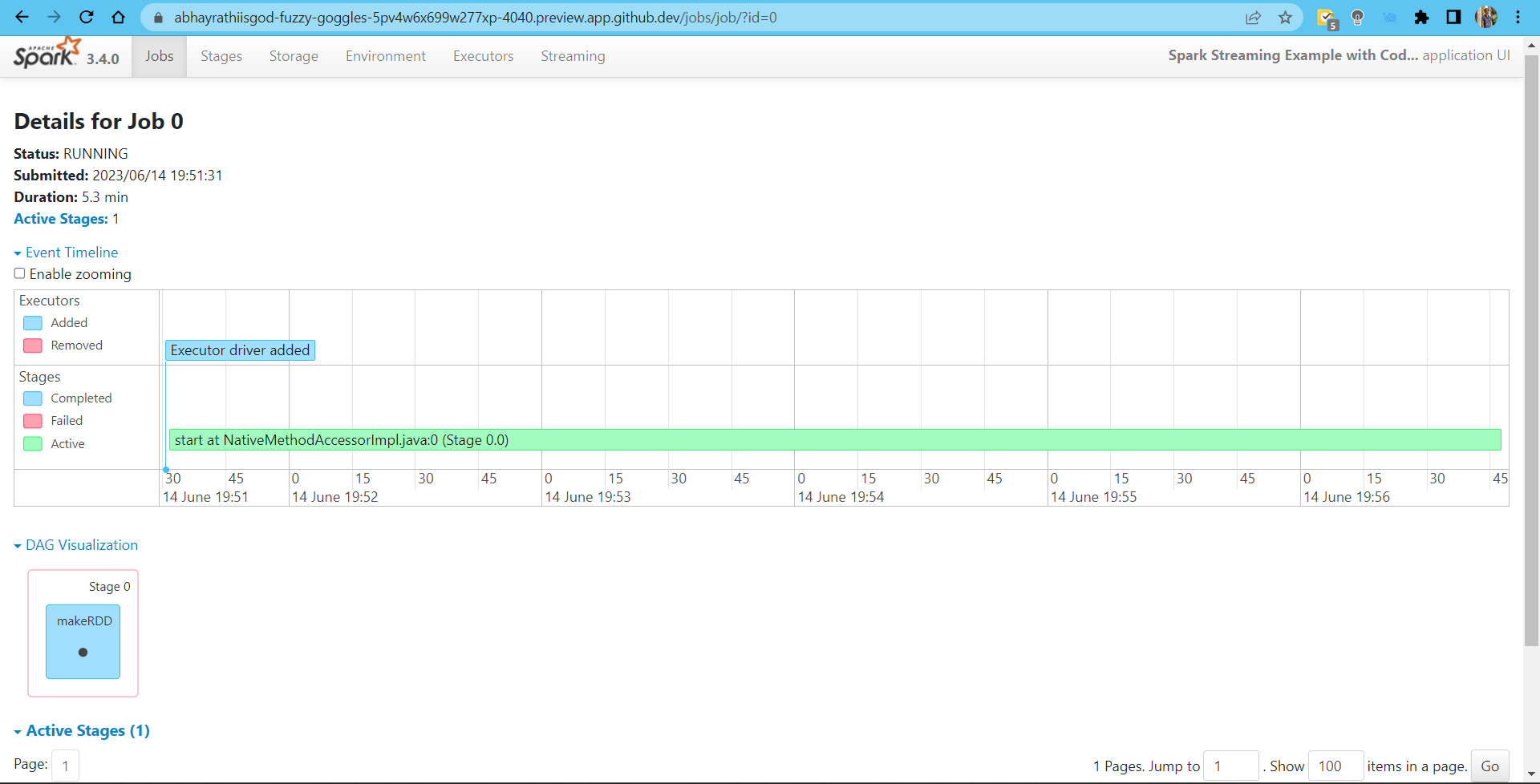
Here you will see all the batch operations performed.
Output:
Analysis of Streaming Data
After you start the app and data begins to stream, you can see the data in the console. Then, you can do more things like adding visualizations and saving them
These above code examples show how to use Spark Streaming, but many other advanced features exist such as load balancing, faster recovery from failures etc.
Frequently Asked Questions
What is Spark Streaming?
Spark Streaming is a tool that processes data in real time. It can handle large amounts of data and is reliable even when there are problems with the stream. Apache Spark includes it, and it lets companies make real-time analytics apps.
How does Spark Streaming work?
Spark Streaming follows a micro-batching model. Take data from various sources and divide it into smaller batches or time slots. Spark processes each batch as an RDD using its parallel processing abilities.
What are the advantages of Spark Streaming?
Spark Streaming lets you process data in real time. It can handle large amounts of data, avoid downtime, and connect with other Spark tools. It does many things. It helps with maths, can use Windows, and works with other parts of Spark for combining data.
What are some use cases for Spark Streaming?
Spark Streaming has many uses, like analyzing data in real-time, detecting fraud, monitoring social media, processing IoT data, analyzing logs, creating recommendation systems, and optimizing supply chains.
How does Spark Streaming ensure fault tolerance?
Spark Streaming tolerates fault by storing processed RDDs in a distributed storage system. If there is a mistake, we can fix it. We can find and redo the lost or failed batches to keep the data accurate.
Can Spark Streaming handle large amounts of data?
Spark Streaming uses Spark's distributed processing to scale across machine clusters. It's easy to manage and improve the efficiency of your data processing. You can handle more work and data with this.
Conclusion
In short, Spark Streaming is a strong tool for processing data in real-time, with a lot of potential. Organisations can get quick insights and make data-driven decisions thanks to live data processing, scalability, fault tolerance, and seamless integration with Spark's wider ecosystem. Organisations can innovate in different fields by improving their real-time analytics with Spark Streaming.
If you want to widen your horizon on this topic, do read the following:-










 1+ registered

